
Įvadas
Thank you for choosing the MeeTion K9310 Gaming Keyboard. This manual provides detailed instructions for setting up, operating, and maintaining your new keyboard. The K9310 is designed for an enhanced gaming experience with features such as multicolor backlighting, anti-ghosting, and dedicated shortcut keys.
Pakuotės turinys
- MeeTion K9310 Gaming Keyboard
- Vartotojo vadovas (šis dokumentas)
Sąranka
Follow these steps to connect your MeeTion K9310 Gaming Keyboard to your computer:
- Išpakuokite klaviatūrą iš pakuotės.
- Kompiuteryje raskite laisvą USB prievadą.
- Prijunkite klaviatūros USB jungtį prie USB prievado.
- Your operating system (Windows XP/Vista/7/8/10) will automatically detect and install the necessary drivers. No additional software installation is typically required.
- The keyboard is ready for use once the drivers are installed.

Vaizdas: Viršus view of the MeeTion K9310 Gaming Keyboard with its USB cable, ready for connection.
Naudojimo instrukcijos
Pagrindinės savybės
- Multicolor Key Backlit: The keyboard features vibrant multicolor backlighting for enhanced visibility and aesthetic appeal, especially in low-light conditions.
- Comfortable and Soft Keys: Designed with membrane keys offering tactile feedback, providing a comfortable typing and gaming experience.
- 19 klavišų apsauga nuo šešėliavimo: This feature ensures that up to 19 keys can be pressed simultaneously without any input loss, crucial for complex gaming commands.
- Win Lock Function with LED Indication: Prevents accidental presses of the Windows key during gameplay, which can interrupt your game. An LED indicator shows when this function is active.
- 12 FN Shortcut Buttons: Access various multimedia and system functions quickly using the Function (FN) key in combination with the F1-F12 keys.
Foninio apšvietimo valdymas
The K9310 keyboard features a multicolor backlight. Specific key combinations may be used to adjust brightness or switch lighting modes. Refer to the keyboard's markings for dedicated backlight control keys, often indicated by a sun or light bulb icon, or through FN key combinations.
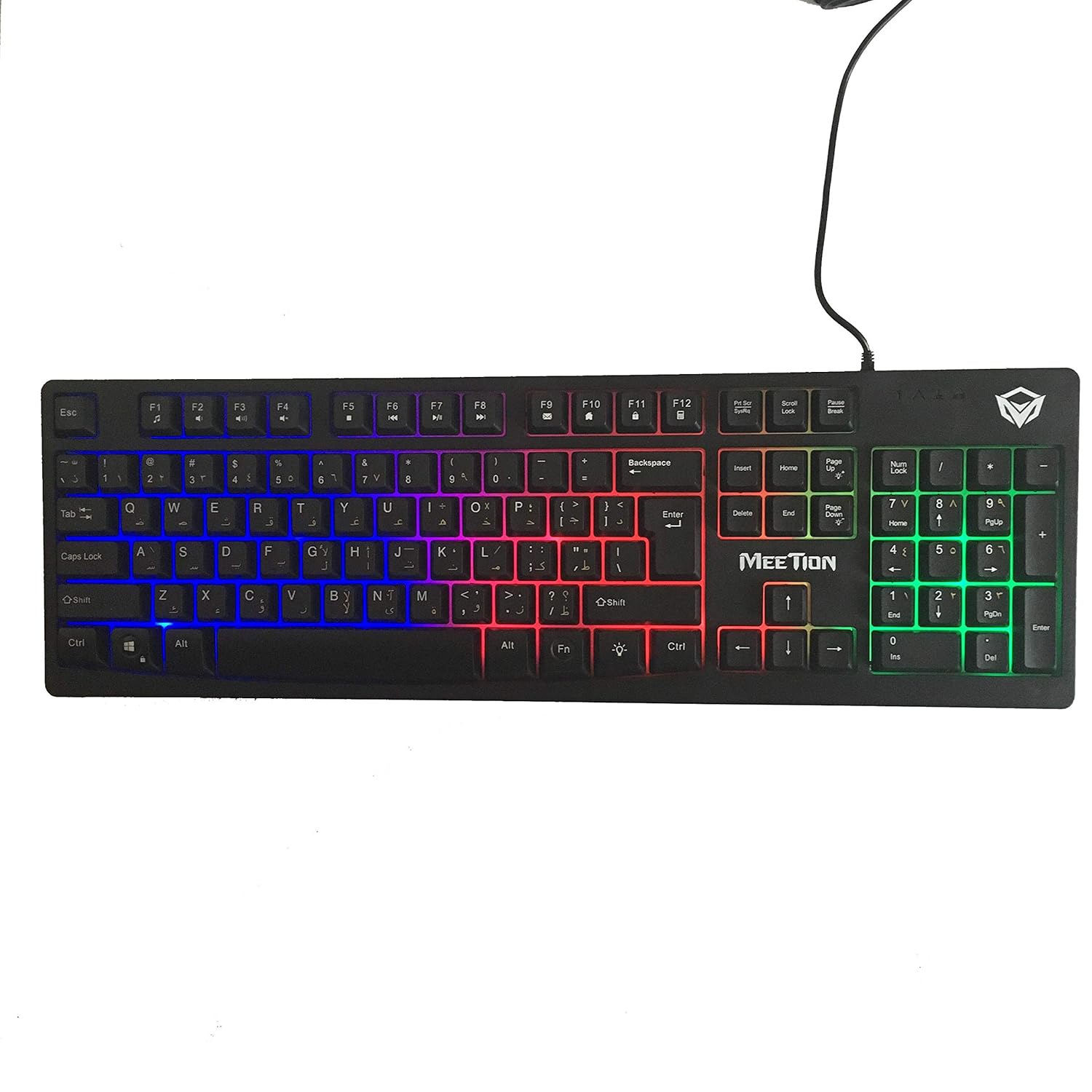
Vaizdas: Viršus view of the MeeTion K9310 Gaming Keyboard with its multicolor backlighting illuminated.
FN Shortcut Functions
The keyboard includes 12 FN (Function) shortcut buttons. To activate these functions, press and hold the FN key, then press the desired F-key (F1-F12).
| Raktų derinys | Funkcija |
|---|---|
| FN + F1 | Media Player |
| FN + F2 | Sumažinti garsumą |
| FN + F3 | Padidinti garsumą |
| FN + F4 | Nutildyti |
| FN + F5 | Sustok |
| FN + F6 | Ankstesnis takelis |
| FN + F7 | Leisti / pristabdyti |
| FN + F8 | Kitas takelis |
| FN + F9 | El. paštas |
| FN + F10 | Web Naršyklė |
| FN + F11 | Mano kompiuteris |
| FN + F12 | Skaičiuoklė |
„Win Lock“ funkcija
To activate or deactivate the Windows key lock function, press FN + Win klavišas. When active, the Windows key will be disabled, preventing accidental presses during gaming. An LED indicator on the keyboard will typically illuminate to show the Win Lock status.
Priežiūra
Tinkama klaviatūros priežiūra užtikrina jos ilgaamžiškumą ir optimalų veikimą.
- Valymas: Klaviatūros paviršiui valyti naudokite minkštą, sausą šluostę. Gilesniam valymui naudokite šiek tiek drėgnąamp cloth with mild soap can be used, ensuring no liquid enters the key switches or internal components.
- Dulkių šalinimas: Norėdami pašalinti dulkes ir šiukšles iš tarpų tarp klavišų, naudokite suslėgtą orą.
- Venkite skysčių: Do not spill liquids on the keyboard. If a spill occurs, immediately disconnect the keyboard from the computer and allow it to dry completely before reconnecting.
- Saugykla: Ilgą laiką nenaudojant klaviatūros, ją laikykite vėsioje, sausoje vietoje, toliau nuo tiesioginių saulės spindulių ir ekstremalių temperatūrų.

Vaizdas: Apačia view of the MeeTion K9310 Gaming Keyboard, showing the product label and rubber feet.
Trikčių šalinimas
If you encounter issues with your MeeTion K9310 Gaming Keyboard, refer to the following troubleshooting steps:
- Klaviatūra nereaguoja:
- Įsitikinkite, kad USB laidas yra tvirtai prijungtas prie veikiančio kompiuterio USB prievado.
- Pabandykite prijungti klaviatūrą prie kito USB prievado.
- Iš naujo paleiskite kompiuterį.
- Išbandykite klaviatūrą kitame kompiuteryje, kad nustatytumėte, ar problema susijusi su klaviatūra, ar su kompiuteriu.
- Keys Not Working (e.g., 'W' key):
- Check for any debris or foreign objects lodged under the affected key. Use compressed air to clear it.
- If only specific keys are not responding, and the keyboard is otherwise functional, it might indicate a hardware issue.
- Foninis apšvietimas neveikia arba mirga:
- Įsitikinkite, kad klaviatūra tinkamai prijungta.
- Check if the backlight brightness is set to minimum or turned off via FN key combinations.
- If the issue persists, it may indicate a hardware malfunction.
- Win Lock Function Not Working:
- Ensure you are using the correct key combination (FN + Win Key) to toggle the function.
- Check the LED indicator for Win Lock status.
Specifikacijos
| Funkcija | Detalė |
|---|---|
| Prekės ženklas | SUSITIKIMAS |
| Modelis | K9310 |
| Klaviatūros tipas | Žaidimų klaviatūra |
| Pagrindinis kontaktas | Membrane with tactile feedback |
| Išdėstymas | Cyrillic alphabet layout (Windows Keys) |
| Anti-Ghosting | 19 raktai |
| Foninis apšvietimas | Daugiaspalvis klavišo apšvietimas |
| „Win Lock“ funkcija | Taip, su LED indikacija |
| FN Shortcut Buttons | 12 |
| Error-Free Running Time | More than 10 million strokes |
| OS suderinamumas | Windows XP / Vista / 7/8/10 |
| Matmenys | 17.5 × 5.5 x 1.5 inches (approximate) |
| Svoris | 1.2 svaro (apytiksliai) |
| Suderinami įrenginiai | Nešiojamieji kompiuteriai (ir stacionarūs kompiuteriai) |
Garantija ir palaikymas
For warranty information or technical support, please refer to the documentation provided at the time of purchase or visit the official MEETION websvetainėje. Išsaugokite pirkimo įrodymą, jei prireiktų pateikti garantinį ieškinį.