
1. Įvadas
This manual provides comprehensive instructions for the M-Wave Bicycle Computer, model Cicli Bonin_CVC911. It covers installation, operation, maintenance, and troubleshooting to ensure optimal performance and longevity of your device. Please read this manual thoroughly before using the product.

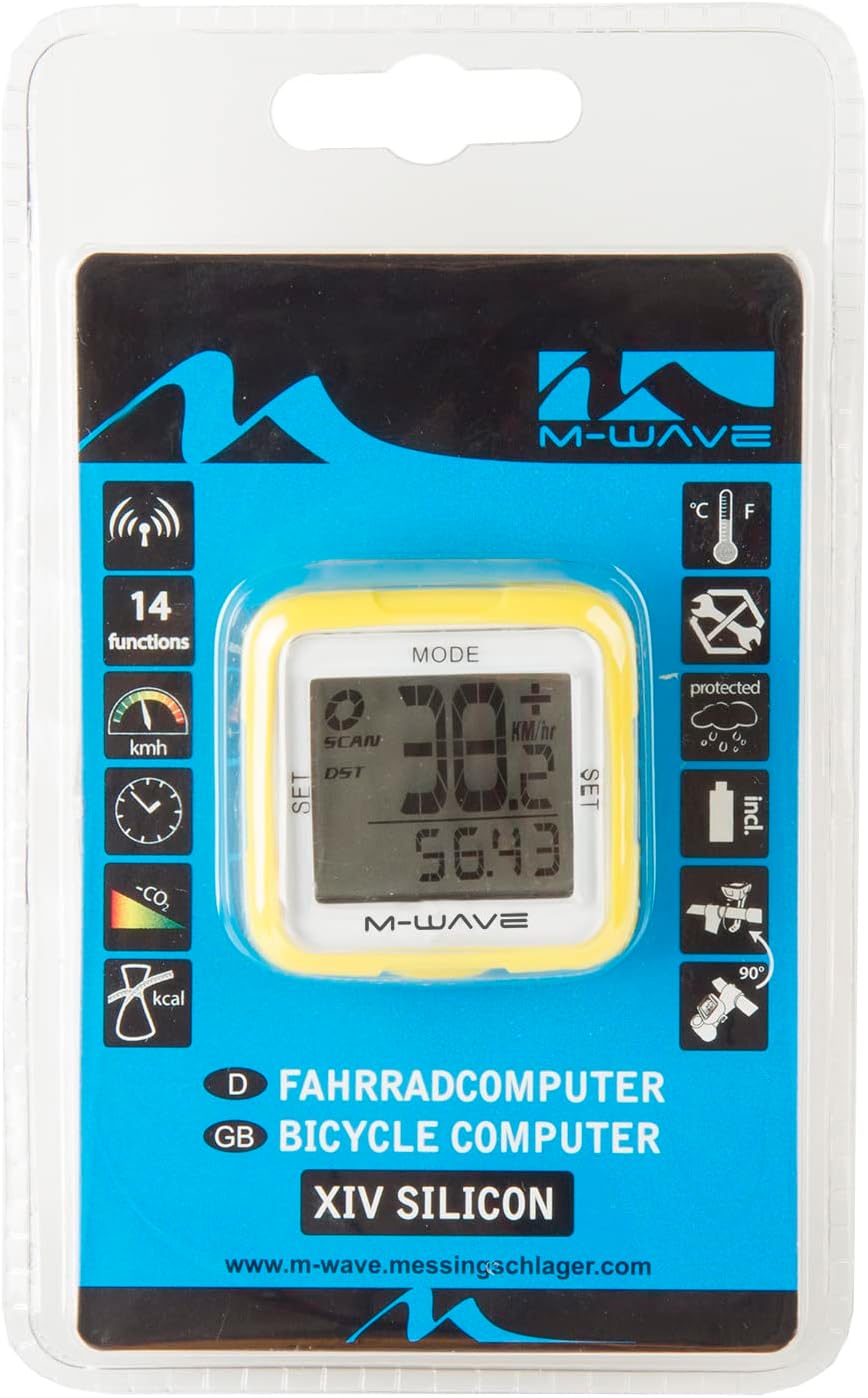
Image 1: M-Wave Bicycle Computer head unit, yellow model.
2. Saugos informacija
Always prioritize safety when cycling. Ensure the computer is securely mounted and does not obstruct your view or control of the bicycle. Do not attempt to operate the computer while riding in traffic or hazardous conditions. Keep batteries out of reach of children. Dispose of batteries responsibly according to local regulations.
3. Pakuotės turinys
Patikrinkite, ar pakuotėje yra visi komponentai:
- M-Wave Bicycle Computer Head Unit
- Belaidis greičio jutiklis
- Ratų magnetas
- Vairo / vairo iškyšos tvirtinimo laikiklis
- Zip Ties for Sensor and Bracket
- Baterijos (iš anksto įdėtos arba atskiros)
- Instrukcijų vadovas
4. Sąranka
4.1 Akumuliatoriaus įdėjimas
The M-Wave Bicycle Computer uses alkaline batteries. If not pre-installed, open the battery compartment on the back of the head unit and the speed sensor. Insert the batteries with correct polarity, observing the '+' and '-' markings, and securely close the compartments.
4.2 Sensor and Magnet Mounting
Attach the wireless speed sensor to the front fork using the provided zip ties. Position the wheel magnet on a spoke so that it passes within 2mm of the sensor when the wheel rotates. Ensure the magnet and sensor are aligned for reliable signal transmission.
4.3 Computer Mounting
Mount the computer head unit to your handlebar or stem using the provided bracket and zip ties. Ensure it is firmly secured and visible without obstructing your view arba valdikliai.
2 paveikslėlis: Šonas view of the M-Wave Bicycle Computer, illustrating its compact design and potential mounting points.
4.4 Pradiniai nustatymai
Upon first use or after battery replacement, you will need to set up the computer. This typically involves:
- Ratuko diametras: Refer to your bicycle tire's sidewall for the circumference or use a measurement chart. Input this value into the computer for accurate speed and distance readings.
- Vienetai: Select your preferred units for speed (km/h or mph) and temperature (C° or F°).
- Laikas: Nustatykite dabartinį laiką.
Consult the on-screen prompts and use the 'SET' and 'MODE' buttons for navigation and selection.
5. Naudojimo instrukcijos
The M-Wave Bicycle Computer features 14 functions. Use the 'MODE' button to cycle through different display modes and the 'SET' button for adjustments within a mode.

Image 3: Product packaging showing the 14 functions of the M-Wave Bicycle Computer.
- Dabartinis greitis: Rodo jūsų važiavimo dviračiu greitį realiuoju laiku.
- Vidutinis greitis: Shows the average speed for your current ride.
- Maksimalus greitis: Records the highest speed achieved during your ride.
- Atstumas (DST): Displays the distance covered during your current ride.
- Bendras atstumas (ODO): Shows the accumulated total distance.
- Važiavimo laikas: Seka jūsų dabartinės kelionės trukmę.
- Laikrodis: Rodo dabartinį laiką.
- Temperatūra: Shows the ambient temperature in Celsius or Fahrenheit.
- Kalorijų skaitiklis: Estimates calories burned during your ride.
- CO2 Savings: Calculates estimated CO2 savings compared to driving.
- Automatinis paleidimas / sustabdymas: The computer automatically starts recording when you begin cycling and pauses when you stop.
- Speed Tendency/Comparison: Indicates if your current speed is higher or lower than your average speed.
6. Priežiūra
6.1 Valymas
Nuvalykite kompiuterį ir jutiklį minkšta šluosteamp cloth. Do not use abrasive cleaners or solvents. The unit is waterproof, but avoid submerging it for extended periods.
6.2 Akumuliatoriaus keitimas
When the display becomes dim or functions become erratic, it's time to replace the batteries. Follow the battery installation steps outlined in Section 4.1, ensuring correct polarity. Resetting initial settings may be required after battery replacement.
7. Problemų sprendimas
If your M-Wave Bicycle Computer is not functioning as expected, consider the following:
- Be greičio rodymo:
- Check the distance between the sensor and magnet. It should be no more than 2mm.
- Ensure the sensor and magnet are correctly aligned.
- Verify that the sensor battery is not depleted.
- Confirm the computer head unit battery is not depleted.
- Netikslūs rodmenys:
- Re-check the wheel diameter setting.
- Ensure the sensor and magnet are securely mounted and not shifting.
- Ekranas tuščias:
- Replace the computer head unit battery.
- Įsitikinkite, kad baterija įdėta teisingu poliškumu.
- Mygtukai nereaguoja:
- Pabandykite išimti ir vėl įdėti bateriją, kad atliktumėte minkštą atstatymą.
8. Specifikacijos
| Funkcija | Detalė |
| Prekės ženklas | M-banga |
| Modelio numeris | Cicli Bonin_CVC911 |
| Ryšio technologija | Wireless (Funk) |
| Ekrano tipas | LED |
| Jutiklio tipas | Speed Sensor (Geschwindigkeitssensor) |
| Baterijos tipas | Šarminis |
| Montavimo tipas | Stem mount or Handlebar mount |
| Prekės svoris | 0.1 kilogramo |
| Matmenys (I x P x A) | 30L x 30W x 30H centimetrai |
| Funkcijos | 14 functions (Digital radio transmission, speed: actual/diameter/max., speed tendency/comparison, total/daily kilometres, automatic display change, time, CO2 savings, calorie counter, temperature display (C°/F° selectable), auto start/stop, mileage/mile selection) |
| Atsparus vandeniui | Taip |
9. Garantija ir palaikymas
For warranty information and technical support, please refer to the M-Wave official websvetainėje arba susisiekite su pardavėju. Išsaugokite pirkimo kvitą kaip pirkimo įrodymą.