
Įvadas
Thank you for choosing the Calypso K5769/2 Analogue Digital Quartz Watch. This manual provides detailed instructions for setting up, operating, and maintaining your watch to ensure optimal performance and longevity. Please read this manual thoroughly before using your watch.
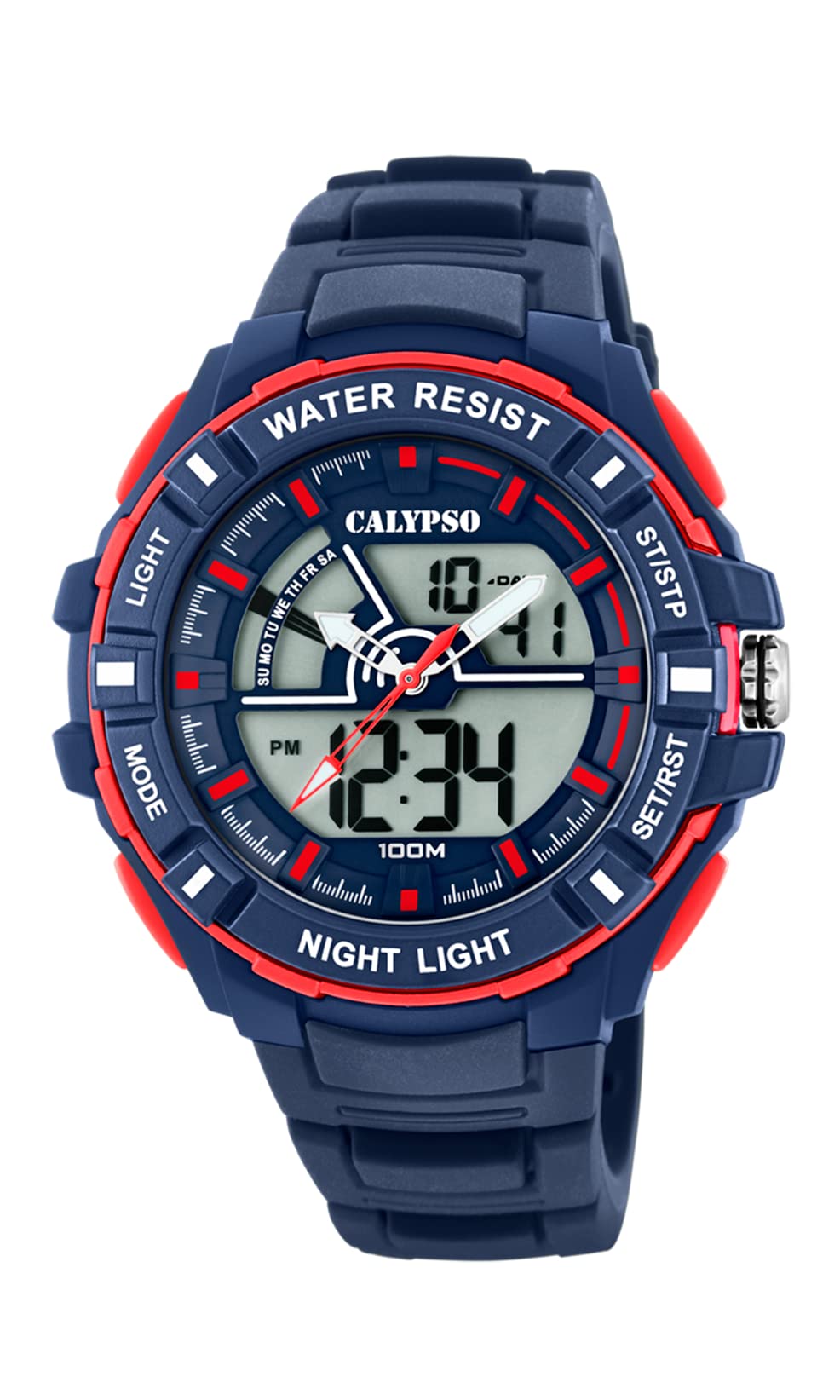
Vaizdas: priekis view of the Calypso K5769/2 Analogue Digital Quartz Watch, showcasing its blue plastic case and silicone strap.
Sąranka
Pradinis laiko ir datos nustatymas
Your Calypso K5769/2 watch features both analogue and digital displays. Both need to be set for accurate timekeeping.
- Skaitmeninis laiko nustatymas:
- Paspauskite REŽIMAS mygtuką kelis kartus, kol bus parodytas laiko nustatymo režimas (paprastai jį rodo mirksintys skaitmenys).
- Naudokite REGULIUOTI button to select the digit you wish to change (hours, minutes, seconds).
- Naudokite NUSTATYTI or START/STOP mygtuką, norėdami padidinti vertę.
- Nustačius, paspauskite REŽIMAS dar kartą, kad išeitumėte iš nustatymo režimo.
- Analogue Time Setting:
- Pull the crown (the small knob on the side of the watch case) out to the first or second position (refer to specific watch model for exact crown positions).
- Pasukite karūnėlę, kad valandų ir minučių rodyklės būtų tinkamo laiko.
- Įstumkite karūnėlę atgal, kad užtikrintumėte laiko nustatymą.
- Datos nustatymas:
- In digital time setting mode, after setting the time, continue using the REGULIUOTI button to navigate to the date (month, day, year) settings.
- Koreguokite vertes naudodami NUSTATYTI or START/STOP mygtuką.
- Exit by pressing REŽIMAS.

Vaizdas: Šoninė view of the Calypso K5769/2 watch, highlighting the control buttons and the crown used for adjustments.
Naudojimo instrukcijos
Your watch is equipped with several functions accessible via the control buttons.
Režimo pasirinkimas
Paspauskite REŽIMAS mygtuką, kad galėtumėte peržiūrėti galimas funkcijas:
- Time Display (Analogue & Digital)
- Signalizacija
- Chronometras
- Dviguba laiko juosta
- Datos rodymas
Signalizavimo funkcija
- Paspauskite REŽIMAS until the Alarm mode is displayed.
- Paspauskite REGULIUOTI to select the hour or minute digits.
- Naudokite NUSTATYTI or START/STOP norėdami nustatyti norimą žadintuvo laiką.
- Paspauskite REŽIMAS patvirtinti ir išeiti.
- To activate/deactivate the alarm, press a specific button (often REGULIUOTI or NUSTATYTI) while in Alarm mode. An alarm icon will appear when active.
Chronometro funkcija
- Paspauskite REŽIMAS until the Stopwatch mode is displayed (usually showing 00:00:00).
- Paspauskite START/STOP pradėti laiko skaičiavimą.
- Paspauskite START/STOP dar kartą, kad pristabdytumėte / tęstumėte laiko skaičiavimą.
- Paspauskite RESET (often the REGULIUOTI button) to clear the stopwatch to zero.
Dviguba laiko juosta
This feature allows you to display a second time zone simultaneously.
- Paspauskite REŽIMAS until the Dual Time Zone mode is displayed.
- Naudokite REGULIUOTI ir NUSTATYTI or START/STOP , kad nustatytumėte norimą antrąją laiko juostą.
- Paspauskite REŽIMAS patvirtinti ir išeiti.
Apšvietimo funkcija
Norėdami apšviesti skaitmeninį ekraną esant prastam apšvietimui, paspauskite ŠVIESA button (usually located on the top left of the watch case).
Priežiūra
Water Resistance (10 ATM / 100 Metres)
Your Calypso K5769/2 watch is water resistant up to 10 ATM (100 meters). This means it is suitable for swimming, snorkeling, and showering. However, it is ne suitable for high-impact water sports or diving. Do not operate buttons or the crown while the watch is wet or submerged, as this can compromise the water resistance.
Valymas
Norėdami išvalyti laikrodį, švelniai nuvalykite jį minkšta šluoste.amp cloth. Avoid using harsh chemicals, solvents, or abrasive cleaners, as these can damage the case and strap materials.
Baterijos keitimas
The watch is powered by a Quartz (battery) movement. When the display becomes dim or the watch stops functioning, the battery may need replacement. Battery replacement should be performed by a qualified watch technician to ensure proper sealing and maintain water resistance.
Trikčių šalinimas
| Problema | Galima priežastis | Sprendimas |
|---|---|---|
| Watch not displaying time/functions. | Žemas arba išsikrovęs akumuliatorius. | Pakeiskite bateriją (rekomenduojama kreiptis į profesionalus). |
| Analogue hands not moving. | Crown pulled out; battery issue. | Push crown back in; if still not working, replace battery. |
| Digital display is dim or flickering. | Senka baterija. | Pakeiskite bateriją. |
| Vanduo laikrodžio viduje. | Buttons operated underwater; seal compromised. | Immediately take to a professional watch repair service. Do not attempt to dry it yourself. |
| Rodomas neteisingas laikas / data. | Settings were not saved or incorrectly set. | Refer to the "Initial Time and Date Setting" section and re-set the watch. |
Specifikacijos
| Modelio numeris: | K5769/2 |
| Prekinis ženklas: | Calypso |
| Ekrano tipas: | Analogue-Digital |
| Judėjimo tipas: | Quartz (Battery) |
| Atsparumas vandeniui: | 10 ATM (100 Metres) |
| Korpuso medžiaga: | Polikarbonatas (plastikas) |
| Dirželio medžiaga: | Plastikas (Silikonas) |
| Korpuso skersmuo: | 53 milimetrų |
| Korpuso storis: | 19 milimetrų |
| Juostos plotis: | 26 milimetrų |
| Papildomos funkcijos: | Alarm, Dual Time Zone, Light Up, Stopwatch |
| Prekės svoris: | 65 gramų |
Informacija apie garantiją
Calypso watches typically come with a manufacturer's warranty covering defects in materials and workmanship for a specified period from the date of purchase. This warranty usually does not cover damage resulting from improper handling, accidents, unauthorized repairs, or normal wear and tear (e.g., battery, strap, crystal). Please retain your proof of purchase for warranty claims. For specific warranty terms and conditions, refer to the warranty card included with your watch or contact Calypso customer support.
Pagalba klientams
If you encounter any issues or have questions regarding your Calypso K5769/2 watch that are not addressed in this manual, please contact Calypso customer support. You can typically find contact information on the official Calypso websvetainėje arba ant jūsų produkto pakuotės.
- Palaikymas internetu: Visit the official Calypso Watches website for FAQs and support contact details.
- Aptarnavimo centrai: For repairs or battery replacement, locate an authorized Calypso service center.