
Įvadas
Thank you for choosing the PowerPac 12-Inch Table Fan, model PPTF303. This manual provides comprehensive instructions for the safe and efficient use of your new fan. Please read all instructions carefully before operating the appliance and retain this manual for future reference.
Svarbios saugos instrukcijos
Kad sumažintumėte gaisro, elektros smūgio ar sužalojimo riziką, visada laikykitės šių pagrindinių saugos priemonių:
- Prieš naudodami šį ventiliatorių, perskaitykite visas instrukcijas.
- Užtikrinkite maitinimo šaltinio ttage atitinka ventiliatoriaus vardinę etiketę.
- Prieš valydami, atlikdami techninę priežiūrą ar perkeldami ventiliatorių, visada atjunkite jį nuo elektros lizdo.
- Nekiškite pirštų ar jokių daiktų pro groteles, kai ventiliatorius veikia.
- Keep the fan away from water or other liquids. Do not operate in wet conditions.
- Nenaudokite ventiliatoriaus su pažeistu laidu ar kištuku. Jei laidas pažeistas, jį turi pakeisti gamintojas, jo techninės priežiūros atstovas arba panašios kvalifikacijos asmenys, kad būtų išvengta pavojaus.
- Šis prietaisas nėra skirtas naudoti asmenims (įskaitant vaikus), kurių fizinės, jutimo ar psichikos negalios arba neturintys patirties ir žinių, nebent už jų saugumą atsakingas asmuo juos prižiūrėtų arba instruktuotų, kaip naudoti prietaisą.
- Vaikus reikia prižiūrėti, kad jie nežaistų su prietaisu.
- Do not use the fan near curtains, plants, or other objects that could be drawn into the fan blades.
- Pastatykite ventiliatorių ant lygaus, stabilaus paviršiaus, kad jis neapvirstų.
- The fan is equipped with built-in thermal protection against overheating. If the fan overheats, it will automatically shut off. Unplug the fan and allow it to cool down before restarting.
Produktas baigtasview
Komponentai
The PowerPac 12-Inch Table Fan PPTF303 includes the main fan unit with its base, grille, blades, motor housing, control panel, and power cord.
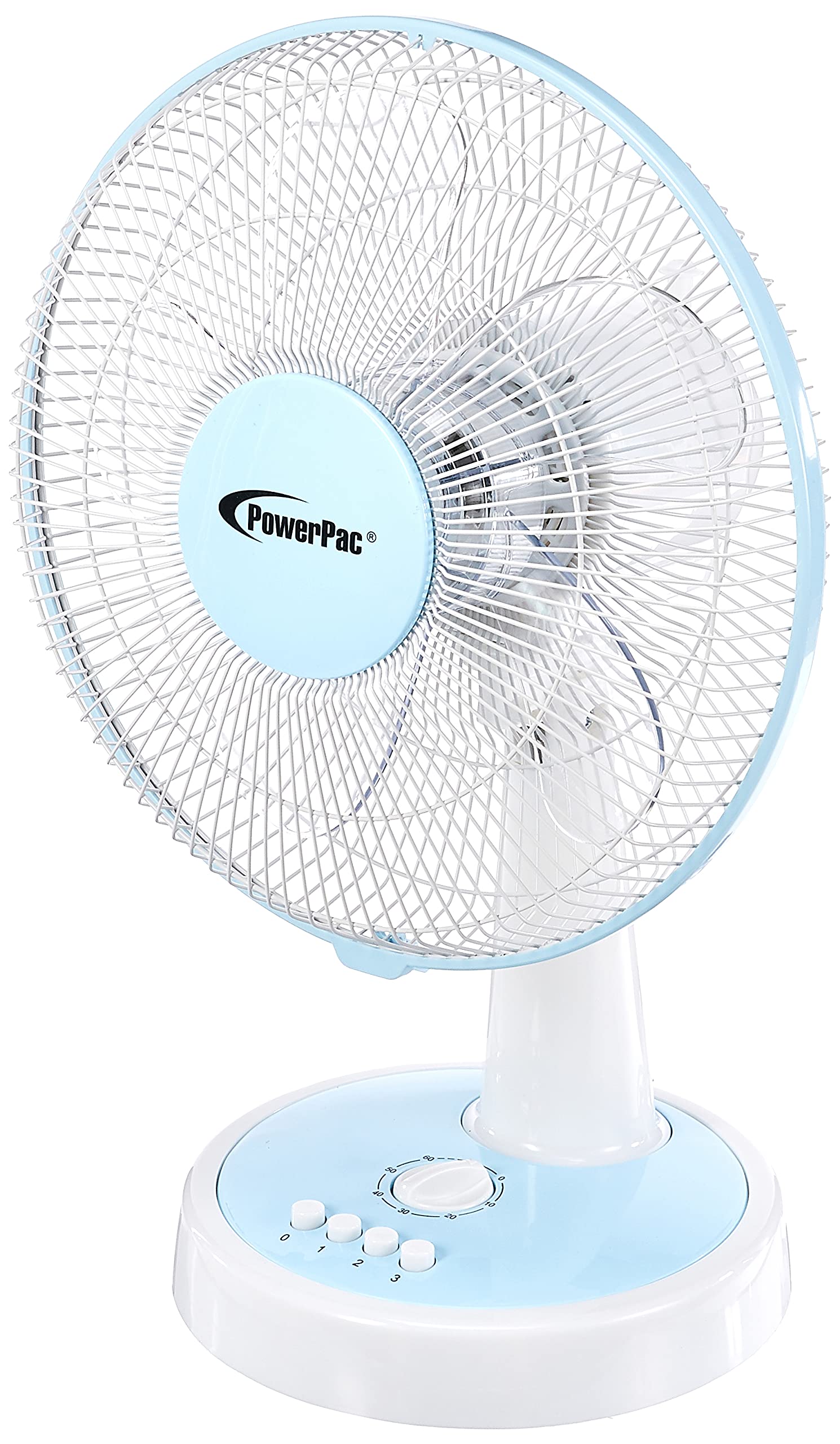
1 pav.: priekis view of the PowerPac 12-Inch Table Fan PPTF303.
Savybės
- 3 greičio nustatymai: Choose from low, medium, or high airflow.
- Integruota šiluminė apsauga: Automatiškai išsijungia, kad neperkaistų.
- High Velocity Motor: Designed for maximum air circulation.
- Svyravimas: Provides wide-area cooling.
- Laikmačio funkcija: Allows for timed operation.
Sąranka
The PowerPac 12-Inch Table Fan PPTF303 typically comes pre-assembled. Follow these steps for initial setup:
- Išpakuoti: Carefully remove the fan from its packaging. Retain packaging for storage or return if necessary.
- Vieta: Place the fan on a firm, level surface where it will not be easily knocked over. Ensure there is adequate space around the fan for proper air circulation and oscillation.
- Maitinimo jungtis: Insert the power plug into a suitable electrical outlet. Ensure the outlet voltage atitinka ventiliatoriaus reikalavimus.
Naudojimo instrukcijos
Your PowerPac Table Fan features a touch control method for easy operation.
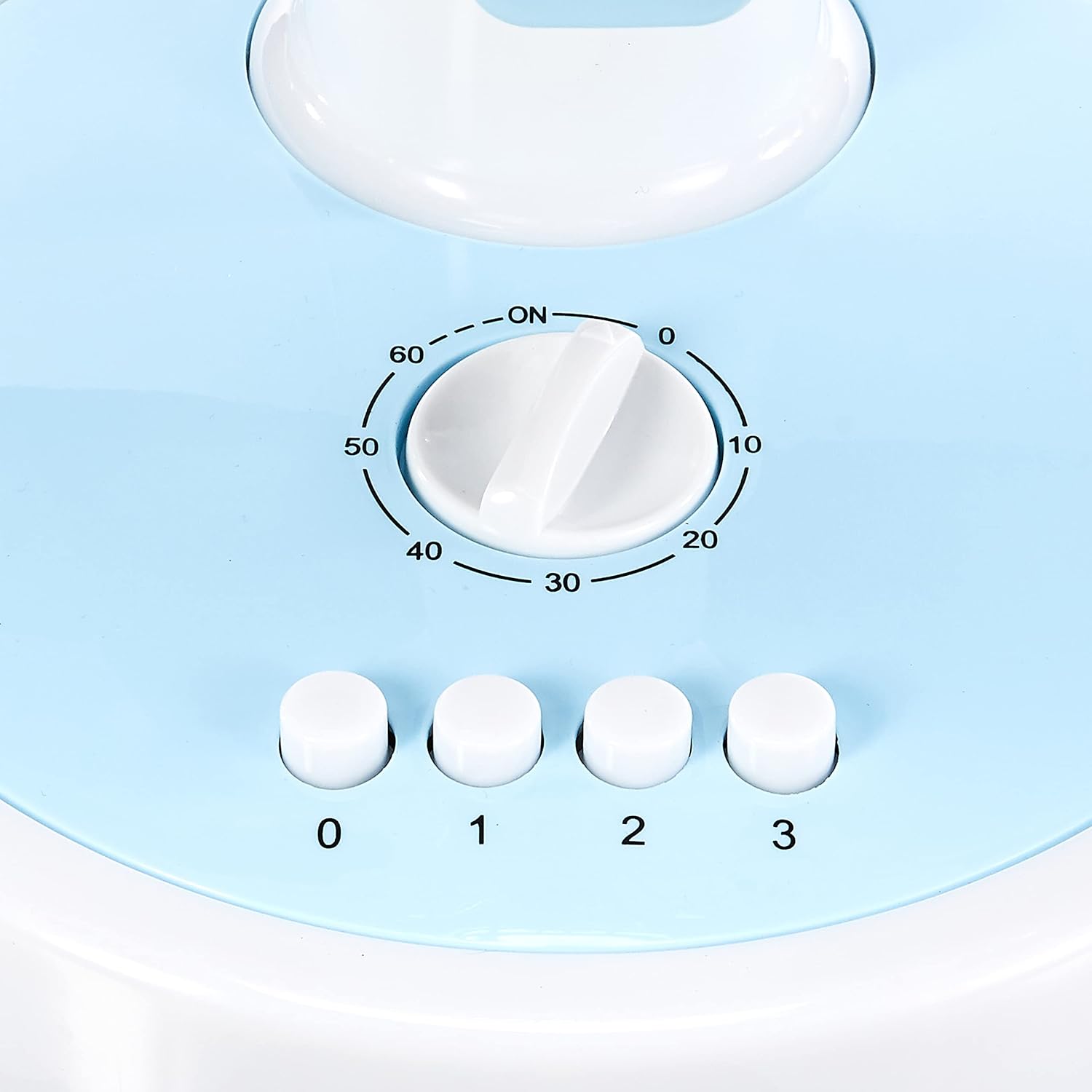
Figure 2: Close-up of the control panel with speed and timer settings.
- Maitinimo įjungimas/išjungimas: Press the '0' button to turn the fan off. To turn it on, select a speed setting (1, 2, or 3).
- Ventiliatoriaus greičio reguliavimas:
- Press '1' for Low speed.
- Press '2' for Medium speed.
- Press '3' for High speed.
- Svyravimas: To activate the oscillation feature, press the button located on the top of the motor housing. Press it again to stop oscillation.
- Laikmačio funkcija: The fan includes a timer dial, typically marked from 0 to 60 minutes. Turn the dial clockwise to set the desired operating time. The fan will automatically switch off once the set time has elapsed.
Priežiūra
Reguliarus ventiliatoriaus aptarnavimas užtikrina optimalų veikimą ir ilgaamžiškumą.
- Valymas:
- Prieš valydami visada atjunkite ventiliatorių.
- Naudokite minkštą, damp šluoste išoriniams paviršiams valyti. Nenaudokite abrazyvinių valiklių ar tirpiklių.
- To clean the fan blades, carefully remove the front grille (refer to specific instructions if provided with your model for grille removal). Wipe the blades with a damp cloth. Ensure all parts are dry before reassembling and operating.
- Saugykla: Jei ventiliatoriaus nenaudojate ilgesnį laiką, laikykite jį originalioje pakuotėje arba švarioje, sausoje vietoje.
Trikčių šalinimas
Jei kyla problemų dėl ventiliatoriaus, žr. šias dažniausiai pasitaikančias problemas ir sprendimus:
| Problema | Galima priežastis | Sprendimas |
|---|---|---|
| Ventiliatorius neįsijungia. | No power supply; fan unplugged; thermal protection activated. | Check power cord connection; ensure outlet is functional; unplug and allow fan to cool for 30 minutes before restarting. |
| Silpnas oro srautas. | Fan speed set too low; dirty blades/grille. | Increase fan speed; clean blades and grilles as per maintenance instructions. |
| Ventiliatorius skleidžia neįprastą triukšmą. | Loose parts; obstruction in blades. | Unplug and check for any loose parts or obstructions. If noise persists, contact customer support. |
If the problem persists after attempting these solutions, please contact PowerPac customer support.
Specifikacijos
Key technical specifications for the PowerPac 12-Inch Table Fan PPTF303:
| Specifikacija | Detalė |
|---|---|
| Prekės ženklas | PowerPac |
| Modelio pavadinimas | PPTF303 |
| Elektrinio ventiliatoriaus dizainas | Stalo ventiliatorius |
| Dydis | 12 colių |
| Greičių skaičius | 3 |
| Maitinimo šaltinis | Su laidu elektra |
| Vattage | 70 vatų |
| Kontrolės metodas | Palieskite |
| Ypatingos savybės | Timer, Oscillation, Thermal Protection |
| Medžiaga | Plastikiniai |
| Kilmės šalis | Kinija |

Figure 3: Approximate dimensions of the PowerPac 12-Inch Table Fan PPTF303.
Garantija ir palaikymas
The PowerPac 12-Inch Table Fan PPTF303 comes with a 1 metų vietinė (Singapūro) gamintojo garantijaPrašome išsaugoti pirkimo įrodymą garantiniams reikalavimams.
For technical support, service, or warranty inquiries, please contact PowerPac customer service through their official websvetainę arba mažmenininką, iš kurio buvo pirktas produktas.