
1. Įvadas
The Zerone K-1028E is a universal remote control designed for use with a wide range of air conditioning units. This remote offers comprehensive functionality, including temperature adjustment, mode selection, fan speed control, and timer settings, providing a convenient replacement for lost or damaged original air conditioner remotes. Its compact design and clear LCD screen ensure ease of use.
2. Saugos informacija
- Nemaišykite senų ir naujų baterijų.
- Nemaišykite šarminių, standartinių (anglies-cinko) arba įkraunamų (nikelio-kadmio) baterijų.
- Jei nuotolinio valdymo pultas nebus naudojamas ilgesnį laiką, išimkite baterijas, kad išvengtumėte elektrolito pratekėjimo.
- Laikykite nuotolinio valdymo pultą atokiau nuo tiesioginių saulės spindulių, šilumos šaltinių ir drėgmės.
- Venkite nuotolinio valdymo pulto numetimo ir stiprių smūgių.
3. Produktas baigtasview
The K-1028E remote control features an ergonomic design with clearly labeled buttons and a large LCD display for easy readability. It includes essential functions such as power, mode, temperature control, fan speed, and a dedicated light button.

This image displays the front of the Zerone K-1028E universal air conditioner remote control, highlighting its compact size with approximate dimensions of 13.3 cm in length, 5 cm in width, and 2.3 cm in thickness. The LCD screen and primary control buttons are visible.

A hand is shown holding the remote control, with the LCD screen clearly visible. The display shows a temperature setting of 26°C, along with icons indicating various modes and functions, demonstrating the remote in active use.
4. Sąranka
4.1 Akumuliatoriaus įdėjimas
- Atidarykite nuotolinio valdymo pulto gale esantį baterijų skyriaus dangtį.
- Įdėkite dvi AAA tipo baterijas, užtikrindami teisingą poliškumą (+ ir -).
- Saugiai uždarykite akumuliatoriaus skyriaus dangtelį.
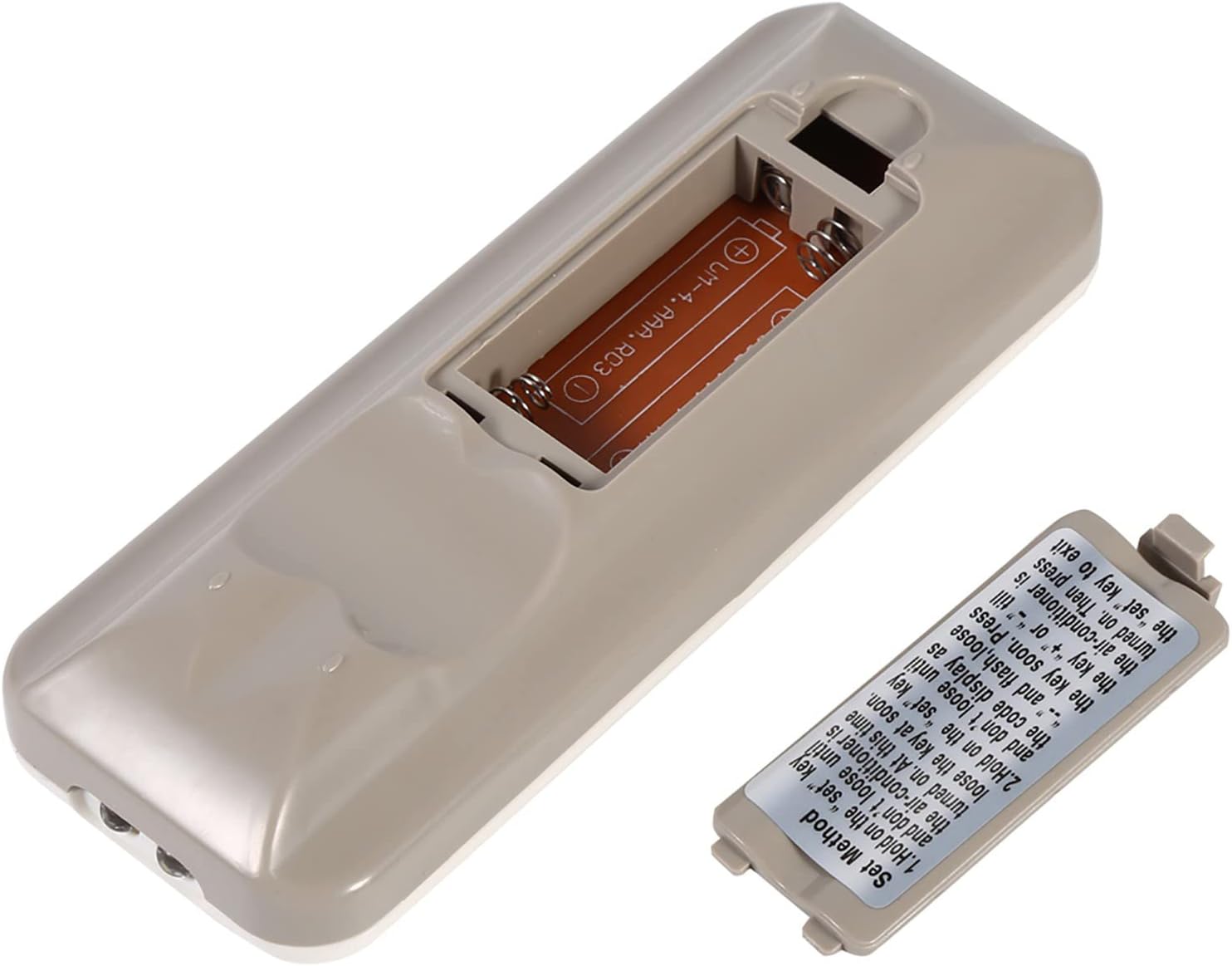
The back of the remote control is shown with the battery compartment cover removed, revealing the slot for two AAA batteries. This illustrates where to insert or replace the power source.
4.2 Programming the Remote (Automatic Search Method)
This method allows the remote to automatically search for the correct code for your air conditioner.
- Ensure your air conditioner unit is powered off.
- Paspauskite ir palaikykite NUSTATYTI button on the remote control. Continue holding until your air conditioner unit turns on. Once the air conditioner turns on, immediately release the NUSTATYTI mygtuką.
- Alternatively, if the above step does not work, press and hold the NUSTATYTI button until the code display on the remote's LCD screen shows "--" and begins to flash. Release the NUSTATYTI mygtuką.
- While the code is flashing, press the + or - buttons repeatedly until your air conditioner unit turns on.
- Once the air conditioner turns on, press the NUSTATYTI button again to confirm the code and exit the programming mode.
- Test all functions of the remote control to ensure proper operation. If some functions do not work, repeat the programming process to find a more compatible code.

Šis paveikslėlis pateikia išsamų view of the 'Set Method' instructions sticker located on the back of the remote control. It outlines the steps for automatically programming the remote to an air conditioner unit.
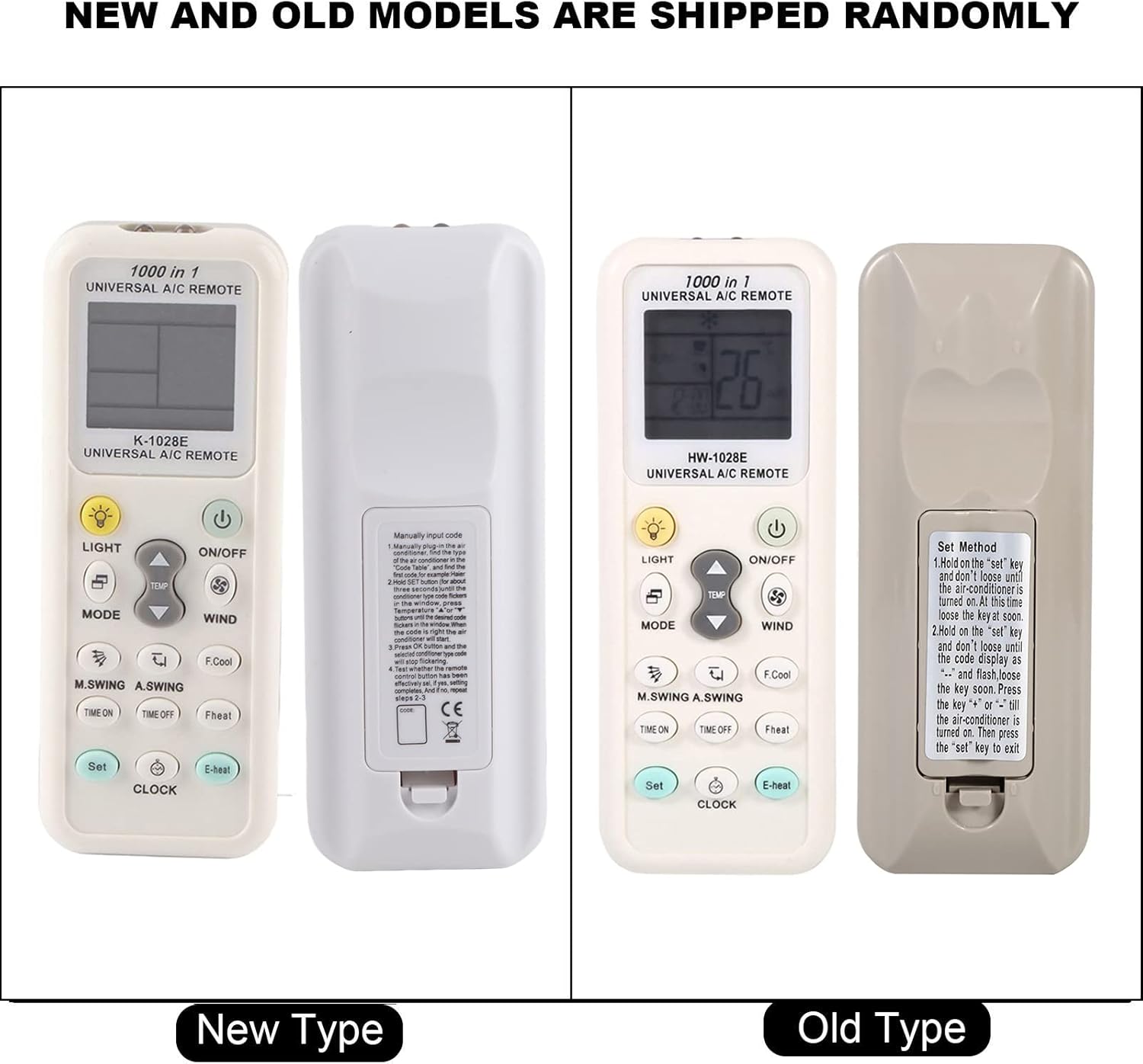
This image compares two versions of the K-1028E remote control, labeled 'New Type' and 'Old Type'. It illustrates slight variations in button arrangement and the instruction sticker on the back panel, indicating potential minor design updates over time. The programming method remains consistent.
5. Naudojimo instrukcijos
- ĮJUNGIMO/IŠJUNGIMO mygtukas: Paspauskite, kad įjungtumėte arba išjungtumėte oro kondicionierių.
- MODE mygtukas: Press to cycle through available operating modes: Auto, Cool, Dry, Fan, Heat.
- TEMP ▲/▼ mygtukai: Paspauskite, kad padidintumėte arba sumažintumėte norimą temperatūros nustatymą.
- WIND (Fan Speed) Button: Press to adjust the fan speed (e.g., Auto, Low, Medium, High).
- M.SWING/A.SWING Button: Valdo oro kondicionieriaus žaliuzių horizontalų arba vertikalų svyravimą.
- TIME ON/TIME OFF Buttons: Used to set a timer for the air conditioner to turn on or off automatically.
- Šviesos mygtukas: Activates or deactivates the backlight on the remote's LCD screen or the air conditioner's display light (if supported).
- SET mygtukas: Used for programming the remote and confirming settings.
- LAIKRODŽIO mygtukas: Used to set the current time on the remote's display.
6. Priežiūra
- Reguliariai valykite nuotolinio valdymo pultą minkštu, sausu skudurėliu. Nenaudokite skystų valiklių ar abrazyvinių medžiagų.
- If the remote control is not responding or the display is dim, replace the batteries.
- Kai ilgesnį laiką nenaudojate nuotolinio valdymo pulto, laikykite jį vėsioje, sausoje vietoje.
7. Problemų sprendimas
- Neveikia nuotolinio valdymo pultas: Ensure batteries are inserted correctly and are not depleted. Reprogram the remote using the automatic search method. Ensure there are no obstructions between the remote and the air conditioner's receiver.
- Ribotas funkcionalumas: If some functions do not work after programming, it may indicate that the selected code is not fully compatible. Try repeating the automatic search method to find an alternative, more compatible code.
- Ekrano problemos: If the LCD display is dim or incomplete, replace the batteries.
8. Specifikacijos
| Prekės ženklas | Zerone |
| Modelio numeris | K-1028E |
| Prekės svoris | 0.704 uncijos (apie 20 gramų) |
| Suderinami įrenginiai | Oro kondicionierius |
| Maksimalus palaikomų įrenginių skaičius | 1 (Universal for many AC brands) |
| Ypatinga funkcija | Universalus suderinamumas |
9. Garantija ir palaikymas
Dėl garantijos informacijos ar techninės pagalbos žr. kartu su pirkiniu pateiktus dokumentus arba susisiekite su pardavėju. Išsaugokite pirkimo kvitą kaip pirkimo įrodymą.