
1. Įvadas
This manual provides detailed instructions for the DIERYA DK63 Wireless Mechanical Gaming Keyboard. Please read this manual thoroughly before using the product to ensure proper operation and to maximize your user experience. The DK63 is a compact 60% mechanical keyboard designed for versatility across various platforms, offering both wired and wireless connectivity options.

Image 1.1: DIERYA DK63 60% Mechanical Keyboard showcasing its compact layout and dimensions (292.8mm width, 101mm height).
2. Pagrindinės savybės
- 60 % kompaktiškas išdėstymas: The DK63 features a streamlined 60% layout, optimizing desk space while retaining essential functionality through function layer keys.
- Dual Connectivity Modes: Seamlessly switch between wired (USB-C) and wireless (Bluetooth 5.1) connections.
- Kelių įrenginių palaikymas: Connects to up to 3 devices via Bluetooth, compatible with Mac, Windows, and Android operating systems.
- True Mechanical Switches: Equipped with durable mechanical switches (available in Blue, Brown, or Red variants) for a responsive typing and gaming experience.
- Dinaminis RGB foninis apšvietimas: Features 8 distinct lighting effects and supports 16.8 million colors for personalized aesthetics.
- Pritaikoma programinė įranga: Utilize the DIERYA customizable software for macro recording and remapping keyboard buttons.

Image 2.1: The DIERYA DK63 keyboard demonstrating its ability to connect to up to 3 devices via Bluetooth, compatible with Mac, Windows, and Android.

2.2 pav.: Stambus planas view of the true mechanical switches on the DIERYA DK63 keyboard, highlighting their design for durability and responsiveness.
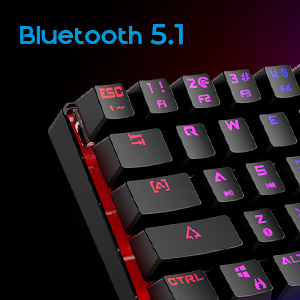
Image 2.3: Detail shot indicating Bluetooth 5.1 connectivity on the DIERYA DK63 keyboard.
3. Sąrankos vadovas
3.1 Laidinis ryšys
- Raskite USB-C prievadą klaviatūroje.
- Prijunkite pridėtą USB-C laidą prie klaviatūros.
- Kitą USB-C laido galą prijunkite prie laisvo kompiuterio USB prievado.
- The keyboard will be automatically recognized by your system and is ready for use.
3.2 Belaidis „Bluetooth“ ryšys
- Iš pradžių įsitikinkite, kad klaviatūra yra įkrauta arba prijungta per USB-C.
- To switch to wireless mode, press Fn + R.. The keyboard's indicator light will change to signify Bluetooth mode.
- Norėdami susieti su įrenginiu, paspauskite ir palaikykite Fn+Z, Fn + X, arba Fn + C for 3-5 seconds. The corresponding key's backlight will flash rapidly, indicating pairing mode.
- On your device (computer, tablet, or smartphone), enable Bluetooth and search for available devices.
- Select "DIERYA DK63" from the list of available devices to complete the pairing process.
- Suporavus, klavišo foninis apšvietimas nustos mirksėti ir liks nuolat šviesti.
- Norėdami perjungti susietus „Bluetooth“ įrenginius, paspauskite Fn+Z, Fn + X, arba Fn + C (short press) to select the desired device.
4. Naudojimo instrukcijos
4.1 Funkcinių klavišų deriniai
The DK63 utilizes the Fn key to access secondary functions printed on the keycaps. Hold down the Fn key and press the desired key to activate its secondary function.
- Fn + 1! to 0): F1 to F10 keys.
- Fn + -_ and =+: F11 and F12 keys.
- Fn + P: Spausdinimo ekranas.
- Fn + [: Pradžia.
- Fn + ]: Pabaiga.
- Fn + ;: Į viršų.
- Fn + ': Puslapis žemyn.
- Fn + rodyklių klavišai: Navigation (e.g., Fn + Up Arrow for Page Up, Fn + Down Arrow for Page Down, etc., depending on specific keycap legends).
4.2 RGB foninio apšvietimo valdymas
The keyboard offers various lighting effects and customization options:
- Fn + \|: Perjunkite skirtingus apšvietimo efektus.
- Fn + rodyklė aukštyn: Padidinkite foninio apšvietimo ryškumą.
- Fn + rodyklė žemyn: Sumažinkite foninio apšvietimo ryškumą.
- Fn + rodyklė kairėn: Adjust lighting effect speed.
- Fn + rodyklė dešinėn: Adjust lighting effect speed.
- Specific keys may have additional lighting controls indicated on their keycaps.

Image 4.1: Screenshot of the DIERYA customizable software, showing options for lighting effects, color selection, macro recording, and key remapping.
4.3 Pritaikoma programinė įranga
The DIERYA DK63 supports dedicated software for advanced customization. This software allows users to:
- Record and assign macros to specific keys.
- Remap individual key functions.
- Fine-tune RGB lighting effects, colors, and patterns.
Please refer to the DIERYA official websvetainė, kurioje galima atsisiųsti programinę įrangą ir gauti išsamias instrukcijas, kaip ją naudoti.
4.2 vaizdo įrašas: Oficialus produkto vaizdo įrašo demonstravimasasing the DIERYA DK63 60% Mechanical Gaming Keyboard, highlighting its design and RGB lighting effects.
5. Priežiūra
To ensure the longevity and optimal performance of your DIERYA DK63 keyboard, follow these maintenance guidelines:
- Valymas: Regularly clean the keyboard with a soft, dry cloth. For deeper cleaning, use a can of compressed air to remove dust and debris from between the keycaps. If necessary, gently wipe keycaps with a slightly damp cloth and mild soap solution, ensuring no liquid enters the keyboard.
- Venkite skysčių: Nepilkite skysčių ant klaviatūros. Jei išsiliejo, nedelsdami atjunkite klaviatūrą ir leiskite jai visiškai išdžiūti prieš vėl prijungdami.
- Saugykla: Klaviatūrą laikykite vėsioje, sausoje vietoje, apsaugotoje nuo tiesioginių saulės spindulių ir ekstremalių temperatūrų.
- Kabelio priežiūra: Kad nepažeistumėte USB-C laido, jo per daug nelenkite ir nesukite.
6. Problemų sprendimas
If you encounter issues with your DIERYA DK63 keyboard, refer to the following common solutions:
6.1 Klaviatūra nereaguoja (laidinė)
- Įsitikinkite, kad USB-C laidas yra tvirtai prijungtas prie klaviatūros ir kompiuterio.
- Pabandykite prijungti klaviatūrą prie kito kompiuterio USB prievado.
- Jei yra, išbandykite klaviatūrą su kitu USB-C laidu.
- Iš naujo paleiskite kompiuterį.
6.2 „Bluetooth“ ryšio problemos
- Ensure the keyboard is in Bluetooth mode (Fn + R.).
- Patikrinkite, ar jūsų įrenginyje įjungtas „Bluetooth“.
- Make sure the keyboard is sufficiently charged. Low battery can affect Bluetooth performance.
- If already paired, try unpairing the keyboard from your device's Bluetooth settings and then re-pairing it.
- Ensure the keyboard is within the effective range of your Bluetooth device (typically up to 10 meters).
- Venkite trukdžių, kylančių iš kitų belaidžių įrenginių.
6.3 Backlighting Not Working or Incorrect
- Padidinkite ryškumą naudodami Fn + rodyklė aukštyn.
- Perjunkite apšvietimo efektus naudodami Fn + \|.
- Ensure the keyboard is not in a mode where backlighting is intentionally off or dimmed.
- If using the customizable software, check the lighting settings within the application.
7. Gaminio specifikacijos
| Funkcija | Detalė |
|---|---|
| Modelio numeris | DK63 |
| Prekės ženklas | DIERYA |
| Belaidis tipas | Bluetooth 5.1 |
| Ryšio technologija | USB-C, Bluetooth |
| Aparatinės įrangos platforma | Nešiojamasis kompiuteris, kompiuteris |
| Prekės svoris | 1.5 svaro (apie 0.68 kg) |
| Gaminio matmenys (IxPxH) | 12 x 5.6 x 1.9 colio (apytiksliai 30.5 x 14.2 x 4.8 cm) |
| Maitinimo šaltinis | Maitinamas su baterijomis (pridedama 1 ličio jonų baterija) |
| Switch Type Options | Blue (Clicky), Brown (Tactile), Red (Linear) |
| Įtraukti komponentai | USB kabelis |
8. Garantija ir palaikymas
DIERYA products are manufactured to high-quality standards. For information regarding warranty coverage, technical support, or service inquiries, please refer to the official DIERYA websvetainėje arba susisiekite tiesiogiai su jų klientų aptarnavimo tarnyba. Išsaugokite pirkimo kvitą kaip pirkimo įrodymą garantijos pretenzijoms.