
Lexmark E460DN
„Lexmark E460DN“ lazerinio spausdintuvo naudotojo vadovas
Model: E460DN
Įvadas
This manual provides essential instructions for the Lexmark E460DN laser printer. Designed for small and midsize workgroups, the E460DN offers efficient, high-quality monochrome printing with advanced features. This document covers unpacking, setup, operation, maintenance, and troubleshooting to ensure optimal performance of your device.
The Lexmark E460DN is a Certified Refurbished product, meaning it has been tested and certified to function like new. It includes a toner drum and comes with a 90-day warranty.
Produktas baigtasview
The Lexmark E460DN is a compact laser printer featuring a light gray and dark gray exterior. It is equipped with a user-friendly control panel and supports various paper handling options.
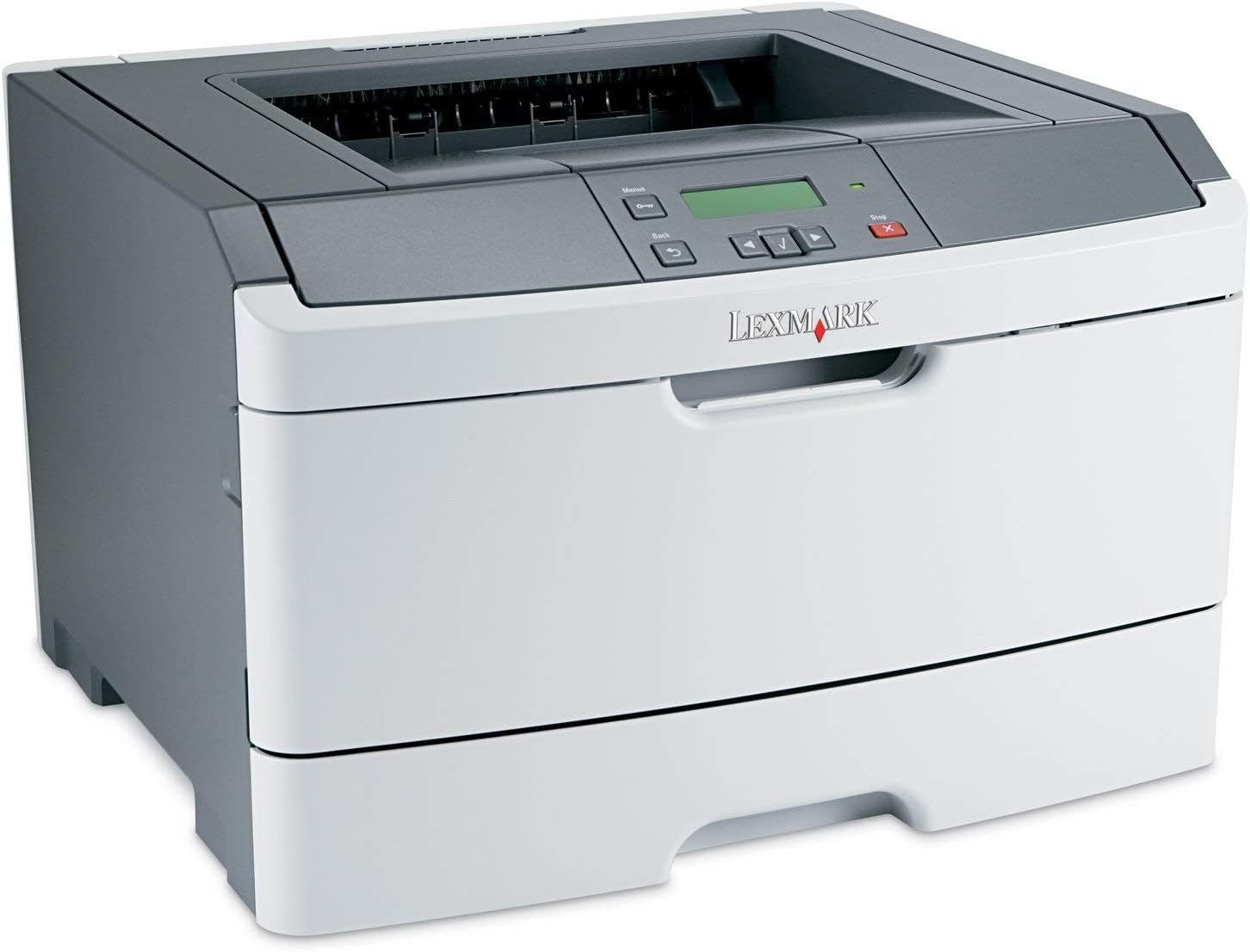
1 paveikslas: Priekyje view of the Lexmark E460DN Laser Printer. The image displays the printer's light gray body with a dark gray top section, including the output tray and control panel. The Lexmark logo is visible on the front panel.
Pagrindinės funkcijos:
- Greitas spausdinimo greitis: Up to 40 pages per minute (ppm) for monochrome documents.
- High Print Quality: True 1200 x 1200 dpi resolution for sharp text and graphics.
- Automatinis dvipusis spausdinimas: Standard feature for two-sided printing, reducing paper consumption.
- Tinklo paruošimas: Ethernet connectivity for shared use in workgroup environments.
- Patogi vartotojo sąsaja: Four-line operator panel for easy navigation and control.
- Patobulintas saugumas: Numeric pad for confidential printing.
- Efektyvus veikimas: Instant warm-up fuser for fast first-page-out times and reduced power consumption.
Sąrankos instrukcijos
- Išpakuokite spausdintuvą: Carefully remove the printer from its packaging. Remove all packing materials, tapes, and protective films.
- Padėkite spausdintuvą: Position the printer on a stable, level surface with adequate ventilation. Ensure sufficient space around the printer for paper loading and output.
- Prijunkite maitinimą: Plug the power cord into the printer's power inlet, then into a grounded electrical outlet.
- Install Toner/Drum (if applicable): If the toner cartridge and imaging drum are not pre-installed, follow the instructions provided with the consumables to install them. For refurbished units, these components are typically pre-installed.
- Įdėkite popieriaus: Open the paper tray and adjust the paper guides to fit the paper size. Load the desired print media (e.g., plain paper, envelopes) into the tray.
- Connect to Network/Computer:
- Ethernet (laidinis): Prijunkite spausdintuvo eterneto kabelį prie tinklo maršrutizatoriaus arba komutatoriaus eterneto prievado.
- USB (Optional, if available): Prijunkite spausdintuvą prie kompiuterio USB kabeliu.
- Įdiegti tvarkykles: Turn on the printer. Install the appropriate printer drivers on your computer. Drivers can usually be found on the manufacturer's websvetainę.
- Atlikite bandomąjį spausdinimą: After driver installation, print a test page to confirm proper setup and connectivity.
Naudojimo instrukcijos
Valdymo skydelio navigacija:
The Lexmark E460DN features a four-line display and several buttons for navigating menus and controlling printer functions. Use the arrow buttons to scroll through options and the 'Menu' or 'Select' button to confirm selections. The 'Back' button allows you to return to previous menus, and the 'Stop' button can cancel print jobs.
Pagrindinis spausdinimas:
- Įsitikinkite, kad spausdintuvas įjungtas ir prijungtas prie kompiuterio arba tinklo.
- Atidarykite dokumentą, kurį norite spausdinti, savo kompiuteryje.
- Pasirinkite File > Spausdinti (arba lygiavertę komandą jūsų programoje).
- Choose the Lexmark E460DN from the list of available printers.
- Jei reikia, pakoreguokite spausdinimo nustatymus (pvz., kopijų skaičių, popieriaus dydį, spausdinimo kokybę).
- For two-sided printing, select the duplex option in your printer settings. The E460DN supports automatic duplexing.
- Spustelėkite Spausdinti.
Confidential Printing:
The printer supports confidential printing using a numeric pad. When sending a confidential print job from your computer, you will be prompted to enter a PIN. To release the job at the printer, enter the same PIN using the control panel's numeric pad.
Priežiūra
Toner Cartridge and Imaging Drum Replacement:
The Lexmark E460DN uses a combined toner cartridge and imaging drum unit. The printer's control panel will display early-warning alerts for low toner. When prompted:
- Atidarykite spausdintuvo priekines dureles.
- Carefully remove the old toner/drum unit by pulling it straight out.
- Unpack the new toner/drum unit and gently shake it to distribute the toner.
- Insert the new unit into the printer until it clicks into place.
- Uždarykite priekines prieigos dureles.
Dispose of used toner cartridges according to local regulations or return them to Lexmark for recycling.
Spausdintuvo valymas:
- Išorė: Išorinius paviršius nuvalykite minkšta, damp, nepūkuota šluoste. Nenaudokite abrazyvinių valiklių ar tirpiklių.
- Interjeras: Periodically clean the paper path and other accessible interior areas to remove dust and paper debris. Refer to the printer's on-screen messages or full service manual for detailed internal cleaning procedures.
Trikčių šalinimas
This section provides solutions to common issues you may encounter with your Lexmark E460DN printer. For more complex problems, consult the full service manual or Lexmark support.
Dažnos problemos ir sprendimai:
- Spausdintuvas neatsako:
- Patikrinkite maitinimo jungtis ir įsitikinkite, kad spausdintuvas įjungtas.
- Patikrinkite tinklo arba USB kabelio jungtis.
- Paleiskite spausdintuvą ir kompiuterį iš naujo.
- Įsitikinkite, kad spausdintuvo tvarkyklės yra tinkamai įdiegtos ir atnaujintos.
- Popieriaus strigtys:
- Follow the instructions on the printer's display or in the full service manual to locate and clear jammed paper.
- Įsitikinkite, kad popierius įdėtas teisingai ir dėkle nėra per daug popieriaus.
- Naudokite rekomenduojamus popieriaus tipus.
- Prasta spausdinimo kokybė:
- Check toner levels. Replace the toner/drum unit if low or empty.
- Ensure the imaging drum is clean and free from damage.
- Perform a print quality test from the printer's menu to diagnose issues.
- Clean the printer's interior as described in the maintenance section.
- Klaidos pranešimai:
Refer to the customizable operator panel messaging for specific error codes or descriptions. Consult the full service manual for detailed explanations and solutions for each error message.
Specifikacijos
| Funkcija | Specifikacija |
|---|---|
| Modelio numeris | E460DN |
| Spausdinimo technologija | Lazeris |
| Spausdintuvo išvestis | Vienspalvis |
| Maksimalus spausdinimo greitis (vienspalvis) | Up to 40 ppm (letter-size paper) |
| Spausdinimo raiška | 1200 x 1200 dpi |
| Dvipusis spausdinimas | Automatinis (dvipusis spausdinimas) |
| Ryšio technologija | Wired; Ethernet |
| Techninės įrangos sąsaja | Ethernet |
| Atminties talpa | 64 MB |
| Maksimali įvesties lapo talpa | 300 XNUMX lapų |
| Išvesties lapų talpa | 150 XNUMX lapų |
| Palaikomos spausdinimo medijos | Vokai, paprastas popierius |
| Gaminio matmenys | 14.55 x 15.98 x 10.2 colio |
| Spalva | Šviesiai pilka/tamsiai pilka |
| UPC | 748926547406 |
Garantija ir palaikymas
This Lexmark E460DN printer is a Certified Refurbished product and comes with a 90 dienų ribota garantija. Ši garantija apima medžiagų ir gamybos defektus normaliai naudojant.
For warranty claims, technical support, or further assistance, please refer to the documentation provided with your refurbished product or contact the seller directly. Additional support resources may be available on the official Lexmark websvetainę.
Ask a question about this manual
Ask about setup, troubleshooting, compatibility, parts, safety, or missing instructions. Manuals+ will review the question and use this page’s manual context to help answer it.