
Deiss THMT1515U
Deiss PRO Digital Meat Thermometer User Manual
Model: THMT1515U
Brand: Deiss
Įvadas
The Deiss PRO Digital Meat Thermometer is designed for fast and accurate temperature readings, making it an essential tool for various cooking applications. Its robust design, waterproof capabilities, and user-friendly features ensure reliable performance in your kitchen.
Sąranka
Akumuliatoriaus montavimas
The thermometer uses a CR2032 battery. A spare battery is included. To install or replace the battery, locate the battery compartment on the back of the device. Use a coin to twist open the cover, insert the battery with the positive (+) side facing up, and securely close the cover.

Paveikslėlis: Nugara view of the Deiss PRO Digital Meat Thermometer, highlighting the battery compartment and the integrated magnet for storage.
Pradinis įjungimas
To power on the thermometer, simply unfold the stainless steel probe from the main body. The digital display will illuminate and show the current temperature.
Kalibravimas (neprivaloma)
For optimal accuracy, you may calibrate the thermometer. A common method is to immerse the probe in ice water (a mixture of ice and water). The thermometer should read approximately 32°F (0°C). If it does not, refer to the calibration instructions provided in the original packaging or contact customer support.
Naudojimo instrukcijos
Temperatūros matavimas
Unfold the probe to turn on the device. Insert the tip of the stainless steel probe into the thickest part of the food, avoiding bones. The temperature will display within 2-3 seconds.
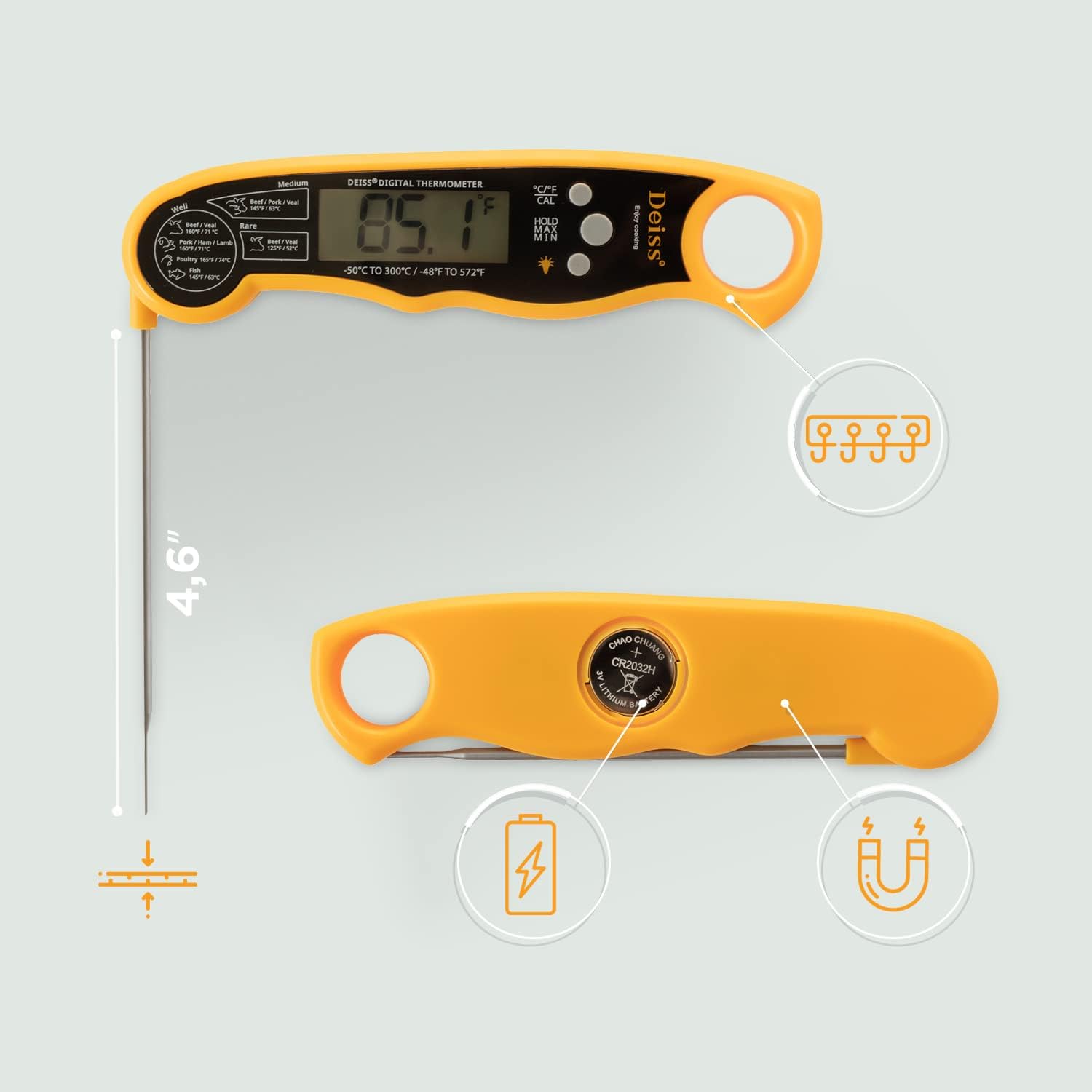
Image: The Deiss PRO Digital Meat Thermometer with its probe inserted into a roasted chicken, demonstrating its use for measuring internal food temperature.
Temperatūros vienetų perjungimas (°C/°F)
Press the "°C/°F CAL" button on the device to toggle between Celsius and Fahrenheit temperature scales.
Memory Function (HOLD/MIN/MAX)
The thermometer features a memory function to view minimum and maximum temperatures recorded. Press the "HOLD/MIN/MAX" button to cycle through the current reading, minimum recorded temperature, and maximum recorded temperature.
Ekrano apšvietimas
Press the light bulb icon button to activate the backlight for improved visibility in low-light conditions.
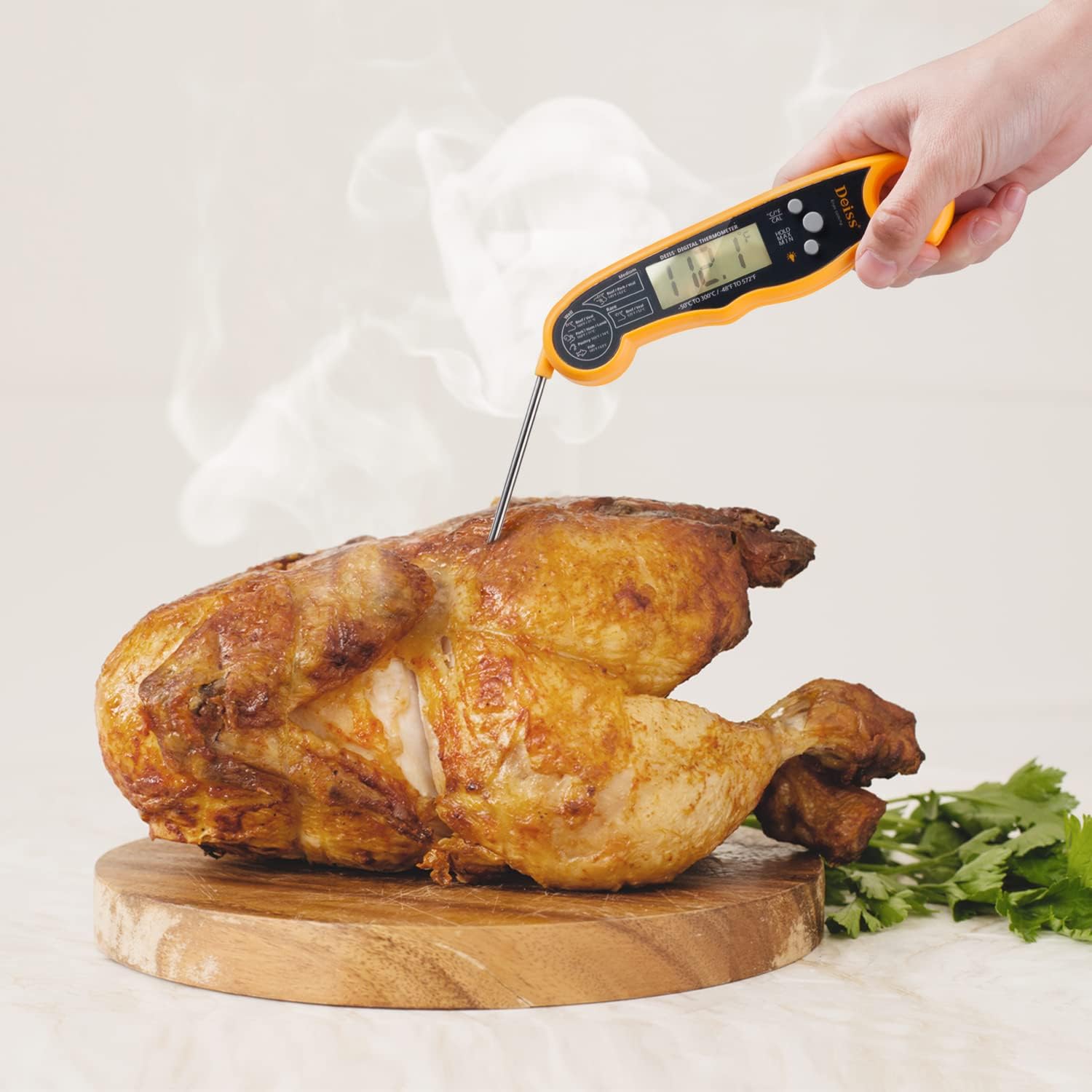
Image: Close-up of the Deiss PRO Digital Meat Thermometer's display, showing the activated backlight for clear reading.
Automatinis išjungimas
The thermometer will automatically turn off after approximately 10 minutes of inactivity to conserve battery life.
Magnetinė saugykla
The device features a magnet on its back, allowing for convenient storage on metallic surfaces like refrigerators or oven sides.
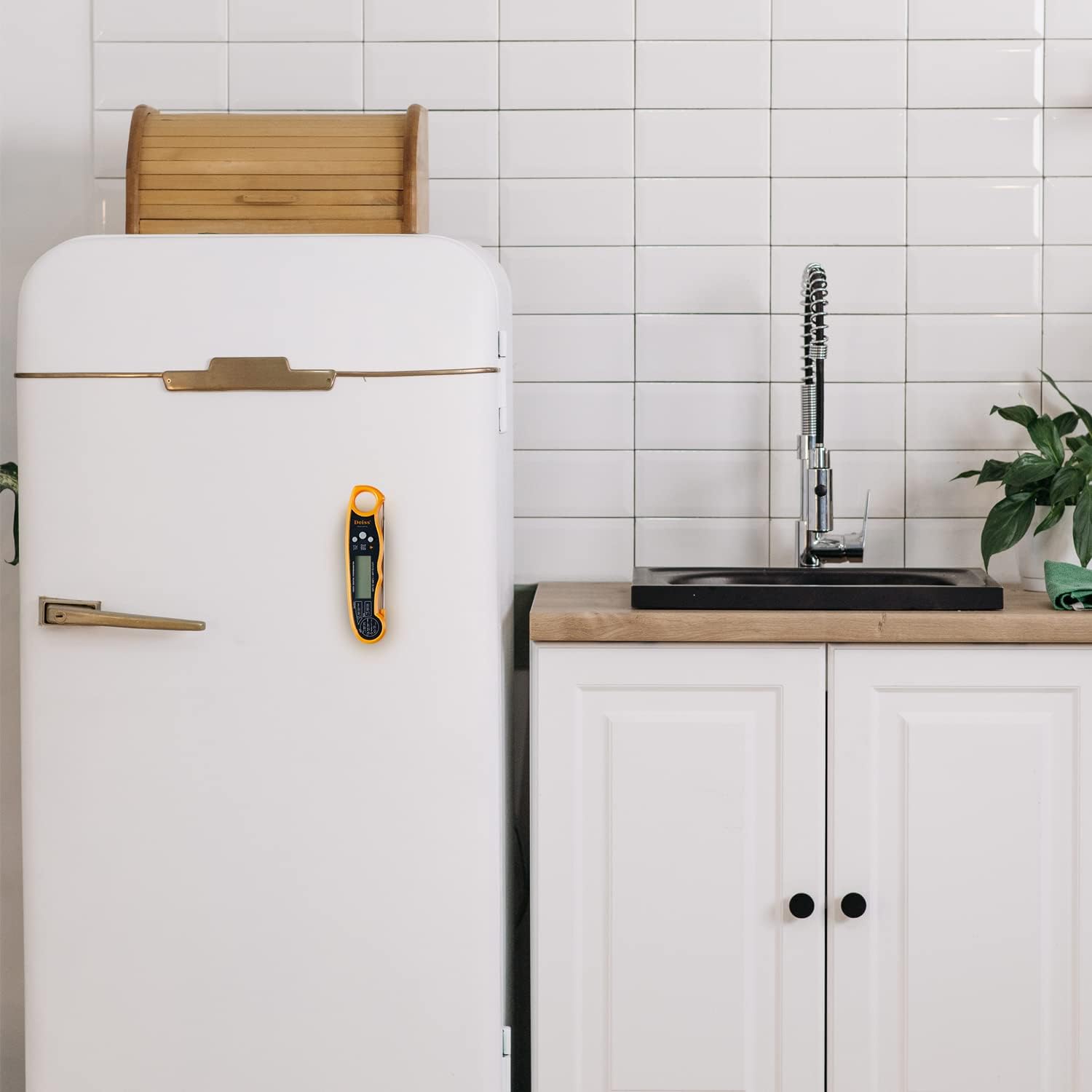
Image: The Deiss PRO Digital Meat Thermometer magnetically attached to the side of a white refrigerator, demonstrating its convenient storage feature.
Rekomenduojama vidinė temperatūra
| Maisto tipas | Padarymas | Temperatūra (°F/°C) |
|---|---|---|
| Beef / Veal | Retas | 125°F / 52°C |
| Beef / Pork / Veal | Vidutinis | 145°F / 63°C |
| Beef / Veal | Na | 160°F / 71°C |
| Pork / Ham / Lamb | Na | 160°F / 71°C |
| Paukštiena | Na | 165°F / 74°C |
| Žuvis | Na | 145°F / 63°C |
| Malta mėsa | Na | 160°F / 71°C |
Note: These are general guidelines. Always refer to official food safety recommendations for specific food types.

Paveikslėlis: detalus view of the Deiss PRO Digital Meat Thermometer's display, showing the printed temperature chart for various meat doneness levels.
Priežiūra
Valymas
The Deiss PRO Digital Meat Thermometer is IP67 certified waterproof, allowing for fearless washing under tap water. However, it is recommended to hand wash only. Do not immerse the entire unit in water for extended periods.
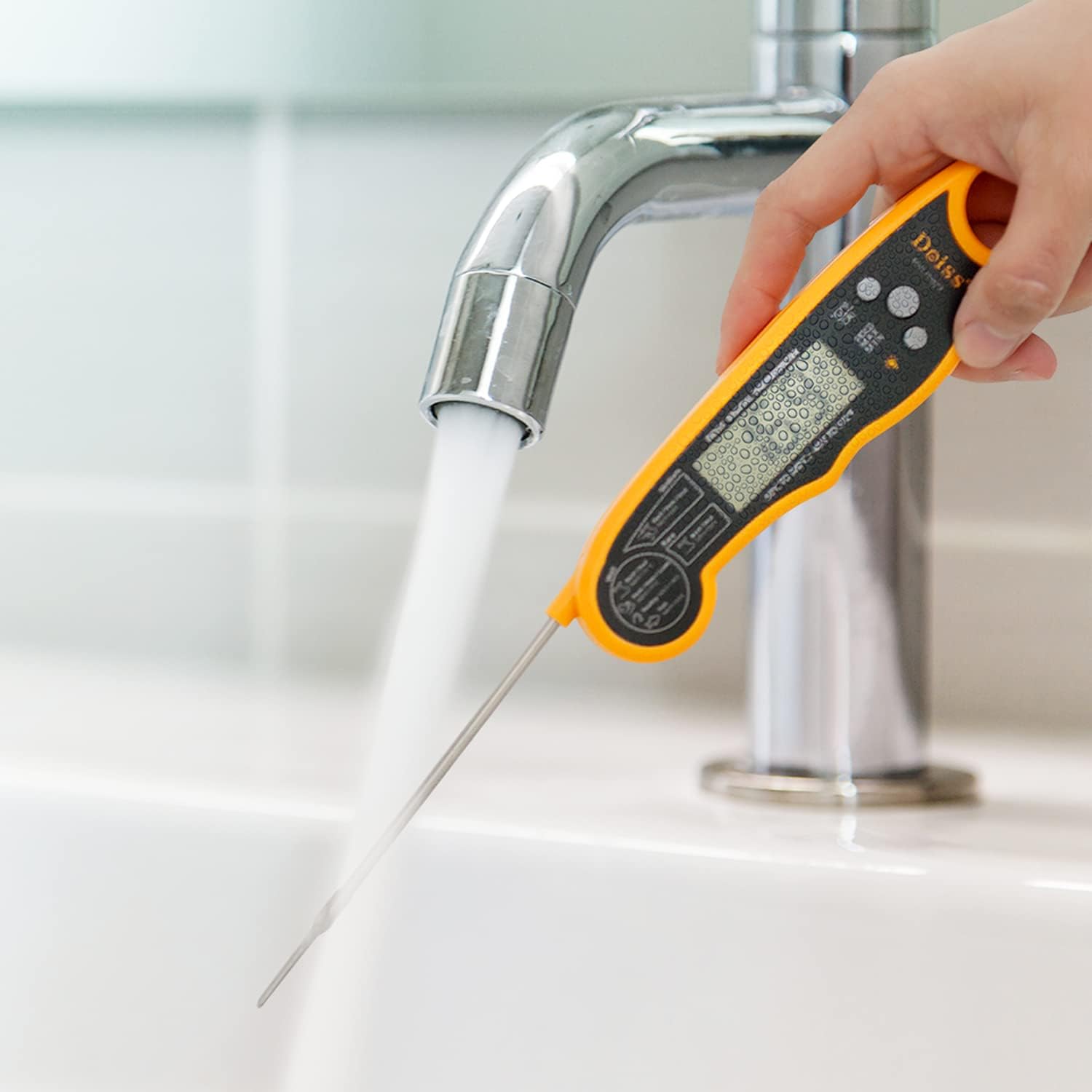
Image: A hand holding the Deiss PRO Digital Meat Thermometer under running tap water, illustrating its waterproof cleaning capability.
Sandėliavimas
Fold the probe back into the unit to turn it off and protect the probe. Utilize the integrated magnet for convenient storage on metal surfaces, or hang it using the hook hole.
Trikčių šalinimas
Display Shows "LLLL" or "7777"
This typically indicates a sensor error or a low battery. Try replacing the CR2032 battery. If the issue persists, contact customer support.
Netikslūs rodmenys
Ensure the probe is inserted correctly into the thickest part of the food. If readings remain inconsistent, recalibrate the thermometer as per the instructions or consider replacing the battery.
Thermometer Not Turning On
Check if the probe is fully unfolded. If it is, the battery might be depleted. Replace the CR2032 battery.
Specifikacijos
- Prekinis ženklas: Deiss
- Modelio pavadinimas: Deiss PRO Digital Meat Thermometer
- Modelio numeris: THMT1515U
- Spalva: Juoda
- Išorinė medžiaga: ABS, plastikas
- Ypatinga funkcija: Greito skaitymo sistema
- Temperatūros diapazonas: -58°F iki 572°F (nuo -50°C iki 300°C)
- Atsakymo laikas: 2-3 sekundžių
- Atsparumo vandeniui įvertinimas: IP67 sertifikatas
- Ekrano tipas: LCD su foniniu apšvietimu
- Maitinimo šaltinis: Battery Powered (1 x CR2032 included, plus 1 spare)
- Zondo ilgis: 4.5 colių
- Automatinis išsijungimas: Taip (apie 10 minučių)
- Saugykla: Magnetic back, Hook hole
- Produkto priežiūra: Skalbti tik rankomis
Garantija ir palaikymas
Visą gyvenimą trunkanti garantija
Deiss Kitchenware provides a lifetime warranty on its Deiss PRO Digital Meat Thermometer. This warranty covers defects in materials and workmanship under normal use. For warranty claims or support, please contact Deiss Kitchenware customer service.
Pagalba klientams
For further assistance, troubleshooting, or inquiries, please visit the official Deiss Kitchenware websvetainėje arba žr. kontaktinę informaciją, pateiktą ant produkto pakuotės.
Produktas baigtasview Vaizdo įrašas
Watch this official video from Deiss Kitchenware for a quick overview of the Deiss PRO Digital Meat Thermometer's features and benefits.
Video: An official product video from Deiss Kitchenware demonstrating the key features and ease of use of the Deiss PRO Digital Meat Thermometer, including its fast reading, waterproof design, and magnetic storage.
Ask a question about this manual
Ask about setup, troubleshooting, compatibility, parts, safety, or missing instructions. Manuals+ will review the question and use this page’s manual context to help answer it.