
Įvadas
This manual provides essential instructions for the safe and efficient use of your Maxcom MM134 2G Senior Mobile Phone. Please read this manual thoroughly before operating the device and keep it for future reference.
1. Sąranka
1.1 Pakuotės turinys
Įsitikinkite, kad dėžutėje yra visi daiktai:
- Maxcom MM134 Mobile Phone
- Baterija (ličio jonų)
- Įkroviklis
- USB kabelis
- Ausinės
- Vartotojo vadovas
1.2 SIM kortelės ir akumuliatoriaus įdėjimas
- Nuimkite galinį telefono dangtelį.
- Insert your SIM card into the designated slot. The MM134 supports a single SIM card.
- If using, insert a Micro SD card (up to 32GB) into its slot.
- Insert the Lithium-ion battery, ensuring the contacts align correctly.
- Uždėkite galinį dangtelį, kol jis spragtelėdamas užsifiksuos vietoje.
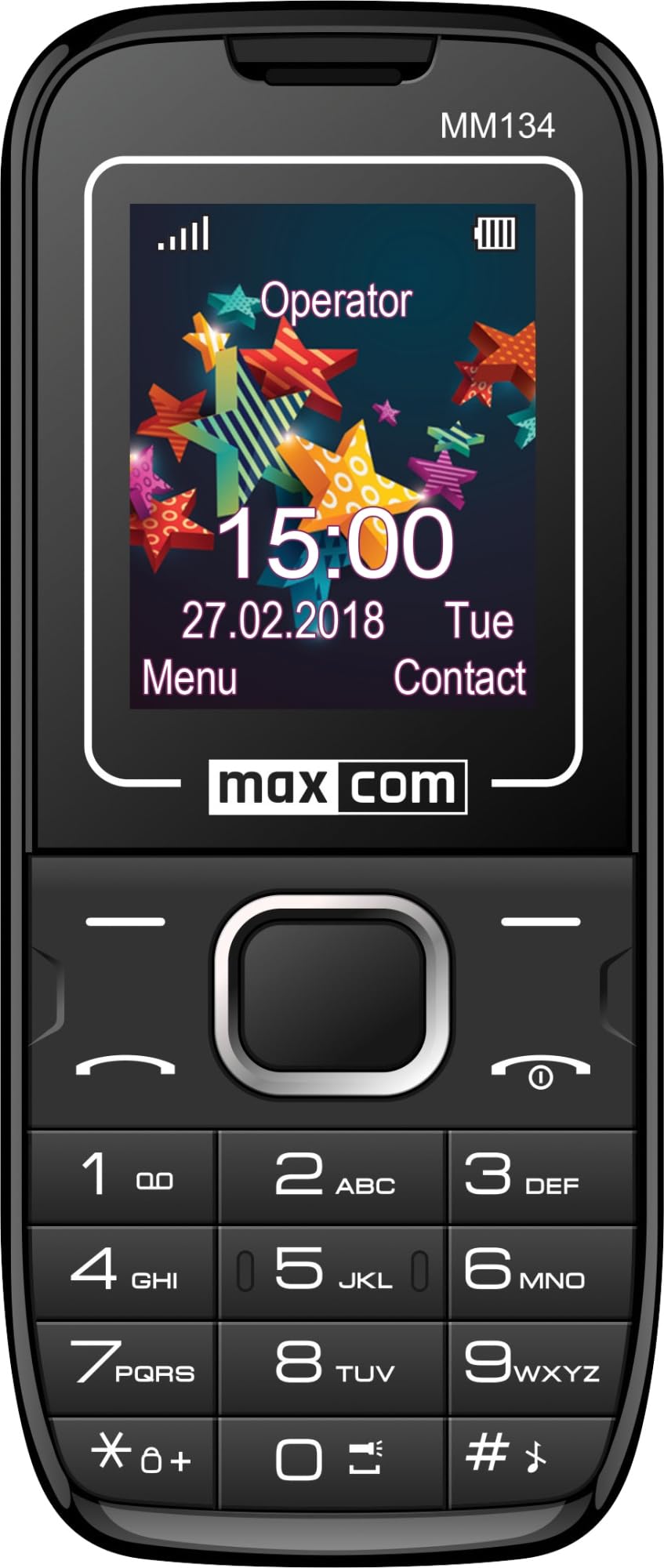
Image 1: Maxcom MM134 2G Senior Mobile Phone. This image shows the front of the phone, highlighting its compact design, screen, and large, easy-to-use buttons.
1.3 Telefono įkrovimas
Connect the charger to the phone's charging port and plug it into a power outlet. The battery indicator on the screen will show charging status. Fully charge the phone before first use. The battery capacity is 800 mAh.
1.4 Įjungimas / išjungimas
- Norėdami įjungti: paspauskite ir palaikykite Maitinimas / skambučio pabaiga mygtuką, kol ekranas užsidegs.
- Norėdami išjungti: paspauskite ir palaikykite Maitinimas / skambučio pabaiga button, then confirm shutdown.
2. Naudojimo instrukcijos
2.1 Skambinimas ir skambučių priėmimas
- To make a call: Enter the phone number using the keypad and press the Skambinti mygtuką.
- To answer a call: Press the Skambinti mygtuką, kai suskamba telefonas.
- Norėdami baigti skambutį: paspauskite Maitinimas / skambučio pabaiga mygtuką.
2.2 Contacts (Phonebook)
The phonebook can store up to 500 entries. Navigate to the "Contacts" menu to add, edit, or delete entries.
2.3 SMS žinučių siuntimas ir gavimas
The phone can store up to 200 SMS messages. Access the "Messages" menu to compose new messages or view received ones.
2.4 „Bluetooth“ ryšys
To enable Bluetooth, go to the "Settings" menu, then "Connectivity" or "Bluetooth". You can pair with other Bluetooth-enabled devices for hands-free communication or file perkėlimas.
2.5 FM radijas
Plug in the headset (which acts as an antenna) to use the FM Radio function. Navigate to the "FM Radio" application in the menu to scan for stations.
2.6 Žibintuvėlis
The phone features a built-in flashlight. Typically, this can be activated by a dedicated button or through a quick access menu option.
2.7 Kamera
The phone is equipped with a rear camera (0.08 MP). Access the "Camera" application from the main menu to take photos. Photos will be saved to the phone's memory or the inserted Micro SD card.
3. Priežiūra
3.1 Akumuliatoriaus priežiūra
- Saugokite, kad akumuliatorius nepatektų į ekstremalias temperatūras.
- Nepradurkite ir nepažeiskite akumuliatoriaus.
- Naudokite tik originalų įkroviklį, pateiktą kartu su telefonu.
- If the phone will not be used for an extended period, charge it partially before storage and recharge every few months.
3.2 Valymas
Wipe the phone with a soft, dry cloth. Do not use liquid cleaners or aerosols. The phone is not water-resistant.
4. Problemų sprendimas
| Problema | Sprendimas |
|---|---|
| Telefonas neįsijungia | Įsitikinkite, kad akumuliatorius tinkamai įdėtas ir įkrautas. Prijunkite įkroviklį ir bandykite dar kartą. |
| Nėra tinklo signalo | Patikrinkite, ar SIM kortelė tinkamai įdėta. Persikelkite į vietą, kurioje geresnis tinklo ryšys. Jei problema išlieka, susisiekite su savo paslaugų teikėju. |
| Negalima skambinti arba priimti skambučių | Patikrinkite, ar jūsų SIM kortelė aktyvi ir ar joje yra pakankamai kredito / plano. Patikrinkite tinklo signalo stiprumą. |
| Baterija greitai išsikrauna | Reduce screen brightness. Close unused applications. Limit background data usage. Ensure the battery is not old or damaged. The phone has a talk time of approximately 6 hours. |
5. Specifikacijos
| Modelio pavadinimas | Classic MM134 |
| Prekės ženklas | Maxcom |
| Operacinė sistema | Symbian |
| Korinio ryšio technologija | 2G (GSM 900/1800 MHz) |
| Ryšio technologija | Bluetooth, USB |
| Ekrano dydis | 1.77 colio (LCD) |
| CPU modelis | Cortex (1.8 GHz) |
| Kameros aprašymas | Rear (0.08 MP) |
| Baterijos tipas | Ličio jonų |
| Baterijos talpa | 800 mAh |
| Pokalbių laikas | Iki 6 valandų |
| SMS Memory | Iki 200 žinučių |
| Telefonų knygos talpa | Iki 500 įrašų |
| Micro SD kortelių palaikymas | Iki 32 GB |
| SIM kortelių lizdai | Viena SIM kortelė |
| Matmenys | 13 x 52 x 111 mm |
| Ausinių lizdas | 3.5 mm lizdas |
| Atsparumas vandeniui | Nr |
6. Garantija ir palaikymas
For warranty information and technical support, please refer to the warranty card included in your product package or visit the official Maxcom websvetainėje. Išsaugokite pirkimo įrodymą garantiniams reikalavimams.