
Įvadas
This manual provides detailed instructions for the operation and maintenance of your BOBLOV BT-S3 Helmet Headset. The BT-S3 is designed for motorcycle communication, offering hands-free calling, music playback, FM radio, and intercom functionality for riders. Please read this manual thoroughly before using the device to ensure proper function and safety.
Pakuotės turinys
Patikrinkite, ar pakuotėje yra visi toliau išvardyti daiktai:
- 1 x BOBLOV BT-S3 Helmet Intercom Unit
- 1 x Stereo Headphones (with microphone)
- 1 x Mounting Clip & Screws
- 1 x Atsuktuvas
- 1x USB įkrovimo laidas
- 1 x Vartotojo vadovas
- 1 x Velcro Pad (for mounting)
- 1 x Audio Line

1 paveikslas: All components included in the BOBLOV BT-S3 package.
Produktas baigtasview
Valdymo mygtukai ir prievadai

2 paveikslas: BOBLOV BT-S3 control buttons and connection ports.
- Telefono mygtukas: Used for answering/ending calls, redialing, and activating voice assistant.
- Garsumo + mygtukas: Increases volume, navigates forward in music/FM.
- Garsumo mygtukas: Decreases volume, navigates backward in music/FM.
- Maitinimo / domofono mygtukas: Powers the device on/off, initiates/ends intercom, plays/pauses music, activates FM radio.
- Charger and Headset Socket: Multi-purpose port for charging and connecting the headset.
- Cable Input Interface: For connecting the headset cable.
Sąranka
1. Įrenginio įkrovimas
Before initial use, fully charge the BT-S3 unit. Connect the provided USB cable to the charging port on the device and to a standard USB power adapter (not included). The LED indicator will show charging status. A full charge typically takes approximately 2-3 hours.
2. Installing the Headset in Your Helmet
The BT-S3 can be installed in various helmet types, including full-face, half-face, and open-face helmets.
- Attach the mounting clip to the side of your helmet using the provided screws and screwdriver, or use the adhesive Velcro pad for a tool-free installation. Ensure the clip is securely fastened.
- Slide the BT-S3 intercom unit onto the mounting clip until it clicks into place.
- Open the helmet's inner lining. Position the stereo headphones inside the helmet, ensuring they are aligned with your ears for optimal sound.
- Route the microphone to a position near your mouth, ensuring it is not obstructed.
- Connect the headset cable to the designated port on the BT-S3 unit.

3 paveikslas: Helmet mounting clip and unit attachment.
Naudojimo instrukcijos
Maitinimo įjungimas/išjungimas
- Maitinimas: Paspauskite ir palaikykite Maitinimo / domofono mygtukas for approximately 3 seconds until you hear an audible prompt and the LED indicator lights up.
- Išjungti: Paspauskite ir palaikykite Maitinimo / domofono mygtukas for approximately 3 seconds until you hear an audible prompt and the LED indicator turns off.
Bluetooth Pairing with Mobile Phone
- Ensure the BT-S3 is powered off.
- Paspauskite ir palaikykite Maitinimo / domofono mygtukas for approximately 5-7 seconds until the LED indicator flashes red and blue alternately, indicating pairing mode.
- Mobiliajame telefone įjunkite „Bluetooth“ ir ieškokite galimų įrenginių.
- Select "BT-S3" from the list of devices. If prompted for a password, enter "0000".
- Kai susiejimas bus atliktas, LED indikatorius lėtai mirksės mėlynai ir išgirsite patvirtinimo signalą.
Domofono funkcionalumas
The BT-S3 supports full-duplex wireless communication. It allows for 2 riders to intercom simultaneously, with a maximum talking range of 1000 meters. Up to 3 riders can be connected, but only two can actively communicate at any given time. If a third rider wishes to join, one of the active intercom participants must end their conversation.

4 paveikslas: Intercom connection scenarios.
- Pairing Intercom Units:
- Ensure both BT-S3 units are powered off.
- On both units, press and hold the Maitinimo / domofono mygtukas for approximately 5-7 seconds until the LED indicators flash red and blue alternately.
- Trumpai paspauskite Maitinimo / domofono mygtukas on one of the units. The units will search and pair with each other.
- Once paired, the LED indicators will flash blue slowly, and you will hear a confirmation tone.
- Interkomo inicijavimas: After pairing, a short press of the Maitinimo / domofono mygtukas on either unit will initiate an intercom conversation.
- Domofono užbaigimas: Trumpas mygtuko paspaudimas Maitinimo / domofono mygtukas will end the intercom conversation.
Telefono skambučiai
- Atsiliepti į skambutį: When a call comes in, the device will automatically answer after a few rings (auto-receiving phone calls feature). Alternatively, short press the Telefono mygtukas atsakyti.
- Baigti skambutį: Trumpai paspauskite Telefono mygtukas to end an active call.
- Atmesti skambutį: Paspauskite ir palaikykite Telefono mygtukas 2 sekundes, kad atmestumėte gaunamą skambutį.
- Perrink paskutinį numerį: Du kartus paspauskite Telefono mygtukas perrinkti paskutinį rinktą numerį.
Muzikos atkūrimas
After pairing with your mobile phone, you can stream music to the BT-S3.
- Leisti / pristabdyti: Trumpai paspauskite Maitinimo / domofono mygtukas leisti ar pristabdyti muziką.
- Kitas takelis: Trumpai paspauskite Tomas + mygtukas.
- Ankstesnis takelis: Trumpai paspauskite Garsumas – mygtukas.
FM radijas
The BT-S3 includes an FM radio function.
- Įjungti / išjungti FM: Du kartus paspauskite Maitinimo / domofono mygtukas to activate or deactivate FM radio.
- Skenavimo stotys: While FM is active, short press the Tomas + or Apimtis - buttons to change stations.
GPS Voice Instructions
When paired with a smartphone running a GPS application, the BT-S3 can receive voice instructions directly to your headset.
Priežiūra
- Laikykite prietaisą sausą. Nelaikykite jo ekstremalioje temperatūroje.
- Įrenginį valykite minkštu, damp audinys. Venkite naudoti stiprių cheminių medžiagų ar abrazyvinių valiklių.
- Kai nekraunate, įsitikinkite, kad įkrovimo prievado dangtelis yra sandariai uždarytas, kad išliktų atsparus vandeniui.
- Laikykite prietaisą vėsioje, sausoje vietoje, kai jo ilgesnį laiką nenaudojate.
Trikčių šalinimas
| Problema | Galima priežastis | Sprendimas |
|---|---|---|
| Įrenginys neįsijungia. | Senka baterija. | Visiškai įkraukite įrenginį. |
| Nepavyksta susieti su telefonu. | Įrenginys neporavimo režime; telefone išjungtas „Bluetooth“. | Ensure BT-S3 is flashing red/blue. Enable Bluetooth on phone and search again. |
| Domofonas neprisijungia. | Units not paired or out of range. | Re-pair intercom units. Ensure units are within 1000m range. |
| Poor audio quality / Wind noise. | Microphone placement; environmental factors. | Adjust microphone closer to mouth. The device features DSP cancellation for wind noise. |
| Baterijos veikimo laikas trumpesnis nei tikėtasi. | Frequent use of high volume or intercom. | Battery life varies with usage. Ensure full charge before use. |
Specifikacijos
- Modelis: BT-S3
- Ryšys: Belaidis ryšys („Bluetooth“)
- Intercom diapazonas: Up to 1000 meters (between 2 riders)
- Darbo greitis: Up to 100 Km/h
- Pokalbio laikas: Iki 8 valandų
- Budėjimo laikas: Iki 300 valandų
- Telefono skambučio laikas: Iki 10 valandų
- Muzikos atkūrimo laikas: Iki 6 valandų
- Atsparumas vandeniui: Water-resistant (fully weather protection)
- Triukšmo slopinimas: Wind noise DSP cancellation
- Savybės: Auto-receiving phone calls, FM Radio, Stereo music (A2DP), GPS voice instructions
- Šalmo suderinamumas: Fits all kinds of helmets (full/half/open face)
- Kontrolės metodas: Palieskite mygtukus
- Ausinių lizdas: 3.5 mm lizdas (ausinių prijungimui)
- UPC: 889251631535

5 paveikslas: Estimated battery performance for various functions.
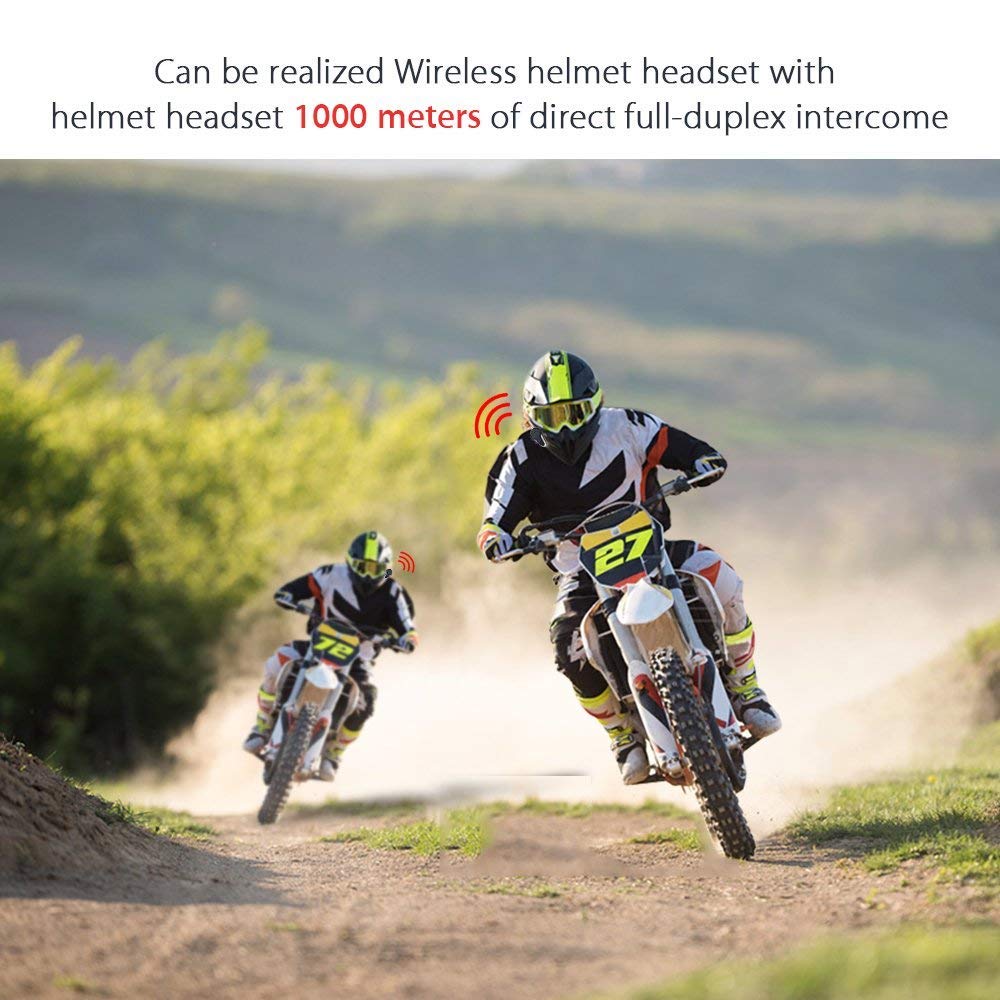
6 paveikslas: Wireless helmet headset with 1000 meters direct full-duplex intercom.

7 paveikslas: Versatile applications for the BT-S3 headset, including motorcycling and skiing.
Garantija ir palaikymas
Specific warranty information is not provided in the product details. For warranty claims, technical support, or further assistance, please contact your retailer or the manufacturer directly. Retain your proof of purchase for any warranty-related inquiries.
Manufacturer: BOBLOV