
1. Produktas baigtasview
The Itek SIISBE 3.0 is a gaming middle tower PC case designed to combine high-level features with a modern aesthetic. It features a fully perforated front panel for optimal airflow and a tempered glass side panel with a convenient hinged closure, allowing for easy access and showcasing your internal components.
The case comes equipped with three 12 cm ARGB fans: two located at the front and one at the rear. These fans can be controlled via a dedicated button on the front panel or through your motherboard's ARGB software, providing customizable lighting effects and efficient cooling.
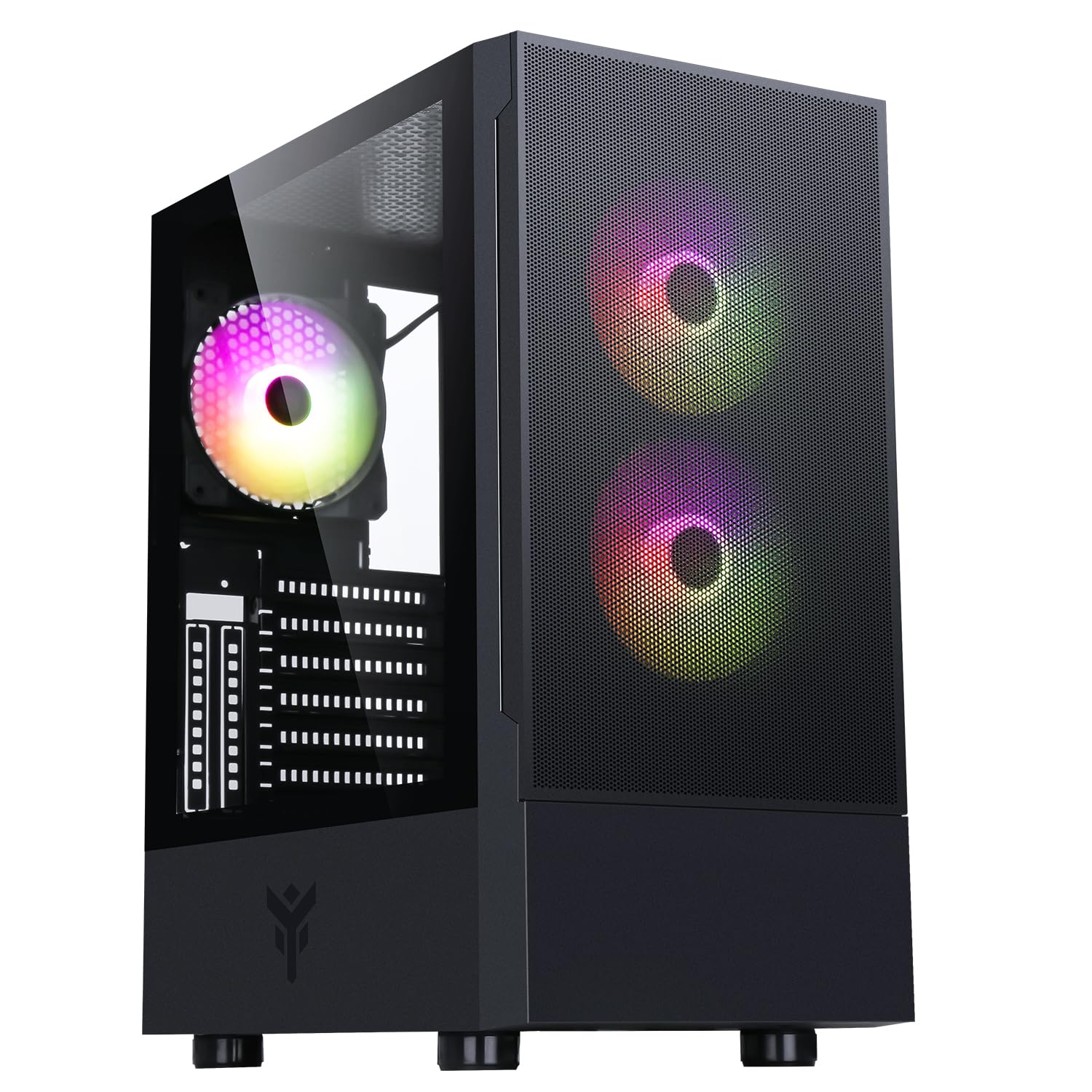
1 pav.: Priekinė pusė view of the Itek SIISBE 3.0 Gaming PC Case, showcasing the perforated front panel and tempered glass side panel.
The SIISBE 3.0 supports a wide range of hardware, including ATX, Micro-ATX, and Mini-ITX motherboards. It accommodates graphics cards up to 315 mm in length, CPU coolers up to 160 mm in height, and liquid cooling radiators up to 280 mm. The case also offers 28 mm of space for efficient cable management, ensuring a clean and organized build.
2. Sąranka ir diegimas
2.1 Bylos parengimas
- Išpakuokite dėklą ir nuimkite visas pakavimo medžiagas.
- Open the tempered glass side panel by gently pulling it open from the hinge.
- Locate the accessory box inside the case, which contains screws and other mounting hardware.
2.2 Pagrindinės plokštės montavimas
- Install the necessary standoffs for your motherboard form factor (ATX, Micro-ATX, or Mini-ITX) onto the motherboard tray.
- Atsargiai uždėkite pagrindinę plokštę ant atramų, sulygiuodami varžtų skyles.
- Pritvirtinkite pagrindinę plokštę pridėtais varžtais.

2 pav. Vidinis view of the Itek SIISBE 3.0, highlighting the motherboard mounting area and cable routing options.
2.3 Maitinimo bloko (PSU) montavimas
- Mount the PSU in the dedicated bottom compartment of the case.
- Pritvirtinkite maitinimo bloką varžtais iš korpuso galo.
2.4 Atminties disko diegimas
- Install 2.5-inch SSDs or 3.5-inch HDDs into the designated internal bays. Refer to the case's internal layout for specific mounting points.
- Secure drives with the appropriate screws.

3 pav.: Galinis vidinis view of the Itek SIISBE 3.0, showing the motherboard tray, SSD mounting points, and ample space for cable management.
2.5 Vaizdo plokštės ir išplėtimo plokštės įdiegimas
- Nuimkite reikiamus išplėtimo lizdų dangtelius nuo korpuso galo.
- Įdėkite vaizdo plokštę arba kitas išplėtimo korteles į pagrindinės plokštės PCIe lizdus.
- Secure the cards with screws. The case supports graphics cards up to 315 mm in length.
2.6 Aušinimo sistemos įrengimas
- The case includes three 12 cm ARGB fans (two front, one rear). Connect their power and ARGB cables to the motherboard or the integrated fan controller.
- For additional cooling, install extra fans or a liquid cooling radiator (up to 280 mm) in the designated mounting points.
- Install your CPU cooler. The case supports CPU coolers up to 160 mm in height.
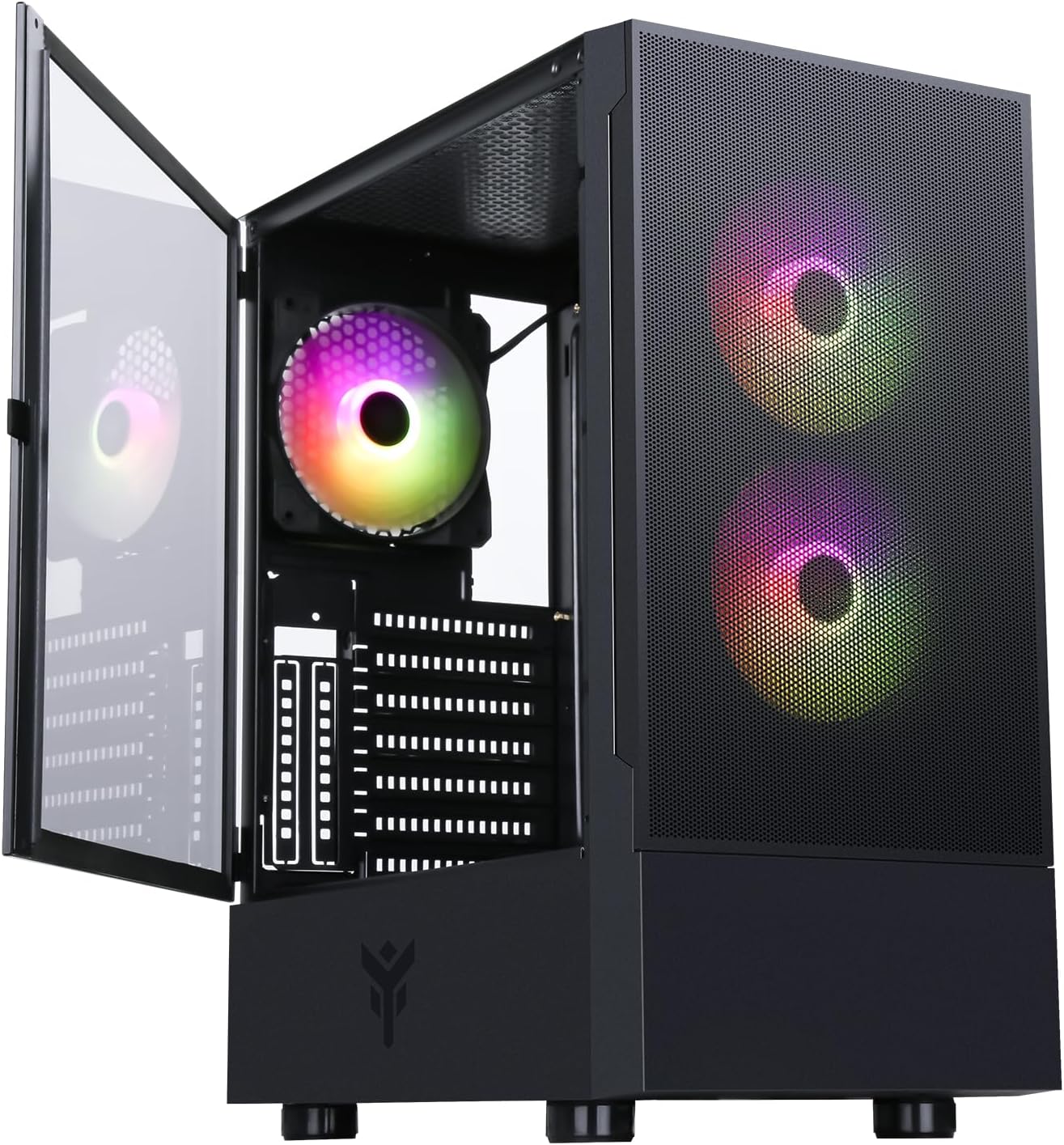
Figure 4: The Itek SIISBE 3.0 with its hinged tempered glass panel open, revealing the pre-installed ARGB fans and internal layout.
2.7 Kabelių valdymas
- Utilize the 28 mm cable management space behind the motherboard tray to route and organize all power and data cables.
- Use cable ties (not included) to secure cables and maintain optimal airflow.
3. Naudojimo instrukcijos
3.1 Įjungimas
- Ensure all components are correctly installed and connected.
- Prijunkite maitinimo laidą prie maitinimo bloko ir sieninio lizdo.
- Press the power button located on the top I/O panel of the case to start your system.
3.2 ARGB ventiliatoriaus valdymas
- The pre-installed ARGB fans can be controlled via the dedicated LED control button on the front panel. Press the button to cycle through various lighting modes and colors.
- Alternatively, if the fans are connected to an ARGB header on your motherboard, you can use the motherboard's proprietary software (e.g., ASUS Aura Sync, MSI Mystic Light, Gigabyte RGB Fusion) to synchronize and customize the lighting effects.
3.3 Priekiniai įvesties / išvesties prievadai
- The front I/O panel includes USB 3.0 and USB 2.0 ports for connecting peripherals and external storage devices.
- Audio jacks are also available for headphones and microphones.
4. Priežiūra
4.1 Dulkių filtro valymas
- The SIISBE 3.0 case is equipped with dust filters to prevent dust buildup inside. Regularly check and clean these filters.
- Gently remove the dust filters (typically located on the top, front, and/or bottom) and clean them with compressed air or by rinsing them with water. Ensure they are completely dry before re-installing.
4.2 Bendras valymas
- Naudokite minkštą, damp cloth to wipe down the exterior surfaces of the case, including the tempered glass panel. Avoid abrasive cleaners.
- For internal cleaning, use compressed air to remove dust from fans, heatsinks, and other components. Ensure the system is powered off and unplugged before cleaning.
5. Problemų sprendimas
This section provides general troubleshooting tips for common issues. For more specific problems, consult the manuals for your individual PC components (motherboard, PSU, GPU, etc.) or contact Itek support.
5.1 Sistema neįsijungia
- Patikrinkite maitinimo jungtis: Ensure the PSU is properly connected to the wall outlet and the power switch on the PSU is in the 'ON' position. Verify all internal power cables (24-pin ATX, 8-pin CPU, PCIe, SATA) are securely connected to the motherboard and components.
- Priekinio skydelio jungtys: Confirm that the front panel power switch cable is correctly connected to the motherboard's front panel header.
5.2 Fans Not Spinning / ARGB Not Working
- Ventiliatorių jungtys: Verify that the fan power cables are securely connected to the motherboard fan headers or the integrated fan controller.
- ARGB Connections: Ensure ARGB cables are correctly connected to the motherboard's ARGB header or the case's ARGB controller.
- Software/Button Control: If using the case's LED button, try pressing it to cycle modes. If using motherboard software, ensure it is installed and configured correctly.
5.3 Perkaitimo problemos
- Oro srautas: Ensure fans are installed in the correct orientation for optimal airflow (front fans typically intake, rear/top fans exhaust).
- Dulkių susidarymas: Išvalykite dulkių filtrus ir vidinius komponentus, kaip aprašyta skyriuje „Priežiūra“.
- Kabelių valdymas: Improve cable routing to reduce obstructions to airflow.
6. Specifikacijos
| Funkcija | Specifikacija |
|---|---|
| Gamintojas | ITEK |
| Prekės modelio numeris | ITGCASIB30 |
| Prekės ženklas | Itek |
| Pagrindinės plokštės suderinamumas | ATX, Micro ATX, Mini ITX |
| Atvejo tipas | Vidurinis bokštas |
| Rekomenduojami produkto naudojimo būdai | Žaidimai, Profesionalus |
| Spalva | Juoda |
| Medžiaga | Grūdintas stiklas |
| Maitinimo šaltinio tvirtinimo tipas | Apatinis kalnas |
| Aušinimo būdas | Oras |
| Modelio pavadinimas | Case SIISBE 3.0 |
| Ventiliatoriaus dydis | 120 milimetrų |
| Total Expansion Slots | 7 |
| Total USB 2.0 Ports | 2 |
| Total USB 3.0 Ports | 1 |
| Iš viso USB prievadų | 4 |
| Produkto savybės | LED Control Button, Dust Filter, Integrated Fan |
| Maksimalus procesoriaus aušintuvo aukštis | 160 milimetrų |
| Number of Internal Bays | 7 |
| Suderinami įrenginiai | ATX Motherboards, Full-size Graphics Cards, Standard Cooling Solutions |
| Ventiliatorių skaičius | 3 |
| Šviesios spalvos | RGB |
| Elemento matmenys (D x P x A) | 37.6D x 37.6W x 44.6H centimetrai |
7. Informacija apie garantiją
Specific warranty details for the Itek SIISBE 3.0 PC Case may vary by region and retailer. Please refer to the warranty card included with your product or visit the official Itek websvetainėje, kurioje rasite tiksliausią ir naujausią informaciją apie garantiją.
Išsaugokite pirkimo įrodymą (kvitą arba sąskaitą faktūrą), nes jo reikės pateikiant pretenzijas dėl garantijos.
8. Pagalba klientams
For technical assistance, product inquiries, or support regarding your Itek SIISBE 3.0 PC Case, please contact Itek customer support through their official channels.
- Oficialus Websvetainė: Visit the Itek official websvetainė, kurioje rasite pagalbos išteklių, DUK ir kontaktinės informacijos.
- Pagalba el. paštu: Look for a support email address on the Itek websvetainę.
- Pagalba telefonu: Check the Itek webregioninių telefono palaikymo numerių svetainė.
When contacting support, please have your product model (SIISBE 3.0) and item model number (ITGCASIB30) ready to help expedite the process.