
Įvadas
This manual provides comprehensive instructions for the installation, operation, and maintenance of your Aerocool LUX RGB 650M semi-modular power supply. The LUX RGB 650M is designed to deliver stable power to your PC components while offering customizable RGB lighting effects. Please read this manual thoroughly before installation and use to ensure proper functionality and safety.

Vaizdas: kampuotas view of the Aerocool LUX RGB 650M Power Supply, showcasing its black finish and RGB lighting panel.
Saugos informacija
- Prieš montuodami ar atlikdami techninę priežiūrą, įsitikinkite, kad maitinimo šaltinis yra atjungtas nuo kintamosios srovės maitinimo lizdo.
- Neatidarykite maitinimo bloko. Didelis garsas.tagViduje yra elektrostatinių elementų, kurie gali sukelti elektros smūgį.
- Install the power supply in a well-ventilated area. Do not block the ventilation openings.
- Šis gaminys skirtas naudoti asmeniniuose kompiuteriuose. Nenaudokite jo jokiems kitiems tikslams.
- Maitinimo šaltinį laikykite atokiau nuo vandens, drėgmės ir ekstremalių temperatūrų.
- Use only the cables provided with the power supply. Using third-party cables may cause damage.
Pakuotės turinys
Patikrinkite, ar pakuotėje yra visi reikalingi daiktai:
- Aerocool LUX RGB 650M Power Supply Unit
- Modular Cable Set (PCIe, SATA, Peripheral)
- Main ATX 20+4 Pin Cable (fixed)
- CPU 4+4 Pin Cable (fixed)
- Kintamosios srovės maitinimo laidas
- Tvirtinimo varžtai
- Vartotojo vadovas
Sąranka ir diegimas
Follow these steps to install your Aerocool LUX RGB 650M power supply:
- Paruoškite kompiuterio korpusą: Ensure your computer is powered off and unplugged from the wall outlet. Open your PC case to access the power supply mounting area.
- Maitinimo šaltinio montavimas: Carefully slide the LUX RGB 650M into the designated power supply bay in your PC case. Secure it with the provided mounting screws.
- Connect Fixed Cables:
- Prijunkite 20+4 Pin ATX cable to your motherboard's main power connector.
- Prijunkite 4+4 Pin CPU cable to your motherboard's CPU power connector.
- Prijunkite modulinius kabelius: Identify the necessary modular cables for your components (graphics card, SSDs/HDDs, optical drives).
- Prijunkite reikiamą PCIe kabeliai to your graphics card(s).
- Prisijunkite SATA maitinimo kabeliai to your storage drives (SSDs, HDDs).
- Prisijunkite Peripheral (Molex) cables for any other components requiring them.

Vaizdas: kampuotas view of the Aerocool LUX RGB 650M Power Supply, illustrating the semi-modular design with fixed and detachable cables.
- Kabelių valdymas: Utilize the semi-modular design to manage cables efficiently, improving airflow and aesthetics within your PC case.
- Prijunkite RGB:
- For motherboard synchronization, connect the power supply's Addressable RGB cable to a +5V Addressable RGB header on your compatible motherboard.
- If your motherboard does not have an Addressable RGB header, you can control the lighting effects directly via the LED control button on the power supply.
- Maitinimo jungtis: Connect the AC power cord to the power supply's input socket and then to a wall outlet. Ensure the power switch on the PSU is in the OFF (0) position before plugging it in.
- System Configuration Note: For optimal performance and stability, ensure your system's power requirements do not exceed the PSU's capacity. A recommended maximum configuration for this 650W model is an Intel i5 processor, an RTX 3060 graphics card, and 16GB DDR4 RAM. For precise power calculations, consult online PSU calculators.
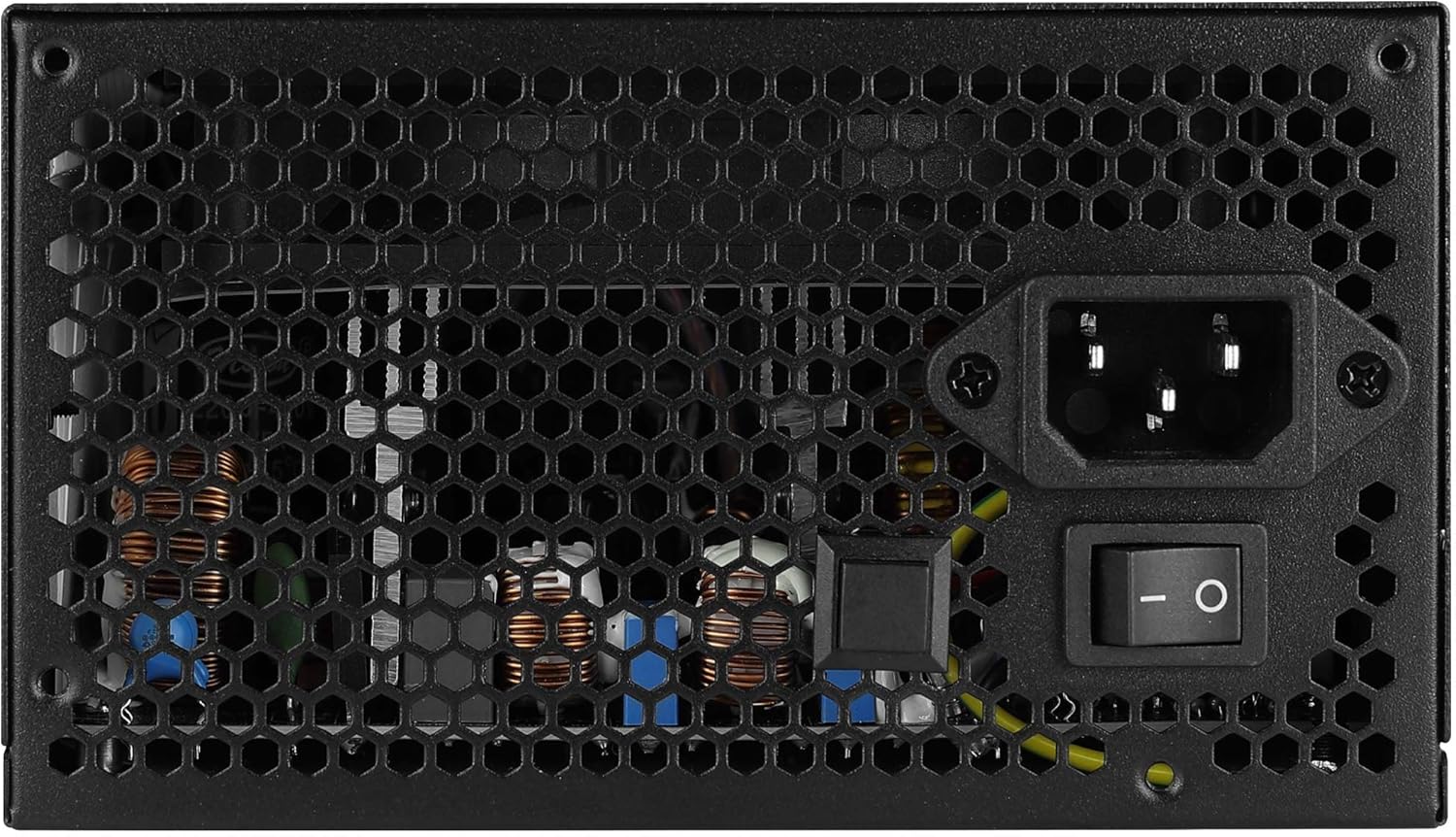
Vaizdas: Galinis view of the Aerocool LUX RGB 650M Power Supply, showing the AC power input, power switch, and ventilation grille.
Naudojimo instrukcijos
After successful installation, follow these steps to operate your power supply:
- Maitinimas: Flip the power switch on the rear of the power supply to the ON (I) position. Then, power on your computer using the case's power button.
- RGB apšvietimo valdymas:
- Via LED Control Button: If not connected to a motherboard ARGB header, press the dedicated LED control button on the power supply to cycle through 13 predefined lighting effects.
- Via Motherboard Software: If connected to a +5V Addressable RGB header on your motherboard, you can control and synchronize the power supply's lighting effects using your motherboard's RGB software (e.g., ASUS Aura Sync, MSI Mystic Light Sync, Gigabyte RGB Fusion, ASRock Polychrome Sync).
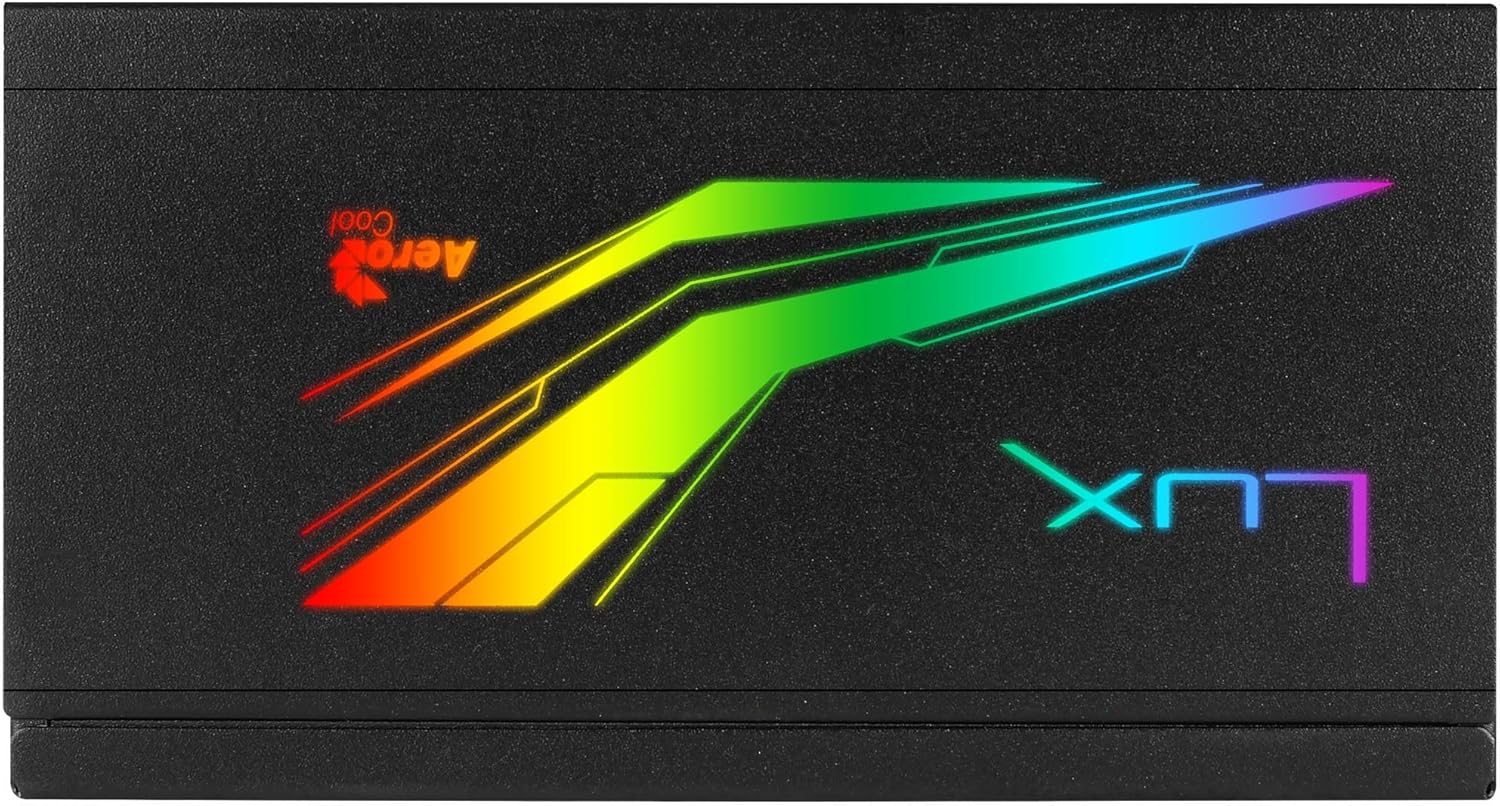
Vaizdas: Viršus view of the Aerocool LUX RGB 650M Power Supply, highlighting the integrated RGB lighting panel with the "LUX" and "AeroCool" logos.
Priežiūra
Tinkama priežiūra užtikrina jūsų maitinimo šaltinio ilgaamžiškumą ir optimalų veikimą:
- Dulkių valymas: Periodically clean the power supply's fan and ventilation grilles to prevent dust buildup, which can impede airflow and cooling. Use compressed air for best results. Ensure the power supply is off and unplugged before cleaning.
- Oro srautas: The LUX RGB 650M features a 30% increased ventilation area for enhanced airflow. Ensure your PC case has adequate ventilation to support efficient heat dissipation from the power supply.
- Ventiliatoriaus veikimas: The 12cm silent black fan operates with optimized thermal fan speed control, adjusting its speed based on temperature to maintain quiet operation and effective cooling.

Vaizdas: Šoninė view of the Aerocool LUX RGB 650M Power Supply, highlighting the extensive honeycomb ventilation pattern for improved airflow.
Trikčių šalinimas
Jei kyla problemų dėl maitinimo šaltinio, žr. šias dažniausiai pasitaikančias problemas ir sprendimus:
- Sistemai nėra elektros energijos:
- Patikrinkite, ar kintamosios srovės maitinimo laidas yra tvirtai prijungtas prie maitinimo šaltinio ir sieninio lizdo.
- Ensure the power switch on the rear of the PSU is in the ON (I) position.
- Verify that all power cables (20+4 Pin ATX, 4+4 Pin CPU, PCIe, SATA) are correctly and firmly connected to their respective components.
- Patikrinkite sieninį lizdą su kitu įrenginiu, kad įsitikintumėte, jog jame yra maitinimas.
- Sistemos nestabilumas / gedimai:
- Ensure your system's power draw does not exceed the 650W capacity of the PSU. Overloading can cause instability.
- Patikrinkite, ar nėra laisvų kabelių jungčių.
- Užtikrinkite tinkamą ventiliaciją kompiuterio korpuse, kad jis neperkaistų.
- RGB apšvietimas neveikia:
- If using the LED control button, ensure it is being pressed correctly to cycle effects.
- If connected to a motherboard ARGB header, verify the connection is secure and that your motherboard's RGB software is installed and configured correctly. Ensure it's a +5V ARGB header, not a +12V RGB header.
Specifikacijos

Image: Electrical specifications label for the Aerocool LUX RGB 650M Power Supply, detailing voltage ir srovės išėjimai.
| Funkcija | Detalė |
|---|---|
| Modelio numeris | LUXRGB650M |
| Prekės ženklas | AeroCool |
| Maitinimo išvestis | 650 vatų |
| Efektyvumo sertifikavimas | 80Plus 230V EU Bronze (up to 88%+ efficiency) |
| Formos faktorius | ATX |
| Kabelių projektavimas | Pusiau modulinis |
| Aušinimo būdas | Air (12cm silent black fan with optimized thermal speed control) |
| RGB apšvietimas | Prism RGB (13 predefined effects via button, compatible with +5V Addressable RGB motherboards) |
| Įvesties tomastage | 115-230 voltų |
| Matmenys (I x P x A) | 16 x 15 x 8.6 cm |
| Svoris | 1.5 kilogramo |
| Suderinami įrenginiai | Asmeninis kompiuteris |
Garantija
The Aerocool LUX RGB 650M Power Supply comes with a 2 metų garantija on spare parts. Please retain your proof of purchase for warranty claims. The warranty covers defects in materials and workmanship under normal use. It does not cover damage caused by misuse, accident, modification, or unauthorized repair.
Palaikymas
For technical assistance, troubleshooting beyond this manual, or warranty inquiries, please contact AeroCool customer support. Visit the official AeroCool websvetainėje, kurioje rasite kontaktinę informaciją ir papildomus išteklius.
Internetiniai ištekliai: www.aerocool.io