
Įvadas
This user manual provides comprehensive instructions for the setup, operation, maintenance, and troubleshooting of your Alienware M15 Gaming Laptop. Please read this manual thoroughly to ensure optimal performance and longevity of your device. For additional support, refer to the official Alienware support resources.
Produktas baigtasview
Pagrindinės savybės
- 8th Generation Intel Core i7-8750H (6-Core, 9MB Cache, up to 4.1GHz w/ Turbo Boost)
- 15.6" FHD (1920 x 1080) 60Hz Anti-glare IPS, 300-nits 72% Color gamut, narrow-border Display
- 16GB, 2x8GB, DDR4, 2666MHz RAM
- 128GB PCIe M.2 SSD + 1TB (+8GB SSHD) Hybrid Drive
- Nvidia GeForce GTX 1060 with 6GB GDDR5 Graphics Card
- Windows 10 Home operacinė sistema
Fiziniai komponentai

1 paveikslas: Priekyje view of the Alienware M15 laptop, showcasing the display with the Alienware logo.

2 paveikslas: Iš viršaus į apačią view of the open Alienware M15 laptop, highlighting the keyboard layout and touchpad.

3 paveikslas: Kairė pusė view of the Alienware M15 laptop, showing various ports such as USB 3.0.
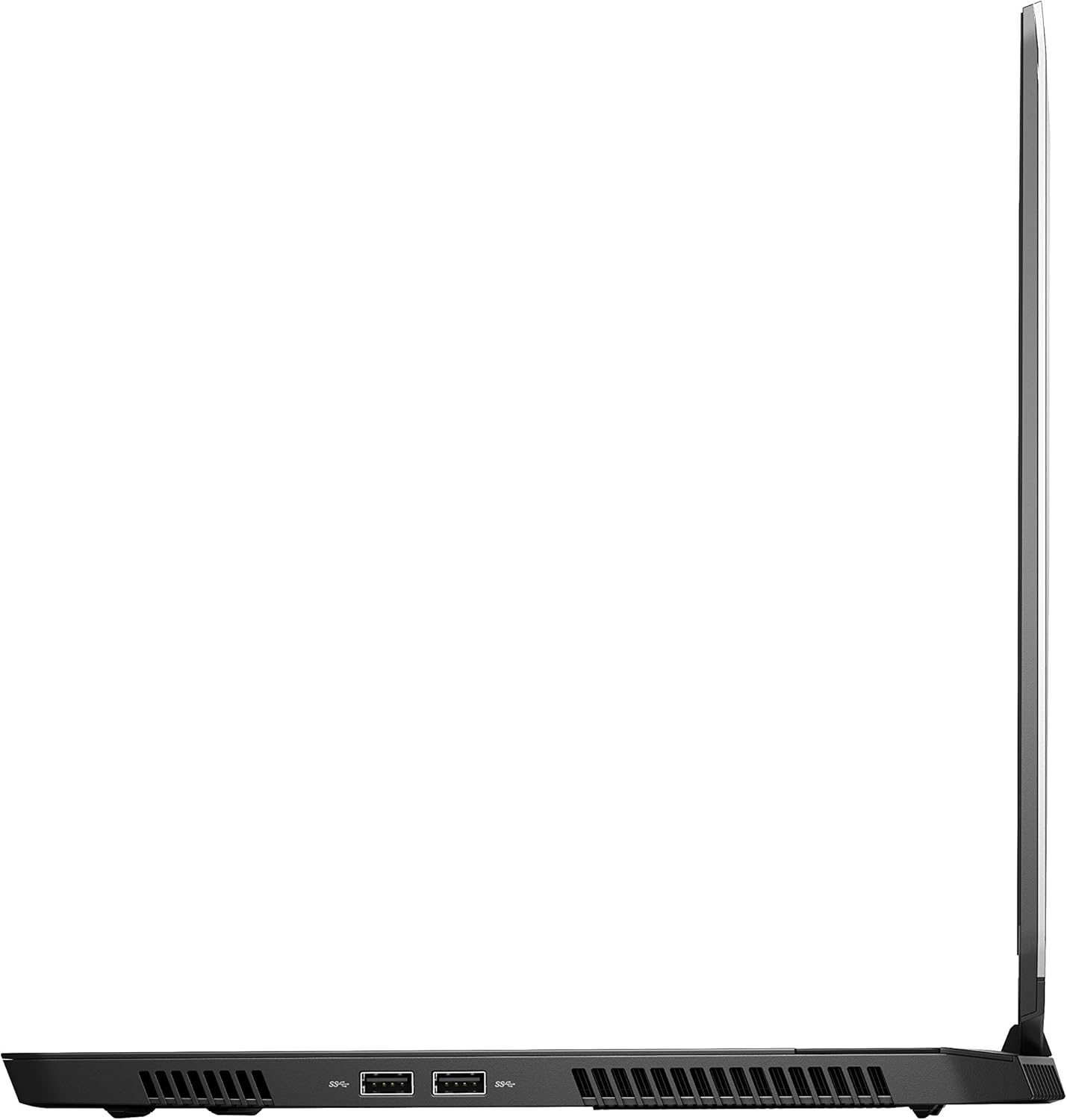
4 paveikslas: Dešinė pusė view of the Alienware M15 laptop, displaying additional ports and ventilation.

5 paveikslas: Sprogo view illustrating the internal cooling system of the Alienware M15 laptop, including fans and heat sinks.
Sąranka
Išpakavimas
Atsargiai išimkite visus komponentus iš pakuotės. Įsitikinkite, kad yra šie daiktai:
- Alienware M15 Gaming Laptop
- Maitinimo laidas
- 180 W galios adapteris
Pradinis įjungimas
- Prijunkite maitinimo adapterį prie nešiojamojo kompiuterio maitinimo įvesties prievado.
- Įkiškite maitinimo laidą į sieninį lizdą.
- Open the laptop lid and press the power button, typically located on the top right of the keyboard deck or a dedicated button on the chassis.
- Vykdykite ekrane pateikiamus nurodymus, kad užbaigtumėte „Windows 10 Home“ sąrankos procesą, įskaitant kalbos pasirinkimą, tinklo ryšį ir vartotojo paskyros kūrimą.
Naudojimo instrukcijos
Pagrindinė operacija
Your Alienware M15 laptop runs on Windows 10 Home. Familiarize yourself with the operating system's interface. The keyboard features customizable backlighting via Alienware's software. The touchpad supports multi-touch gestures for navigation.
Žaidimų našumas
The Alienware M15 is designed for high-performance gaming. For optimal gaming experience, ensure the laptop is connected to the power adapter. This allows the system to utilize its full power capabilities for the CPU and GPU. While gaming, the laptop may generate significant heat; this is normal for high-performance hardware. Consider using a cooling pad for extended gaming sessions to enhance thermal management.
Priežiūra
Valymas
- Ekranas: Šiek tiek naudokite minkštą, be pūkelių šluostę dampnuplaukite vandeniu arba ekrano valikliu. Venkite stiprių cheminių medžiagų.
- Klaviatūra ir korpusas: Use a soft brush or compressed air to remove dust from keys and vents. Wipe surfaces with a microfiber cloth.
- Prievadai: Use compressed air to clear dust from USB, HDMI, and other ports.
Programinės įrangos atnaujinimai
Regularly update your Windows operating system, graphics drivers (NVIDIA GeForce), and Alienware software. Updates often include performance improvements, security patches, and bug fixes. Access Windows updates through Settings > Update & Security. Graphics drivers can be updated via the NVIDIA GeForce Experience application.
Akumuliatoriaus priežiūra
To maximize battery lifespan, avoid consistently discharging the battery completely. For prolonged use while plugged in, consider using battery management features (if available in Alienware Command Center) to limit charging to 80-90% capacity.
Trikčių šalinimas
This section addresses common issues you might encounter with your Alienware M15 laptop.
| Problema | Galima priežastis / sprendimas |
|---|---|
| Laptop gets excessively hot during use. | High-performance components generate heat. Ensure ventilation vents are clear. Use a cooling pad. Update graphics drivers. |
| "No media present" error or SSD/HDD not detected. | This can sometimes be a temporary software glitch. Try restarting the laptop. If persistent, ensure the power cable is securely connected and try a hard reboot (unplug power, hold power button for 15 seconds, then reconnect and power on). If the issue persists, contact support. |
| Dažnai nutrūksta „Wi-Fi“ ryšys. | Ensure Wi-Fi drivers are up to date. Check for interference from other devices. Restart your router and the laptop. If the issue persists, consider reinstalling Wi-Fi drivers or contacting support. |
| System performance is slow or lagging. | Ensure the laptop is plugged into power for full performance. Close unnecessary background applications. Check for malware. Ensure sufficient free space on the SSD/HDD. |
Specifikacijos
Detailed technical specifications for the Alienware M15 Gaming Laptop (Model: AWM15-7830SLV-PUS).
| Funkcija | Detalė |
|---|---|
| Nuolatinio ekrano ekrano dydis | 15.6 colių |
| Ekrano raiška | 1920 x 1080 pikselių |
| Maksimali ekrano skiriamoji geba | 1920 x 1080 pikselių |
| Procesorius | 4.1 GHz core_i7_8750h |
| RAM | 16 GB DDR4 |
| Atminties greitis | 2666 MHz |
| Kietasis diskas | 1000 GB 128GB PCIe M.2 SSD + 1TB (+8GB SSHD) Hybrid Drive |
| Grafikos koprocesorius | NVIDIA GeForce GTX 1060 |
| Chipset prekės ženklas | NVIDIA |
| Kortelės aprašymas | Skirta |
| Vaizdo plokštės Ram Dydis | 6 GB |
| Belaidis tipas | 802.11a/b/g/n |
| USB 3.0 prievadų skaičius | 3 |
| Prekės ženklas | Alienware |
| Serija | AWm15-7830SLV-PUS |
| Prekės modelio numeris | AWM15-7830SLV-PUS |
| Operacinė sistema | Windows 10 Home |
| Prekės svoris | 4.8 svaro |
| Gaminio matmenys | 10.8 x 14.3 x 0.8 colio |
| Spalva | Juoda |
| Procesoriaus prekės ženklas | Intel |
| Procesorių skaičius | 6 |
| Kompiuterio atminties tipas | DDR4 SDRAM |
| Flash atminties dydis | 16 |
| Kietojo disko sąsaja | Kietosios būsenos |
| Kietojo disko sukimosi greitis | 5400 aps./min |
| Optinio disko tipas | Nėra optinio disko |
| ttage | 240 voltų |
| Baterijos | Reikalingos 1 ličio metalo baterijos. (įtraukta) |
| Pasiekiama pirmoji data | 5 m. sausio 2019 d |
| Modelio pavadinimas | AWm15-7830SLV-PUS |
| Ekrano dydis | 15.6 colių |
| Kietojo disko dydis | 1000 GB |
| CPU modelis | Core i7 8750H |
| Įdiegtos RAM atminties dydis | 16 GB |
| Ypatinga funkcija | Anti-glare danga |
Garantija ir palaikymas
For detailed warranty information, please refer to the documentation included with your purchase or visit the official Alienware support website. For technical assistance, driver downloads, and further resources, please visit the Alienware support portal.
Taip pat galima atsisiųsti oficialų naudotojo vadovą (PDF): Atsisiųsti naudotojo vadovą PDF formatu