
1. Įvadas
This manual provides detailed instructions for the Redragon K503 Gaming Keyboard. Please read this guide thoroughly to ensure proper setup, operation, and maintenance of your device. The Redragon K503 is a multimedia gaming keyboard featuring RGB LED backlighting and a comfortable wrist rest, designed for use with Windows and MacOS PC systems.
2. Sąranka
2.1 Pakuotės turinys
- Redragon K503 Gaming Keyboard
- USB laidas (integruotas)
2.2 Klaviatūros prijungimas
- Kompiuteryje raskite laisvą USB prievadą.
- Prijunkite „Redragon K503“ klaviatūros USB jungtį prie USB prievado.
- Your operating system (Windows or MacOS) should automatically detect and install the necessary drivers. No additional software installation is typically required for basic functionality.
- The keyboard's RGB backlighting will illuminate upon successful connection.
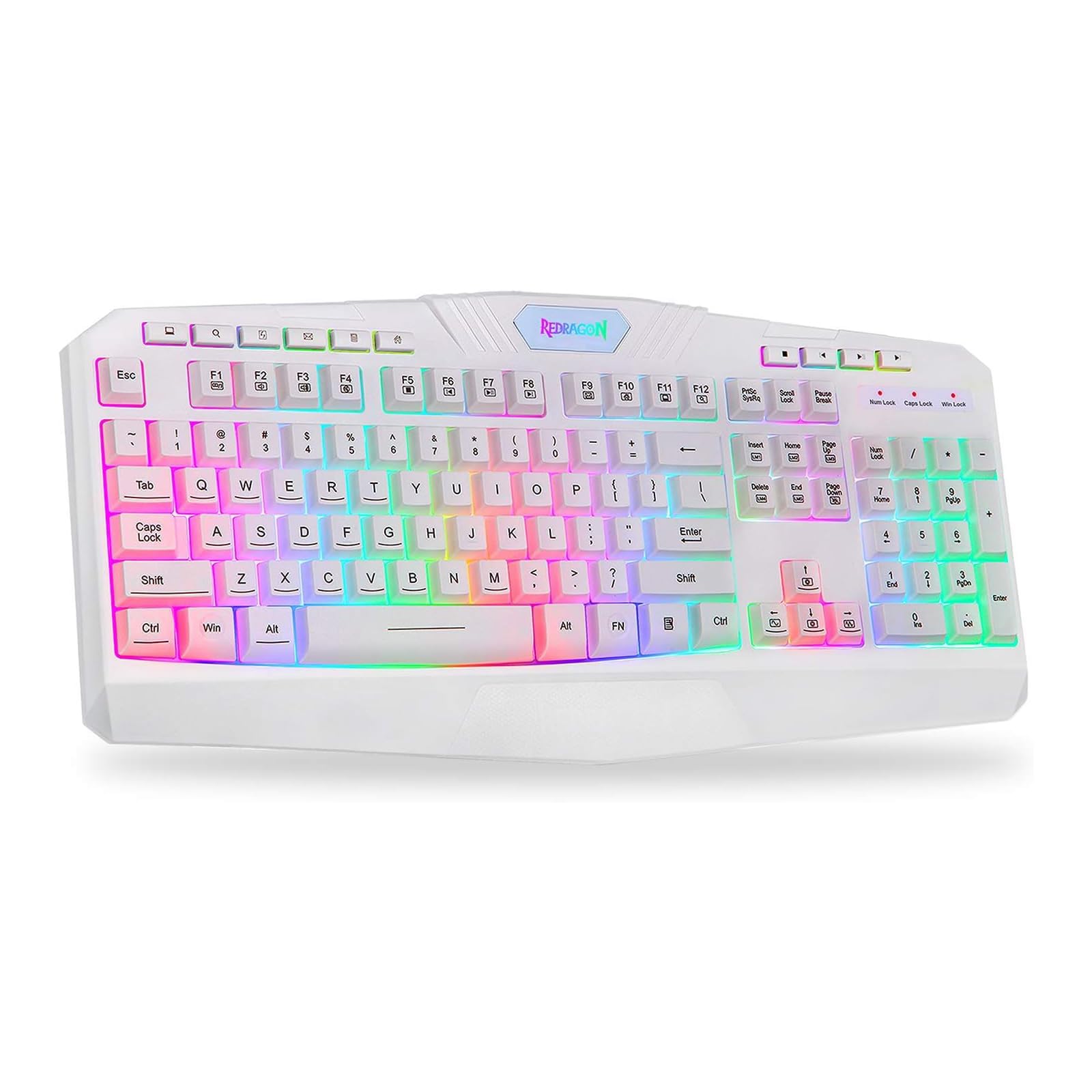
This image shows the Redragon K503 Gaming Keyboard, highlighting its full layout and white finish. The keys feature RGB backlighting, visible around the keycaps.
3. Naudojimo instrukcijos
3.1 Pagrindinės funkcijos
The Redragon K503 functions as a standard QWERTY keyboard for typing and input. All standard keys operate as labeled.
3.2 Daugialypės terpės klavišai
The keyboard includes dedicated multimedia keys for convenient control of media playback and system functions. These keys are typically located above the function keys (F1-F12) or integrated with them via the 'Fn' key. Common functions include:
- Garsumo valdymas: Increase, decrease, or mute audio.
- Medijos atkūrimas: Play/pause, stop, previous track, next track.
- Web Naršyklė: Paleisti numatytuosius nustatymus web naršyklė.
- El. paštas: Launch default email client.
3.3 RGB LED Backlighting
The K503 features customizable RGB LED backlighting. The lighting modes and brightness can be adjusted directly on the keyboard using specific key combinations. Refer to the keycap legends for specific lighting control keys, often involving the 'Fn' key combined with other function keys (e.g., Fn + Scroll Lock, Fn + Home/End, or dedicated lighting keys).
- Apšvietimo režimų keitimas: Press the designated key combination to cycle through various lighting effects (e.g., static, breathing, wave).
- Ryškumo reguliavimas: Use the specified key combination to increase or decrease the backlight intensity.
- Keičiamos spalvos: Some modes allow for color customization using specific key presses.
4. Priežiūra
4.1 Klaviatūros valymas
To maintain optimal performance and appearance, clean your keyboard regularly:
- Prieš valydami atjunkite klaviatūrą nuo kompiuterio.
- Šiek tiek naudokite minkštą, be pūkelių šluostę dampKlaviatūros dangtelius ir paviršių nuvalykite vandeniu arba švelniu valymo tirpalu.
- Dulkėms ir šiukšlėms tarp klavišų pašalinti naudokite suslėgtą orą.
- Do not use harsh chemicals, abrasive cleaners, or immerse the keyboard in liquid.
5. Problemų sprendimas
5.1 Klaviatūra nereaguoja
- Įsitikinkite, kad USB laidas yra tvirtai prijungtas tiek prie klaviatūros, tiek prie kompiuterio.
- Pabandykite prijungti klaviatūrą prie kito kompiuterio USB prievado.
- Išbandykite klaviatūrą kitame kompiuteryje, kad nustatytumėte, ar problema susijusi su klaviatūra, ar su kompiuterio USB prievadu / tvarkyklėmis.
- Iš naujo paleiskite kompiuterį.
5.2 Backlighting Not Working or Incorrect
- Check if the backlighting has been turned off or set to the lowest brightness level using the keyboard's lighting control keys.
- Įsitikinkite, kad klaviatūra tinkamai prijungta prie kompiuterio.
- If a specific key's backlight is not working, it may indicate a hardware issue.
5.3 Specific Keys Not Functioning
- Clean around and under the affected keycap to remove any debris that might be obstructing its movement.
- If the issue persists, it may indicate a hardware malfunction.
6. Specifikacijos
| Prekės ženklas | Reddragon |
| Modelio numeris | K503W-RGB |
| Ryšio technologija | USB |
| Suderinami įrenginiai | PC (Windows, MacOS) |
| Klaviatūros aprašymas | Multimedija |
| Ypatinga funkcija | Lighting (RGB LED Backlit) |
| Spalva | Baltas |
| Gaminio matmenys | 17.6 colio ilgio x 7.9 colių pločio x 1.2 colio aukščio |
| Medžiaga | Akrilnitrilo butadieno stirenas |
| Įtraukti komponentai | USB kabelis |
7. Informacija apie garantiją
Redragon products are typically covered by a limited manufacturer's warranty. The specific terms and duration of the warranty may vary by region and retailer. Please retain your proof of purchase for warranty claims. For detailed warranty information, refer to the warranty card included with your product or visit the official Redragon websvetainę.
8. Pagalba klientams
If you encounter any issues not covered in this manual or require further assistance, please contact Redragon customer support. Contact information can usually be found on the official Redragon website or on the product packaging. When contacting support, please have your product model number (K503) and proof of purchase ready.