
1. Produktas baigtasview
The Evertech 32-Channel HD Digital Video Recorder (DVR) is designed for comprehensive security surveillance applications in homes, offices, shops, businesses, and restaurants. This advanced DVR system records professional-quality video from up to 32 cameras in high resolution, ensuring detailed monitoring and playback capabilities. It comes equipped with a pre-installed 8TB surveillance-grade hard drive for extensive recording memory.
The DVR supports multichannel playback, allowing users to search and download footage efficiently. Its user-friendly interface facilitates easy setup for remote viewing on smartphones (via the Xmeye App), tablets, or PCs (using CMS Software), providing access to live and recorded footage from any location with an internet connection. Key features include motion detection, email alerts for triggered events, and convenient USB backup options.

2. Pakuotės turinys
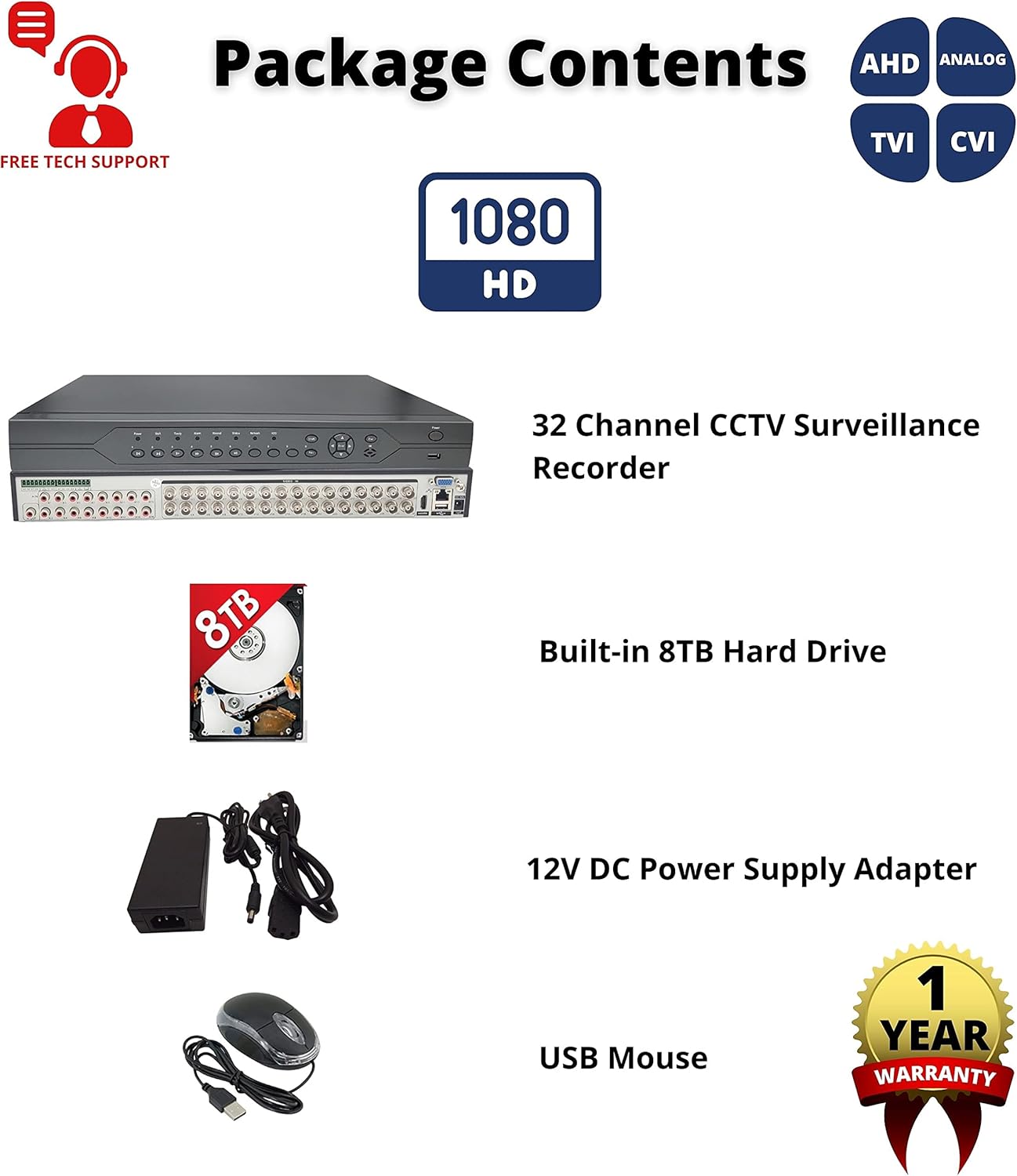
Please verify that all items listed below are included in your package. If any items are missing or damaged, please contact Evertech customer support.
- 1 x Evertech 32 Channel CCTV Surveillance Recorder
- 1 x Built-in 8TB Surveillance Hard Drive
- 1 x 12V DC Power Supply Adapter
- 1 x USB pelė
3. Features and Camera Compatibility
The Evertech 32 Channel DVR is designed for broad compatibility and robust performance. It supports various camera technologies and offers extensive recording and playback features.
3.1 Kameros suderinamumas
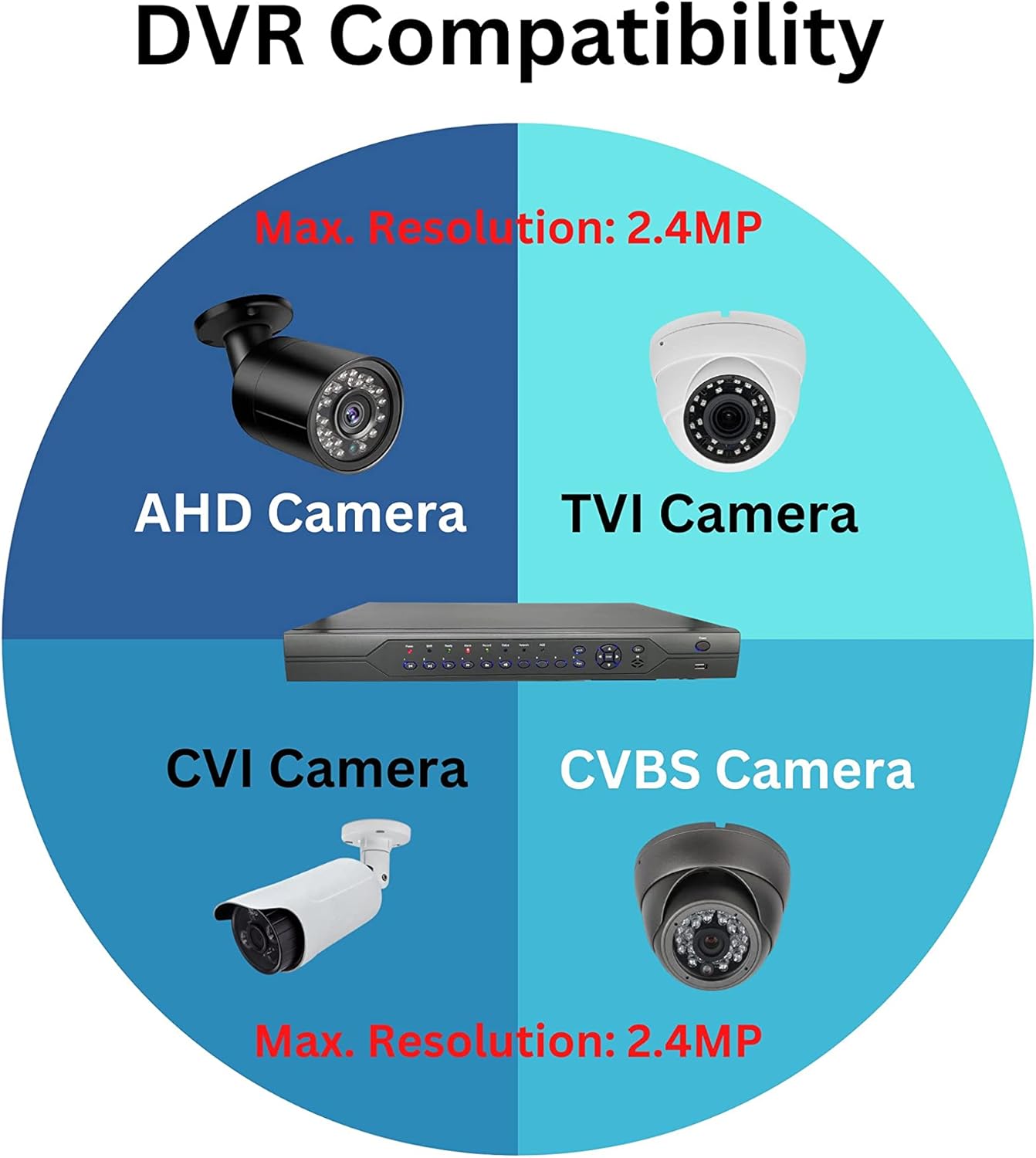
This DVR is compatible with a wide range of camera types, including 1080P, 960P, and 720P TVI, AHD, CVI, and Traditional Analog (CVBS/960H) cameras. It is important to note that this DVR is nesuderinamas with SDI cameras or cameras exceeding 2.4MP resolution. Please ensure your cameras meet these compatibility requirements before connecting.
3.2 Pagrindinės savybės
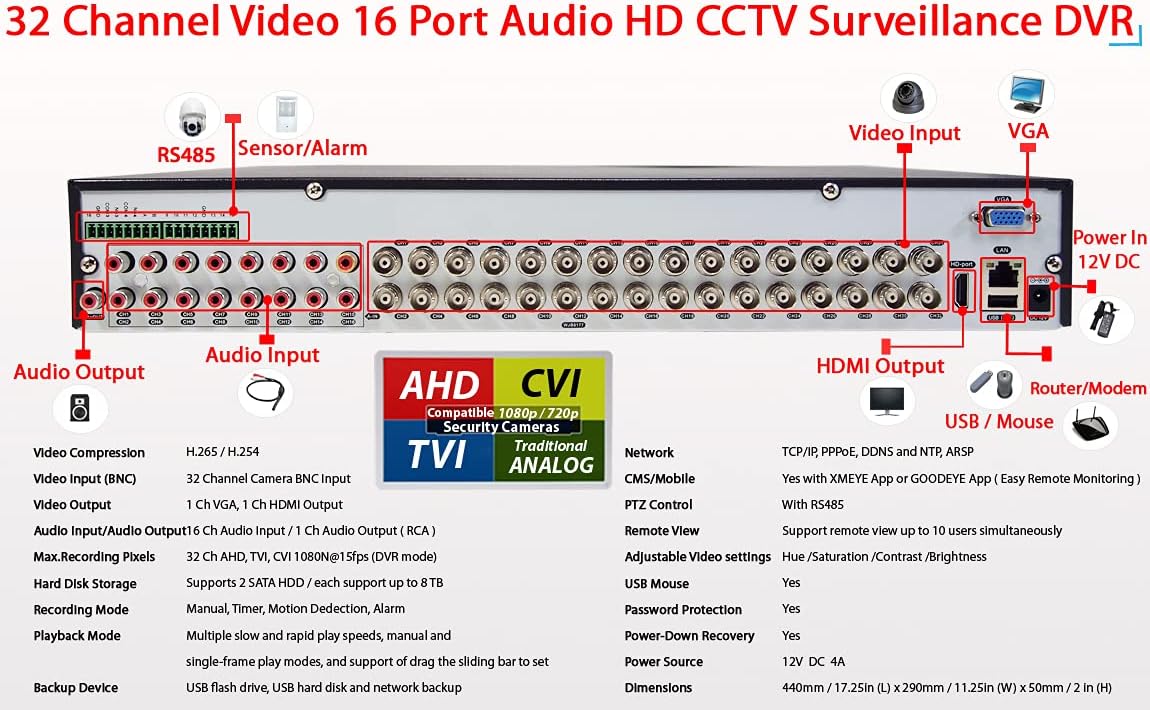
- Vaizdo įrašo suspaudimas: H.265 / H.264 for efficient storage.
- Vaizdo įvestis: 32 Channel BNC inputs.
- Vaizdo įrašo išvestis: 1 Channel VGA, 1 Channel HDMI output.
- Garso įvestis / išvestis: 16 Channel Audio Input / 1 Channel Audio Output (RCA).
- Max. Recording Pixels: Supports 32 Channels AHD, TVI, CVI 1080N@15fps (DVR mode).
- Hard Disk Storage: Supports 2 SATA HDDs, each up to 8TB (total 16TB capacity).
- Atkūrimo režimai: Multiple slow and rapid play speeds, manual, and single-frame play modes with a sliding bar for precise control.
- Backup Device: Supports USB flash drive, USB hard disk, and network backup.
- Tinklo protokolai: TCP/IP, PPPoE, DDNS, NTP, ARSP.
- CMS/Mobile Access: Compatible with XMEYE App or GOODEYE App for easy remote monitoring.
- PTZ valdymas: Equipped with RS485 for Pan-Tilt-Zoom camera control.
- Nuotolinis View Vartotojai: Supports up to 10 simultaneous remote users.
- Adjustable Video Settings: Hue, Saturation, Contrast, Brightness.
- Saugos funkcijos: USB Mouse support, Password Protection, Power-Down Recovery.
4. Sąrankos vadovas
Follow these steps to set up your Evertech 32 Channel DVR system.
4.1 Fiziniai ryšiai
- Prijungti kameras: Connect your TVI, AHD, CVI, or Analog cameras to the BNC video input ports (V1-V32) on the rear panel of the DVR.
- Prijungti garsą: If using microphones or audio output devices, connect them to the Audio In (A1-A16) and Audio Out (A) RCA ports.
- Prijungti monitorių: Connect a monitor to either the HDMI Output or VGA Output port for local viewinavimas ir konfigūracija.
- Prijunkite USB pelę: Plug the included USB mouse into one of the USB ports on the front or rear of the DVR.
- Tinklo prisijungimas: Nuotoliniam viewing and network features, connect an Ethernet cable from the DVR's Network Interface (RJ45 port) to your router or modem.
- Maitinimo jungtis: Connect the 12V DC power supply adapter to the DVR's Power In port, then plug the adapter into a power outlet.

4.2 Pradinis įjungimas ir konfigūracija
Once all physical connections are made, power on the DVR. The system will boot up, and you should see the interface on your connected monitor. Follow the on-screen prompts for initial setup, which typically includes setting the date/time, creating an administrator password, and configuring network settings (DHCP is recommended for most home/office networks).
5. Operacija
This section covers the basic operation of your Evertech DVR, including live viewing, recording, and remote access.
5.1 Tiesiogiai View ir Atkūrimas
Po pradinio nustatymo galite view live camera feeds on your connected monitor. Use the USB mouse to navigate the DVR's graphical user interface (GUI). The DVR supports various display modes (e.g., 1/4/8/9/32 split screen) to view kelios kameros vienu metu.
To play back recorded footage, access the playback menu. You can search for recordings by time, date, event (e.g., motion detection), or channel. The system offers multiple playback speeds and single-frame playback for detailed review.
5.2 Nuotolinis Viewing (Xmeye App / CMS Software)
The Evertech DVR supports remote viewing via the Xmeye App (available on App Store and Google Play) for smartphones and tablets, and CMS Software for PC. This allows you to monitor your premises from anywhere with an internet connection.
- Download App/Software: Download and install the Xmeye App on your mobile device or the CMS Software on your PC.
- Registruoti paskyrą: Create an account within the app/software.
- Pridėti įrenginį: Add your DVR by scanning the QR code displayed on the DVR's monitor (usually found in the network settings or P2P menu) or by manually entering the device ID.
- View Sklaidos kanalai: Pridėjus, galite view tiesioginiai transliacijos, prieiga prie įrašyto maistotage, and configure certain DVR settings remotely.

5.3 Recording Modes and Backup
The DVR supports various recording modes, including continuous recording, scheduled recording, and motion detection recording. Motion detection can be configured for specific areas and sensitivity levels, triggering recordings and email alerts when activity is detected.
Norėdami sukurti atsarginę „foo“ kopijątage, connect a USB flash drive or external USB hard disk to the DVR's USB port. Navigate to the backup menu in the DVR's interface to select and export desired video files. Network backup is also available for transferring files over the local network.
6. Priežiūra
Regular maintenance helps ensure the longevity and optimal performance of your DVR system.
- Kietojo disko valdymas: Iš anksto įdiegtas 8 TB kietasis diskas suteikia ample storage. Periodically check the hard drive status in the DVR's menu to ensure it is functioning correctly. The DVR supports overwriting old footage when the disk is full, but you can also manually delete old recordings if needed.
- Firmware atnaujinimai: Check the Evertech website or contact technical support for any available firmware updates. Keeping your DVR's firmware up-to-date can improve performance and add new features.
- Valymas: Keep the DVR unit clean and free from dust. Use a soft, dry cloth to wipe the exterior. Ensure ventilation openings are not blocked to prevent overheating.
- Slaptažodžio apsauga: Regularly change your DVR's administrator password and ensure strong, unique passwords for remote access accounts.
7. Problemų sprendimas
If you encounter issues with your Evertech DVR, refer to the common troubleshooting tips below. For more complex problems, please contact technical support.
- Nėra vaizdo išvesties:
- Ensure the monitor is powered on and correctly connected to the DVR's HDMI or VGA port.
- Patikrinkite, ar monitoriuje pasirinktas teisingas įvesties šaltinis.
- Check the DVR's power supply connection.
- Nėra kameros vaizdo:
- Confirm cameras are powered on and properly connected to the DVR's BNC inputs.
- Check camera compatibility (TVI, AHD, CVI, Analog; max 2.4MP).
- Ensure video cables are not damaged.
- Nuotolinis Viewneveikia:
- Patikrinkite, ar vaizdo registratorius prijungtas prie interneto per Ethernet kabelį.
- Patikrinkite maršrutizatoriaus interneto ryšį.
- Ensure the Xmeye App or CMS Software is updated to the latest version.
- Confirm the device ID or QR code was correctly added to the app/software.
- Check firewall settings on your network if applicable.
- Įrašymo problemos:
- Check the hard drive status in the DVR's menu; ensure it is initialized and has free space.
- Verify recording schedules or motion detection settings are correctly configured.
8. Techninės specifikacijos
Below are the detailed technical specifications for the Evertech 32 Channel H.265 HD 1080 DVR.
| Funkcija | Detalė |
|---|---|
| Modelio numeris | EVERTECH-32CH-HD |
| Kanalų skaičius | 32 |
| Kietojo disko dydis | 8 TB (Pre-installed, supports up to 2 x 8TB) |
| Atminties talpa | 8 TB |
| Ryšio technologija | USB-Ethernet |
| Vaizdo įrašų suspaudimas | H.265 / H.264 |
| Vaizdo įvestis | 32 kanalų BNC |
| Vaizdo išvestis | 1 Ch VGA, 1 Ch HDMI |
| Garso įvestis/išvestis | 16 Ch Audio In / 1 Ch Audio Out (RCA) |
| Maitinimo šaltinis | 12 V nuolatinė srovė, 4 A |
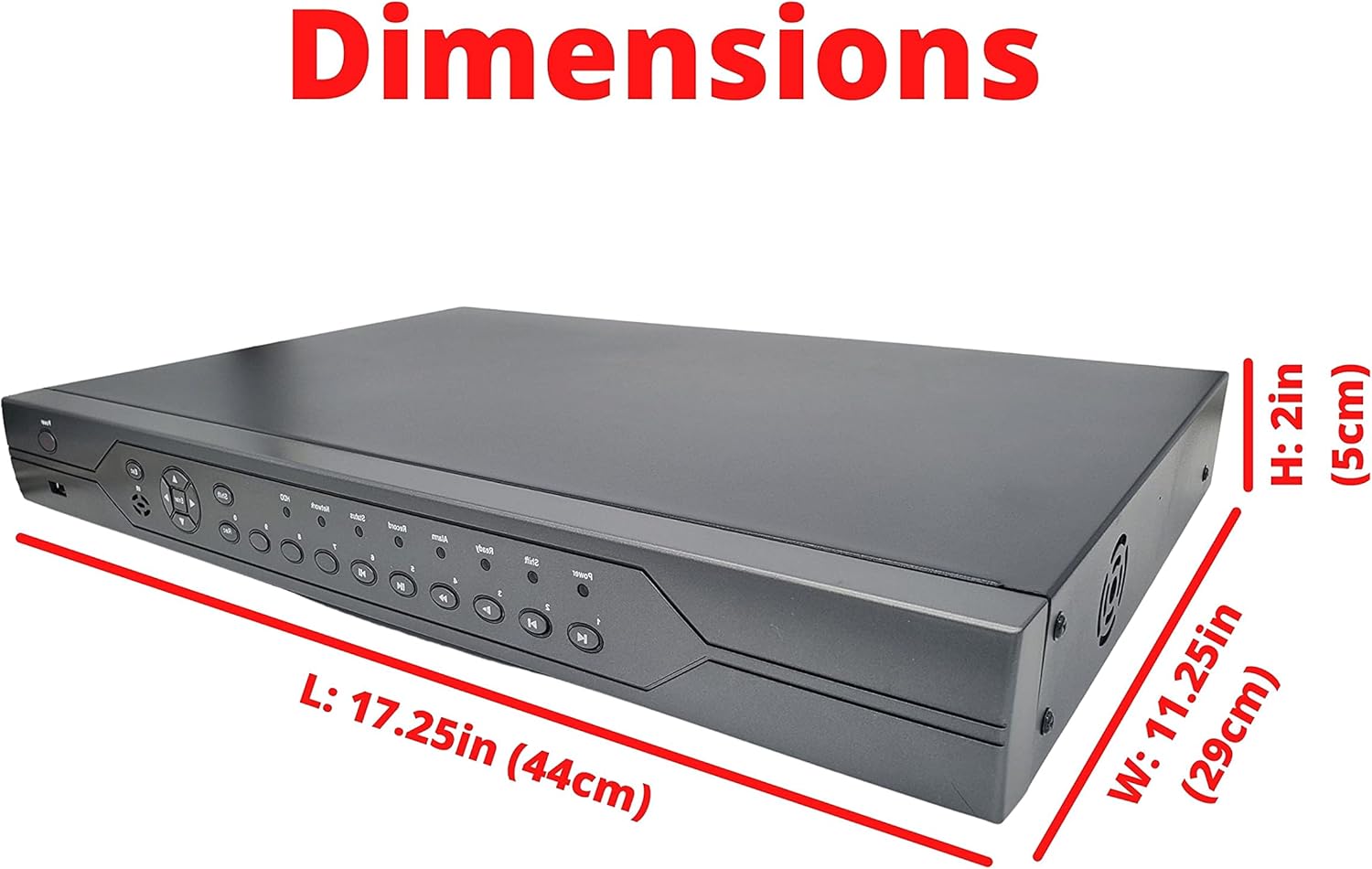
| Gaminio matmenys | 16.87 x 14 x 3 colio (440 mm x 290 mm x 50 mm) |
| Prekės svoris | 10 svaro |
| Gamintojas | EVERTECH |
9. Garantija ir palaikymas
Evertech is committed to providing high-quality products and excellent customer service.
9.1 Gaminio garantija
This Evertech DVR product comes with a Vienerių metų garantija nuo įsigijimo datos. Ši garantija taikoma medžiagų ir gamybos defektams įprasto naudojimo sąlygomis. Išsaugokite pirkimo įrodymą, jei norėtumėte pateikti pretenzijas dėl garantijos.
9.2 Techninė pagalba
If you encounter any questions or require assistance with setting up, operating, or troubleshooting your Evertech DVR, our dedicated technical support team is available to help. Please feel free to contact us through the official Evertech support channels provided on our websvetainėje arba per savo pirkimo platformą.