
1. Įvadas
The TP-Link Archer T2U Plus is an AC600 High Gain Wireless Dual Band USB Adapter designed to provide high-speed Wi-Fi connectivity for desktop PCs and laptops. It supports both 2.4 GHz and 5 GHz bands, offering flexible connectivity options and enhanced range with its 5dBi high-gain antenna. This manual provides instructions for setting up, operating, and maintaining your adapter.

Image: The TP-Link Archer T2U Plus AC600 High Gain Wireless Dual Band USB Adapter.
2. Pakuotės turinys
Patikrinkite, ar jūsų pakuotėje yra šie elementai:
- AC600 High Gain Wireless Dual Band USB Adapter (Archer T2U Plus)
- Greito montavimo vadovas
- Išteklių kompaktinis diskas (tvarkyklėms ir programinei įrangai)

Image: The retail packaging for the Archer T2U Plus, showing the adapter and its key features.
3. Sistemos reikalavimai
Prieš diegdami įsitikinkite, kad jūsų sistema atitinka šiuos reikalavimus:
- An available USB port (USB 2.0 or higher recommended).
- Operating System: Windows 11/10/8.1/8/7/XP or Mac OS 10.15 and earlier.
- CD-ROM drive (for driver installation from Resource CD) or internet access (for driver download).

Image: Icons representing compatible operating systems: Windows 10, Windows 8.1, Windows 8, Windows 7, Windows XP, and Mac OS.
4. Sąranka ir tvarkyklės diegimas
4.1 Aparatinės įrangos diegimas
- Įdėkite adapterį: Plug the Archer T2U Plus USB adapter into an available USB port on your computer. Ensure it is securely seated.
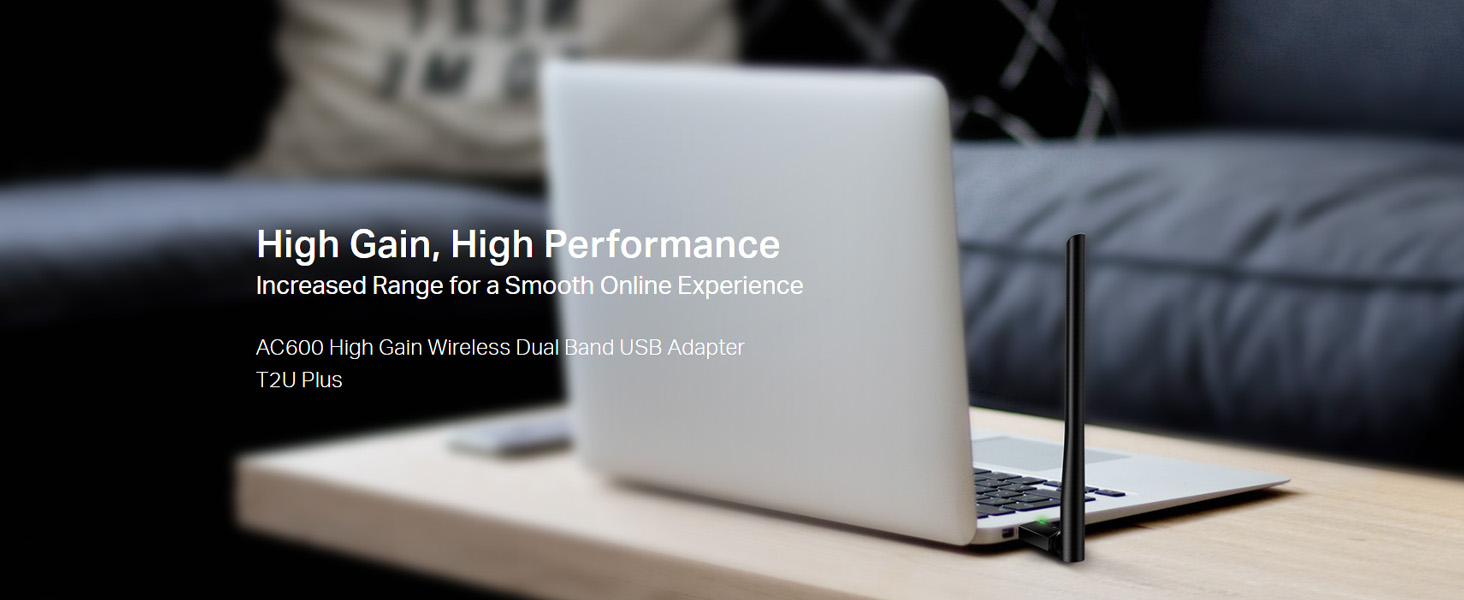
Image: The Archer T2U Plus adapter connected to a laptop's USB port, demonstrating its compact form factor.
4.2 Tvarkyklės diegimas
The adapter requires a driver to function correctly. You can install it using the provided Resource CD or by downloading it from the TP-Link websvetainę.
Option A: Using the Resource CD
- Įdėkite išteklių kompaktinį diską į kompiuterio CD-ROM įrenginį.
- Follow the on-screen instructions to run the setup wizard.
- Select the Archer T2U Plus model and proceed with the driver installation.
- Iš naujo paleiskite kompiuterį, jei būsite paraginti.
Option B: Downloading Drivers Online
- Apsilankykite oficialioje TP-Link palaikymo svetainėje websvetainė (www.tp-link.com/support/download/).
- Ieškokite "Archer T2U Plus" and download the latest driver compatible with your operating system.
- Išskleiskite atsisiųstą file (if compressed) and run the setup executable.
- Follow the installation wizard and restart your computer if required.
5. Naudojimo instrukcijos
5.1 Prisijungimas prie „Wi-Fi“ tinklo
- After successful driver installation, the adapter will be detected by your operating system.
- Click the Wi-Fi icon in your system tray (Windows) or menu bar (Mac OS).
- Select your desired Wi-Fi network (SSID) from the list of available networks.
- Enter the network password (security key) if prompted and click Prisijunkite.
- The adapter will establish a connection to the Wi-Fi network.
5.2 Dviejų dažnių funkcija
The Archer T2U Plus supports both 2.4 GHz and 5 GHz Wi-Fi bands. The 5 GHz band offers faster speeds and less interference, ideal for streaming and gaming, while the 2.4 GHz band provides wider coverage.
- 2.4 GHz dažnių juosta: Up to 200 Mbps data rate, suitable for general web naršymas ir el.
- 5 GHz dažnių juosta: Up to 433 Mbps data rate, ideal for HD video streaming and online gaming.
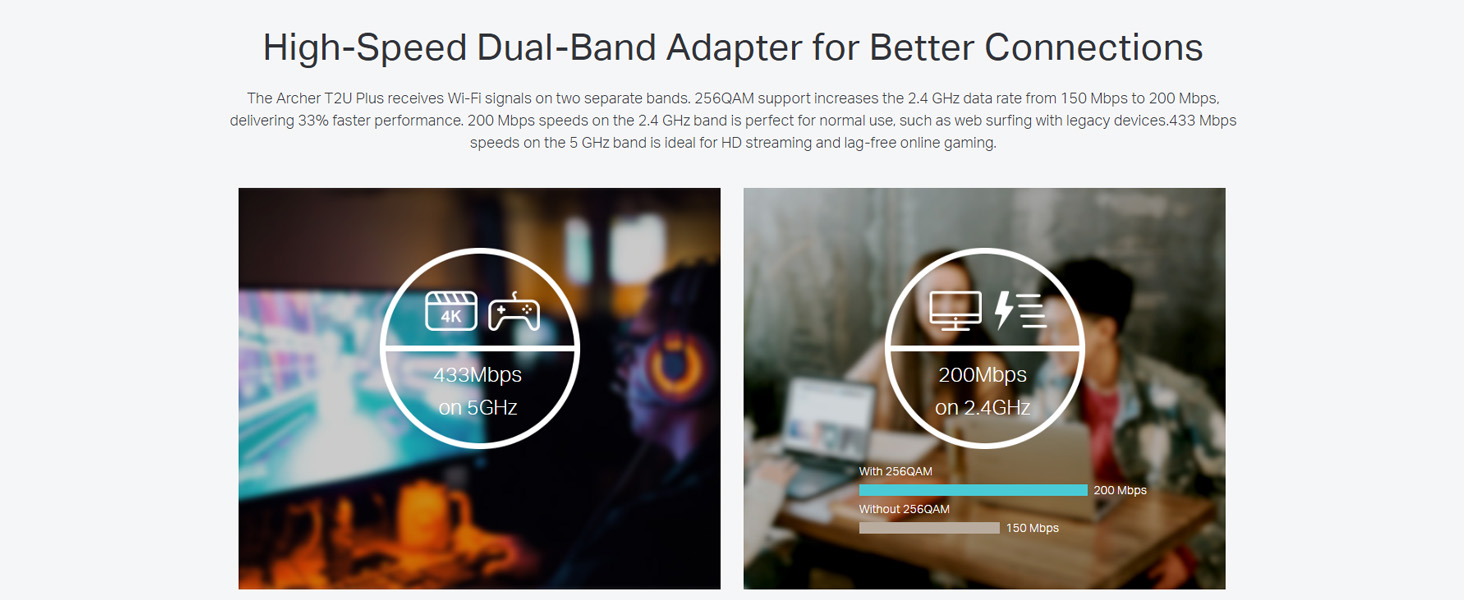
Image: A visual representation comparing the data rates and typical uses for the 2.4 GHz (200 Mbps) and 5 GHz (433 Mbps) bands.
5.3 Antenos reguliavimas
The adapter features an adjustable, multi-directional 5dBi high-gain antenna to optimize signal reception and transmission.
- Rotate and adjust the antenna in various directions to find the optimal position for signal strength and performance in your environment.
- Experiment with different angles to achieve the best possible Wi-Fi range and stability.

Image: The Archer T2U Plus adapter illustrating its adjustable antenna, capable of rotating up to 180 degrees and tilting 90 degrees for optimal signal.
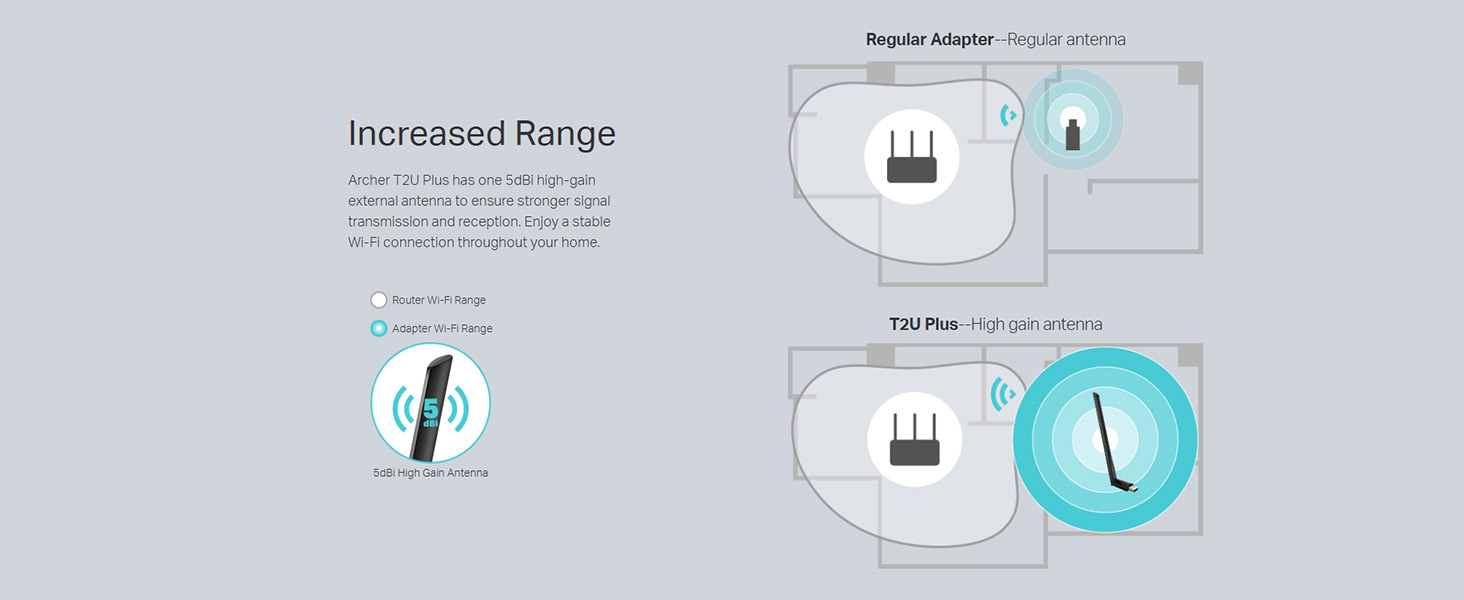
Image: A diagram comparing the Wi-Fi coverage area of a regular adapter with a standard antenna versus the extended range provided by the Archer T2U Plus's high-gain antenna.
6. Priežiūra
6.1 Vairuotojų atnaujinimai
Reguliariai tikrinkite TP-Link palaikymo tarnybą website for updated drivers. Keeping your drivers current ensures optimal performance, compatibility, and security.
6.2 Valymas
To maintain the adapter's performance, keep it clean and free from dust. Use a soft, dry cloth to wipe the device. Avoid using liquid cleaners or solvents.
7. Problemų sprendimas
If you encounter issues with your Archer T2U Plus adapter, refer to the following common troubleshooting steps:
- Nėra „Wi-Fi“ ryšio:
- Įsitikinkite, kad adapteris yra tvirtai prijungtas prie USB prievado.
- Patikrinkite, ar tvarkyklės tinkamai įdiegtos. Jei reikia, įdiekite iš naujo.
- Check if your router is powered on and broadcasting a Wi-Fi signal.
- Pabandykite prisijungti prie kito USB prievado.
- Mažas „Wi-Fi“ greitis:
- Ensure you are connected to the 5 GHz band if your router supports it, for faster speeds.
- Norėdami geriau priimti signalą, sureguliuokite antenos padėtį.
- Reduce interference by moving the adapter away from other electronic devices.
- Atnaujinkite adapterio tvarkykles į naujausią versiją.
- Adapteris neaptiktas:
- Try plugging the adapter into another USB port.
- Iš naujo paleiskite kompiuterį.
- Rankiniu būdu įdiekite tvarkykles iš išteklių kompaktinio disko arba „TP-Link“ websvetainę.
8. Specifikacijos
| Prekės ženklas | TP-Link |
| Modelis | Archer T2U Plus |
| Techninės įrangos sąsaja | USB, USB 2.0 |
| Duomenų perdavimo sparta | 600 Megabits Per Second (200 Mbps on 2.4 GHz, 433 Mbps on 5 GHz) |
| Antenos tipas | 5dBi High-Gain External Antenna |
| Suderinamos operacinės sistemos | Windows 11/10/8.1/8/7/XP, Mac OS 10.15 and earlier |
| Gaminio matmenys (I x P x A) | 5.8L x 1.8W x 17.3H centimetrai |
| Prekės svoris | 12 gramų |
| Spalva | Juoda |
9. Garantija ir palaikymas
9.1 Informacija apie garantiją
Šis produktas tiekiamas su a 3 metų garantija nuo pirkimo datos. Išsaugokite pirkimo įrodymą garantiniams reikalavimams. Garantija taikoma gamybos defektams ir gedimams įprastomis naudojimo sąlygomis.
9.2 Techninė pagalba
For technical assistance, driver downloads, or further inquiries, please contact TP-Link support:
- Nemokamas palaikymas: 1800-209-4168
- Pagalba el. paštu: support.in@tp-link.com
- Websvetainė: www.tp-link.com/in/support/