
Įvadas
This manual provides detailed instructions for the assembly, operation, and maintenance of your GTRACING Gaming Chair with integrated Bluetooth speakers. Designed for ergonomic comfort and an immersive audio experience, this chair is suitable for gaming, office work, and relaxation. Please read this manual thoroughly before use to ensure proper setup and safe operation.
Saugos informacija
Please ensure the volume of the Bluetooth speakers is at a safe level to avoid hearing damage. Do not exceed the maximum weight capacity of 300lbs to ensure the stability and safety of the chair. Follow the assembly instructions carefully and ensure all parts are securely fastened before use.
Surinkimo instrukcijos
The GTRACING Gaming Chair is designed for straightforward assembly. All necessary components and tools are included in the package. For optimal assembly, it is recommended to have two people. Each part is clearly labeled to assist with identification during the process. Typical assembly time is approximately 45 minutes.
Ensure all screws are tightened securely before using the chair. Refer to the included assembly guide for step-by-step visual instructions.

Image: Fully assembled GTRACING Gaming Chair, showcasing its ergonomic design and blue/black color scheme.
Naudojimo instrukcijos
Kėdės reguliavimas
- Aukščio reguliavimas: Use the lever located under the seat on the right side to adjust the chair's height. Pull the lever up while seated to lower, or pull up while standing to raise.
- Atlošo funkcija: The chair features an adjustable backrest that can recline up to 155 degrees, offering 8 different reclining positions. Use the lever on the side of the backrest to adjust the angle.
- Porankio reguliavimas: The armrests are adjustable in height and can swivel left to right, allowing you to find the most comfortable position for your arms and shoulders.
- Lumbar and Headrest Support: The chair includes a removable lumbar pillow and headrest pillow for enhanced ergonomic support. Adjust their positions as needed for optimal comfort.
- Ištraukiama pakoja: A pull-out footrest is integrated under the seat, providing additional comfort for relaxation or reclining.

Image: The chair shown in a reclined position, illustrating its stability and range of motion.
Bluetooth garsiakalbio veikimas
The GTRACING Gaming Chair features left and right symmetrical Bluetooth speakers integrated into the backrest, providing an immersive audio experience. The sound is designed to reflect from the ceiling and walls for enhanced immersion.
- Poravimas: To connect your device, activate Bluetooth on your smartphone, tablet, or computer and search for the GTRACING chair. Select it to pair.
- Garso atkūrimas: Once paired, audio from your device will play through the chair's speakers. Adjust volume via your connected device.
- Connectivity for Non-Bluetooth Devices: For devices without Bluetooth sending functionality (e.g., PS4/PS5, Xbox, PC, Switch), a GTRACING USB GT-Lynck adapter can be purchased separately to enable audio transmission to the chair.

Vaizdas: Galinis view highlighting the symmetrical Bluetooth speakers for immersive sound.
Vaizdo įrašas: išsamus aprašymasview and close-up demonstration of the GTRACING Gaming Chair, including its features and functionality.
Priežiūra
To maintain the quality and longevity of your GTRACING Gaming Chair, wipe it clean regularly with a damp cloth. Avoid using harsh chemicals or abrasive cleaners, as these may damage the faux leather material. Ensure the chair is dry after cleaning.

Image: Detail of the chair's durable and easy-to-maintain faux leather finish.
Trikčių šalinimas
If you encounter any issues with your GTRACING Gaming Chair, please refer to the following common solutions:
- Chair Stability: Ensure all bolts and screws are securely tightened. Periodically check and re-tighten fasteners.
- Aukščio reguliavimo problemos: Verify that the gas lift cylinder is properly installed and not obstructed.
- Bluetooth ryšys: Ensure the chair's Bluetooth is active and your device is within range. Try unpairing and re-pairing the device. If using an adapter, ensure it is correctly installed and functioning.
- Garso kokybė: Check the volume levels on both your connected device and the chair. Ensure there are no obstructions to the speakers.
For further assistance, please contact GTRACING customer support.
Specifikacijos
| Funkcija | Detalė |
|---|---|
| Prekės ženklas | GTRACING |
| Modelio pavadinimas | 890M-b |
| Spalva | Mėlyna |
| Gaminio matmenys | 53 "D x 40" P x 134" A |
| Dydis | Didelis |
| Didžiausio svorio rekomendacija | 300 svaro |
| Medžiaga | Faux Leather, Foam (likely polyurethane) |
| Ypatinga funkcija | Adjustable Height, Bluetooth Speakers, Recline Function |
| Gulimosios padėties skaičius | 8 |
| Rankų stilius | Reguliuojami porankiai |
| Baldų pagrindo judėjimas | Pasukamas |
| Prekės svoris | 40 svaro |
| UPC | 782890715355 |
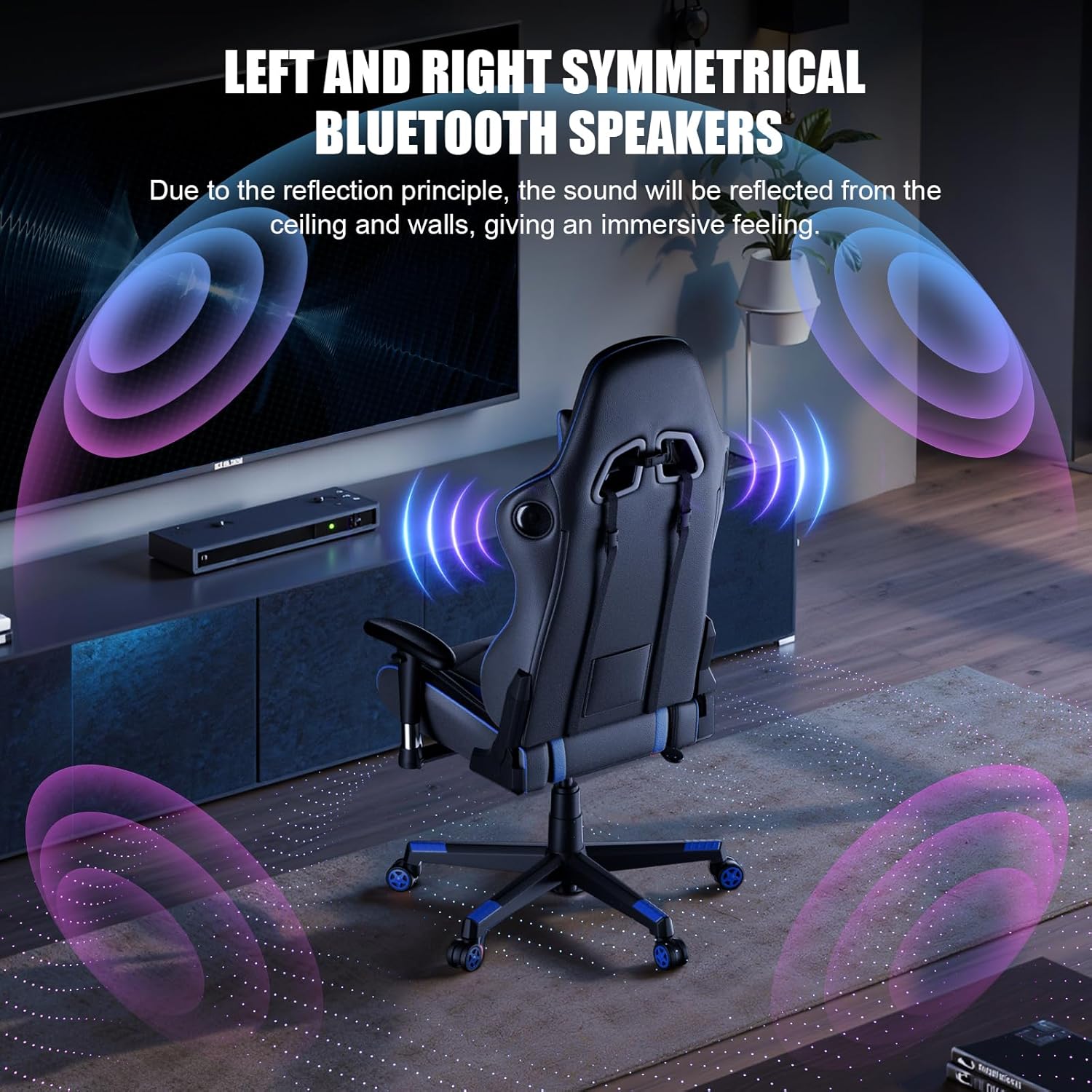
Image: Detailed dimension diagram of the GTRACING Gaming Chair.
Garantija ir palaikymas
GTRACING is committed to providing high-quality products and customer satisfaction. For information regarding warranty coverage, product support, or to purchase accessories like the GT-Lynck adapter, please visit the official GTRACING website or contact their customer service directly. Contact details can typically be found on the product packaging or the brand's official online store.