
1. Įvadas
This manual provides instructions for the proper setup, operation, and maintenance of your Ohaus CR5200 Compass Series Portable Balance. Please read this manual thoroughly before using the balance to ensure correct operation and to prevent damage.
The Ohaus CR5200 is a portable digital balance designed for accurate weighing with a capacity of 5200 grams and a readability of 1 gram. It supports multiple weighing units including grams (g), ounces (oz), pounds:ounces (lb:oz), troy ounces (ozt), and pennyweights (dwt).

1.1 pav.: Viršus view of the Ohaus CR5200 Compass Series Portable Balance, showing the display and control buttons.
2. Saugos informacija
- Operate the balance on a stable, level surface free from vibrations and drafts.
- Venkite svarstyklių veikimo esant ekstremalioms temperatūroms, drėgmei ar tiesioginiams saulės spinduliams.
- Do not overload the balance beyond its maximum capacity of 5200 grams.
- Laikykite svarstykles švarias, be dulkių ir šiukšlių.
- Use only the specified power source (3 AA batteries or compatible AC adapter).
3. Sąranka
3.1 Išpakavimas
Carefully remove the balance from its packaging. Inspect the balance for any signs of damage. Retain the packaging for future transport or storage.
3.2 Powering the Balance
The Ohaus CR5200 can be powered by three AA alkaline batteries or an external AC adapter (not included, but compatible with the side power port).
Akumuliatoriaus montavimas:
- Locate the battery compartment on the underside of the balance.
- Atidarykite akumuliatoriaus skyriaus dangtelį.
- Įdėkite tris AA šarmines baterijas, užtikrindami teisingą poliškumą (+/-).
- Saugiai uždarykite akumuliatoriaus skyriaus dangtelį.

3.1 pav.: Apatinė pusė view of the balance with the battery compartment open, showing three AA batteries installed.
Išorinio maitinimo jungtis:
If using an AC adapter, connect it to the power input port located on the side of the balance. Ensure the adapter meets the specified voltage and current requirements (e.g., 12V 0.5A).

3.2 paveikslėlis: Šonas view of the balance, highlighting the external power input port.
3.3 Įdėjimas
Place the balance on a firm, level, and stable surface. Avoid locations near air vents, windows, or equipment that generates vibrations or electromagnetic interference.
4. Naudojimo instrukcijos
4.1 Maitinimo įjungimas/išjungimas
- Norėdami įjungti: paspauskite [ON/OFF] button. The display will show a self-test sequence and then settle at 0.0 g.
- Norėdami išjungti: paspauskite ir palaikykite [ON/OFF] mygtuką, kol ekranas išsijungs.
4.2 Selecting Weighing Units
The balance supports multiple weighing units: grams (g), ounces (oz), pounds:ounces (lb:oz), troy ounces (ozt), and pennyweights (dwt).
- To change the weighing unit: Press the [VIENETAS] button (often labeled with 'g' and an arrow). Each press cycles through the available units.
4.3 Taros funkcija
The tare function allows you to zero out the weight of a container, so only the weight of the contents is measured.
- Place the empty container on the weighing pan. The display will show its weight.
- Paspauskite [TARA/ZERO] button (often labeled with '→0←'). The display will reset to 0.0.
- Į indą įberkite sveriamą medžiagą. Ekrane bus rodomas grynasis medžiagos svoris.
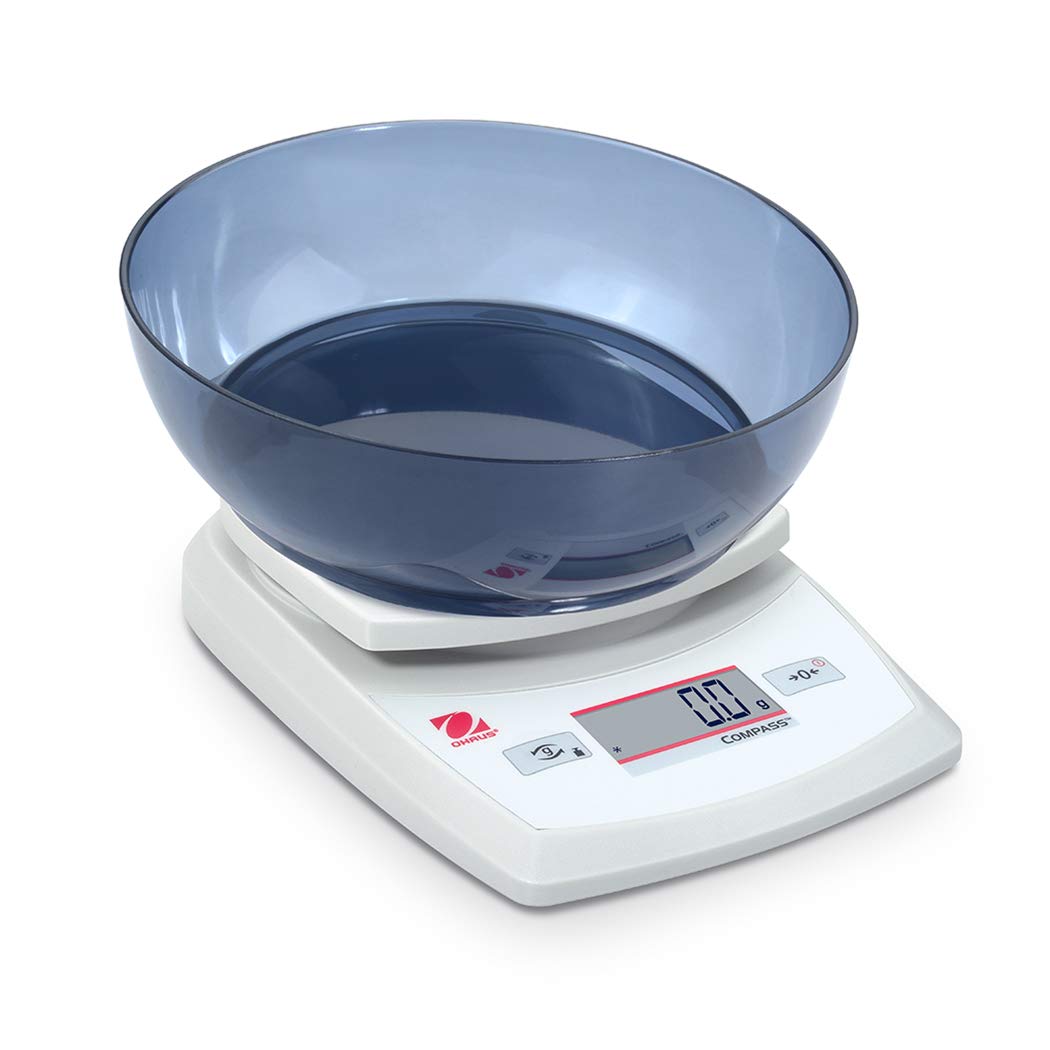
Image 4.1: The balance with an empty bowl on the weighing pan, ready for the tare function.
4.4 Pagrindinis svėrimas
- Ensure the balance is powered on and the display shows 0.0 in the desired weighing unit.
- Atsargiai padėkite sveriamą daiktą ant svėrimo lėkštės centro.
- Palaukite, kol ekranas stabilizuosis. Bus parodytas stabilus svoris.
- Remove the item from the pan.
4.5 Išorinis kalibravimas
The Ohaus CR5200 features external calibration. This process requires a known calibration weight (not included) to ensure accuracy. Refer to the full Ohaus CR Series manual for detailed calibration procedures specific to your model.

Image 4.2: The balance with a cylindrical calibration weight placed on the weighing pan.
5. Priežiūra
5.1 Valymas
- Nuvalykite balanso išorę minkšta,amp audinys. Nenaudokite abrazyvinių valiklių ar tirpiklių.
- Saugokite, kad į svarstyklių korpusą ar ekraną nepatektų skysčių.
- Keep the weighing pan clean to ensure accurate readings.
5.2 Akumuliatoriaus keitimas
When the battery indicator appears on the display, replace the three AA alkaline batteries as described in Section 3.2.
5.3 Saugykla
When not in use for extended periods, remove the batteries to prevent leakage. Store the balance in a dry, dust-free environment. The Ohaus CR5200 is designed for portability and can be stored in a protective case (if available).

Image 5.1: The Ohaus CR5200 balance shown alongside its protective carrying case.
6. Problemų sprendimas
| Problema | Galima priežastis | Sprendimas |
|---|---|---|
| Balansas neįsijungia. | Dead or incorrectly installed batteries; no AC power. | Replace batteries or check AC adapter connection. Ensure correct battery polarity. |
| Netikslūs arba nestabilūs rodmenys. | Unstable surface; drafts; electromagnetic interference; balance needs calibration. | Move balance to a stable, level surface. Shield from drafts. Recalibrate the balance (refer to Section 4.5). |
| Ekrane rodomas užrašas „Err“ arba klaidos kodas. | Perkrova; vidinė klaida. | Remove excess weight if overloaded. Power cycle the balance. If error persists, contact Ohaus support. |
| Taros funkcija neveikia. | Balance not stable; button not pressed correctly. | Ensure balance is stable and display is settled. Press the TARE/ZERO button firmly. |
7. Specifikacijos
| Funkcija | Specifikacija |
|---|---|
| Modelio numeris | CR5200 |
| Talpa | 5200 g (5.2 kg) |
| Skaitomumas | 1 g |
| Svėrimo vienetai | g, oz, lb:oz, ozt, dwt |
| Kalibravimo tipas | Išorinis |
| Maitinimo šaltinis | 3 AA alkaline batteries (included) or AC adapter (not included) |
| Ekrano tipas | Skaitmeninis |
| Medžiaga | Plastikiniai |
| Gaminio matmenys (I x P x A) | 23.62 x 17.02 x 5.59 cm |
| Prekės svoris | 408.23 g (apie 14.4 uncijos) |
| Ypatingos savybės | Nešiojami |
8. Garantija ir palaikymas
Dėl garantijos informacijos, techninės pagalbos ar paslaugų kreipkitės į „Ohaus“ klientų aptarnavimo tarnybą arba apsilankykite oficialioje „Ohaus“ svetainėje. websvetainėje. Išsaugokite pirkimo kvitą kaip pirkimo įrodymą.