
SHHHMOUSE SHHH2659Black
SHHHMOUSE Silent Wireless Mouse User Manual
Model: SHHH2659Black | Brand: SHHHMOUSE
1. Įvadas
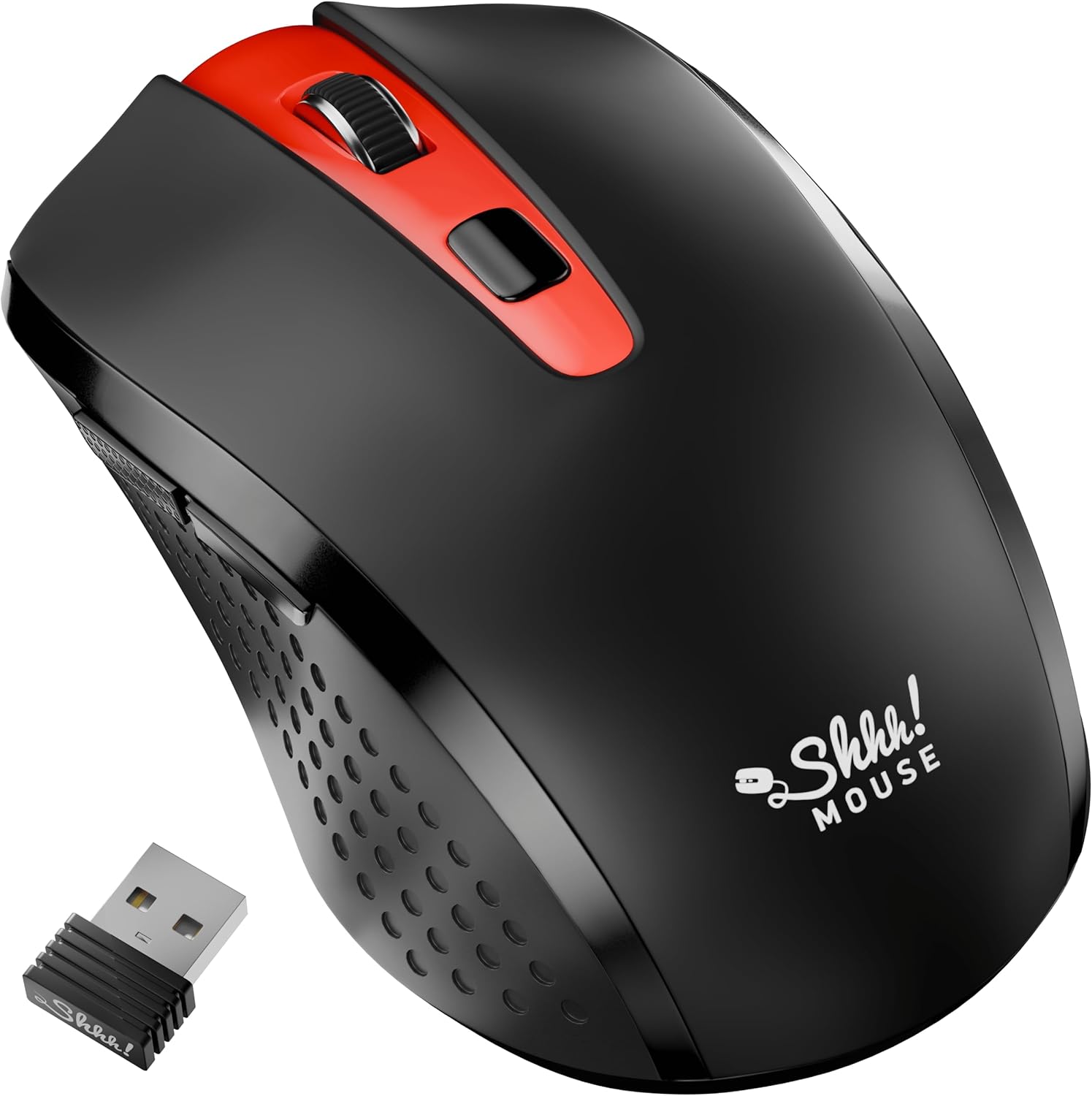
Thank you for choosing the SHHHMOUSE Silent Wireless Mouse. This manual provides essential information for setting up, operating, and maintaining your new mouse. Designed for quiet operation and ergonomic comfort, this mouse enhances your productivity without disturbing those around you.
Pagrindinės funkcijos:
- Quiet Mouse Wireless: Enjoy silent clicks with a noiseless clicking mechanism for a peaceful working environment.
- Ergonomiškas komfortas: Experience a comfortable grip that reduces strain during extended work sessions.
- Precision Elevated: Advanced optical sensor for high-precision cursor control.
- Plug & Play: Seamless connection via USB receiver, no extra software or drivers required.
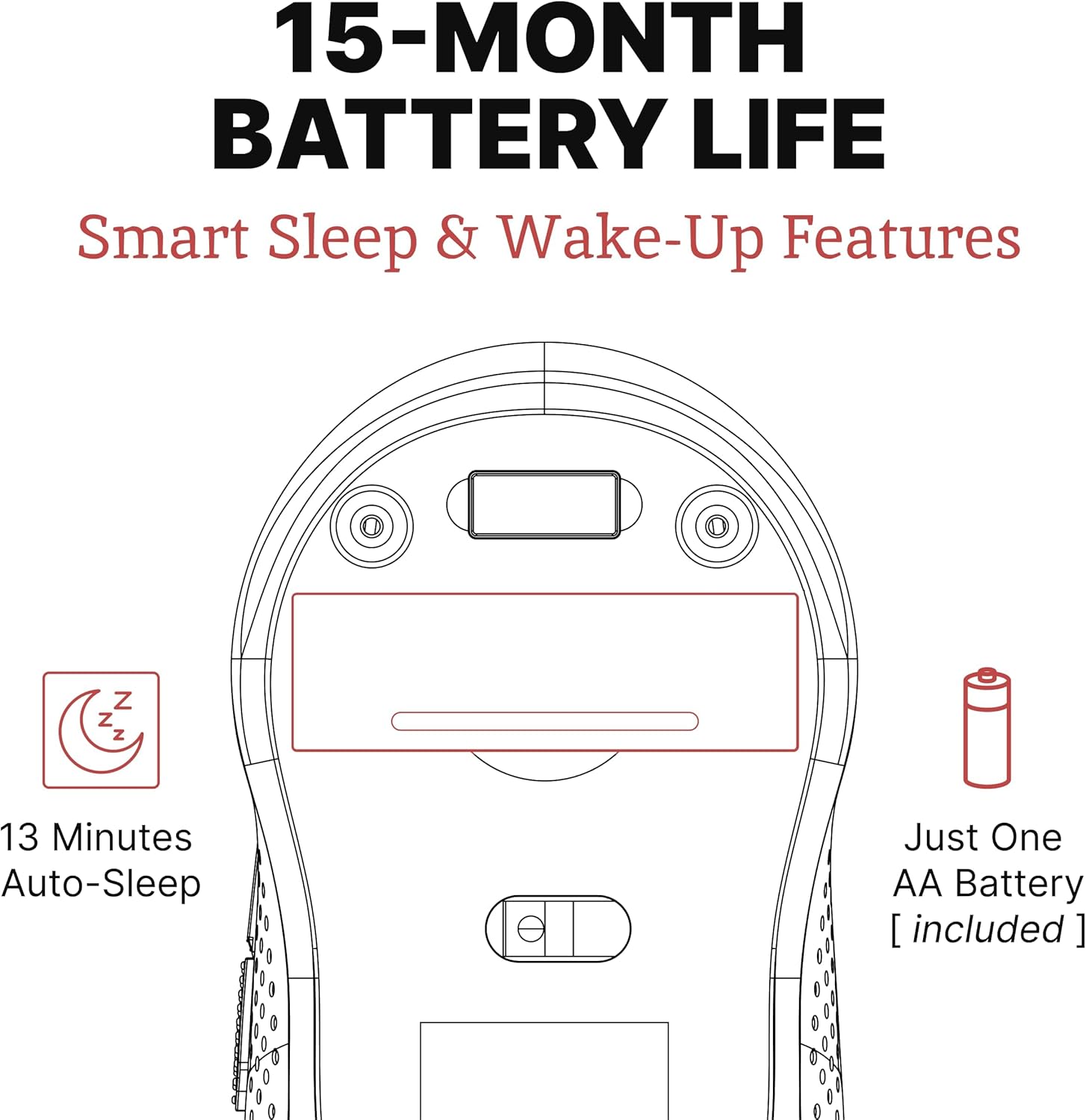
- Pailgintas naudojimo laikas: Up to 18 months of battery life for prolonged use.
2. Kas yra dėžutėje
Patikrinkite, ar pakuotėje yra visi reikalingi daiktai:
- 1 x SHHHMOUSE Silent Wireless Mouse
- 1 x USB imtuvas
- 1 x AA baterija
3. Sąrankos vadovas
Follow these steps to set up your SHHHMOUSE Silent Wireless Mouse:
- Įdėkite bateriją: Open the battery compartment on the underside of the mouse. Insert the provided AA battery, ensuring correct polarity.
- Raskite USB imtuvą: The tiny USB receiver is typically stored inside the battery compartment for safe keeping during transport. Remove it.
- Prijunkite imtuvą: Plug the USB receiver into an available USB port on your laptop, desktop, or Chromebook.
- Maitinimas: Įjunkite pelę naudodami maitinimo jungiklį, esantį apačioje.
- Automatinis prisijungimas: The mouse should automatically connect to your device. No additional drivers are typically required.


Sąrankos vaizdo įrašas:
Video 1: "New Silent Portable Wireless Shhhmouse i440" - This video demonstrates the unboxing and initial setup of the mouse, including battery insertion and USB receiver connection.
4. Pelės valdymas
Mygtukų funkcijos:
- Kairysis/dešinysis spustelėjimas: Standard mouse functions for selection and context menus. These are ultra-silent buttons.
- Slinkties ratukas: Used for vertical scrolling. Also functions as a middle click button. Features an anti-slip design.
- DPI jungiklis: Located near the scroll wheel, this button allows you to adjust the mouse sensitivity (DPI).
- Šoniniai mygtukai: Typically configured for 'Page Up' and 'Page Down' functions, useful for web naršymas ir dokumentų navigacija.

Adjusting DPI (Sensitivity):
Press the DPI switch button to cycle through different sensitivity levels (e.g., 800, 1200, 1600 DPI). Choose the setting that best suits your task and preference for cursor speed.

Smart Sleep & Wake-Up Features:
To conserve battery life, the mouse will enter a smart sleep mode after 13 minutes of inactivity. To wake it up, simply click any button or move the mouse.
5. Priežiūra
Baterijos keitimas:
When the mouse's performance degrades or the low power indicator (if present) illuminates, it's time to replace the battery. Open the battery compartment on the underside, remove the old AA battery, and insert a new one, observing polarity.
Valymas:
Norėdami palaikyti optimalų veikimą, reguliariai valykite pelę. Išorę nuvalykite minkšta, sausa šluoste. Optinį jutiklį lengvai nuvalykite vatos tamponu.ampened with rubbing alcohol, ensuring no liquid enters the mouse's interior.
6. Problemų sprendimas
| Problema | Galima priežastis | Sprendimas |
|---|---|---|
| Pelė nereaguoja | Low battery; USB receiver disconnected; Mouse power off. | Replace battery; Re-insert USB receiver; Turn on mouse power switch. |
| Nereguliarus žymeklio judėjimas | Nešvarus optinis jutiklis; Netinkamas paviršius; Trukdžiai. | Clean optical sensor; Use on a smooth, opaque surface; Move mouse closer to receiver or away from other wireless devices. |
| Trumpas baterijos veikimo laikas | Frequent use; Battery type. | Ensure mouse enters sleep mode when idle; Use high-quality alkaline batteries. |
7. Specifikacijos
| Funkcija | Detalė |
|---|---|
| Prekės ženklas | SHHHMOUSE |
| Modelio numeris | SHHH2659Black |
| Ryšio technologija | USB belaidis ryšys (2.4G) |
| Judesio aptikimo technologija | Optinis |
| Ypatinga funkcija | Soundless Clicks |
| DPI lygiai | Adjustable (e.g., 800, 1200, 1600) |
| Baterijos tipas | 1 x AA baterijos (pridedama) |
| Vidutinis baterijos veikimo laikas | Iki 15 mėnesių |
| Prekės svoris | 2.29 uncijos |
| Gaminio matmenys (IxPxH) | 4.22 x 2.5 x 0.04 colio |
| Aparatinės platformos suderinamumas | Windows XP/Vista/Win7, Mac 10.x, Chromebook, PC, Laptop |
| Spalva | Juoda ir raudona |
8. Garantija ir palaikymas
SHHHMOUSE products are designed for durability and reliability. For specific warranty information, please refer to the warranty card included with your product or visit the official SHHHMOUSE websvetainę.
For further assistance or technical support, please contact SHHHMOUSE customer service through the contact information provided on the product packaging or the brand's official websvetainę.
A detailed User Guide (PDF) is also available for download: Atsisiųskite vartotojo vadovą
Ask a question about this manual
Ask about setup, troubleshooting, compatibility, parts, safety, or missing instructions. Manuals+ will review the question and use this page’s manual context to help answer it.