
Įvadas
This manual provides detailed instructions for the Ctronics 1080P HDR WiFi Indoor Security Camera, model CTIPC-4C. It covers essential information for setting up, operating, maintaining, and troubleshooting your camera to ensure optimal performance for home surveillance. This camera features 1080P HDR video, 25 frames per second recording, advanced night vision, two-way audio, and intelligent motion and sound detection with a 355° pan and 50° tilt viewing kampas.
Kas yra dėžutėje
Patikrinkite pakuotės turinį, kad įsitikintumėte, jog yra visi reikalingi daiktai:
- 1 x Ctronics Indoor Security Camera
- 1x pakrovėjas
- 1 x naudojimo instrukcija
- 1 x sieninis laikiklis
Sąranka
Follow these steps for a quick and easy setup of your Ctronics security camera:
- Download the CloudEdge App: Ieškokite "CloudEdge" in your smartphone's app store (iOS or Android) and install it.
- Įjunkite fotoaparatą: Connect the camera to the provided charger and plug it into a power outlet. The camera will power on and indicate its status.
- Connect to 2.4GHz WiFi & Scan QR Code: Open the CloudEdge app, create an account, and follow the in-app instructions to add your device. You will be prompted to connect the camera to your 2.4GHz WiFi network and scan a QR code displayed on your phone with the camera lens. A successful connection will be confirmed by an audible tone from the camera.

Image: Quick 3-step setup process for the Ctronics camera.
Naudojimo instrukcijos
Video Quality and Frame Rate
The camera records in 1080P HDR (High-Dynamic Range) at 25 frames per second (fps). This ensures smoother video streaming and clearer details in both brightly lit and poorly illuminated areas.
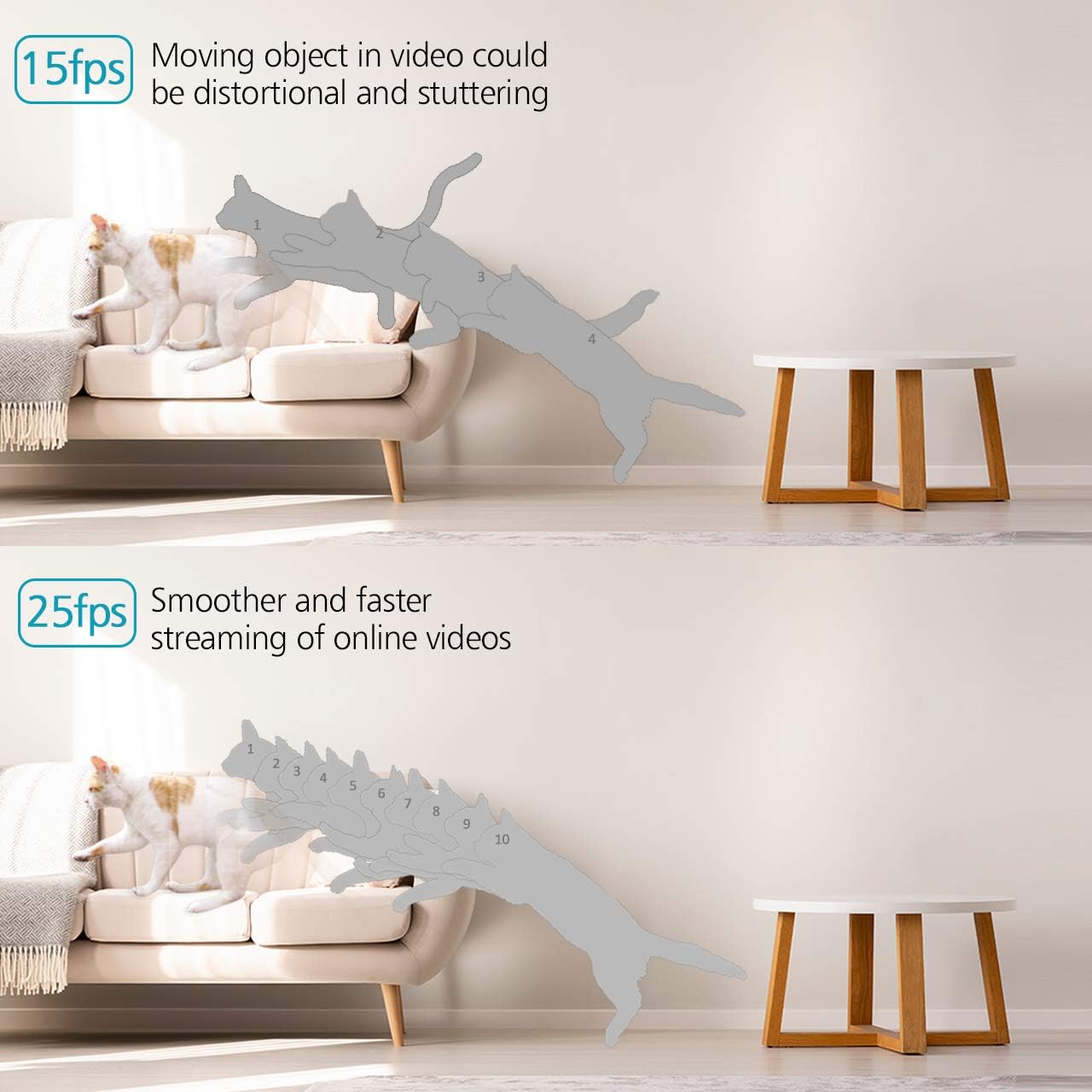
Image: Visual comparison of 15fps versus 25fps video quality, demonstrating smoother motion at 25fps.

Image: Demonstration of High-Dynamic Range (HDR) capability, capturing clear details in varied lighting conditions.
Pan, Tilt, and Digital Zoom
Valdykite kamerą viewing angle remotely via the CloudEdge app. The camera offers a 355° horizontal pan and a 50° vertical tilt, allowing you to monitor a wide area. The unique sound-free motor ensures quiet operation during movement. Digital zoom is also available for closer inspection.

Image: Illustrates the camera's pan (355°) and tilt (50°) capabilities for wider view aprėptis.
Dvipusis garsas
The camera is equipped with dual, noise-cancelling microphones for clear two-way communication. Use the app to speak through the camera and listen to audio from its surroundings.
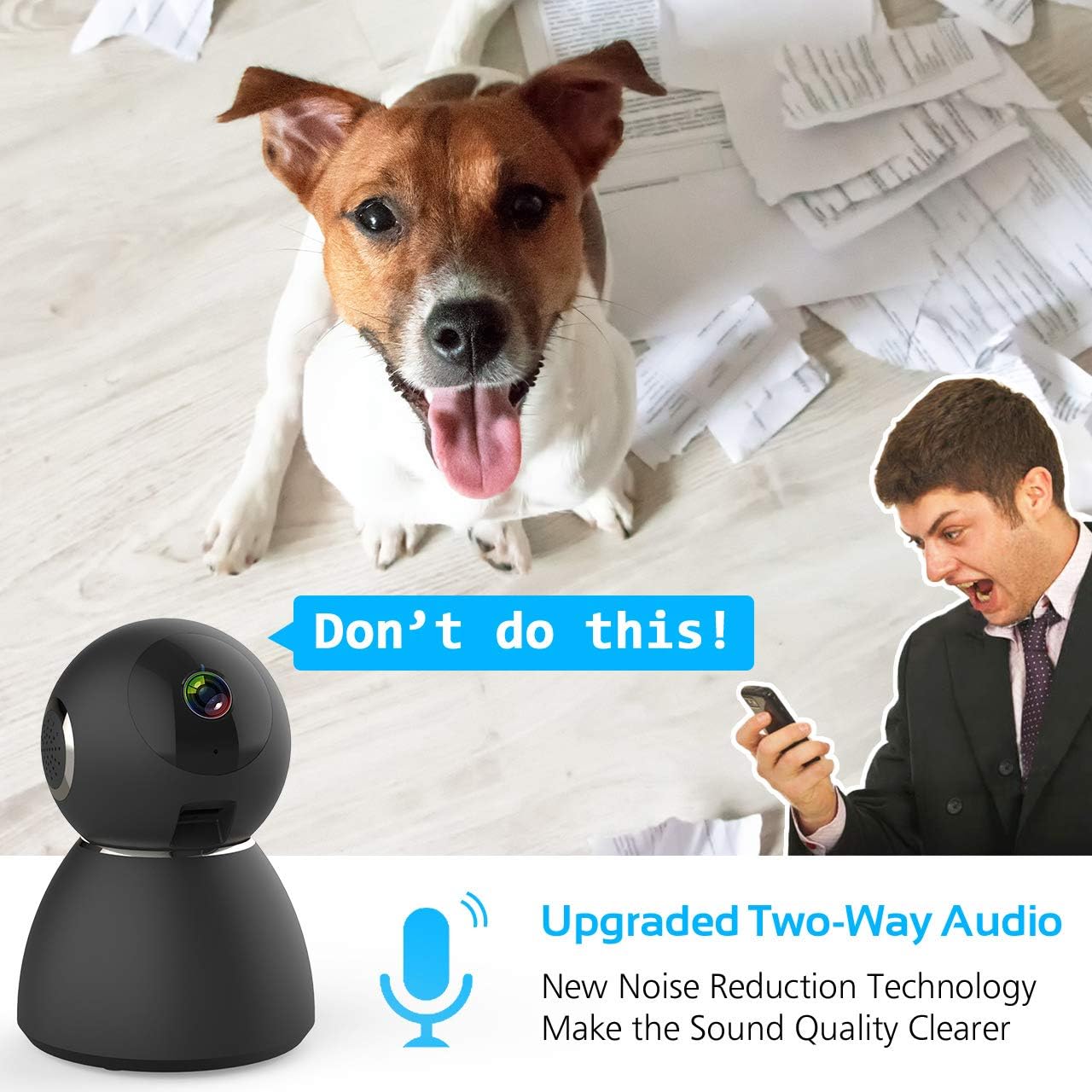
Image: Highlights the upgraded two-way audio feature with noise reduction technology.
Naktinis matymas
The camera features upgraded auto-IR night vision, providing clear visibility in pitch dark conditions up to 33 feet (10 meters). This ensures continuous surveillance even at night.

Image: Demonstrates the upgraded auto-IR night vision for clear viewesant silpnam apšvietimui.

Image: Further illustration of the camera's advanced night vision capabilities.
Judesio ir garso aptikimas
The camera intelligently analyzes sound and motion, sending instant push alerts to your smartphone. Adjustable sensitivity settings help reduce false notifications, making it ideal for home security, baby monitoring, or pet surveillance.

Image: Shows accurate motion and sound detection with instant push alerts to a smartphone.
Saugojimo parinktys
The camera supports local storage via a Micro SD card (up to 128GB, not included) for continuous recording or event-triggered recordings. Cloud storage is also available with a 7-day free trial.
Programos nuotolinio valdymo pultas
The user-friendly CloudEdge app allows you to control all camera functions remotely, view tiesioginiai transliacijos, prieiga prie įrašyto maistotage, and receive alerts. You can also share camera access with up to 5 other users.
Priežiūra
To ensure the longevity and optimal performance of your Ctronics security camera, consider the following maintenance tips:
- Valymas: Švelniai nuvalykite fotoaparato objektyvą ir korpusą minkštu, sausu skudurėliu, kad pašalintumėte dulkes ir dėmes. Venkite naudoti stiprias chemines medžiagas ar abrazyvines medžiagas.
- Firmware atnaujinimai: Regularly check the CloudEdge app for available firmware updates. Keeping your camera's firmware up-to-date ensures you have the latest features and security enhancements.
- Maitinimas: Use only the provided charger and power adapter to prevent damage to the camera.
- Vieta: Įsitikinkite, kad kamera pastatyta stabilioje vietoje, atokiau nuo tiesioginių saulės spindulių, ekstremalių temperatūrų ir didelės drėgmės.
Trikčių šalinimas
If you encounter issues with your Ctronics security camera, refer to the following common solutions:
- Kamera neprisijungia prie „Wi-Fi“:
- Įsitikinkite, kad jūsų „Wi-Fi“ tinklas yra 2.4 GHz. Kamera nepalaiko 5 GHz „Wi-Fi“.
- Patikrinkite, ar programėlėje įvestas teisingas „Wi-Fi“ slaptažodis.
- Place the camera closer to your WiFi router during setup.
- Reset the camera using the reset pin and try the setup process again.
- Prasta vaizdo kokybė:
- Check your internet connection speed. A stable and fast connection is required for 1080P streaming.
- Įsitikinkite, kad kameros objektyvas yra švarus ir be jokių kliūčių.
- Adjust the video quality settings within the CloudEdge app if your network bandwidth is limited.
- No Motion/Sound Alerts:
- Verify that motion and sound detection are enabled in the CloudEdge app settings.
- Adjust the sensitivity levels for motion and sound detection.
- Check your phone's notification settings to ensure the CloudEdge app is permitted to send alerts.
- Dvipusio garso problemos:
- Ensure your phone's microphone is enabled for the CloudEdge app.
- Patikrinkite garsumo nustatymus tiek telefone, tiek programėlėje.
- Avoid placing the camera and your phone too close to each other during two-way audio to prevent feedback.
For further assistance, please refer to the support section or contact Ctronics customer service.
Specifikacijos
| Funkcija | Specifikacija |
|---|---|
| Modelio pavadinimas | CTSC-4C |
| Vaizdo įrašymo raiška | 1080p, 25 kadrų per sekundę |
| Efektyvi vaizdo raiška | 8 MP |
| Kadrų dažnis | 25 kadrų per sekundę |
| Ryšio technologija | Belaidis ryšys (Wi-Fi) |
| Ryšio protokolas | Wi-Fi |
| Belaidžio ryšio technologija | Wi-Fi |
| Maitinimo šaltinis | Battery Powered (Note: Product description indicates charger included, implying mains power with potential battery backup) |
| Vattage | 5 vatų |
| Prekės matmenys (I x P x A) | 4.6 x 3.4 x 3.4 colio |
| Formos faktorius | Kupolas |
| Fokusavimo tipas | Automatinis fokusavimas |
| Priartinimo tipas | Skaitmeninis priartinimas |
| Silpnos šviesos technologija | Naktinė spalva |
| Šviesos šaltinio tipas | Infraraudonųjų spindulių |
| Įspėjimo tipas | Garsas ir judesys |
| Kontrolės metodas | Programėlė |
| Specifinis produkto naudojimas | Priežiūra |
| Įtraukti komponentai | 1 x Charger, 1 x Ctronics Indoor Security Camera, 1 x Instruction, 1 x Wall Mount |
Garantija ir palaikymas
All Ctronics security cameras are covered by a 60-Day Money-Back Guarantee, a 2-Year Worry-Free Warranty, and Life-Time Technical Support.
For warranty claims, technical assistance, or any product-related inquiries, please contact Ctronics customer support through their official websvetainėje arba kontaktinę informaciją, pateiktą jūsų pirkimo dokumentuose.