
Įvadas
The BOYA BY-CIP2 is an adapter cable designed to connect external 3.5mm stereo microphones (specifically battery-powered microphones) or other audio sources to smartphones and laptops with a single audio input. This cable facilitates high-quality audio recording directly to your mobile device or computer.
Svarbi pastaba: This cable is compatible only with battery-powered microphones. Passive (non-battery-powered) microphones cannot be connected to a phone using this cable.
Produktas baigtasview
The BY-CIP2 cable allows you to utilize various audio devices with your smartphone or compatible laptop. Its primary function is to convert the output of a stereo microphone (TRS) to a TRRS input suitable for mobile devices, ensuring proper signal transmission for recording.
Pagrindinės funkcijos:
- Enables connection of stereo battery-powered microphones to smartphones.
- Compatible with Android and iOS smartphones, as well as laptops with a single audio input.
- Supports connection of various audio sources like computers, DVD players, audio recorders, Walkmans, and MP3 players with headphone outputs.
- Designed for clear audio signal transmission.

1 paveikslas: The BOYA BY-CIP2 adapter cable, showing its 3.5mm TRRS male connector and 3.5mm TRS female jack.
Sąrankos instrukcijos
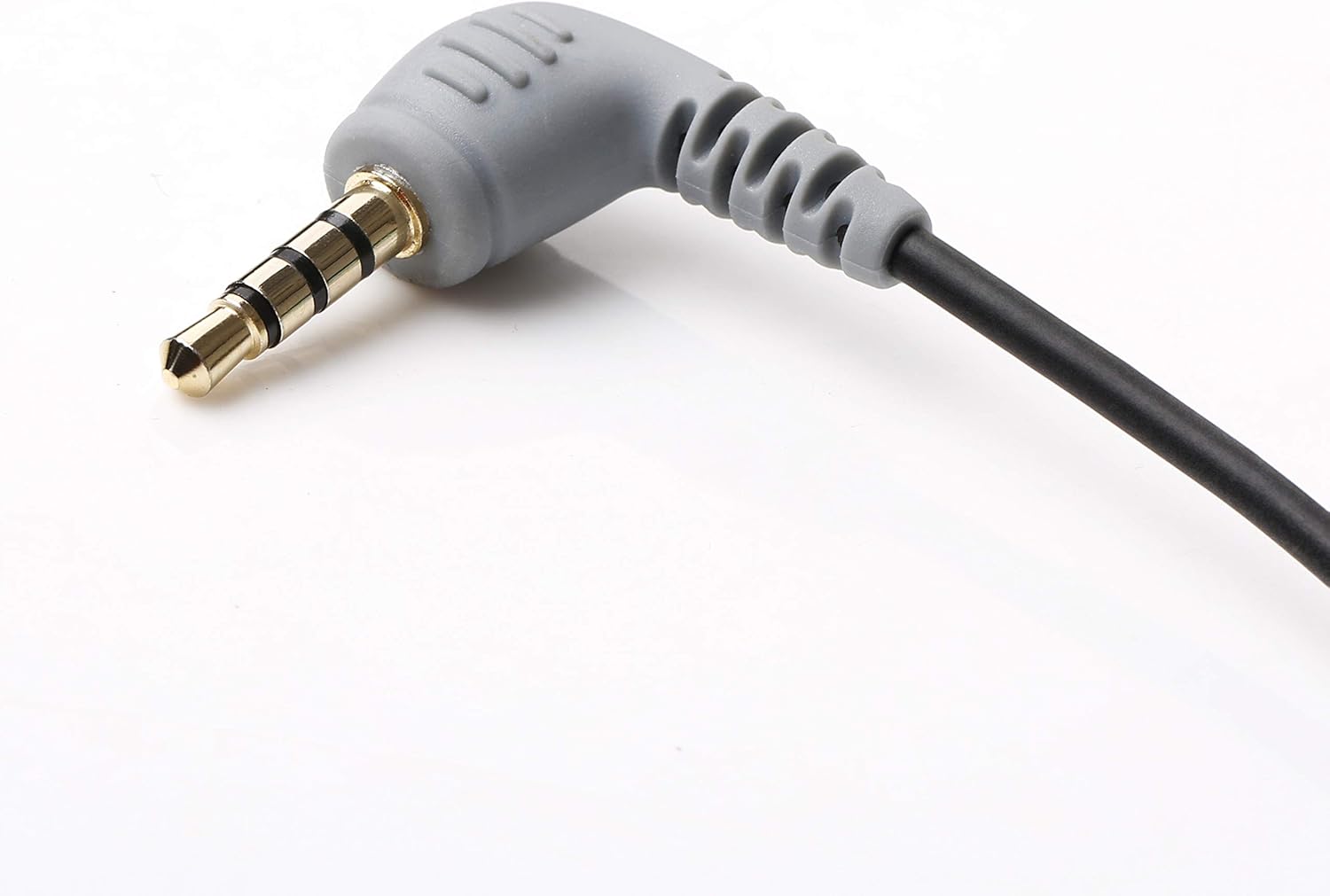
- Identifikuokite jungtis: The BY-CIP2 cable has two ends: a 3.5mm TRRS male plug (with three black rings on the metal tip) and a 3.5mm TRS female jack (the receptacle).
- Prijunkite mikrofoną: Plug your battery-powered 3.5mm stereo microphone (or other audio source) into the 3.5mm TRS female jack of the BY-CIP2 cable. Ensure the microphone is powered on if it requires batteries.
- Prisijunkite prie įrenginio: Insert the 3.5mm TRRS male plug of the BY-CIP2 cable into the headphone/microphone combo jack of your smartphone or compatible laptop.
- Patikrinkite ryšį: Your device should now recognize an external microphone. You may need to select the external microphone as the input source in your device's audio settings or recording application.

2 paveikslas: Iš arti view of the 3.5mm TRRS male connector, designed for smartphone and laptop compatibility.
3 paveikslas: Iš arti view of the 3.5mm TRS female jack, where the external microphone is connected.
Naudojimo instrukcijos
Once the BY-CIP2 cable and microphone are properly connected to your device, you can begin recording audio.
- Open Recording Application: Launch your preferred audio recording application on your smartphone or laptop (e.g., Voice Memos, Camera app for video, third-party recording apps).
- Pasirinkite įvesties šaltinį: In some applications or device settings, you may need to manually select the external microphone as the audio input source.
- Pradėti įrašymą: Initiate recording within your chosen application. The audio will now be captured through the connected external microphone.
- Monitoriaus garsas (jei įmanoma): If your recording application or device allows, monitor the audio levels to ensure proper sound capture.

4 paveikslas: Kampuotas view of the TRRS connector, highlighting its robust design for secure connection.
Priežiūra
To ensure the longevity and optimal performance of your BOYA BY-CIP2 cable, follow these maintenance guidelines:
- Saugykla: Laikykite laidą vėsioje, sausoje vietoje, toliau nuo tiesioginių saulės spindulių ir ekstremalių temperatūrų. Venkite kabelio stipriai suvynioti ar staigiai sulenkti, nes tai gali pažeisti vidinius laidus.
- Valymas: Gently wipe the cable and connectors with a soft, dry cloth to remove dust or dirt. Do not use harsh chemicals or abrasive cleaners.
- Tvarkymas: Always grasp the connector housing when plugging or unplugging the cable, rather than pulling on the cable itself. This prevents strain on the connection points.

5 paveikslas: Išsamus view of the 3.5mm TRRS connector, showing the four contact points for audio input and output.
Trikčių šalinimas
If you encounter issues while using your BY-CIP2 cable, refer to the following troubleshooting tips:
- Nėra garso įvesties:
- Ensure your microphone is maitinamas baterijomis and its batteries are charged. The BY-CIP2 cable does not provide phantom power.
- Verify that both ends of the cable are securely plugged into the microphone and your device.
- Check your device's audio settings or recording application to ensure the external microphone is selected as the input source.
- Test the microphone directly with another compatible device if possible, to rule out a microphone issue.
- Poor Audio Quality / Signal Degradation:
- Ensure all connections are firm and free from debris.
- Avoid placing the cable near sources of electromagnetic interference (e.g., power cables, Wi-Fi routers).
- Test with a different microphone or audio source to determine if the issue lies with the cable or the connected device.
- Check the microphone's settings (gain, sensitivity) to ensure they are appropriate for your recording environment.
- Incompatibility with TRS Microphones (e.g., Rode TRRS to TRS):
- The BY-CIP2 is designed to connect a TRS (stereo) microphone to a TRRS (smartphone) input. If you are trying to convert a TRRS microphone (like some Rode models designed for smartphones) to a TRS input, this cable is not suitable. Ensure your microphone's output type matches the cable's input requirement (TRS microphone into the BY-CIP2's TRS female jack).
Specifikacijos
| Prekės ženklas | BOYA |
| Modelis | BY-CIP2 |
| Jungties tipas | Auxiliary (3.5mm TRRS Male to 3.5mm TRS Female) |
| Suderinami įrenginiai | Smartphones (Android & iOS), Laptops with single audio input, MP3 Players, Computers, Headphones |
| Reikalingos baterijos | No (for cable), Yes (for connected microphone if applicable) |
| Gaminio matmenys | 600 x 0.3 x 0.3 cm (approx. 6 meters length); 13 grams |
| ASIN | B07SC49P88 |