
N-Gear NGS828-BT
N-Gear NGS828-BT Karaoke System User Manual
Model: NGS828-BT / EKS828/9-BT
Įvadas
This manual provides essential information for the safe and effective operation of your N-Gear NGS828-BT Karaoke System. Please read it thoroughly before use and retain it for future reference.
The N-Gear NGS828-BT karaoke system is designed to provide an immersive entertainment experience. It features two integrated speakers with a total power output of 30 watts, mounted on a sturdy stand that includes an integrated lighting system. The system comes complete with two wired microphones, allowing for duets and interactive performances. Music playback is versatile, supporting connections via Bluetooth, auxiliary audio input, or directly from a USB flash drive. A unique feature of this system is the ability to record your vocal performances directly onto a USB stick. Enhance your party atmosphere with two distinct light animations: one integrated into the stand and the second on the main unit, creating a dynamic disco-style effect. The system also offers convenient controls for microphone volume and an echo function to add professional vocal effects.

Vaizdas: priekis view of the N-Gear NGS828-BT Karaoke System, showcasing its stand, main unit with controls, and integrated multi-color LED lights.
Saugos informacija
- Įsitikinkite, kad maitinimo adapteris suderinamas su jūsų vietiniu maitinimo šaltiniu.
- Saugokite įrenginį nuo lietaus ar drėgmės, kad išvengtumėte elektros smūgio.
- Laikykite įrenginį atokiau nuo šilumos šaltinių, tiesioginių saulės spindulių ir per didelio dulkių kiekio.
- Neuždenkite vėdinimo angų.
- Naudokite tik gamintojo nurodytus priedus/priedus.
- Atjunkite įrenginį žaibuojant arba kai nenaudojate ilgą laiką.
- Visus techninės priežiūros darbus patikėkite kvalifikuotam techninės priežiūros personalui.
Pakuotės turinys
Prašome patikrinti, ar visi daiktai yra ir yra geros būklės:
- N-Gear NGS828-BT Karaoke System Main Unit
- Karaoke System Stand
- 2x laidiniai mikrofonai
- Power Adapter (Cable included)
- Vartotojo vadovas (šis dokumentas)
Produkto savybės
- Integruoti stereo garsiakalbiai: Two speakers with 30W total power output.
- Dvi mikrofono įėjimai: Comes with two wired microphones for duets.
- Universalus ryšys: Bluetooth for wireless streaming, Auxiliary input, and USB port for MP3 playback.
- Įrašymo funkcija: Record your vocal performances directly to a USB stick.
- Dynamic Light Shows: Integrated LED lights on the stand and a disco-style light on the main unit.
- Balso efektai: Adjustable microphone volume and echo function.
- Skystųjų kristalų ekranas: For easy navigation and status indication.

Vaizdas: Išsamus view of the main unit's control panel, highlighting the two microphone inputs, speaker grilles, and the display indicating 120W PMPO output.
Sąrankos vadovas
- Surinkite stovą: Carefully attach the main unit to the stand base. Ensure all connections are secure.
- Mikrofonų prijungimas: Plug the two wired microphones into the designated microphone input jacks on the main unit.
- Maitinimo jungtis: Connect the power adapter to the DC input port on the unit, then plug the adapter into a suitable power outlet.
- Pradinis įjungimas: Press the Power button to turn on the system. The LED display should illuminate.
Naudojimo instrukcijos
1. Maitinimo įjungimas/išjungimas
Paspauskite Galia button located on the control panel to turn the system on or off.
2. Režimo pasirinkimas
Naudokite Režimas button to switch between available input sources: Bluetooth, Auxiliary (AUX), and USB.
3. „Bluetooth“ ryšys
- Pasirinkite Bluetooth mode using the Mode button. The LED display will show "BT" and a pairing indicator will flash.
- On your mobile device (phone, tablet, computer, laptop), enable Bluetooth and search for available devices.
- Pasirinkite „N-Gear Karaoke" or similar from the list.
- Once connected, the pairing indicator will stop flashing, and you can play music from your device wirelessly.
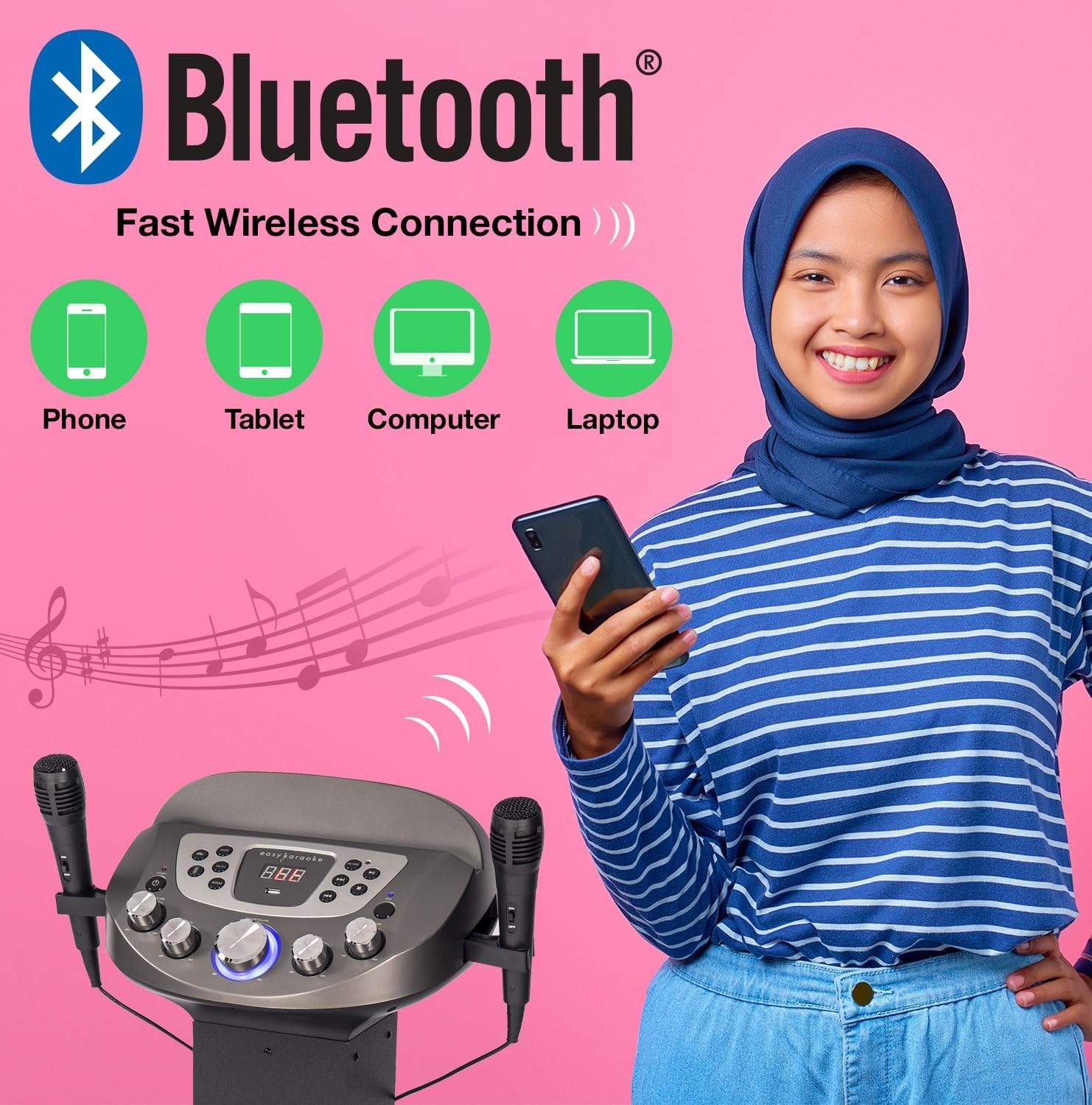
Image: Diagram illustrating various devices (phone, tablet, computer, laptop) that can connect to the karaoke system via Bluetooth for wireless music streaming.
4. USB atkūrimas ir įrašymas
- Įkiškite USB atmintinę į USB prievadą.
- Pasirinkite USB mode using the Mode button. The system will automatically detect and play compatible audio files (pvz., MP3).
- Naudokite Leisti / pristabdyti, Kitas, ir Ankstesnis mygtukai, skirti valdyti atkūrimą.
- Į Įrašas your singing: While playing music from USB or AUX, press the Įrašas button. Sing into the microphones. Press Record again to stop. Your recording will be saved on the USB drive.
5. Pagalbinė įvestis (AUX)
Connect an external audio device (e.g., smartphone, MP3 player) to the AUX input jack using a 3.5mm audio cable (not included). Select AUX mode to play audio from the connected device.
6. Mikrofono naudojimas
- Ensure microphones are securely plugged in.
- Adjust microphone volume using the dedicated MIC VOL rankenėlę valdymo skydelyje.
- Naudokite Aidas knob to add vocal echo effects.

Image: A group of people enjoying the karaoke system, with visual cues pointing to the LED lights, disco ball, echo effect, and microphone volume control features.
7. Light Show Control
The system features integrated LED lights on the stand and a disco-style light on the main unit. These lights activate automatically when the system is powered on, enhancing the party atmosphere.
Priežiūra
- Valymas: Išorinį įrenginio paviršių valykite minkštu, sausu skudurėliu. Nenaudokite abrazyvinių valiklių ar tirpiklių.
- Saugykla: Kai nenaudojate, laikykite sistemą vėsioje, sausoje vietoje, apsaugotoje nuo tiesioginių saulės spindulių ir ekstremalių temperatūrų.
- Mikrofono priežiūra: Su mikrofonais elkitės atsargiai. Saugokite juos nuo kritimo ir drėgmės.
Trikčių šalinimas
| Problema | Galima priežastis | Sprendimas |
|---|---|---|
| Nėra galios | Neprijungtas maitinimo adapteris arba sugedęs lizdas. | Patikrinkite maitinimo jungtis. Išbandykite kitą lizdą. |
| Iš garsiakalbių nėra garso | Per mažas garsumas; neteisingas įvesties režimas; įrenginys netinkamai prijungtas. | Increase master volume. Select correct input mode (Bluetooth, USB, AUX). Ensure external device is playing. |
| Mikrofonas neveikia | Microphone not plugged in; MIC VOL too low; faulty microphone. | Ensure microphone is fully plugged in. Increase MIC VOL. Test with the other microphone if available. |
| Bluetooth poravimo problemos | Device too far; system not in Bluetooth mode; previously paired device connected. | Ensure device is within range (approx. 10m). Select Bluetooth mode. Disconnect from other Bluetooth devices. |
| USB playback error | Nesuderinamas file format; corrupted USB drive; USB drive not inserted correctly. | Užtikrinti files are MP3 format. Try a different USB drive. Reinsert the USB drive. |
Specifikacijos
| Funkcija | Detalė |
|---|---|
| Modelio pavadinimas | NGS828-BT |
| Modelio numeris | EKS828/9-BT |
| Prekės ženklas | N-Gear (EASY KARAOKE) |
| Spalva | Juoda |
| Garsiakalbio išvestis | 30 Watts Total (2 Speakers) / 120W PMPO |
| Ryšys | Bluetooth, pagalbinis (3.5 mm), USB |
| USB prievadai | 1 (for playback and recording) |
| Mikrofonai | 2 x Wired Microphones included |
| Ypatingos savybės | Integrated LED Light Show (Stand & Disco Ball), Echo Function, Microphone Volume Control, LED Display |
| Maitinimo šaltinis | Maitinimo adapteris |
| Rekomenduojamas naudojimas | Family gatherings, parties, events, personal use with tablet-based karaoke apps |
Garantija ir palaikymas
For warranty information and technical support, please refer to the contact details provided with your purchase or visit the official N-Gear / EASY KARAOKE websvetainėje. Išsaugokite pirkimo įrodymą, jei prireiktų pateikti garantinį ieškinį.
While specific warranty details are not provided in this manual, N-Gear products typically come with a standard manufacturer's warranty covering defects in materials and workmanship. Please consult the packaging or the manufacturer's websvetainėje rasite naujausias garantijos sąlygas.
Ask a question about this manual
Ask about setup, troubleshooting, compatibility, parts, safety, or missing instructions. Manuals+ will review the question and use this page’s manual context to help answer it.