
Įvadas
This manual provides detailed instructions for the safe and efficient use of your Maxcom MM426 Dual SIM Mobile Phone. Designed for simplicity and ease of use, this GSM mobile phone features a 1.8-inch color display, Dual SIM capability, Bluetooth connectivity, and an essential SOS function for emergencies. Please read this manual thoroughly before operating your device.
Pakuotės turinys
Įsitikinkite, kad jūsų gaminio pakuotėje yra visi šie daiktai:
- Maxcom MM426 Mobile Phone
- Baterija (ličio jonų)
- Įkroviklis
- USB kabelis
- Įkrovimo lopšys
- Vartotojo vadovas
- Garantijos kortelė
Telefonas baigtasview
Familiarize yourself with the key components of your Maxcom MM426 mobile phone.
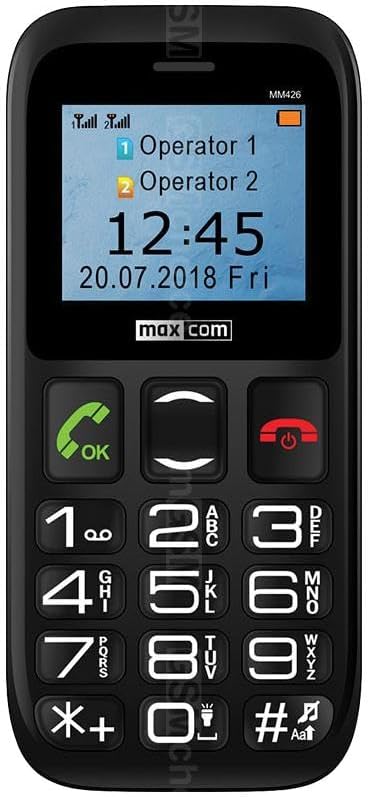
Vaizdas: Priekyje view of the Maxcom MM426 mobile phone, showing its 1.8-inch color display and large, easy-to-read keypad with clearly marked buttons for calls, navigation, and numbers.
- Ekranas: 1.8-inch color LCD screen for clear visibility of menus, contacts, and messages.
- Klaviatūra: Dideli, lytėjimo mygtukai, skirti lengvam rinkimui ir naršymui.
- Skambinimo / baigimo mygtukai: Specialūs mygtukai skambučiams pradėti ir baigti.
- Naršymo mygtukai: For moving through menus and options.
- SOS mygtukas: Located on the back for emergency calls (see Special Features section).
- 3.5 mm ausinių lizdas: Ausinėms prijungti.
Sąranka
1. Akumuliatoriaus įdėjimas
- Atsargiai nuimkite telefono galinį dangtelį.
- Insert the Lithium-ion battery into the battery compartment, ensuring the gold contacts align with the phone's terminals.
- Uždėkite galinį dangtelį, kol jis spragtelėdamas tvirtai užsifiksuos.
2. SIM Card Installation (Dual SIM)
The Maxcom MM426 supports two SIM cards, allowing you to manage two different numbers simultaneously.
- With the battery removed, locate the SIM card slots.
- Insert your SIM cards into the designated slots (SIM1 and SIM2) with the gold contacts facing down and the cut corner aligned as shown in the diagram (refer to the physical manual for diagram).
- Ensure the SIM cards are fully seated.
3. MicroSD Card Installation (Optional)
To expand storage for photos, music, or other files, you can install a MicroSD card (up to 32 GB, sold separately).
- Locate the MicroSD card slot, usually near the SIM card slots.
- Insert the MicroSD card into the slot until it clicks into place.
4. Telefono įkrovimas
Before first use, fully charge the phone's battery. Charging takes approximately 3 hours.
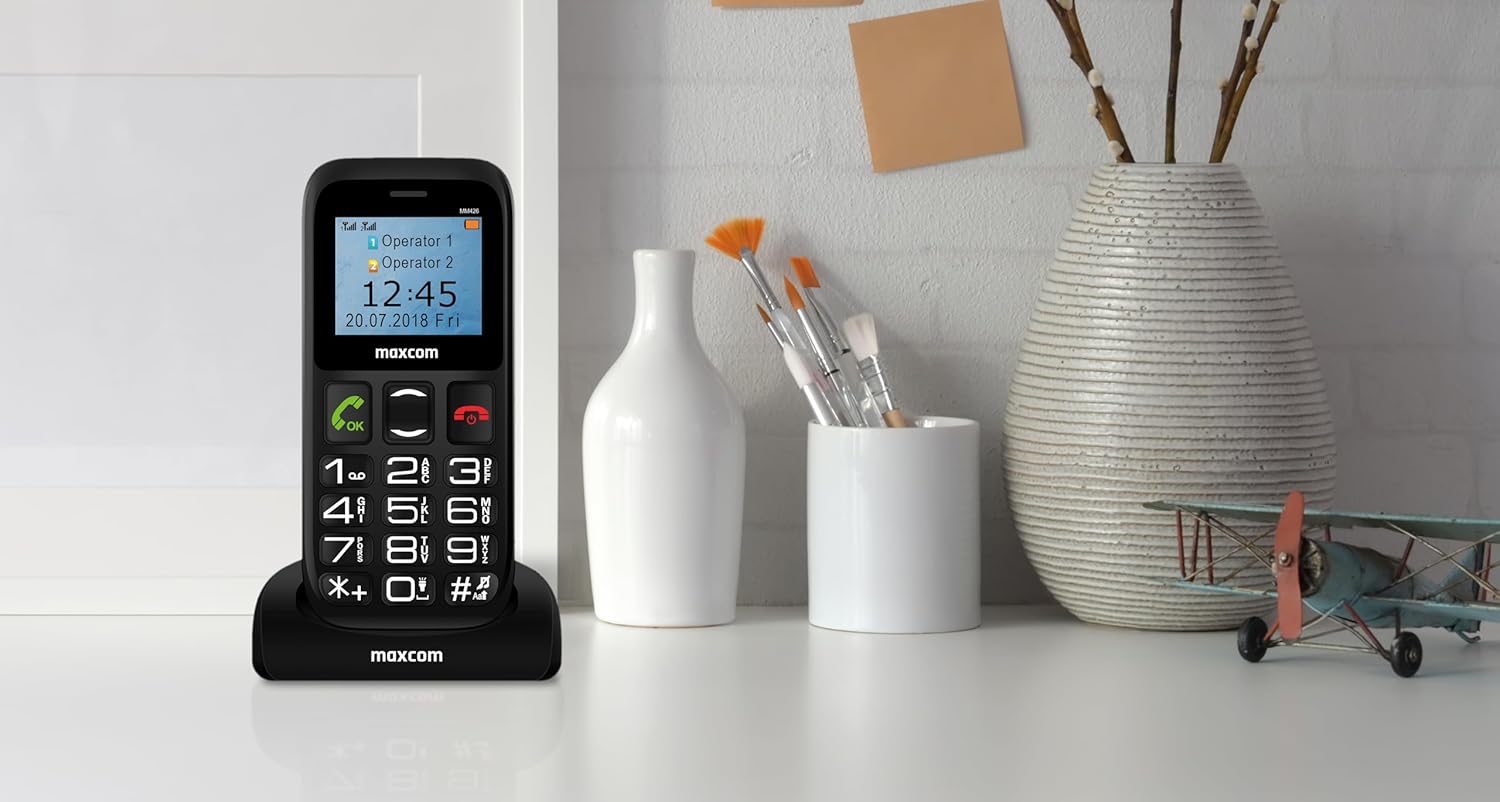
Vaizdas: The Maxcom MM426 mobile phone placed in its dedicated charging cradle, ready for charging. The phone's screen displays network and time information.
- Connect the USB cable to the charger and plug the charger into a power outlet.
- Place the phone into the charging cradle, ensuring it is properly seated. The charging indicator on the phone's screen should activate.
- Arba galite prijungti USB laidą tiesiai prie telefono įkrovimo prievado.
- Visiškai įkrovę atjunkite įkroviklį.
Pagrindinė operacija
1. Maitinimo įjungimas/išjungimas
- Norėdami įjungti: Paspauskite ir palaikykite Baigti skambutį / Maitinimas mygtuką (raudonas mygtukas), kol ekranas užsidegs.
- Norėdami išjungti: Paspauskite ir palaikykite Baigti skambutį / Maitinimas mygtuką, kol pasirodys išjungimo parinktys, tada pasirinkite „Išjungti“.
2. Skambinimas
- Įveskite telefono numerį naudodami klaviatūrą.
- Paspauskite Skambinti mygtuką (žalias mygtukas), kad pradėtumėte skambutį.
- Norėdami baigti pokalbį, paspauskite Baigti skambutį mygtuką.
- To call from contacts, navigate to the "Contacts" menu, select a contact, and press the Skambinti mygtuką.
3. Skambučių priėmimas
- When a call comes in, the phone will ring and display the caller's information.
- Paspauskite Skambinti button (green button) to answer.
- Paspauskite Baigti skambutį button (red button) to reject or end the call.
4. SMS žinučių siuntimas
- Go to the "Messages" menu.
- Select "Write message" or "New SMS".
- Enter your message using the keypad. Press the # key to switch input modes (e.g., ABC, abc, 123).
- Įveskite gavėjo telefono numerį arba pasirinkite jį iš kontaktų.
- Pasirinkite „Siųsti“.
5. Garso reguliavimas
During a call or when navigating menus, use the dedicated volume keys (if present) or the navigation keys to adjust the volume. You can also adjust ringtone and media volumes in the "Settings" menu.
Ypatingos savybės
1. SOS funkcija
The SOS button provides a quick way to contact pre-set emergency numbers in critical situations.

Vaizdas: Galinis view of the Maxcom MM426 mobile phone, highlighting the prominent orange SOS button designed for quick access in emergencies.
- SOS numerių nustatymas: Eikite į Nustatymai > SOS nustatymai to add up to five emergency contact numbers.
- Naudojant SOS funkciją: Avarijos atveju paspauskite ir palaikykite SOS mygtukas on the back of the phone for a few seconds. The phone will automatically call and send an emergency SMS to the pre-set numbers in sequence until one is answered.
2. Bluetooth ryšys
Connect your phone to other Bluetooth-enabled devices like headsets or car kits.
- Eikite į Nustatymai > Bluetooth.
- Įjungti „Bluetooth“ On.
- Pasirinkite „Ieškokite devices" or "Pair new device".
- Choose your desired device from the list and follow the on-screen prompts to pair.
3. FM radijas
Enjoy listening to your favorite radio stations.
- Plug in a 3.5mm headset (acts as an antenna).
- Go to the "FM Radio" application from the main menu.
- Norėdami ieškoti stočių arba derinti rankiniu būdu, naudokite naršymo mygtukus.
4. MP3 grotuvas
Groti MP3 garsą files stored on your MicroSD card.
- Ensure an MicroSD card with MP3 fileįterpiamas s.
- Go to the "Music" or "MP3 Player" application from the main menu.
- Naršykite ir pasirinkite norimą garso įrašą files žaisti.
Priežiūra
1. Telefono valymas
- Telefono paviršiui nuvalyti naudokite minkštą, sausą šluostę.
- Venkite naudoti skystus valiklius, aerozolius ar stiprias chemines medžiagas, nes jos gali pažeisti įrenginį.
- The phone is not water-resistant; keep it away from liquids.
2. Akumuliatoriaus priežiūra
- Nelaikykite baterijos nuo ekstremalių temperatūrų.
- Use only the original charger and battery provided with the phone.
- Jei telefonas nebus naudojamas ilgesnį laiką, prieš padėdami jį į savo vietą, įkraukite bateriją iki maždaug 50 %.
Trikčių šalinimas
If you encounter problems with your phone, refer to the following common issues and solutions:
| Problema | Galimas sprendimas |
|---|---|
| Telefonas neįsijungia. | Įsitikinkite, kad akumuliatorius tinkamai įdėtas ir visiškai įkrautas. Pabandykite įkrauti telefoną bent 30 minučių. |
| Negalima skambinti arba priimti skambučių. | Check if SIM cards are properly inserted. Ensure you have network signal. Contact your mobile operator if the issue persists. |
| Nėra tinklo signalo. | Move to an open area. Check network settings in the phone menu. Restart the phone. |
| Baterija greitai išsikrauna. | Reduce screen brightness. Close unused applications. Limit background data usage (if applicable). Ensure the battery is not old or damaged. |
| Negirdžiu skambinančiojo / Skambinantysis negirdi manęs. | Check volume settings. Ensure microphone and speaker are not blocked. Test with another call. |
If these solutions do not resolve your issue, please contact Maxcom customer support.
Specifikacijos
| Modelis | MM426 |
| Prekės ženklas | Maxcom |
| Matmenys | 12 x 0.8 x 0.8 cm |
| Svoris | 72 g |
| Ekranas | 1.8 colių LCD ekranas, 240 x 320 raiška |
| RAM | 4 MB |
| CPU modelis | Žievė |
| Korinio ryšio technologija | 2G (GSM) |
| SIM kortelių lizdai | Dvi SIM kortelės |
| Ryšys | Bluetooth |
| Išplečiama atmintis | „MicroSD“ iki 32 GB |
| Baterijos tipas | Ličio jonų |
| Baterijos talpa | 600 mAh |
| Pokalbių laikas | Iki 3 valandų |
| Įkrovimo laikas | apytiksliai 3 valandas |
| Fotoaparatas | 3 MP (galinė) |
| Ypatingos savybės | SOS button, FM Radio, MP3 Player, Keypad input |
| Atsparumas vandeniui | Neatsparus vandeniui |
Garantija ir palaikymas
Your Maxcom MM426 mobile phone comes with a warranty. Please refer to the included Warranty Card for details on coverage and terms. For technical assistance, troubleshooting beyond this manual, or warranty claims, please contact Maxcom customer support. Keep your purchase receipt and warranty card handy.
You can find more information and support on the official Maxcom websvetainėje arba apsilankę Maxcom Store on Amazon.