
Įvadas
The SanDisk Ultra Flair USB 3.0 Flash Drive provides high-speed data transfer and reliable storage in a durable metal casing. Designed for efficiency, it allows you to move files quickly and securely. This manual will guide you through the setup, operation, maintenance, and troubleshooting of your flash drive.
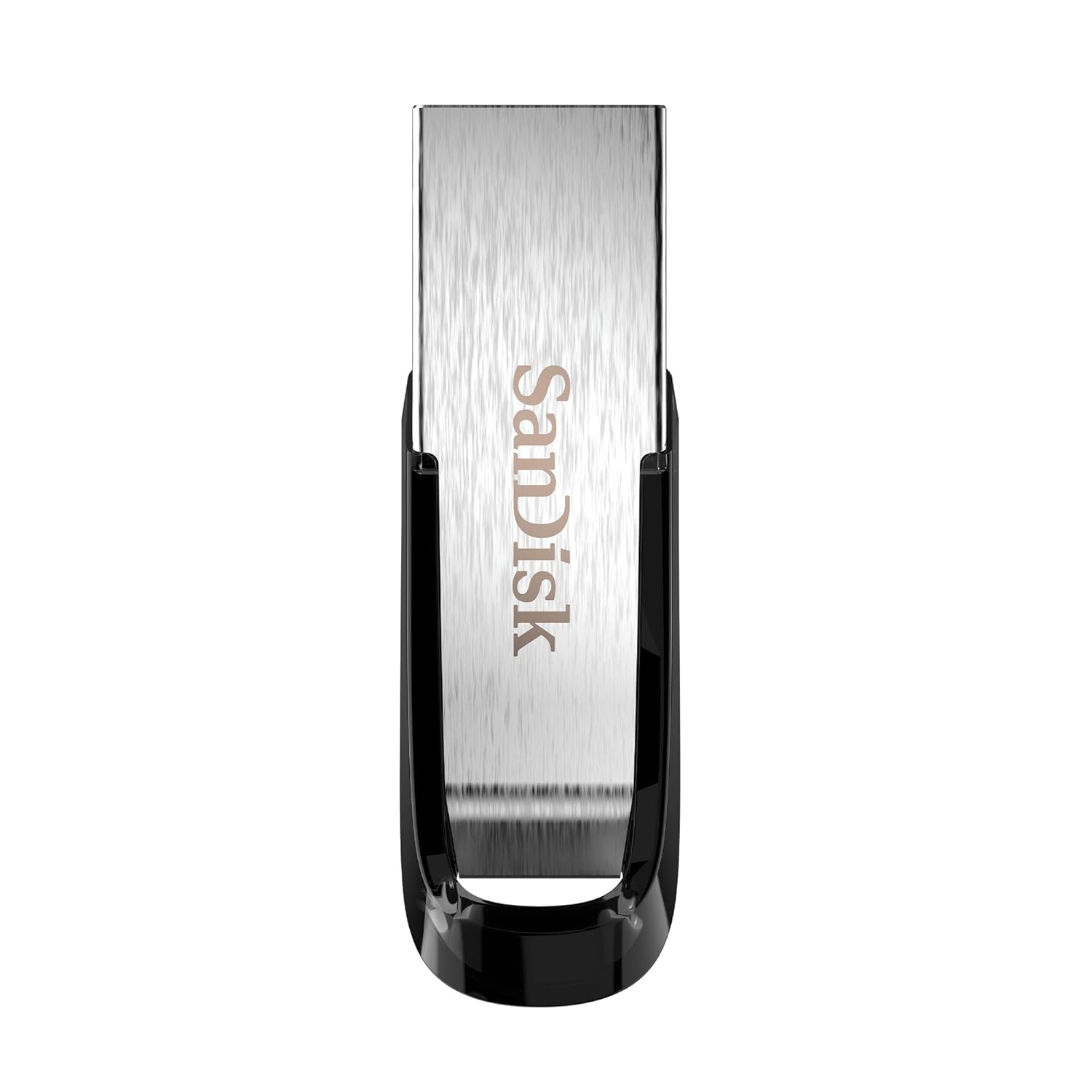
Image: The SanDisk Ultra Flair USB 3.0 Flash Drive, showcasing its sleek metal design and USB 3.0 connector.
Sąranka
- Įdėkite „flash“ atmintinę: Locate an available USB port on your computer (desktop, laptop, or compatible device). Gently insert the SanDisk Ultra Flair USB 3.0 Flash Drive into the USB port. For optimal performance, use a USB 3.0 port (often identified by a blue interior). The drive is also backward compatible with USB 2.0 ports.
- Automatinis atpažinimas: Your operating system (Windows, macOS, Linux) should automatically detect and install the necessary drivers for the flash drive. A notification may appear indicating that the device is ready for use.
- Prieiga prie disko:
- „Windows“: Open "This PC" or "My Computer." The flash drive will appear as a removable disk (e.g., "SanDisk Ultra Flair" or a drive letter like E: or F:).
- macOS: The flash drive icon will appear on your desktop or in the Finder sidebar under "Locations."
- Pre-loaded Software: The drive may come with pre-loaded software, such as SanDisk SecureAccess. You can choose to install and use this software for password protection and file šifravimas.
Naudojimo instrukcijos
Perkeliama Files
Norėdami perkelti files to or from your SanDisk Ultra Flair flash drive:
- Atidarykite diską: Double-click the flash drive icon in "This PC" (Windows) or on your desktop/Finder (macOS) to open its contents.
- Vilkite ir numeskite:
- Norėdami nukopijuoti files į USB atmintinė: nuvilkite files or folders from your computer into the flash drive's window.
- Norėdami nukopijuoti files iš USB atmintinė: nuvilkite files or folders from the flash drive's window to a location on your computer.
- Kopijuoti / įklijuoti: Alternatively, right-click on the desired files/folders, select "Copy," then navigate to the destination, right-click, and select "Paste."

Image: A person working on a computer, illustrating the fast data transfer capabilities of the SanDisk Ultra Flair USB 3.0 Flash Drive.
Naudojant „SanDisk SecureAccess“ programinę įrangą
The SanDisk SecureAccess software allows you to create a password-protected folder (vault) on your flash drive to secure sensitive files with 128-bit AES encryption.
- Montavimas: If not already installed, run the SecureAccess installer found on the drive. Follow the on-screen instructions to set up your vault and password.
- Pridedama Files: Vilkite ir numeskite files into the SecureAccess vault window to encrypt them.
- Prieiga Files: Norėdami pasiekti užšifruotą files, open the SecureAccess application and enter your password.

Image: A person using a computer, representing the ease of backup and organization with SanDisk software.
Safely Removing the Flash Drive
Always safely remove the flash drive to prevent data corruption:
- „Windows“: Click the "Safely Remove Hardware and Eject Media" icon in the system tray (bottom-right corner), then select your flash drive. Wait for the "Safe to Remove Hardware" message before physically disconnecting.
- macOS: Drag the flash drive icon from your desktop to the Trash, or click the Eject icon next to the drive name in Finder. Wait for the icon to disappear before physically disconnecting.
Priežiūra
- Fizinė priežiūra: The SanDisk Ultra Flair features a durable metal casing. While robust, avoid exposing the drive to extreme temperatures, moisture, or strong magnetic fields. Keep the USB connector clean and free from dust or debris.
- Duomenų atsarginė kopija: Regularly back up important data from your flash drive to another storage device to prevent data loss.
- Programinės įrangos atnaujinimai: Reguliariai tikrinkite oficialų „SanDisk“ website for any available firmware updates or new versions of SanDisk SecureAccess software.
Trikčių šalinimas
- Diskas neatpažintas:
- Pabandykite įdėti diską į kitą kompiuterio USB prievadą.
- Test the drive on another computer to rule out a port or system issue.
- Įsitikinkite, kad diskas yra visiškai įdėtas į USB prievadą.
- Iš naujo paleiskite kompiuterį.
- Mažas perdavimo greitis:
- Ensure you are using a USB 3.0 port for maximum speed. USB 2.0 ports will result in slower transfers.
- Perkeliant daug smulkių filegali būti lėtesnis nei kelių didelių duomenų perkėlimas files.
- Uždarykite kitas programas, kurios gali naudoti sistemos išteklius.
- Drive Gets Warm During Use:
It is normal for the metal casing of the SanDisk Ultra Flair to become warm during prolonged data transfers, especially with USB 3.0 speeds. The metal design helps dissipate heat efficiently. This typically does not affect performance or durability.
- Lost or Corrupted Files:
Your SanDisk Ultra Flair includes a one-year subscription to RescuePRO software. Visit the SanDisk website to download and activate RescuePRO for data recovery attempts.
Specifikacijos

Vaizdas: Išsamus view of the SanDisk Ultra Flair USB 3.0 Flash Drive, showing its physical dimensions.
| Funkcija | Detalė |
|---|---|
| Prekės ženklas | SanDisk |
| Modelio pavadinimas | SanDisk Ultra Flair |
| Modelio numeris | SDCZ73-032G-I35 |
| Atminties talpa | 32 GB |
| Techninės įrangos sąsaja | USB 3.0 (atgalinis suderinamas su USB 2.0) |
| Skaitymo greitis | Iki 150 XNUMX MB/s |
| Ypatingos savybės | Patvarus metalinis casing, Fast Data Transfer, Sleek design, Password Protected (with SecureAccess software), Data Encryption, Easy File Recovery (with RescuePRO software) |
| Suderinami įrenginiai | Devices with USB 3.0 or USB 2.0 port |
| Spalva | Sidabras |
| Matmenys (I x P x A) | Approx. 43mm x 13mm x 7mm (1.69" x 0.51" x 0.28") |
| Prekės svoris | 4 gramų |
| UPC | 619659173975 |
| Kilmės šalis | Taivanas |
| Dėžutės turinys | 1x SanDisk Ultra Flair Flash Drive |
Informacija apie garantiją
The SanDisk Ultra Flair USB 3.0 Flash Drive comes with a 5 metų ribota garantija provided by SanDisk. This warranty covers manufacturing defects under normal use. Please retain your proof of purchase for warranty claims.
For detailed terms and conditions, or to initiate a warranty claim, please visit the official SanDisk support websvetainę.
Palaikymas
For further assistance, technical support, or to download software like SanDisk SecureAccess or RescuePRO, please visit the official SanDisk support websvetainė:
Oficiali „SanDisk“ palaikymo tarnyba Websvetainę
DUK ir bendruomenės forumus taip pat galite rasti jų svetainėje website for common issues and tips.