1. Įvadas
Ačiū, kad pirkoteasing the PRGR RED EYES POCKET HS-120 Speed Radar. This compact and portable device is designed to accurately measure various speeds, including golf club head speed, ball speed, and estimated carry distance. It is an invaluable tool for golfers and athletes looking to analyze and improve their performance during practice sessions. This manual provides detailed instructions on how to set up, operate, and maintain your device to ensure optimal performance and longevity.
2. Saugos informacija
Prieš naudodami įrenginį, perskaitykite ir supraskite šias saugos priemones:
- Nelaikykite prietaiso ekstremaliose temperatūrose, tiesioginiuose saulės spinduliuose ar didelėje drėgmėje.
- Saugokitės, kad prietaisas nenukristų ir nepatirtų stipraus smūgio.
- Keep the device away from water and other liquids. If it gets wet, power it off immediately and allow it to dry completely before attempting to use it again.
- Nebandykite patys ardyti ar taisyti įrenginio. Visus techninės priežiūros darbus patikėkite kvalifikuotiems specialistams.
- Use only the specified battery type (AAA batteries). Ensure correct polarity when inserting batteries.
- Jei prietaisas ilgesnį laiką nebus naudojamas, išimkite baterijas, kad išvengtumėte elektrolito pratekėjimo.
- Laikyti vaikams nepasiekiamoje vietoje.
3. Pakuotės turinys
Patikrinkite, ar pakuotėje yra visi reikalingi daiktai:
- PRGR RED EYES POCKET HS-120 Speed Radar Unit
- Nešiojimo maišelis
- AAA Batteries (4 pcs)
- Instrukcijų vadovas (šis dokumentas)
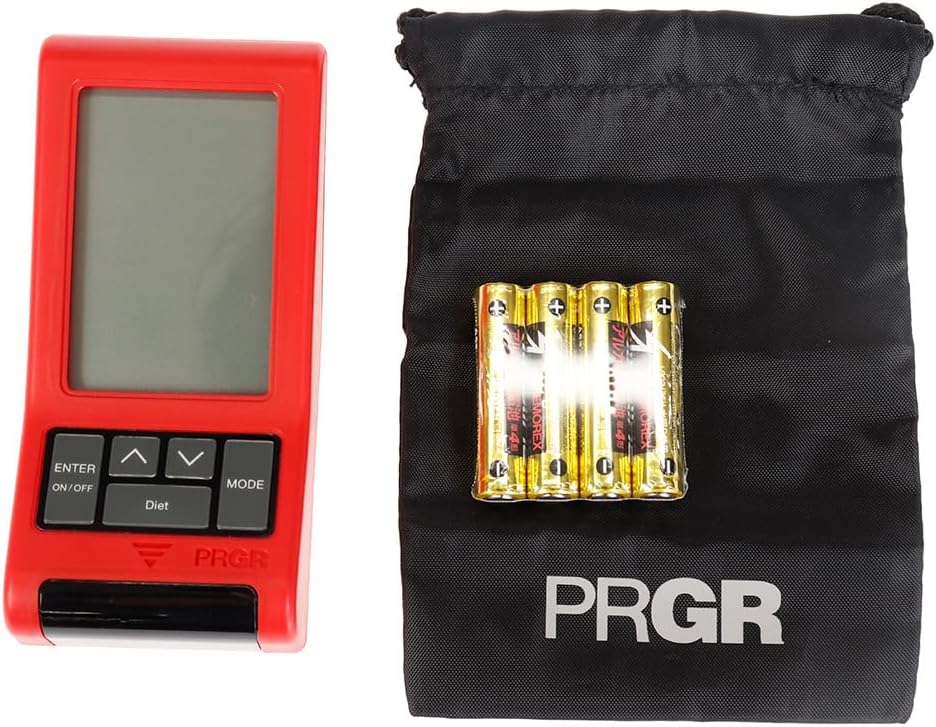
Figure 3.1: PRGR Red Eyes Pocket HS-120 with carrying pouch and batteries.
4. Produktas baigtasview
Familiarize yourself with the components of your PRGR RED EYES POCKET HS-120:
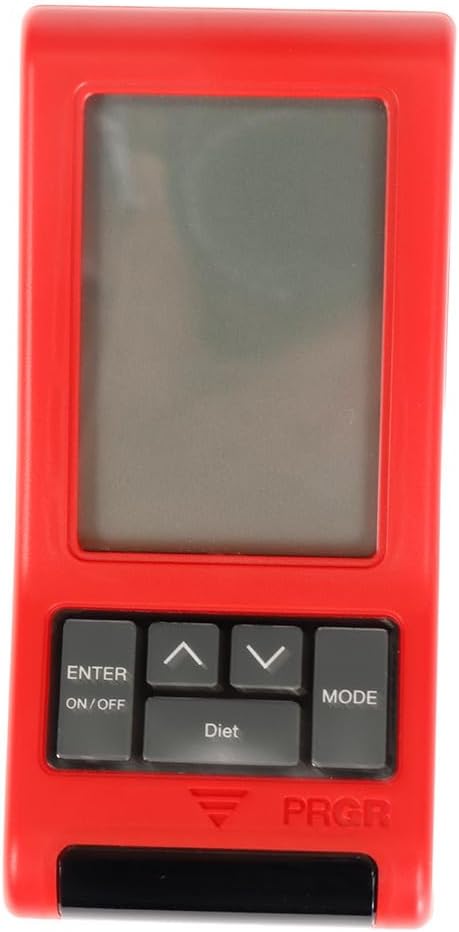
4.1 pav.: priekis View (Display, Control Buttons)

4.2 pav.: Nugara View (Battery Compartment, Tripod Mount)

4.3 pav.: šonas View

Figure 4.4: Control Buttons (ENTER/ON/OFF, Up/Down, MODE)
Pagrindiniai komponentai:
- Ekranas: Shows measurement readings, mode, and settings.
- ENTER/ON/OFF Button: Powers the device on/off and confirms selections.
- Aukštyn/žemyn mygtukai: Naršyti meniu ir koreguoti nustatymus.
- MODE mygtukas: Switches between different measurement modes (e.g., Golf, Baseball) and settings.
- Sensor Window: The area where the radar detects speed. Keep clear of obstructions.
- Baterijų skyrius: Located on the back, holds 4 AAA batteries.
- Trikojo tvirtinimas: Allows for stable positioning on a tripod (tripod not included).
5. Sąranka
5.1. Akumuliatoriaus įdėjimas
- Suraskite baterijų skyriaus dangtelį įrenginio gale.
- Atidarykite dangtelį.
- Įdėkite 4 AAA tipo baterijas, užtikrindami teisingą poliškumą (+/-), kaip nurodyta skyrelio viduje.
- Saugiai uždarykite akumuliatoriaus skyriaus dangtelį.
5.2. Įjungimas/išjungimas
- Norėdami įjungti: paspauskite ir palaikykite ENTER/ON/OFF mygtuką maždaug 1 sekundę.
- Norėdami išjungti: paspauskite ir palaikykite ENTER/ON/OFF button for approximately 2 seconds until the display turns off. The device will also automatically power off after a period of inactivity to conserve battery life.
5.3. Pradiniai nustatymai
Upon first power-on or after battery replacement, you may need to set the date, time, and preferred measurement units. Use the Up/Down buttons to adjust values and the ENTER button to confirm and move to the next setting.
6. Naudojimo instrukcijos
6.1. Matavimo režimo pasirinkimas
Paspauskite REŽIMAS button to cycle through available measurement modes. The PRGR RED EYES POCKET HS-120 supports various modes, including:
- Golfo režimas: Measures club head speed, ball speed, and estimated carry distance.
- Baseball Mode: Measures bat swing speed and ball speed.
- Kiti režimai: May include general speed measurement or calorie consumption tracking.
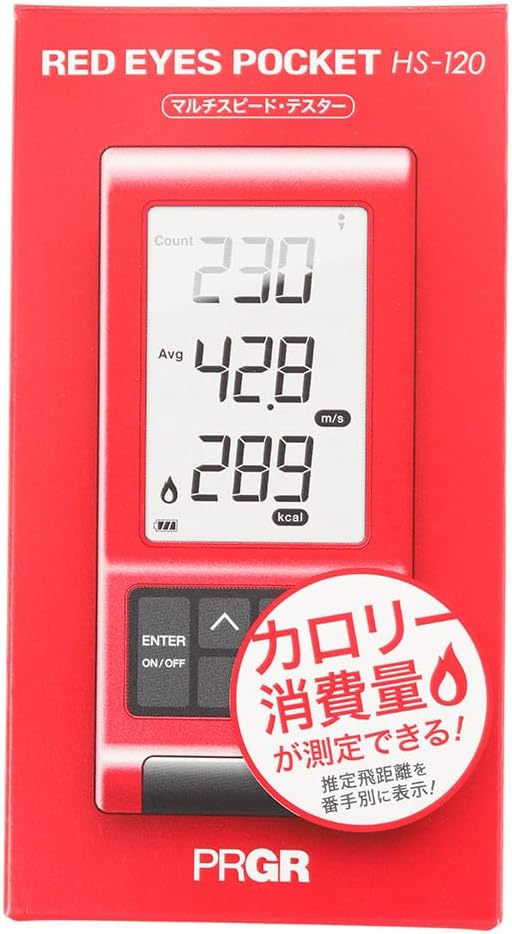
Figure 6.1: Retail packaging indicating multi-speed testing and calorie consumption features.
6.2. Taking a Measurement (Golf Mode Example)
- Place the device on a flat, stable surface approximately 1 meter (3 feet) behind the ball, aligned with your swing path. Ensure there are no obstructions between the device and the ball/club.
- Select 'Golf Mode' using the REŽIMAS mygtuką.
- Prepare for your swing.
- Execute your swing. The device will automatically detect the club head speed and ball speed.
- The measured values (Head Speed, Ball Speed, Estimated Carry Distance) will be displayed on the screen.
- The device can also track calorie consumption, which may be displayed or accessible via a dedicated 'Diet' button as seen on the device.
6.3. Ekrano rodmenų supratimas
Ekrane paprastai rodoma:
- HS (Head Speed): Your club head speed in meters per second (m/s) or miles per hour (mph).
- BS (Ball Speed): The speed of the ball immediately after impact.
- Nešioti: Estimated carry distance based on your swing and ball speed.
- Kalorijų suvartojimas: An estimate of calories burned during your session (if applicable to the selected mode).
- Count/Avg: Number of swings taken and average speed.
6.4. Reviewing Past Data
The device stores a certain number of past measurements. Use the Up/Down buttons to scroll through previous readings. Consult the on-screen prompts or the device's quick guide for specific instructions on data review.
7. Priežiūra
- Valymas: Wipe the device with a soft, dry cloth. Do not use abrasive cleaners or solvents. Ensure the sensor window is clean and free of dust or smudges for accurate readings.
- Saugykla: Store the device in its carrying pouch in a cool, dry place when not in use. Avoid storing in areas with extreme temperatures or high humidity.
- Akumuliatoriaus priežiūra: Replace batteries when the low battery indicator appears. If the device will not be used for an extended period, remove the batteries to prevent potential leakage and damage.
8. Problemų sprendimas
| Problema | Galima priežastis | Sprendimas |
|---|---|---|
| Įrenginys neįsijungia. | Išsikrovusios arba neteisingai įdėtos baterijos. | Patikrinkite baterijų poliškumą. Pakeiskite naujomis AAA baterijomis. |
| No reading or inaccurate reading. | Incorrect device placement; sensor obstructed; environmental interference. | Ensure device is 1 meter behind the ball and aligned. Clean sensor window. Avoid using near strong electromagnetic fields. Ensure sufficient distance from other objects. |
| Ekranas blankus arba mirga. | Senka baterija. | Pakeiskite baterijas. |
| Mygtukai nereaguoja. | Laikinas programinės įrangos triktis; išsikrovusi baterija. | Remove and reinsert batteries. Replace batteries if low. |
Jei problema išlieka ir išbandžius šiuos sprendimus, susisiekite su klientų aptarnavimo tarnyba.
9. Specifikacijos
| Funkcija | Detalė |
|---|---|
| Modelio numeris | HS-120 (GM042) |
| Spalva | Gray, Red |
| Dydis | Nemokamas dydis |
| Rankiškumas | Abipusis |
| Medžiaga | Plastikiniai |
| Baterijos | 4 x AAA (įtraukta) |
| Serijos pavadinimas | RED EYES |
| Pakuotės matmenys | 14.6 x 8 x 4.6 cm |
| Svoris | 162 g |
| Pirmą kartą galima įsigyti Amazon.co.jp svetainėje | 18 m. birželio 2019 d |
10. Garantija ir palaikymas
This product comes with a manufacturer's warranty. Please refer to the warranty card included in your package for specific terms and conditions. For technical support, troubleshooting assistance, or warranty claims, please contact PRGR customer service through their official websvetainėje arba mažmenininke, iš kurio įsigijote gaminį. Išsaugokite pirkimo kvitą kaip pirkimo įrodymą.
For more information, visit the official PRGR websvetainėje arba susisiekite su vietiniu platintoju.