
Yaheetech YA-00093884
Yaheetech Rollable TV Stand Instruction Manual
Modelis: YA-00093884
Įvadas
Thank you for choosing the Yaheetech Rollable TV Stand. This universal TV cart is designed to provide a flexible and stable display solution for televisions ranging from 32 to 75 inches. Featuring adjustable height, integrated cable management, and a sturdy construction, it is ideal for use in homes, offices, conference rooms, and trade fairs. Please read this manual carefully before assembly and operation to ensure safe and proper use of your new TV stand.
Sąranka ir surinkimas
Before beginning assembly, ensure all parts are present and undamaged. Refer to the included parts list for verification. Assembly typically requires basic hand tools (not included).
1. Išpakavimas ir patikrinimas
Carefully remove all components from the packaging. Lay them out on a soft, clean surface to prevent scratches. Verify that all components listed in the packaging contents are present.
2. Pagrindo surinkimas
Assemble the base structure, ensuring the wheels are securely attached. Two of the four wheels are equipped with brakes for stability. Ensure these are locked during assembly and when the stand is stationary.

Vaizdas: priekis view of the assembled stand, highlighting the base and shelves.
3. Pole and Shelf Installation
Attach the vertical support poles to the base. Install the two accessory shelves at your desired height. These shelves are designed to hold media devices, laptops, or other accessories.

Image: Detailed dimensions and load capacities of the TV stand.
4. TV Bracket Attachment
Attach the TV mounting brackets to the back of your television. This stand supports VESA mounting patterns from 100x100mm up to 600x400mm. Select the appropriate screws and spacers for your TV model. Ensure the brackets are securely fastened to your TV.

Image: VESA compatibility and screw selection guide.
5. Televizoriaus montavimas
Carefully lift the TV with the attached brackets and hook it onto the main mounting plate on the stand. Secure the TV to the stand using the provided locking mechanisms to prevent accidental dislodgement.
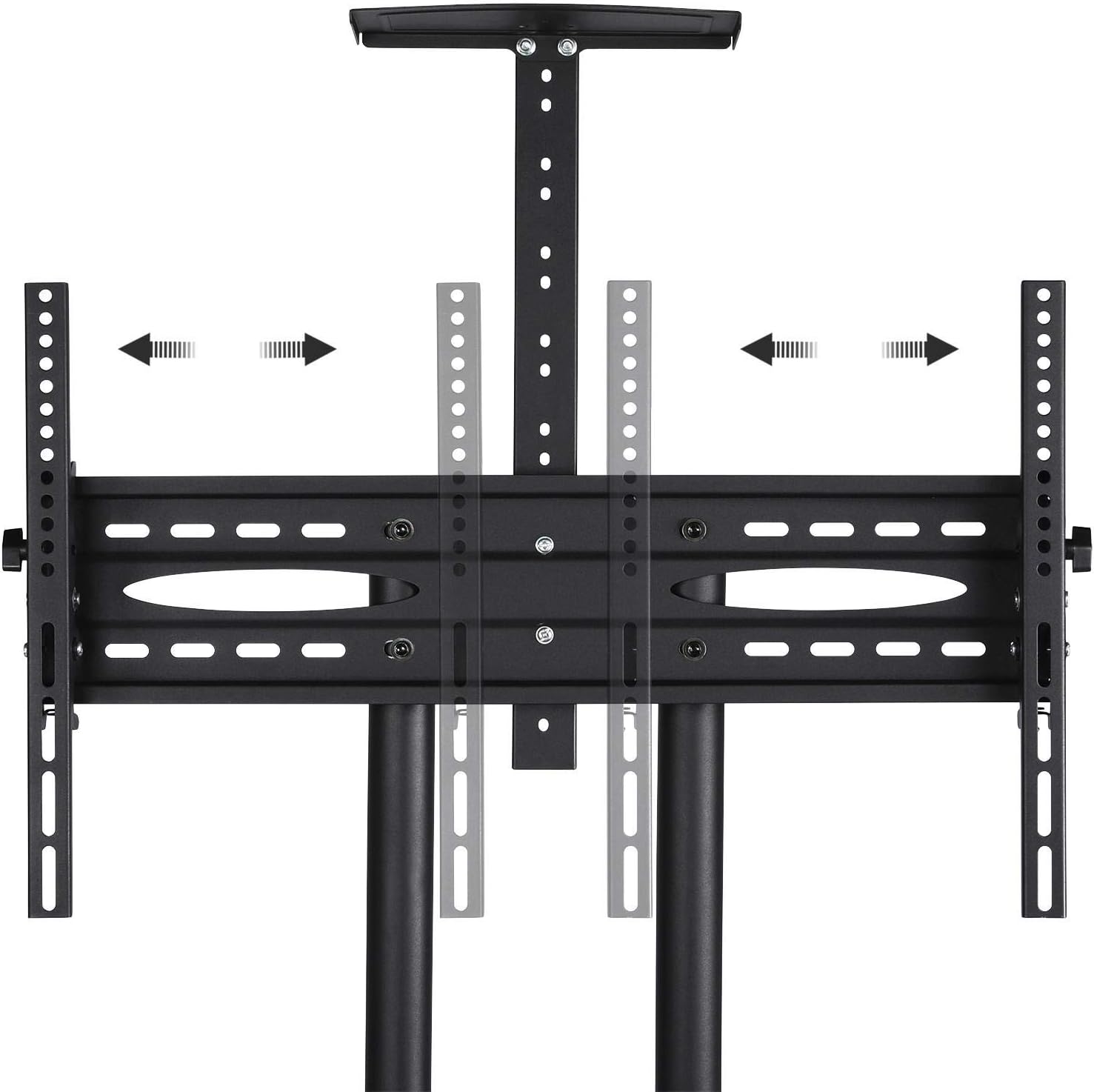
Image: Detail of the adjustable height mechanism for the TV mount.
Naudojimo instrukcijos
Adjusting TV Height
The TV stand allows for height adjustment between 109.5 cm and 160 cm. To adjust, loosen the securing bolts on the vertical poles, carefully raise or lower the TV to the desired height, and then re-tighten the bolts securely.
Televizoriaus pakreipimas
The TV mount can be tilted up or down by ±13° to achieve optimal viewing angles. Loosen the tilt adjustment knobs on the side of the TV brackets, adjust the angle, and then re-tighten the knobs firmly.
Ratų ir stabdžių naudojimas
The stand is equipped with four 360° rotating wheels for easy mobility. To move the stand, unlock the brakes on the two braked wheels. To secure the stand in place, engage the brakes on both braked wheels.
Kabelių valdymas
The hollow double bars of the stand are designed for integrated cable management. Route your TV and device cables through these poles to maintain a neat and organized appearance, preventing cable clutter.
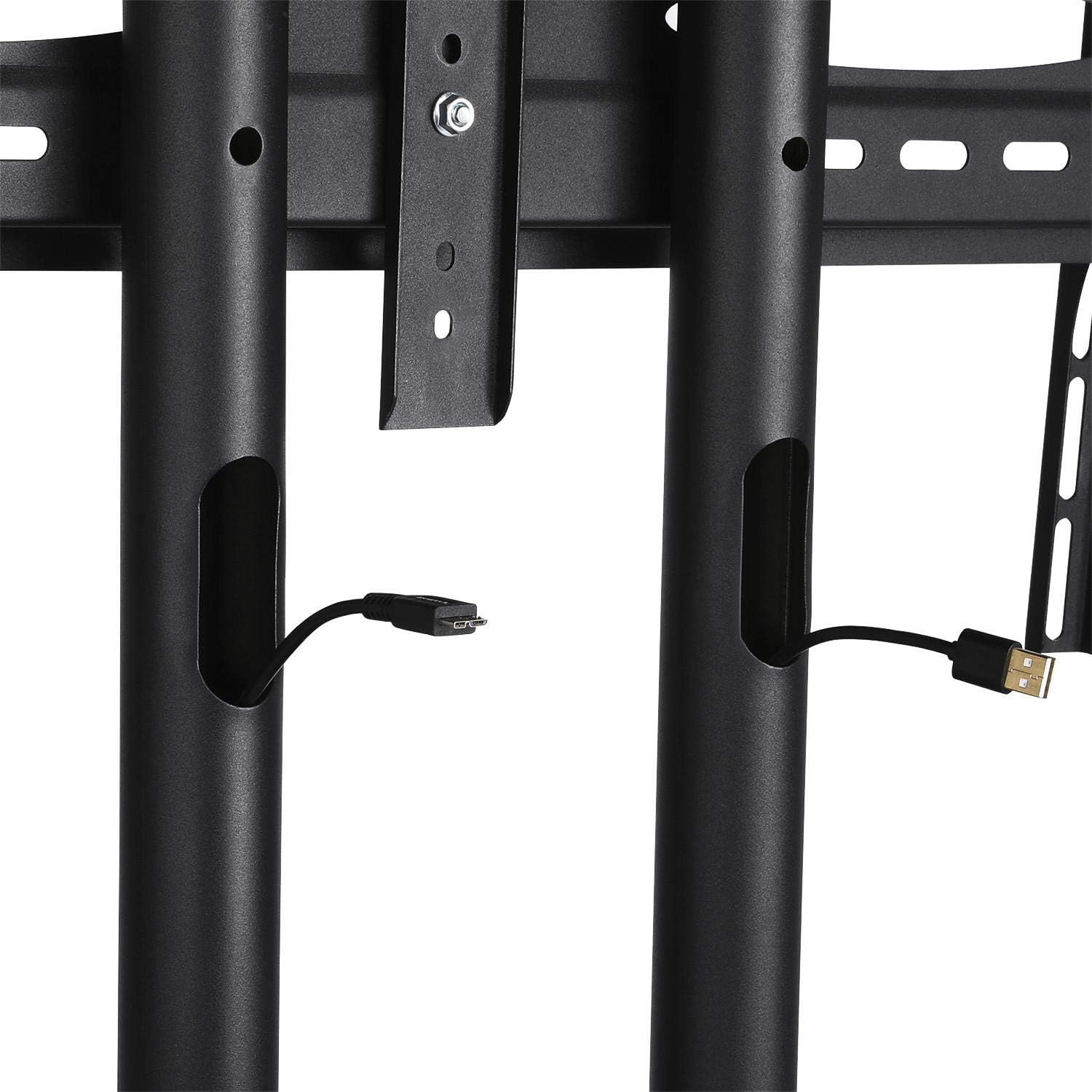
Image: Detail of the cable management system within the stand's poles.
Priežiūra
Reguliarus televizoriaus stovo valymas užtikrina jo ilgaamžiškumą ir saugų veikimą.
- Valymas: Nuvalykite stovą minkšta,amp šluoste. Venkite abrazyvinių valiklių ar tirpiklių, kurie gali pažeisti apdailą.
- Tvirtinimo detalių patikrinimas: Periodiškai patikrinkite visus varžtus ir sraigtus, kad jie būtų tvirtai priveržti. Jei reikia, priveržkite, kad išlaikytumėte stabilumą.
- Ratų apžiūra: Ensure the wheels roll freely and the brakes engage properly. Clean any debris from the wheels.
Trikčių šalinimas
If you encounter issues with your Yaheetech Rollable TV Stand, refer to the following common problems and solutions:
- Stand is unstable or wobbly:
- Įsitikinkite, kad visi surinkimo varžtai yra tvirtai priveržti.
- Verify that the TV weight does not exceed the maximum load capacity.
- Įsitikinkite, kad stovas stovi ant lygaus, lygaus paviršiaus.
- Ratai rieda netolygiai:
- Patikrinkite, ar ratlankiuose nėra įstrigusių šiukšlių (plaukų, dulkių), ir nuvalykite juos.
- Įsitikinkite, kad ratų stabdžiai yra išjungti.
- TV cannot be tilted or adjusted:
- Ensure the adjustment knobs or bolts are sufficiently loosened before attempting to adjust.
- Verify that the TV is correctly mounted on the brackets.
Specifikacijos
| Funkcija | Specifikacija |
|---|---|
| Prekės ženklas | Yaheetech |
| Modelio numeris | YA-00093884 |
| Medžiaga | Cold Rolled Carbon Steel, Metal |
| Suderinami televizoriaus dydžiai | 32–75 colių |
| VESA suderinamumas | 100x100mm, 100x200mm, 200x200mm, 200x300mm, 300x200mm, 300x300mm, 400x400mm, 600x400mm |
| Max. TV Load Capacity | 50 kg (110 svaro) |
| Maksimali lentynos apkrova | 10 kg (22 svarai) vienoje lentynoje |
| Reguliuojamas aukščio diapazonas | 109.5 cm - 160 cm (43.1 - 63 inches) |
| Pakreipimo kampas | ±13° |
| Gaminio matmenys (I x P x A) | 82 x 57.5 x 196.5 cm (32.3 x 22.6 x 77.4 colio) |
| Produkto svoris | 17.18 kg (37.8 svaro) |
Garantija ir palaikymas
For warranty information or technical support, please refer to the documentation included with your purchase or contact Yaheetech customer service directly. Keep your purchase receipt as proof of purchase.
For further assistance, please visit the official Yaheetech websvetainėje arba susisiekite su jų klientų aptarnavimo kanalais.
Ask a question about this manual
Ask about setup, troubleshooting, compatibility, parts, safety, or missing instructions. Manuals+ will review the question and use this page’s manual context to help answer it.