
NVX XC4N1
NVX XC4N1 universalus 4 viename galinisview Atsarginės kameros naudojimo instrukcija
Model: XC4N1
Įvadas
This manual provides detailed instructions for the installation, operation, and maintenance of your NVX XC4N1 Universal 4-in-1 Rearview Backup Camera. Please read this manual thoroughly before installation and use to ensure proper function and safety.

Image: The NVX XC4N1 camera shown with its various mounting configurations, highlighting its versatility.
Saugos informacija
- Prieš atlikdami bet kokius elektros darbus, visada atjunkite automobilio akumuliatorių.
- Įsitikinkite, kad visi laidai yra tinkamai izoliuoti ir pritvirtinti, kad išvengtumėte trumpojo jungimo ar pažeidimų.
- Neužblokuokite vairuotojo view or interfere with vehicle controls during installation.
- This camera is an aid for reversing and parking; it does not replace the driver's responsibility to check surroundings.
- Jei nesate tikri dėl kurių nors diegimo veiksmų, pasitarkite su specialistu.
Pakuotės turinys
Prieš pradėdami diegti, patikrinkite, ar yra visi komponentai:
- NVX XC4N1 Backup Camera Unit
- Kvadratinis kalnas
- Kampinis kalnas
- Praplaukite kalną
- Guminis laikiklis
- License Plate Bar Mount
- Maitinimo kabelis
- RCA vaizdo kabelis
- Tvirtinimo detalės (varžtai, lipni juosta)
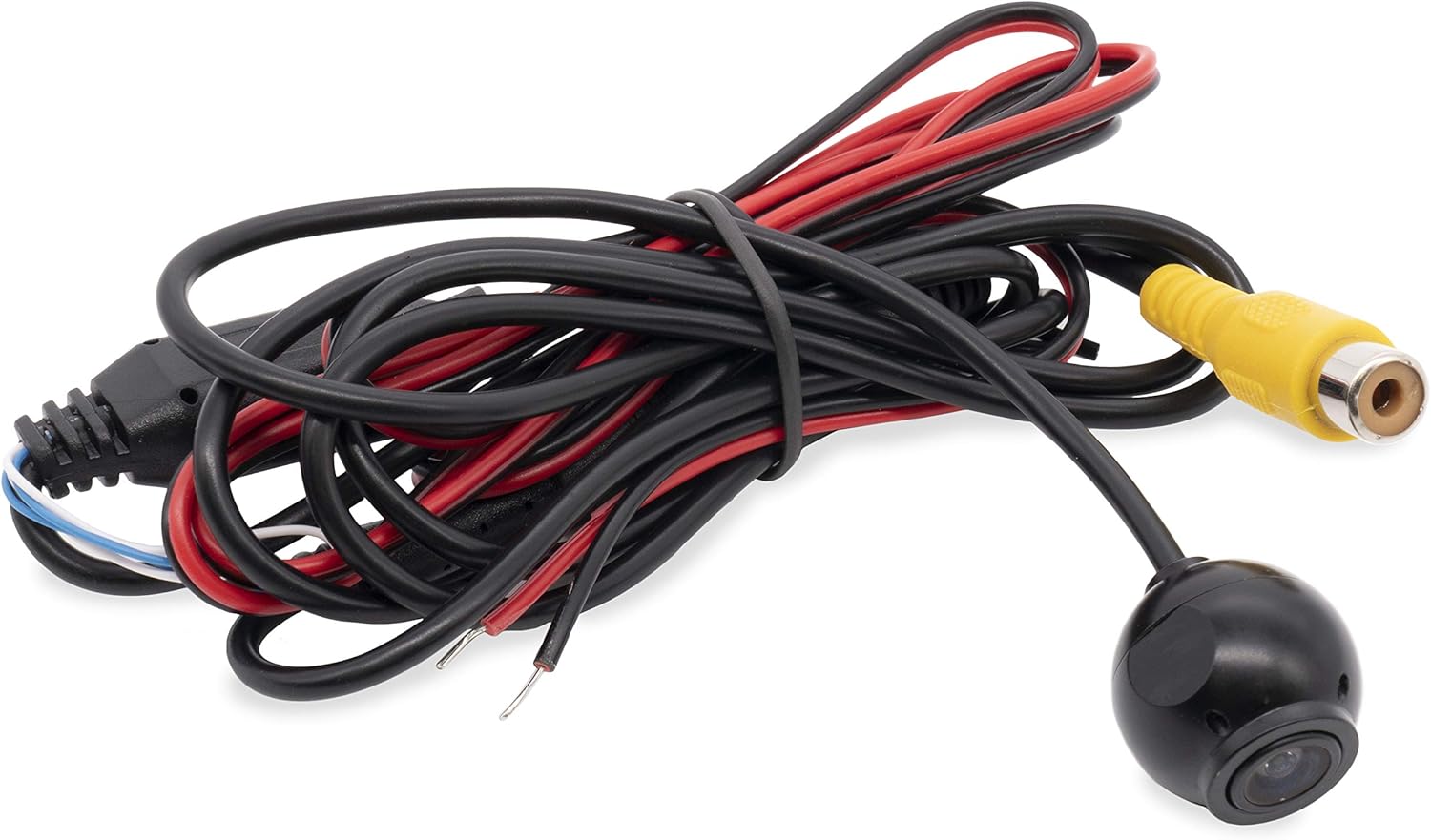
Image: The main camera unit with its attached power and RCA video cables.

Image: A collection of mounting brackets and screws included with the camera for different installation types.

Image: Supplementary mounting accessories, including a flush mount housing and adhesive pad.
Sąranka ir diegimas
The NVX XC4N1 offers four primary mounting options to suit various vehicle types and preferences.

Image: Visual representation of the four mounting styles: Flush, Square, Rubber (angled), and Bar (angled for license plate).
Montavimo parinktys:
- Įleidžiamas montavimas: For a discreet, integrated look. Requires drilling a hole for the camera body.
- Kvadratinis kalnas: A surface-mount option, typically used on flat areas.
- Rubber Mount (Angled): Suteikia kampuotą view, often used for specific bumper or panel contours.
- License Plate Bar Mount (Angled): Designed to attach to the vehicle's license plate frame for easy installation.
Bendrieji diegimo žingsniai:
- Pasirinkite montavimo vietą: Select the optimal mounting location based on visibility and vehicle aesthetics.
- Kameros laikiklio montavimas: Secure the chosen mount using the provided screws or adhesive. Ensure the camera is oriented correctly.
- Maršruto kabeliai: Carefully route the power and video cables from the camera to the vehicle's interior, avoiding moving parts, sharp edges, and heat sources.
- Prijunkite maitinimą:
- Connect the red wire of the power cable to a 12V reverse light power source (positive). This ensures the camera activates when the vehicle is in reverse.
- Connect the black wire of the power cable to a vehicle ground (negative).
- Prijungti vaizdo įrašą:
- Connect the yellow RCA video cable from the camera to the video input of your display monitor or head unit.
- If your monitor requires a trigger wire for reverse activation, connect the small red wire integrated into the RCA cable to the reverse trigger input of your monitor.
- Bandymo sistema: Reconnect the vehicle battery. Engage reverse gear (with the parking brake on and foot on the brake pedal) to verify the camera image appears on your display.
- Užbaikite diegimą: Secure all cables and components, ensuring no loose wires or potential hazards.
Naudojimo instrukcijos
The NVX XC4N1 camera automatically activates when the vehicle is shifted into reverse, displaying the rear view on your connected monitor.
Pagrindinės funkcijos:
- Ultra-Wide 170-Degree View: Suteikia platų lauką view behind your vehicle, minimizing blind spots.

Image: A visual representation of the camera's 170-degree wide viewing angle, showing an extended area behind a vehicle.
- Parkavimo linijos: Integrated color parking lines assist in judging distance and alignment. These lines are fixed and cannot be adjusted.

Image: A screenshot of the camera's output, showing green, yellow, and red parking guide lines overlaid on the rear view.
- Ultra-Low Lux Night Vision: The camera operates effectively in low-light conditions with a minimum illumination of 0.08 Lux, enhancing visibility at night.

Image: A split image comparing the night vision performance of a competitor's camera (left, darker) versus the NVX XC4N1 (right, brighter) in low light conditions.
- Penetrating Fog Function: Designed to improve visibility in foggy conditions.
Priežiūra
The NVX XC4N1 camera is designed for durability and minimal maintenance.
- Vandeniui atspari konstrukcija: The camera is IP68 certified, meaning it is fully dustproof and can withstand submersion in water. This protects it from rain, car washes, and other environmental elements.

Image: The camera lens partially submerged in water, illustrating its IP68 waterproof capability.
- Valymas: Reguliariai valykite fotoaparato objektyvą minkšta,amp cloth to ensure a clear image. Avoid abrasive cleaners or materials that could scratch the lens.
- Kabelio apžiūra: Occasionally check the cables for any signs of wear, damage, or loose connections.
Trikčių šalinimas
If you encounter issues with your NVX XC4N1 camera, refer to the following common problems and solutions:
| Problema | Galima priežastis | Sprendimas |
|---|---|---|
| No image on display when in reverse. |
|
|
| Vaizdas neryškus arba iškraipytas. |
|
|
| Parking lines are not visible. |
|
|
Specifikacijos
| Funkcija | Detalė |
|---|---|
| Modelis | XC4N1 |
| Prekės ženklas | NVX |
| Rezoliucija | 720 x 480 pikselių |
| Viewing kampas | 170 Degrees (Real Angle of View) |
| Optinių jutiklių technologija | CMOS |
| Optinio jutiklio dydis | 1/3 colio |
| Minimalus apšvietimas | 0.08 liuksų |
| Atsparumo vandeniui įvertinimas | IP68 |
| ttage | 12 voltų |
| Jungties tipas | RCA |
| Diegimo tipas | Bracket Mount (4-in-1 Universal) |
| Prekės svoris | 1.5 svaro |
Garantija ir palaikymas
For warranty information or technical support, please refer to the documentation included with your purchase or visit the official NVX website. Contacting customer support with your product model (XC4N1) and purchase details will help expedite assistance.
Visit the NVX Store on Amazon daugiau informacijos ir produktų.
Ask a question about this manual
Ask about setup, troubleshooting, compatibility, parts, safety, or missing instructions. Manuals+ will review the question and use this page’s manual context to help answer it.