
Įvadas
This manual provides detailed instructions for the installation, operation, and maintenance of your Foscam D2EP IP Camera. The D2EP is a high-definition 2-megapixel outdoor security camera designed for reliable surveillance with features such as infrared night vision, smart motion detection, and wired connectivity. Please read this manual thoroughly before using the product to ensure correct setup and optimal performance.
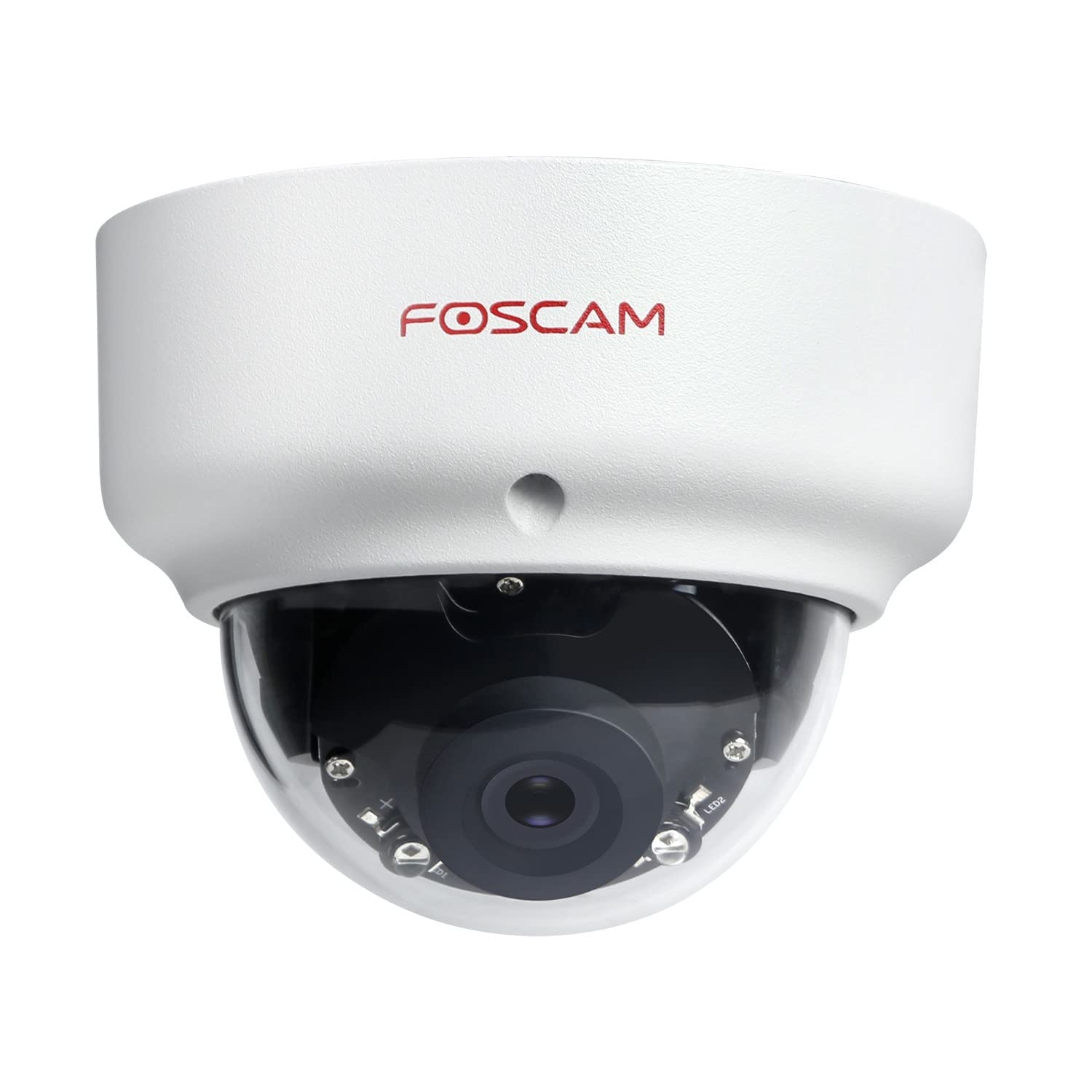
Image: The Foscam D2EP IP Camera, showcasing its compact, dome-shaped design suitable for outdoor environments.
1. Sąranka ir diegimas
1.1 Pakuotės turinys
Prieš pradėdami montavimą, patikrinkite, ar pakuotėje yra visi komponentai:
- Foscam D2EP IP Camera
- Tvirtinimo varžtai ir sieniniai kaiščiai
- Ethernet kabelis
- Maitinimo adapteris
- Greito montavimo vadovas

Image: Foscam D2EP IP Camera with its power and Ethernet cables, illustrating the main components included in the box.
1.2 Fizinis įrengimas
The Foscam D2EP camera is designed for outdoor use with an IP66 waterproof rating. Choose a suitable location that provides the desired viewing angle and is within reach of a power source and network connection.
- Montavimo vieta: Identify a secure mounting surface, such as a wall or ceiling, that offers a clear view ploto, kurį norite stebėti.
- Gręžimo skylės: Use the provided mounting template (if included) or the camera base to mark and drill pilot holes for the mounting screws. Insert wall plugs if mounting on masonry.
- Saugi kamera: Tvirtai pritvirtinkite kameros pagrindą prie tvirtinimo paviršiaus naudodami pateiktus varžtus.
- Sureguliuoti kampą: Loosen the adjustment screws on the camera body to position the lens for the optimal viewing angle. Tighten the screws once the desired angle is achieved.

Image: Foscam D2EP IP Camera mounted under an outdoor patio roof, demonstrating a typical installation scenario for outdoor surveillance.
1.3 Tinklo ir maitinimo prijungimas
- Prijunkite Ethernet kabelį: Connect one end of the Ethernet cable to the camera's network port and the other end to your router or network switch.
- Prijunkite maitinimo adapterį: Plug the power adapter into the camera's power input and then into a suitable electrical outlet.
- Indikatoriaus lemputė: Wait for the camera's indicator light to show a stable status, indicating it is powered on and connected to the network. Refer to the Quick Installation Guide for specific indicator light behaviors.
1.4 Pradinė konfigūracija
To access and configure your camera, download the Foscam app on your smartphone or use the Foscam client software on your computer.
- Download App/Software: Ieškokite "Foscam" in your app store (iOS/Android) or visit the official Foscam website for desktop software.
- Pridėti fotoaparatą: Follow the in-app or software instructions to add your D2EP camera. This typically involves scanning a QR code on the camera or manually entering its UID.
- Nustatyti slaptažodį: For security, change the default password immediately upon first access.
- Tinklo nustatymai: Configure any necessary network settings, such as static IP (if required by your network).
2. Naudojimo instrukcijos
2.1 Tiesiogiai View ir Įrašymas
Once configured, you can access the live video feed from your Foscam D2EP camera through the Foscam app or desktop client.
- Tiesiogiai View: Pasirinkite savo fotoaparatą iš įrenginių sąrašo, kad view the real-time 1080p HD video stream.
- Rankinis įrašymas: Most Foscam applications allow you to manually start and stop video recordings directly from the live view sąsaja.
- Momentinė nuotrauka: Užfiksuokite nejudančius vaizdus iš tiesioginio srauto.
2.2 Judesio aptikimas
The D2EP features smart motion detection to alert you to activity in the monitored area.
- Įjungti judesio aptikimą: Navigate to the camera settings in the Foscam app/software and enable motion detection.
- Configure Detection Area: Apibrėžkite konkrečias sritis kameros viduje view where motion should be detected, ignoring irrelevant zones.
- Sureguliuokite jautrumą: Set the motion detection sensitivity to minimize false alarms while ensuring important events are captured.
- Įspėjimo nustatymai: Configure how you receive alerts (e.g., push notifications, email).
2.3 Dienos ir nakties matymas
The camera automatically switches between day (color) and night (infrared black and white) vision modes based on ambient light conditions. The infrared LEDs provide clear vision up to 20 meters in low-light environments.
2.4 Amazon Alexa Compatibility
The Foscam D2EP camera is compatible with Amazon Alexa, allowing for voice control and integration into your smart home system. Refer to the Foscam website or Alexa app for detailed instructions on linking your Foscam account and controlling your camera via Alexa commands.
3. Priežiūra
3.1 Kameros valymas
Regularly clean the camera lens and housing to ensure optimal image quality and prevent debris buildup, especially for outdoor installations.
- Naudokite minkštą, damp šluoste nuvalykite fotoaparato korpusą.
- Objektyvui valyti naudokite specializuotą šluostę ir tirpalą, kad išvengtumėte įbrėžimų.
- Nenaudokite stiprių cheminių medžiagų ar abrazyvinių medžiagų.
3.2 Firmware atnaujinimai
Foscam regularly releases firmware updates to improve camera performance, add new features, and enhance security. It is recommended to keep your camera's firmware up to date.
- Check for updates through the Foscam app or desktop client.
- Follow the on-screen instructions carefully during the update process. Do not power off the camera during an update.
4. Problemų sprendimas
4.1 Camera Not Connecting to Network
- Patikrinkite kabelius: Ensure the Ethernet cable is securely connected to both the camera and the router/switch.
- Galia: Verify the camera is powered on and the power adapter is working correctly.
- Maršrutizatoriaus būsena: Confirm your router is functioning and providing network access.
- IP adreso konfliktas: If using a static IP, ensure it does not conflict with other devices on your network. Try DHCP first.
- Atstatyti kamerą: If issues persist, perform a factory reset (refer to the Quick Installation Guide for reset button location and procedure).
4.2 Prasta vaizdo kokybė
- Švarus objektyvas: Įsitikinkite, kad fotoaparato objektyvas yra švarus ir be nešvarumų ar dėmių.
- Apšvietimas: Verify adequate lighting in the monitored area during the day.
- Naktinis matymas: In night mode, ensure there are no obstructions blocking the infrared LEDs.
- Rezoliucijos nustatymai: Check that the camera's resolution is set to 1080p (2MP) in the app/software settings.
4.3 Judesio aptikimas neveikia arba per daug klaidingų aliarmų
- Įjungti funkciją: Confirm motion detection is enabled in the camera settings.
- Aptikimo sritis: Adjust the detection zone to cover only relevant areas.
- Jautrumas: Increase sensitivity if events are missed; decrease if there are too many false alarms (e.g., from moving trees, shadows).
- Tvarkaraštis: Check if motion detection is scheduled to be active during the desired times.
5. Specifikacijos
| Modelio pavadinimas | D2EP |
| Prekės ženklas | Foscam |
| Rezoliucija | 2 Megapixel (1080p) |
| Ryšio technologija | Laidinis |
| Rekomenduojamas naudojimas | Lauko apsaugos kamera |
| Atsparumas oro sąlygoms | IP66 Atsparus vandeniui |
| Naktinio matymo diapazonas | Iki 20 metrų (infraraudonųjų spindulių) |
| Pagrindinės savybės | Motion Sensor, Day/Night Vision, Amazon Alexa Compatible |
6. Informacija apie garantiją
The Foscam D2EP IP Camera comes with a 2 metų garantija from the date of purchase. This warranty covers manufacturing defects and ensures the product functions as described under normal use. Please retain your proof of purchase for warranty claims. For detailed warranty terms and conditions, please visit the official Foscam websvetainę.
7. Pagalba klientams
If you encounter any issues or have questions regarding your Foscam D2EP IP Camera that are not covered in this manual, please refer to the following resources:
- Foscam oficialus Websvetainė: Apsilankykite www.foscam.com for FAQs, support articles, and the latest firmware.
- Techninė pagalba: Contact Foscam technical support directly via their websvetainėje arba kontaktinę informaciją, pateiktą jūsų produkto pakuotėje.