
1. Įvadas
The Maxell Bass 13 Wireless Headphones (Model B13-WHPS) are designed to provide a versatile audio experience. These headphones feature 40mm drivers for clear sound, an integrated microphone for communication, and comfortable ear pads for extended listening. They offer both wireless Bluetooth connectivity and a traditional 3.5mm wired option.
2. Kas yra dėžutėje
- Maxell Bass 13 Wireless Headphones
- USB įkrovimo laidas
- 3.5mm Audio Cable (if applicable, not explicitly listed but common for hybrid headphones)
- Vartotojo vadovas
3. Produktas baigtasview
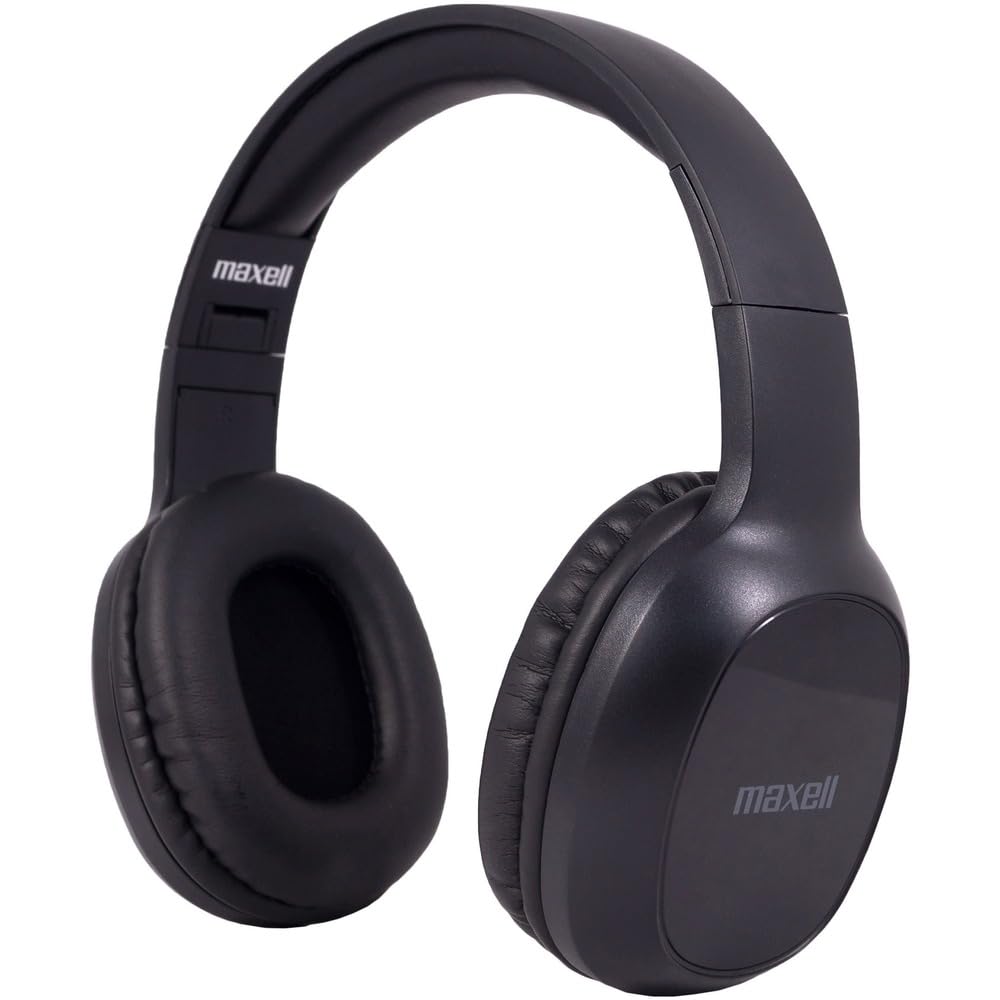
Figure 1: Maxell Bass 13 Wireless Headphones

Figure 2: Earcup Controls (Power, Volume, Play/Pause)
Pagrindinės funkcijos:
- 40 mm dinaminės tvarkyklės: Deliver clear and powerful audio performance.
- Integruotas mikrofonas: Įgalina skambinimą laisvų rankų įranga.
- Noise-Isolating Earpads: Provide comfort and help reduce external distractions.
- Bluetooth 5.0 ryšys: For stable wireless connection.
- 3.5 mm garso lizdas: Allows for wired connection to compatible devices.
- Reguliuojama galvos juosta: Užtikrina patogų prigludimą įvairaus dydžio galvoms.
- Up to 8 Hours Battery Life: For extended listening and talk time.
4. Sąranka
4.1 Ausinių įkrovimas

Figure 3: Connecting the USB Charging Cable
- Locate the charging port on the headphone earcup.
- Connect the small end of the provided USB charging cable to the headphone's charging port.
- Connect the larger end of the USB cable to a USB power source (e.g., computer USB port, USB wall adapter).
- The LED indicator on the headphones will illuminate to show charging status. It will typically turn off or change color when fully charged.
- A full charge provides up to 8 hours of continuous talk/play time.
4.2 Bluetooth poravimas
- Įsitikinkite, kad ausinės yra visiškai įkrautos.
- Press and hold the Power button on the headphone earcup until the LED indicator flashes blue and red, indicating pairing mode.
- Savo įrenginyje (išmaniajame telefone, planšetiniame kompiuteryje, kompiuteryje) eikite į „Bluetooth“ nustatymus.
- Ieškokite available devices. Select "Maxell Bass 13" from the list.
- Once paired, the LED indicator will typically show a solid blue light or flash blue slowly.
- Jei prašoma slaptažodžio, įveskite „0000“.
4.3 Wired Connection (3.5mm Audio Jack)

Figure 4: Connecting the 3.5mm Audio Cable
For devices without Bluetooth or when battery is low, you can use the 3.5mm audio cable:
- Prijunkite vieną 3.5 mm garso kabelio galą prie ausinių antgalio garso įvesties lizdo.
- Kitą galą prijunkite prie savo įrenginio 3.5 mm garso išvesties lizdo.
- The headphones will operate in passive mode, and Bluetooth functionality will be disabled.
5. Naudojimo instrukcijos
5.1 Maitinimo įjungimas/išjungimas
- Maitinimas: Paspauskite ir palaikykite maitinimo mygtuką maždaug 3 sekundes, kol užsidegs LED indikatorius.
- Išjungti: Paspauskite ir palaikykite maitinimo mygtuką maždaug 3–5 sekundes, kol užges LED indikatorius.
5.2 Garsumo valdymas
- Padidinti garsumą: Paspauskite garsumo didinimo (+) mygtuką.
- Sumažinti garsumą: Paspauskite garsumo mažinimo (-) mygtuką.
5.3 Muzikos atkūrimas
- Leisti / pristabdyti: Vieną kartą paspauskite daugiafunkcį mygtuką (dažnai maitinimo mygtuką arba specialų paleidimo / pauzės mygtuką).
- Kitas takelis: Press and hold the Volume Up (+) button (or double-press, refer to specific product button layout).
- Ankstesnis takelis: Press and hold the Volume Down (-) button (or double-press, refer to specific product button layout).
5.4 Skambučių valdymas
- Atsiliepti / Baigti skambutį: Vieną kartą paspauskite daugiafunkcį mygtuką.
- Atmesti skambutį: Paspauskite ir palaikykite daugiafunkcį mygtuką maždaug 2 sekundes.
- Perrink paskutinį numerį: Du kartus paspauskite daugiafunkcinį mygtuką.
6. Priežiūra
6.1 Valymas
- Ausines nuvalykite minkštu, sausu, nepūkuotu skudurėliu.
- Nenaudokite abrazyvinių valiklių, tirpiklių ar aerozolinių purškalų.
- Venkite drėgmės patekimo į bet kokias angas.
6.2 Saugykla

Figure 5: Headphones Folded for Storage
- Ausines laikykite vėsioje, sausoje vietoje, toliau nuo ekstremalių temperatūrų.
- When not in use for extended periods, ensure the headphones are fully charged before storage to preserve battery health.
- The headphones feature a foldable design for compact storage and portability.
6.3 Akumuliatoriaus priežiūra
- Venkite dažnai visiškai iškrauti akumuliatorių.
- Charge the headphones regularly, even if not used often.
- Do not expose the battery to excessive heat or direct sunlight.
7. Problemų sprendimas
| Problema | Galima priežastis | Sprendimas |
|---|---|---|
| Ausinės neįsijungia | Senka baterija | Pilnai įkraukite ausines. |
| Nepavyksta susieti per „Bluetooth“ | Ausinės neįjungtos susiejimo režimu; Įrenginio „Bluetooth“ išjungtas; Per toli nuo įrenginio | Įsitikinkite, kad ausinės yra susiejimo režime (mirksi mėlynai / raudonai). Įjunkite įrenginio „Bluetooth“. Perkelkite ausines arčiau įrenginio. |
| Nėra garso | Per mažas garsumas; Neteisingas garso šaltinis; Neprijungtos ausinės | Increase headphone and device volume. Check if headphones are properly paired/connected. Verify audio output settings on your device. |
| Prasta skambučio kokybė | Weak Bluetooth signal; Microphone obstructed | Priartėkite prie savo įrenginio. Įsitikinkite, kad mikrofonas nėra uždengtas. |
8. Specifikacijos
| Funkcija | Detalė |
|---|---|
| Modelio numeris | B13-WHPS |
| Prekės ženklas | Maxell |
| Ryšio technologija | Bluetooth 5.0 |
| Garso tvarkyklės dydis | 40 mm |
| Baterijos veikimo laikas | Up to 8 Hours (continuous talk/play time) |
| Ausinės Jack | 3.5 mm lizdas |
| Triukšmo kontrolės funkcijos | Sound Isolation, Noise Cancelling |
| Varža | 32 omai |
| Jautrumas | 100 dB |
| Dažnio atsakas | 20 Hz |
| Ausų išdėstymas | Ant ausies |
| Formos faktorius | Virš ausies |
| Gaminio matmenys | 7.25 x 3 x 9 colio |
| Prekės svoris | 8.4 uncijos |
| Medžiaga | Electronic Components, Foam, Plastic, Wire |
| Suderinami įrenginiai | Tablets, Laptops, Desktops, Portable Devices with 3.5mm Audio Jack |
9. Oficialus produkto vaizdo įrašas
Video 1: Maxell Bass 13 Bluetooth Headphones Overview. This video provides a visual demonstration of the headphones' features and design.
10. Garantija ir palaikymas
Maxell products are designed for reliability and performance. For specific warranty information, please refer to the warranty card included with your purchase or visit the official Maxell website. For technical support or customer service inquiries, please contact Maxell customer support through their official channels.