
1. Įvadas
The Unitek Y-3036 is a tool-free external enclosure designed for 2.5-inch SATA I/II/III Hard Disk Drives (HDDs) and Solid State Drives (SSDs). It provides a convenient solution for connecting your 2.5-inch drives to a computer via USB 3.0, offering fast data transfer speeds and easy portability. This manual provides detailed instructions for the proper installation, operation, and maintenance of your Unitek Y-3036 enclosure.
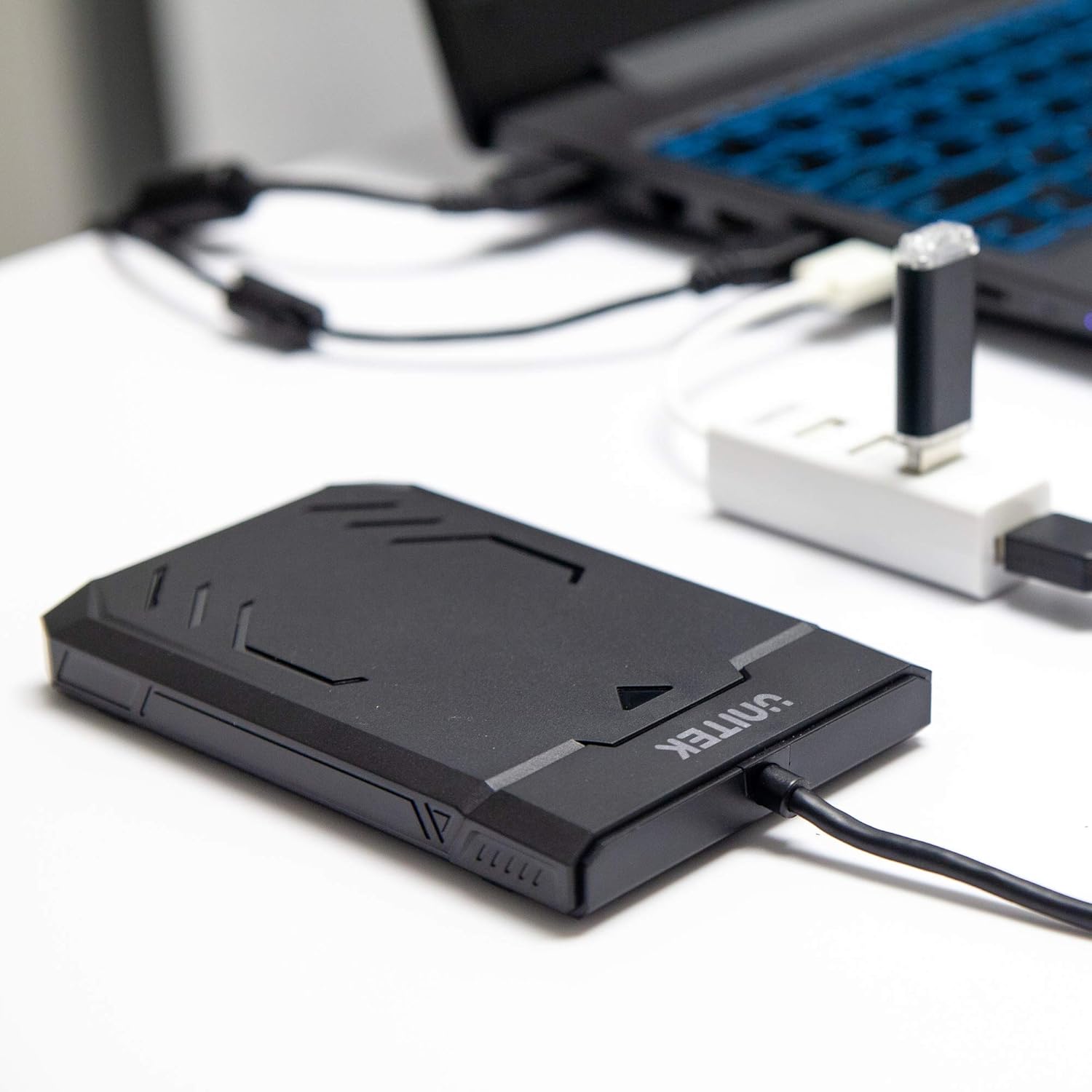
Image 1.1: Unitek Y-3036 enclosure connected to a laptop.
2. Pakuotės turinys
Prašome patikrinti, ar pakuotėje yra visi reikalingi daiktai:
- Unitek Y-3036 2.5-inch Hard Drive Enclosure with integrated USB 3.0 cable
- Foam pad for drive stability
- Instrukcijų vadovas (šis dokumentas)

Image 2.1: Enclosure with integrated cable and foam pad.
3. Specifikacijos
| Modelis | Unitek Y-3036 |
| Suderinamas disko tipas | 2.5-inch SATA I/II/III HDD/SSD (up to 9.5mm thickness) |
| Sąsaja | USB 3.0 (atgalinis suderinamas su USB 2.0) |
| Duomenų perdavimo sparta | Up to 6Gbps (SATA III), supports UASP |
| Matmenys (I x P x A) | 130 mm x 85 mm x 15 mm (5.12 x 3.27 x 0.59 colio) |
| Medžiaga | Plastikiniai |
| Savybės | Tool-free assembly, Plug & Play, LED indicator, Sleep function, Built-in USB cable |

3.1 pav.: Gaminio matmenys.
4. Sąranka ir diegimas
The Unitek Y-3036 enclosure features a tool-free design for easy installation of your 2.5-inch HDD or SSD.
- Atidarykite korpusą: Švelniai pastumkite viršutinį korpuso dangtelį, kad jį atidarytumėte.
- Įdėkite diską: Align your 2.5-inch SATA HDD or SSD with the SATA connector inside the enclosure. Carefully push the drive into the connector until it is firmly seated. Ensure the drive is oriented correctly.
- Add Foam Pad (Optional): If your drive is thinner than 9.5mm, you may use the included foam pad to secure it snugly within the enclosure and prevent movement. Place the foam pad on top of the drive before closing the cover.
- Uždarykite korpusą: Slide the top cover back into place until it clicks securely.

Image 4.1: Enclosure open with a 2.5-inch HDD inserted.

4.2 pav.: Išsamus view of drive insertion.
5. Naudojimo instrukcijos
Once your drive is installed in the enclosure, follow these steps to use it with your computer:
- Prisijunkite prie kompiuterio: Plug the integrated USB 3.0 cable from the enclosure into an available USB port on your computer. For optimal performance, use a USB 3.0 port.
- LED indikatorius: The enclosure features an LED indicator. When connected, the LED will illuminate, indicating power. It will flash during data transfer activity.
- Disko atpažinimas: Your operating system should automatically detect the new drive. If it's a new drive, you may need to initialize and format it through your operating system's disk management utility before it appears in 'My Computer' or 'Finder'.
- Saugus pašalinimas: Prieš atjungdami USB laidą, visada saugiai atjunkite diską nuo operacinės sistemos, kad išvengtumėte duomenų sugadinimo.
6. Priežiūra
To ensure the longevity and optimal performance of your Unitek Y-3036 enclosure:
- Valymas: Korpuso išorę valykite minkšta, sausa šluoste. Venkite naudoti skystus valiklius ar tirpiklius.
- Saugykla: Kai nenaudojate, laikykite korpusą vėsioje, sausoje vietoje, apsaugotoje nuo tiesioginių saulės spindulių ir ekstremalių temperatūrų.
- Tvarkymas: Handle the enclosure with care to avoid drops or impacts, which could damage the internal drive or the enclosure itself.
7. Problemų sprendimas
If you encounter issues with your Unitek Y-3036 enclosure, refer to the following common problems and solutions:
- Diskas neaptiktas:
- Įsitikinkite, kad USB laidas yra tvirtai prijungtas tiek prie korpuso, tiek prie kompiuterio.
- Pabandykite prijungti prie kito kompiuterio USB prievado.
- Verify that the 2.5-inch HDD/SSD is properly seated in the enclosure's SATA connector.
- Patikrinkite kompiuterio disko tvarkymo programą („Windows“) arba disko įrankio programą („macOS“) ir pažiūrėkite, ar diskas atpažįstamas, bet neinicializuotas arba neformatuotas.
- Test the enclosure with a different 2.5-inch SATA drive, or test your drive directly with another enclosure/adapter if available.
- Mažas perdavimo greitis:
- Įsitikinkite, kad esate prijungtas prie kompiuterio USB 3.0 prievado. USB 2.0 prievadai veiks lėčiau.
- Patikrinkite, ar jūsų operacinė sistema ir tvarkyklės yra atnaujintos.
- The actual speed depends on the performance of the installed HDD/SSD.
- LED indikatorius nedega:
- Confirm the USB cable is fully plugged into a powered USB port.
- Išbandykite kitą USB prievadą.
8. Saugos informacija
Prašome laikytis šių saugos nurodymų:
- Do not expose the enclosure to water, moisture, or extreme temperatures.
- Avoid dropping or subjecting the enclosure to severe impacts.
- Do not attempt to open or modify the enclosure beyond the intended drive installation. This may void any warranty and could cause damage.
- Laikyti vaikams nepasiekiamoje vietoje.
9. Garantija ir palaikymas
Unitek products are designed for reliability and performance. For warranty information or technical support, please refer to the official Unitek websvetainėje arba susisiekite su vietiniu pardavėju. Išsaugokite pirkimo kvitą kaip pirkimo įrodymą garantijos pretenzijoms.