
1. Įvadas
This manual provides detailed instructions for the operation and maintenance of your Microware EZCAP230 Cassette to MP3 Converter. This device allows you to convert your old cassette tapes into digital MP3 format, preserving your audio memories. It can function as a standalone converter or connect to a computer for conversion and playback.
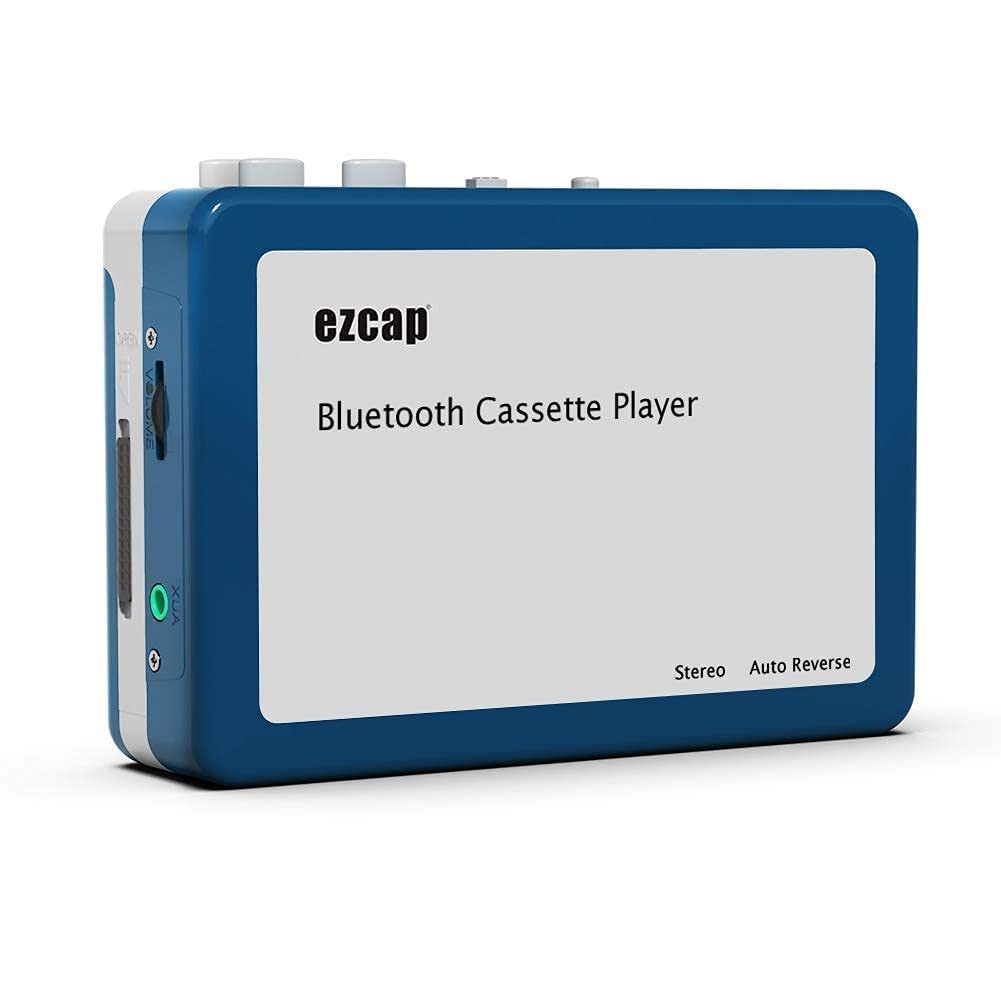
Image 1.1: The Microware EZCAP230 Cassette to MP3 Converter.
2. Produktas baigtasview
2.1 Pagrindinės savybės
- Converts cassette tapes to MP3 format.
- Standalone operation: No computer required for conversion.
- USB connectivity for power and data transfer.
- Playback function to check recorded music.
- Kompaktiškas ir nešiojamas dizainas.
- Supports FAT, FAT32, exFAT USB formats up to 64GB. NTFS format is not supported.
2.2 Pakuotės turinys
- Microware EZCAP230 Cassette to MP3 Converter
- USB kabelis
- Ausinės
- Vartotojo vadovas (šis dokumentas)

Image 2.1: The converter unit, USB cable, and earphones.
3. Sąranka
3.1 Maitinimo šaltinis
The device can be powered in two ways:
- USB maitinimas: Connect the provided USB cable to the device and a computer USB port or a 5V DC power adapter (not included).
- Baterijos galia: Insert 2 x AA batteries (not included) into the battery compartment.
3.2 Kasetės įdėjimas
- Atidarykite kasečių skyriaus dangtelį.
- Insert your cassette tape with the open side facing up.
- Close the cassette compartment cover securely.

Image 3.1: Proper insertion of a cassette tape.
3.3 Connecting Earphones/Speakers and USB Flash Drive
- Connect the earphones to the 3.5mm audio output jack for private listening.
- To save converted MP3 files, insert a USB flash drive into the USB port. The device supports FAT, FAT32, and exFAT formats up to 64GB.

Image 3.2: Connecting earphones and a USB flash drive to the converter.
4. Naudojimo instrukcijos
4.1 Standalone Cassette to MP3 Conversion
Follow these steps to convert your cassette tapes directly to MP3 format without a computer:
- Maitinimas: Ensure the device is powered via USB or batteries.
- Įdėkite kasetę: Place a cassette tape into the compartment.
- Prijunkite USB atmintinę: Insert a USB flash drive into the USB port. A green light will flash, indicating it's ready.
- Pradėti atkūrimą: Press the "Play" button on top of the device to begin playing the tape.
- Pradėti įrašymą: Press the "Record" button to start recording. The default mode is manual division. To divide tracks, press the "Record/Stop" button each time you want a new MP3 file.
- Sustabdyti įrašymą: Press the "Record" button again to stop recording. The MP3 files will be saved to your USB flash drive.

Image 4.1: Step-by-step guide for independent cassette to MP3 conversion.
4.2 Kasečių atkūrimas
To use the device as a cassette player:
- Įdėkite kasetę.
- Connect earphones or external speakers to the 3.5mm audio output jack.
- Press the "Play" button.
- Sureguliuokite garsumą naudodami garsumo valdiklį.
4.3 Prijungimas prie kompiuterio
The device can be connected to a computer via USB for power and to transfer recorded MP3 files. While the device primarily functions for standalone conversion, you can manage the converted files jūsų kompiuteryje.
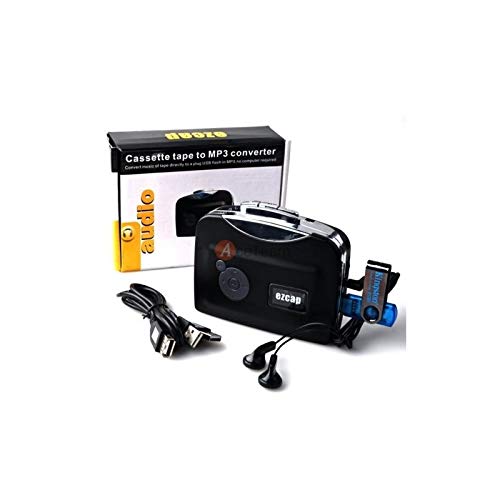
Image 4.2: The converter connected to a laptop, illustrating the digital conversion process.
4.4 Playback Function
The device includes a playback function to review the recorded MP3 files directly on the device. This allows you to verify the quality of your conversions.
4.1 vaizdo įrašas: metimas per sekundęview of the Microware Cassette to MP3 Converter's features and operation, demonstrating its ease of use for digitizing old tapes.
5. Priežiūra
- Laikykite įrenginį švarų ir be dulkių. Valymui naudokite minkštą, sausą šluostę.
- Saugokite, kad prietaisas nepatektų į ekstremalią temperatūrą, drėgmę ar tiesioginius saulės spindulius.
- Nenaudokite abrazyvinių valiklių ar tirpiklių.
- Kai ilgesnį laiką nenaudojate, išimkite baterijas, kad išvengtumėte jų ištekėjimo.
6. Problemų sprendimas
6.1 Nėra galios
- Check if the USB cable is securely connected to a power source.
- Jei naudojate baterijas, įsitikinkite, kad jos tinkamai įdėtos ir nėra išsikrovusios.
6.2 Poor Audio Quality During Playback/Recording
- Ensure the cassette tape is clean and in good condition.
- Check earphone connections.
- Clean the tape head and pinch rollers with a cotton swab lightly dampsu izopropilo alkoholiu.
6.3 MP3 Files Not Saving to USB Drive
- Įsitikinkite, kad USB atmintinė tinkamai įdėta.
- Verify that the USB drive is formatted to FAT, FAT32, or exFAT. NTFS is not supported.
- Check if the USB drive has sufficient free space.
7. Specifikacijos
| Funkcija | Specifikacija |
|---|---|
| Prekės ženklas | MIKRORANKA |
| Modelis | EZCAP230 |
| Prekės svoris | 150 g |
| Pakuotės matmenys | 14 x 10.01 x 5.99 cm |
| Maitinimo šaltinis | USB Power (5V DC) or 2 x AA Batteries |
| USB formato palaikymas | FAT, FAT32, exFAT (up to 64GB). NTFS not supported. |
8. Garantija ir palaikymas
For warranty information and technical support, please refer to the official MICROWARE websvetainėje arba susisiekite su pardavėju. Išsaugokite pirkimo kvitą kaip pirkimo įrodymą.
Gamintojas: MIKRORANKA
Pirmą kartą pasiekiama data: 24 metų rugsėjo 2019 d
Dėl papildomos pagalbos apsilankykite MICROWARE Store on Amazon.