
360 360 S7
360 S7 roboto dulkių siurblio naudotojo vadovas
Model: 360 S7 | Brand: 360
Produktas baigtasview
The 360 S7 Robot Vacuum Cleaner is an advanced robotic cleaning device designed to efficiently vacuum and mop various floor types. Equipped with smart navigation, powerful suction, and app control, it provides a comprehensive solution for maintaining clean living spaces.
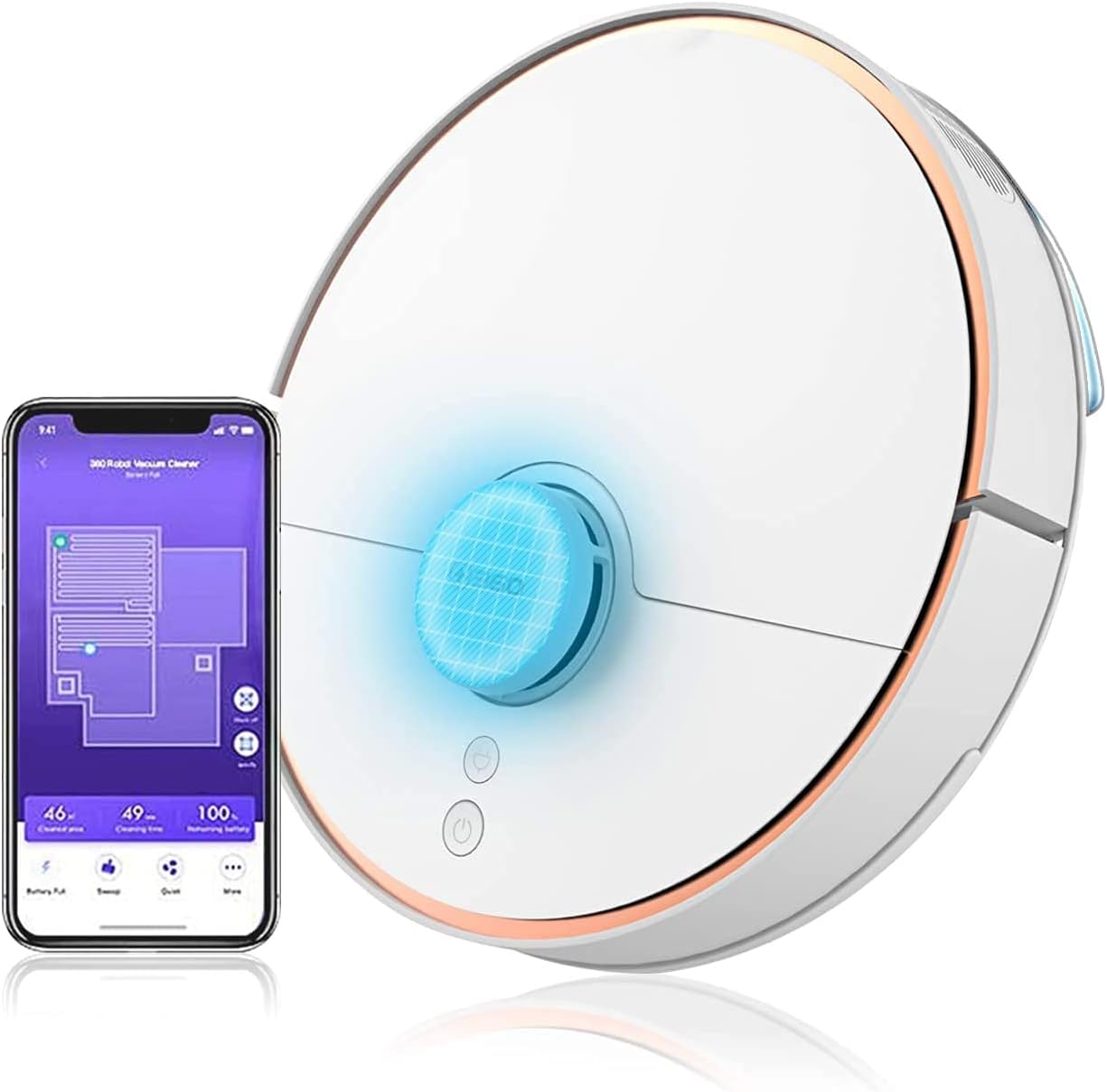
Image: The 360 S7 Robot Vacuum Cleaner shown alongside its mobile application interface, demonstrating its smart capabilities and connectivity.
Sąrankos vadovas
1. Išpakavimas ir pradinis išdėstymas
Carefully remove all components from the packaging. Place the charging dock against a wall in an open area, ensuring there are no obstacles within 1 meter (3 feet) to the sides and 1.5 meters (5 feet) in front. Connect the power adapter to the charging dock and plug it into a power outlet.
2. Roboto įkrovimas
Place the 360 S7 robot onto the charging dock. Ensure the charging contacts on the robot align with those on the dock. The indicator light on the robot will show charging status. For first use, fully charge the robot, which typically takes about 4-5 hours.
3. Programėlės atsisiuntimas ir prisijungimas
Download the "360 Robot" app from your mobile device's app store (iOS or Android). Open the app and follow the on-screen instructions to register an account and add your 360 S7 robot. This involves connecting the robot to your home Wi-Fi network. Ensure your Wi-Fi is 2.4GHz.
Operating Your 360 S7
Išmanioji navigacija ir žemėlapių sudarymas
The 360 S7 utilizes LDS Lidar and SLAM algorithms for precise navigation and real-time mapping of your home. This allows the robot to plan efficient cleaning paths, avoid obstacles, and remember previously cleaned areas.

Image: An illustration showing the 360 S7 Robot Vacuum's smart navigation capabilities, including anti-collision, anti-drop, and long-lasting battery features, powered by LDS and SLAM technology.
Valymo režimai ir siurbimo galia
The 360 S7 offers 2-in-1 sweeping and mopping functionality. You can select various cleaning modes and adjust suction power via the app. The maximum suction power is 2650Pa for deep cleaning.

Image: The 360 S7 Robot Vacuum illustrating its dual function of sweeping and mopping, highlighting adjustable suction levels from quiet (600pa) to max (2650pa).
App Control and Voice Commands
Utilize the 360 Robot app to schedule cleanings, set virtual no-go zones, and monitor cleaning progress. The robot also supports voice commands through compatible devices like Amazon Alexa.
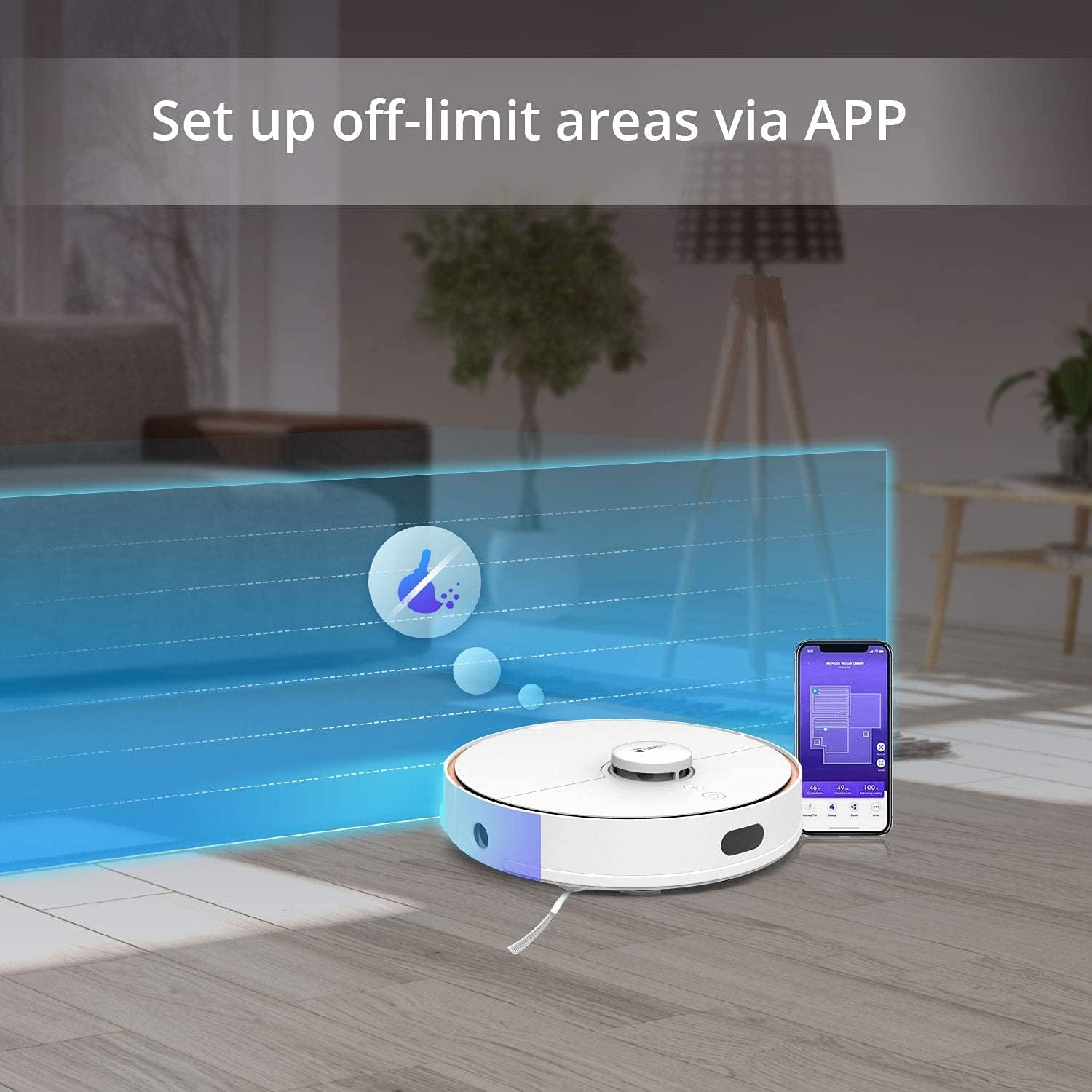
Image: The 360 S7 Robot Vacuum operating in a room, with an overlay demonstrating how to set up off-limit areas using the mobile application.

Image: A couple interacting with the 360 S7 Robot Vacuum using voice commands, illustrating its compatibility with smart home assistants like Amazon Alexa.
Kliūčių vengimas ir mobilumas
The 360 S7 is designed with high passability and features anti-collision, anti-drop, and anti-stuck mechanisms to navigate your home safely and effectively.

Image: A four-panel image showcasing the 360 S7 Robot Vacuum's capabilities: high passability (clearing 3.9-inch obstacles), anti-collision, anti-drop (cliff detection), and anti-stuck features.
Priežiūra ir priežiūra
Regular maintenance ensures optimal performance and extends the lifespan of your 360 S7 Robot Vacuum Cleaner.
- Šiukšlių dėžė ir filtras: Empty the dustbin after each cleaning cycle. Clean the filter regularly by tapping out debris or rinsing with water (ensure it's completely dry before reinserting).
- Pagrindinis šepetys: Remove and clean the main brush weekly. Use the cleaning tool provided to cut and remove tangled hair or debris.
- Šoniniai šepečiai: Check side brushes monthly for wear and tear. Replace if bristles are bent or damaged. Clean any tangled hair.
- Jutikliai: Wipe all sensors (cliff sensors, wall sensors, charging contacts) with a clean, dry cloth monthly to ensure proper function.
- Šluostės padas: Remove and wash the mop pad after each mopping session. Allow it to air dry completely.
- Vandens bakas: Empty any remaining water from the tank after mopping and allow it to air dry to prevent mold or odors.
Įprastų trikčių šalinimas
| Problema | Galima priežastis | Sprendimas |
|---|---|---|
| Robotas neįkraunamas. | Įkrovimo kontaktai nešvarūs arba netinkamai sulygiuoti. Maitinimo adapteris neprijungtas. | Nuvalykite roboto ir doko įkrovimo kontaktus. Įsitikinkite, kad maitinimo adapteris yra tvirtai prijungtas. |
| Robotas dažnai užstringa. | Obstacles in cleaning path. Sensors are dirty. | Clear cables, small objects, and thick rugs. Clean all sensors. |
| Siurbimo galia silpna. | Pilna šiukšliadėžė. Užsikimšęs filtras. Susivėlęs pagrindinis šepetys. | Ištuštinkite dulkių konteinerį. Išvalykite arba pakeiskite filtrą. Išvalykite pagrindinį šepetį. |
| Robotas negali prisijungti prie „Wi-Fi“. | Incorrect Wi-Fi password. Router too far. 5GHz Wi-Fi network. | Verify password. Move robot closer to router. Ensure 2.4GHz Wi-Fi is used. |
| Šluostymo funkcija neveikia. | Mop pad dry or dirty. Water tank empty. | Wet and clean mop pad. Fill water tank. |
Techninės specifikacijos
| Funkcija | Detalė |
|---|---|
| Prekės ženklas | 360 |
| Modelio pavadinimas | 360 S7 |
| Spalva | Baltas |
| Baterijos veikimo laikas | 120 minučių |
| ttage | 110 voltų |
| Šiukšlių dėžės talpa | 0.57 litrai |
| Maitinimo šaltinis | Su laidu elektra |
| Kontrolės metodas | Programėlė |
| Suderinami įrenginiai | Amazon Echo |
| Prekės svoris | 7.6 svaro |
| Gaminio matmenys | 9.45 x 27.17 x 0.98 colio |
| Gamintojas | Qihoo 360 |
| Įtraukti komponentai | Instrukcijų vadovas |
Garantijos informacija ir palaikymas
The 360 S7 Robot Vacuum Cleaner comes with a standard manufacturer's warranty. For specific warranty terms and conditions, please refer to the warranty card included in your product packaging or visit the official 360 websvetainę.
For technical support, troubleshooting assistance, or spare parts inquiries, please contact 360 customer service through the contact information provided in the app or on the official websvetainę. Kreipdamiesi į palaikymo tarnybą, turėkite po ranka savo produkto modelį ir serijos numerį.
Ask a question about this manual
Ask about setup, troubleshooting, compatibility, parts, safety, or missing instructions. Manuals+ will review the question and use this page’s manual context to help answer it.