
1. Įvadas
The Lowell UPS8-1100 is a high-efficiency line interactive uninterruptible power supply (UPS) designed to provide advanced power protection for sensitive electronic equipment such as AV electronics, servers, and network devices. This manual provides essential information for the safe and efficient installation, operation, and maintenance of your UPS unit.
2. Saugos informacija
Please read all instructions carefully before installing or operating the UPS. Retain this manual for future reference.
- Elektros sauga: Connect the UPS to a grounded AC power outlet. Do not remove the grounding prong. Do not open the UPS casing; viduje nėra dalių, kurias galėtų aptarnauti vartotojas.
- Baterijos sauga: The UPS contains sealed lead-acid batteries. Do not dispose of batteries in a fire as they may explode. Do not open or mutilate batteries. Battery servicing should be performed or supervised by personnel knowledgeable of batteries and the required precautions.
- Aplinka: Install the UPS in a controlled environment, free from excessive dust, humidity, and extreme temperatures. Ensure adequate ventilation around the unit.
- Svoris: The UPS unit is heavy (approximately 31 pounds). Use caution when lifting and installing to prevent injury.
3. Pakuotės turinys
Išpakuodami patikrinkite, ar yra visi daiktai:
- Lowell UPS8-1100 Line Interactive UPS Unit
- 4-Point Steel Rail Kit for Rack Installation
- Vartotojo vadovas (šis dokumentas)
- Maitinimo laidas (-ai)
4. Produktas baigtasview
The Lowell UPS8-1100 features a robust design for reliable power delivery and protection. Below are images illustrating the main unit and its included accessories.
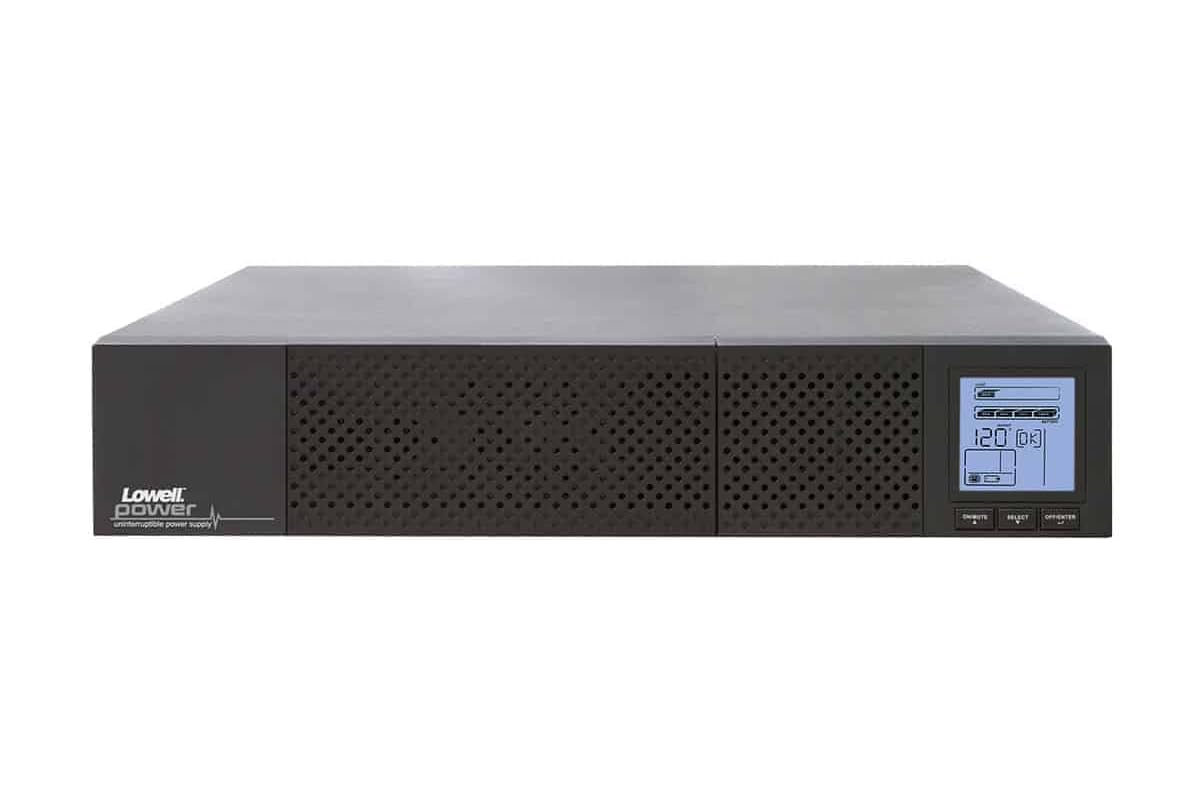
4.1 pav.: priekis view of the Lowell UPS8-1100 UPS unit, showing the ventilation grille and the integrated LCD display panel with control buttons.
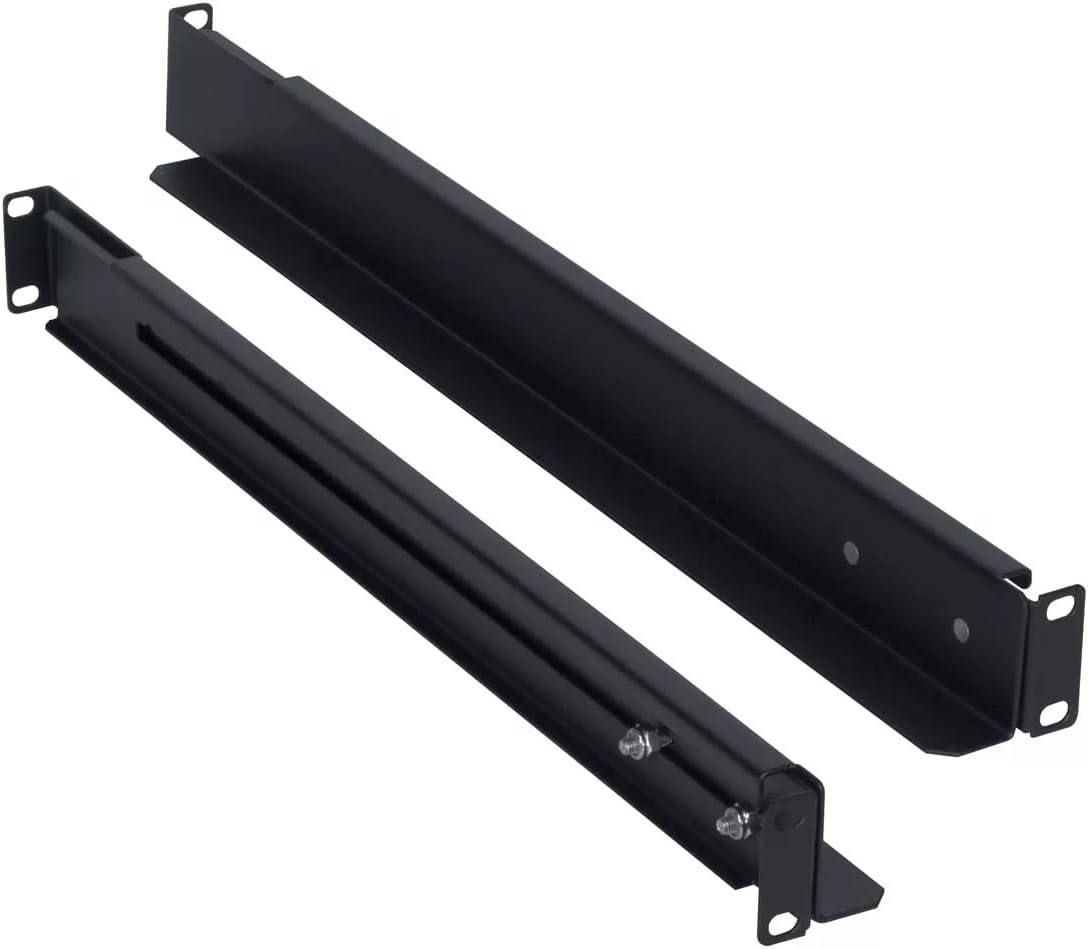
Figure 4.2: The included 4-point steel rail kit, designed for secure rack installation of the UPS unit.
Priekinio skydelio ypatybės:
- LCD ekranas: Provides real-time status information including input/output voltage, battery level, load capacity, and operational mode.
- Valdymo mygtukai: Typically include Power On/Off, Select, and Enter for navigating the LCD menu and controlling the unit.
Galinio skydelio savybės:
- AC įvestis: For connecting the UPS to the utility power outlet.
- Išvesties talpyklos: Provide battery backup and surge protection for connected equipment.
- Ryšio prievadai: May include USB, RS-232, or network ports for monitoring and management.
- External Battery Connector (if applicable): For connecting optional external battery packs.
5. Sąranka
5.1 Išpakavimas ir patikrinimas
Atsargiai išpakuokite UPS ir patikrinkite, ar nėra transportavimo pažeidimų. Jei pastebėsite pažeidimų, nenaudokite įrenginio ir susisiekite su pardavėju.
5.2 Stovo montavimas
The UPS8-1100 is designed for rack installation using the included 4-point steel rail kit. Follow these general steps:
- Attach the inner rails to the sides of the UPS unit using the provided screws.
- Mount the outer rails to the front and rear posts of your server rack at the desired height.
- Carefully slide the UPS unit, with its attached inner rails, into the mounted outer rails until it locks securely into place.
- Secure the front of the UPS to the rack posts with additional screws if required by the rail kit design.
5.3 Prijungimas prie elektros tinklo
- Ensure the UPS is turned off.
- Connect the UPS power cord to the AC input on the rear panel of the UPS.
- Plug the other end of the UPS power cord into a grounded wall outlet.
- Allow the UPS to charge for at least 8 hours before initial use to ensure optimal battery runtime.
5.4 Įrangos prijungimas
Plug your critical electronic devices into the output receptacles on the rear panel of the UPS. Ensure that the total load does not exceed the UPS's capacity (990W).
6. Naudojimo instrukcijos
6.1 UPS įjungimas
Press and hold the Power On/Off button on the front panel for approximately 2-3 seconds until you hear a beep and the LCD display illuminates. The UPS will perform a self-test and then enter Line Mode, providing power to connected equipment.
6.2 UPS išjungimas
To turn off the UPS, press and hold the Power On/Off button for approximately 2-3 seconds until you hear a beep and the LCD display turns off. This will remove power from all connected equipment.
6.3 LCD ekranas ir valdymas
Use the Select and Enter buttons to navigate through the LCD menu. The display provides information on:
- Įvesties / išvesties tomastage ir dažnis
- Battery Charge Level and Estimated Runtime
- Apkrovos proctage
- Operational Mode (Line Mode, Battery Mode, Bypass Mode)
- Event Logs and Warnings
7. Priežiūra
7.1 Akumuliatoriaus priežiūra
The UPS batteries are designed for a specific lifespan. To maximize battery life:
- Keep the UPS connected to AC power to keep batteries charged.
- Avoid operating the UPS in extreme temperatures.
- Perform a battery self-test periodically (if available via LCD menu or software).
- Replace batteries when their capacity significantly diminishes. Refer to Lowell support for replacement battery information.
7.2 Valymas
UPS išorę valykite minkštu, sausu skudurėliu. Nenaudokite skystų ar aerozolinių valiklių. Įsitikinkite, kad ventiliacijos angos nėra dulkės ir neužsikimšusios.
8. Problemų sprendimas
This section addresses common issues you might encounter with your UPS. For more complex problems, contact Lowell technical support.
| Problema | Galima priežastis | Sprendimas |
|---|---|---|
| UPS neįsijungia | No AC input power; Battery deeply discharged | Check power cord connection and wall outlet; Allow UPS to charge for several hours. |
| UPS nuolat pypsi | Overload; On battery power; Low battery | Reduce connected load; Save work and shut down equipment; Allow UPS to recharge. |
| Trumpas baterijos veikimo laikas | Baterija nėra visiškai įkrauta; Baterijos tarnavimo laikas artėja prie pabaigos | Allow UPS to charge for 8+ hours; Consider battery replacement. |
| LCD ekranas išjungtas | UPS išjungtas; energijos taupymo režimas | Press power button to turn on; Press any button to wake display. |
9. Specifikacijos
The following table details the technical specifications for the Lowell UPS8-1100:
| Funkcija | Detalė |
|---|---|
| Prekės ženklas | Lowell |
| Modelis | UPS8-1100 |
| Talpa | 1100 VA (990 W) |
| Tipas | Line Interactive UPS |
| Formos faktorius | Tower (Rack-mountable with included kit) |
| Prekės svoris | 31 svaro |
| ttage | 12 Volts (Internal Battery System) |
| ASIN | B0821SPK48 |
| UPC | 811859034975 |
| Pasiekiama pirmoji data | 25 m. lapkričio 2019 d |
10. Garantija ir palaikymas
For warranty information, technical support, or service inquiries, please contact Lowell customer service. Refer to the official Lowell webNaujausią kontaktinę informaciją ir garantijos sąlygas rasite svetainėje arba pirkimo dokumentuose.
Internetiniai ištekliai: Visit the Lowell official website for product updates, FAQs, and additional support materials.