
Įvadas
This manual provides detailed instructions for the Dr Trust 505 Smart Fitness Body Fat Composition Analyzer Weighing Scale. This device is designed to accurately measure body weight and various body composition metrics, syncing data with a mobile application for comprehensive fitness tracking and health management. Please read this manual thoroughly before using the device.

Image: Dr Trust 505 Smart Fitness Body Fat Composition Analyzer Weighing Scale, showcasindėl savo elegantiško dizaino ir skaitmeninio ekrano.
Pakuotės turinys
Patikrinkite, ar pakuotėje yra visi reikalingi daiktai:
- 1 x Dr Trust 505 Rechargeable Smart Scale
- 1 x USB Charging Cable (Micro USB)
- 1 x Vartotojo vadovas

Image: Contents of the Dr Trust 505 Smart Scale package, including the scale, USB cable, and user manual.
Sąranka
1. Pradinis įkrovimas
The Dr Trust 505 scale is equipped with a rechargeable battery. Before first use, ensure the scale is fully charged.
- Locate the Micro USB charging port on the side of the scale.
- Connect the provided USB charging cable to the scale and to any standard USB power source (e.g., mobile charger, power bank, computer USB port).
- Allow the scale to charge until the battery indicator on the display shows full. A full charge can last for months under standard home use.
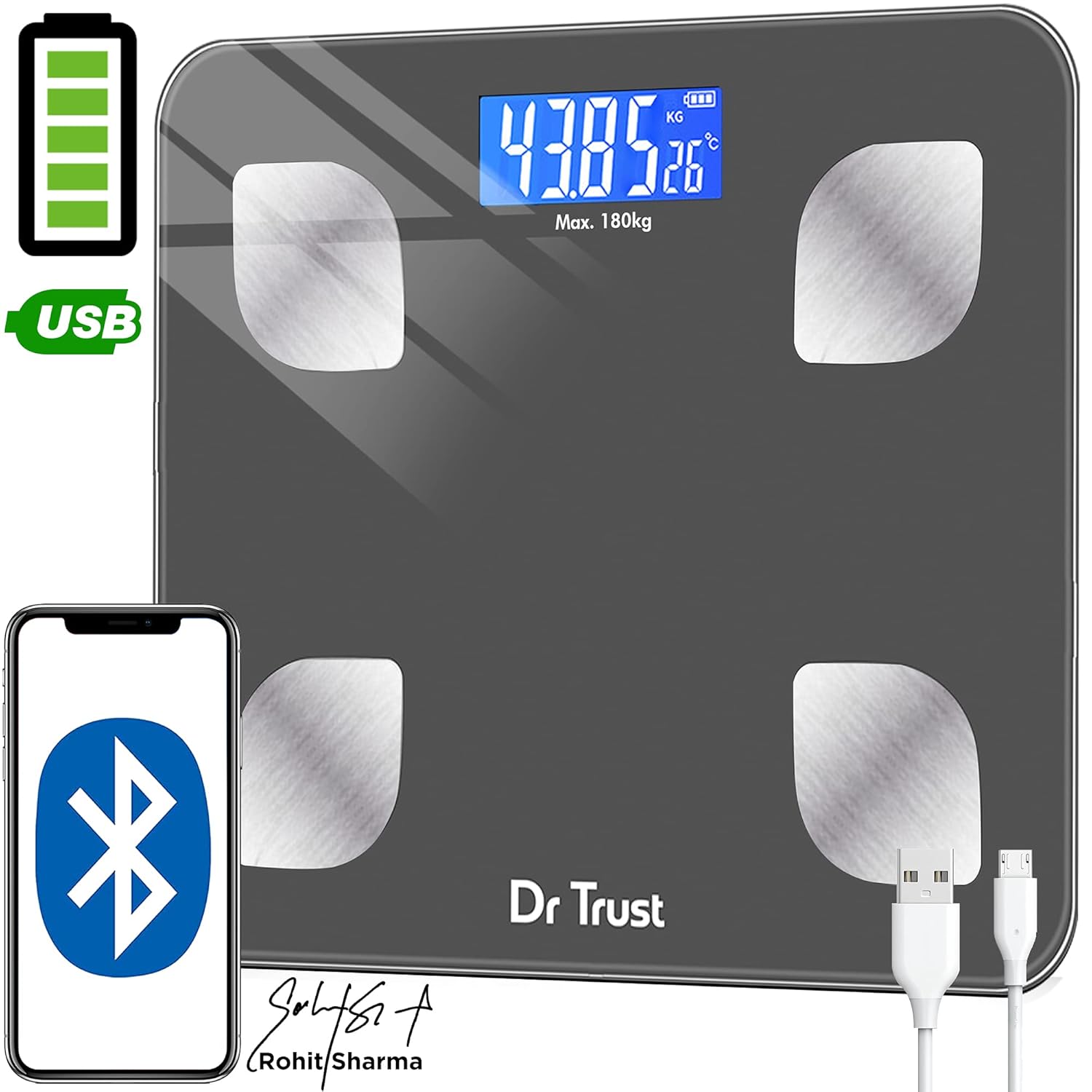
Image: Dr Trust 505 Smart Scale connected via USB cable for charging, highlighting its rechargeable feature.
2. Programėlės diegimas ir susiejimas
To utilize the full features of the Dr Trust 505 scale, including body composition analysis and data tracking, download the companion mobile application.
- Atsisiųskite Dr Trust 360 programa iš Google Play parduotuvė („Android“ įrenginiams) arba Apple App Store (skirta „iOS“ įrenginiams).
- Įsitikinkite, kad jūsų išmaniajame telefone įjungtas „Bluetooth“.
- Open the Dr Trust 360 app and create your user profile.
- Užlipkite ant svarstyklių, kad jas suaktyvintumėte. Ekrane bus rodomas jūsų svoris.
- Follow the in-app instructions to pair your scale with the application via Bluetooth. The app will automatically detect the scale.
- Once paired, your measurements will sync automatically to your profile in the app. The app also supports integration with Apple Health and Google Fit.

Image: Screenshot of the Dr Trust 360 app interface, showing connectivity options with Google Play, Apple App Store, Apple Health, and Google Fit.
Naudojimo instrukcijos
1. Matavimas
- Place the scale on a hard, flat surface. Avoid carpets or uneven flooring for accurate readings.
- Step onto the scale barefoot. Ensure your feet are placed on the four metal electrodes for body composition analysis.
- The scale will automatically power on and display your weight. Remain still until the reading stabilizes.
- If connected to the Dr Trust 360 app, your weight and other body composition metrics will automatically sync to your profile.
2. Kūno sudėties rodiklių supratimas
The Dr Trust 505 scale, in conjunction with the Dr Trust 360 app, measures up to 16 essential body metrics:
- Kūno svoris
- KMI (kūno masės indeksas)
- Kūno riebalų proctage
- Raumenų masė
- Kaulų mišios
- Kūno vandens proctage
- Visceraliniai riebalai
- Poodiniai riebalai
- Baltymų norma
- BMR (bazinis metabolizmo greitis)
- BFR (Body Fat Rate)
- Fat-Free Weight
- Skeleto raumuo
- Kūno amžius
- Metabolinis amžius
- Nutukimo lygis

Image: Visual representation of the 16 essential body metrics measured by the Dr Trust 505 Smart Scale and tracked in the app.
3. Multiple User Support
The Dr Trust 360 app supports up to 8 user profiles, allowing multiple family members or individuals to track their data separately on the same scale.
- Each user creates their own profile programoje.
- The app intelligently recognizes users based on their weight and previous measurements.
- Data is synced to the respective user's profile, ensuring personalized tracking.

Image: Illustration showing how one Dr Trust 505 Smart Scale can be used by multiple users, with data shared via the app.
4. Matavimo vienetų keitimas
The scale allows you to switch between different weight units (e.g., kilograms, pounds). Look for a "Unit" button, usually on the underside or side of the scale, to toggle between units.

Vaizdas: Stambus planas view of the Dr Trust 505 Smart Scale showing the unit button, micro USB charging port, and display indicators.
Priežiūra
1. Svarstyklių valymas
- Svarstyklių paviršių nuvalykite minkšta,amp audinys.
- Nenaudokite abrazyvinių valiklių, stiprių cheminių medžiagų ir nemerkite svarstyklių į vandenį.
- Prieš padėdami svarstykles saugoti arba naudodami kitą kartą, įsitikinkite, kad jos yra sausos.
2. Sandėliavimas
- Laikykite svarstykles vėsioje, sausoje vietoje.
- Venkite ekstremalių temperatūrų ar tiesioginių saulės spindulių.
- Nedėkite sunkių daiktų ant svarstyklių, kai jų nenaudojate.
Trikčių šalinimas
| Problema | Galima priežastis | Sprendimas |
|---|---|---|
| "Lo" rodomas ekrane | Senka baterija. | Recharge the scale using the provided USB cable. |
| "Err" rodomas ekrane | Perkrova arba matavimo klaida. | The weight exceeds the maximum capacity (180 kg). Step off the scale. If the error persists, ensure the scale is on a flat, stable surface. |
| Netikslūs arba svyruojantys rodmenys |
|
|
| Scale does not connect to app |
|
|
Specifikacijos
- Modelis: 505 (IHJ00004)
- Prekinis ženklas: Dr Trust
- Gaminio matmenys: 32 x 28 x 4 cm
- Prekės svoris: 1.5 kg (1500 gramų)
- Medžiaga: Grūdintas stiklas
- Ekrano tipas: LCD
- Svorio talpa: Maximum 180 Kilograms
- Nuskaitymo tikslumas: 0.01 kg
- Maitinimo šaltinis: Rechargeable Battery (USB Micro-B)
- Ryšys: Bluetooth
- Jutikliai: 4 High Precision Sensors
- Kilmės šalis: Indija
Garantija ir palaikymas
Dėl garantijos informacijos, techninės pagalbos ar paslaugų užklausų kreipkitės tiesiogiai į gamintoją.
- Gamintojas: „Nureca Limited“
- Adresas: B2-166, Time Square, 7th and 8th Floor, CTS No 349 and 349-1, Western Express Highway, Andheri East, Mumbai, Mumbai City, Maharashtra, 400069, India
- Kontaktinis numeris: 7527013265
Prašome išsaugoti pirkimo kvitą kaip pirkimo įrodymą bet kokiems garantiniams prašymams.