
1. Įvadas
Thank you for choosing the Hom-io HOM-Mod-Switch 1-Channel WiFi Smart Switch Module. This device allows you to transform traditional lighting points or electrical appliances into smart, wirelessly controlled devices. With its versatile features, you can enhance the control and management of your home appliances, integrating them seamlessly into your smart home ecosystem.
This manual provides detailed instructions for the safe installation, setup, and operation of your smart switch module. Please read it thoroughly before use and retain it for future reference.
2. Saugos informacija
ĮSPĖJIMAS: Elektros smūgio pavojus!
- Montavimą turi atlikti kvalifikuotas elektrikas arba asmuo, puikiai išmanantis elektros sistemas.
- Always disconnect power at the circuit breaker before installing or servicing the module.
- Įsitikinkite, kad visi laidų sujungimai yra tvirti ir atitinka vietinius elektros kodeksus.
- Neviršykite maksimalios 10 A / 2300 W apkrovos.
- This device is designed for indoor use in dry locations (IP20). Do not expose to moisture or extreme temperatures.
- Laikyti vaikams nepasiekiamoje vietoje.
3. Produktas baigtasview
The Hom-io HOM-Mod-Switch is a compact, embedded WiFi switch module designed to convert traditional switches and appliances into smart devices. It supports both high and low voltage loads up to 10 Amperes.

3.1 pav.: priekis view of the Hom-io HOM-Mod-Switch module, showing its compact design and terminals.
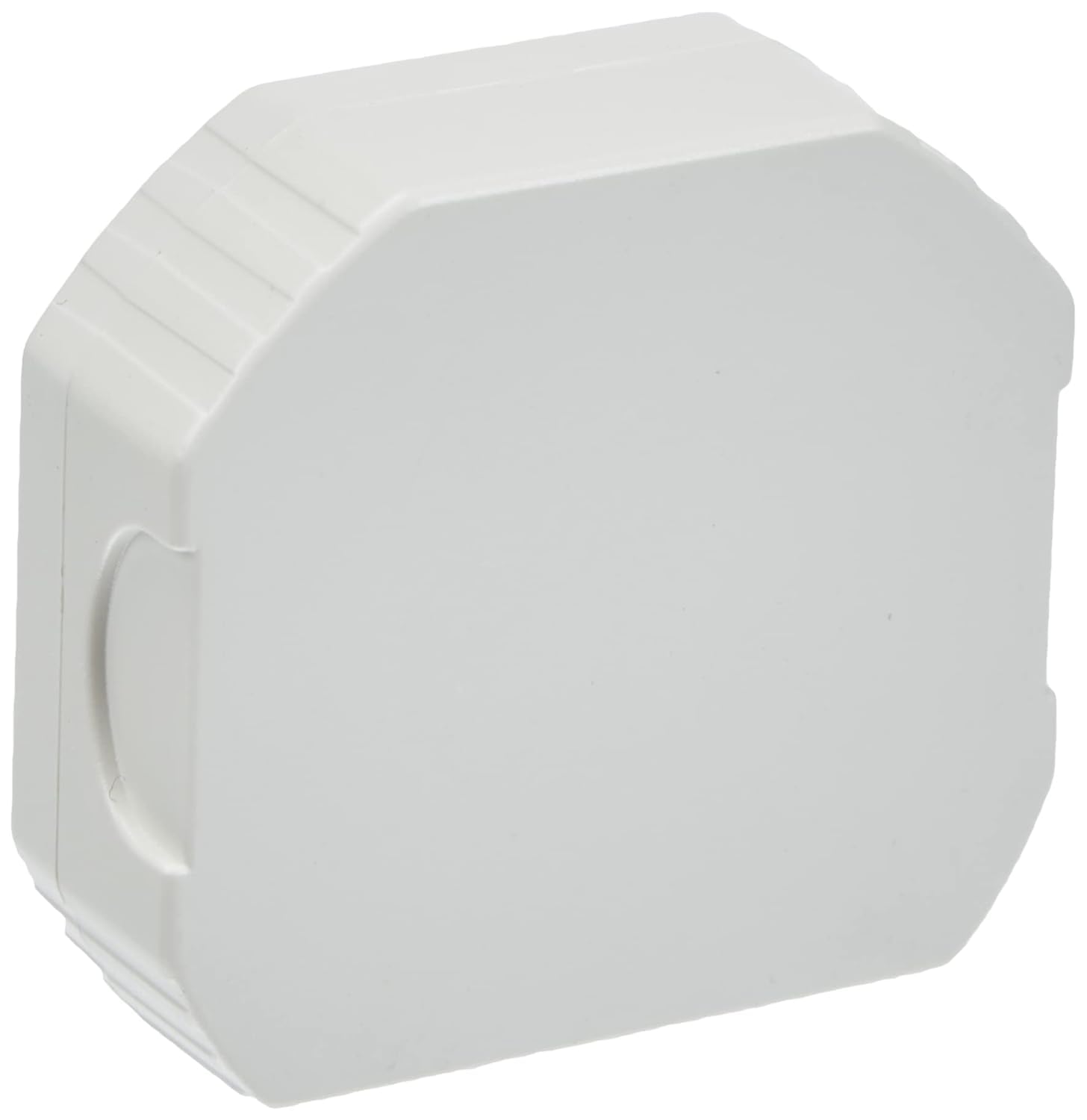
Figure 3.2: Diagram illustrating key features of the Hom-io Smart Switch Module, including remote control, adjustable timer, operating temperature, and electrical ratings.
Pagrindinės funkcijos:
- Išmanusis valdymas: Control lighting and electrical appliances via smartphone app or traditional switch.
- Aukštas suderinamumas: Works with Amazon Alexa and Google Home for voice control.
- Nuotolinė prieiga: Control devices from anywhere using the Smart Life app (or Hom-io app).
- Išplėstinis planavimas: Create custom scenarios, countdown timers, circular timers, and step-by-step modes.
- Išjungimo atmintis: Configurable behavior after a power outage.
- Kompaktiškas dizainas: Fits into standard embedded junction boxes (Ø60 mm).
4. Specifikacijos
| Modelio numeris | HOM-Mod-Switch |
| Įvesties tomastage | 230 V ~ / 50 Hz |
| Maksimali srovė | 10 A |
| Maksimali galia | 2300 W |
| Belaidis ryšys | „Wi-Fi“ 2.4 GHz 802.11 b/g/n |
| Darbinė temperatūra | 0°C iki 40°C |
| Darbinė drėgmė | ≤ 80 % |
| IP reitingas | IP20 (naudoti tik patalpose) |
| Matmenys (I x P x A) | 51 x 17 x 47 mm (apytiksliai 2 x 5 x 5 cm) |
| Svoris | 50 gramų |
| Medžiaga | Varis (vidiniai komponentai) |
| Jungiklio tipas | 1-way, Embedded |
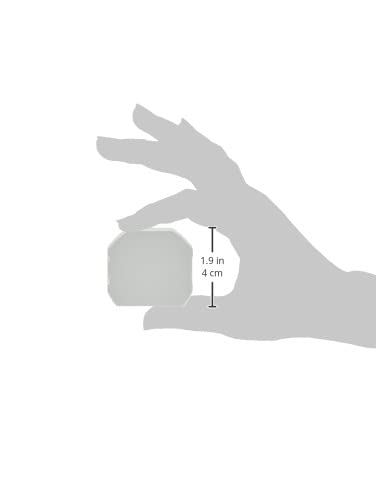
Figure 4.1: Visual representation of the module's dimensions.
5. Įdiegimas (sąranka)
Before proceeding with installation, ensure you have read and understood the safety information in Section 2. This module is designed to be installed inside a standard electrical junction box (e.g., Ø60 mm).
Sujungimo schema:
The module has terminals for Line (L), Neutral (N), Switch Input (L1), and Output (OUT). Refer to the diagram below for typical wiring configurations.

5.1 pav.: Nugara view of the module, highlighting the wiring terminals (L, N, L1, OUT).
- Išjungti maitinimą: Locate the circuit breaker controlling the light or appliance you wish to automate and turn off the power. Verify that the power is off using a voltage testeris.
- Access Junction Box: Open the electrical junction box where the traditional switch or appliance wiring is located.
- Prijunkite laidus:
- Prijunkite Tiesiogiai (L) wire from your mains supply to the 'L' terminal on the module.
- Prijunkite Neutralus (N) wire from your mains supply to the 'N' terminal on the module.
- Prijunkite Load (OUT) wire (going to your light or appliance) to the 'OUT' terminal on the module.
- If using a traditional wall switch, connect one terminal of the switch to the 'L1' terminal on the module and the other terminal of the switch to the 'L' terminal (Live). This allows for both smart and manual control.
- Saugus modulis: Carefully place the module inside the junction box, ensuring no wires are pinched.
- Atkurti maitinimą: Close the junction box cover and turn the power back on at the circuit breaker.
After installation, the module is ready for app setup and pairing.
6. Programėlės sąranka ir susiejimas
The Hom-io HOM-Mod-Switch module is compatible with the Hom-io app, which is based on the Smart Life platform. No separate hub is required.

Figure 6.1: The Hom-io app interface, demonstrating compatibility with Amazon Alexa and Google Home.
- Atsisiųskite programą: Download the "Hom-io" app from the Apple App Store (for iOS) or Google Play Store (for Android). Alternatively, you can use the "Smart Life" app.
- Registruotis / Prisijungti: Atidarykite programėlę ir užregistruokite naują paskyrą arba prisijunkite, jei jau turite.
- Pridėti įrenginį:
- Ensure your smartphone is connected to a 2.4 GHz Wi-Fi network. The module does not support 5 GHz Wi-Fi.
- In the app, tap the "+"piktogramą (paprastai viršutiniame dešiniajame kampe), kad pridėtumėte naują įrenginį.
- Select "Electrical Switch" or "Switch (Wi-Fi)" from the device list.
- Įjunkite susiejimo režimą:
- With the power on, press and hold the traditional wall switch connected to the module for approximately 5-10 seconds until the indicator light on the module starts blinking rapidly. This indicates it's in pairing mode.
- Alternatively, if there's a physical button on the module, press and hold it.
- Patvirtinkite mirksėjimą: Programėlėje patikrinkite, ar indikatoriaus lemputė greitai mirksi.
- Įveskite „Wi-Fi“ informaciją: Enter your 2.4 GHz Wi-Fi network name and password.
- Prisijunkite: The app will begin searching for and connecting to the module. Once connected, you can rename the device and assign it to a room.
If pairing fails, ensure your Wi-Fi network is 2.4 GHz, the password is correct, and the module is within Wi-Fi range. You may need to reset the module by turning off and on the power three times (on-off-on-off-on) to force it into pairing mode.
7. Operacija
7.1 Rankinis valdymas
You can continue to control the connected light or appliance using the traditional wall switch, even after the smart module is installed and paired. The module maintains synchronization between manual and app control.
7.2 Programų valdymas
Open the Hom-io (or Smart Life) app on your smartphone. Tap on the device name to access its control interface. From here, you can:
- Įjungti/išjungti: Toggle the power of the connected device.
- Nustatyti laikmačius: Schedule specific times for the device to turn on or off (countdown, circular timer).
- Sukurkite scenarijus: Automate actions based on conditions like time of day, weather, or other smart devices.
- Step-by-Step Mode: Manually force an impulsive mode via the app for specific applications (e.g., gate openers).
- Išjungimo atmintis: Configure the device's state after a power outage (e.g., remain off, turn on, or restore last state).

Figure 7.1: Remote control of a smart gate using the Hom-io app on a smartphone.
7.3 Balso valdymas („Alexa“ ir „Google Home“)
To enable voice control, you need to link your Hom-io (or Smart Life) account with your Amazon Alexa or Google Home account.
- Atidarykite balso asistento programėlę: Atidarykite „Amazon Alexa“ arba „Google Home“ programėlę.
- Pridėti įgūdį / paslaugą:
- For Alexa: Go to "Skills & Games" and search for "Smart Life" or "Hom-io". Enable the skill.
- For Google Home: Go to "Works with Google" and search for "Smart Life" or "Hom-io". Link the service.
- Susieti paskyrą: You will be prompted to log in with your Hom-io/Smart Life app credentials.
- Atraskite įrenginius: Once linked, ask your voice assistant to discover devices (e.g., "Alexa, discover my devices" or "Hey Google, sync my devices").
- Balso komandos: You can now control your module using voice commands, such as:
- „Alexa, įjunk [Įrenginio pavadinimas]“
- „Ei, „Google“, išjunkite [Įrenginio pavadinimas]“
8. Problemų sprendimas
| Problema | Galima priežastis | Sprendimas |
|---|---|---|
| Modulis nesusijungia su programėle. | Incorrect Wi-Fi band (5GHz), wrong password, module not in pairing mode, weak signal. | Ensure 2.4 GHz Wi-Fi. Check password. Reset module (power cycle 3 times) to enter pairing mode. Move router closer or use a Wi-Fi extender. |
| Įrenginys nereaguoja į programėlės / balso komandas. | No internet connection, module offline, voice assistant not linked. | Check home internet connection. Verify module status in app. Relink Smart Life/Hom-io skill/service in Alexa/Google Home app. |
| Traditional switch not working. | Incorrect wiring of the L1 terminal. | Review Section 5 (Installation) and check wiring connections, especially for the L1 terminal. Ensure power is off before checking wiring. |
| Module frequently disconnects. | Weak Wi-Fi signal, network interference, router issues. | Improve Wi-Fi signal strength. Reduce interference from other devices. Restart your Wi-Fi router. |
9. Priežiūra
The Hom-io HOM-Mod-Switch module requires minimal maintenance.
- Valymas: Ensure the power is off before cleaning. Use a soft, dry cloth to wipe the exterior of the module if it becomes dusty. Do not use liquid cleaners or sprays.
- Firmware atnaujinimai: Periodically check the Hom-io (or Smart Life) app for available firmware updates. Updates can improve performance and add new features.
- Aplinkos sąlygos: Ensure the module remains in a dry environment within the specified operating temperature and humidity ranges.
10. Garantija ir palaikymas
This product is manufactured by Melchioni under the Hom-io brand.
Dėl garantijos informacijos ir techninės pagalbos žr. kartu su pirkiniu pateiktus dokumentus arba susisiekite su pardavėju. Išsaugokite pirkimo įrodymą, jei galėtumėte pateikti garantijos pretenzijas.
Gamintojas: Melchioni SpA
Adresas: Via P. Colletta 37, 20135 Milano, Italy
Telefonas: +39 02 49488000