
NETVUE Vigil
NETVUE Vigil Outdoor Security Camera User Manual
Model: Vigil | Brand: NETVUE
1. Įvadas
The NETVUE Vigil Outdoor Security Camera is designed to provide reliable surveillance for your property. Featuring 1080p Full HD video, advanced night vision, two-way audio communication, and smart motion detection, this camera ensures comprehensive monitoring day and night. Its robust, weather-resistant design allows for outdoor installation in various conditions.

Image: The NETVUE Vigil camera provides clear 1080p video both during the day and at night, as illustrated by the comparison of a driveway scene.
2. Pakuotės turinys
Prašome patikrinti, ar pakuotėje yra visi reikalingi daiktai:
- NETVUE Vigil Outdoor Security Camera
- Maitinimo adapteris
- Tvirtinimo varžtai ir sieniniai inkarai
- Montavimo šablonas
- Vartotojo vadovas (šis dokumentas)
3. Sąranka ir diegimas
3.1 Prieš montavimą
- Ensure your Wi-Fi network operates on the 2.4GHz band. The camera does not support 5GHz Wi-Fi.
- Position the camera within range of your Wi-Fi router for a stable connection. The camera features an enhanced 5dBi antenna for improved signal strength.
- Prepare a power outlet near the intended installation location.
3.2 Fizinis įrengimas
The NETVUE Vigil camera can be mounted on a wall or ceiling/roof. Choose a location that provides the desired viewing angle and is within reach of a power source.
- Use the provided mounting template to mark drill holes on the desired surface.
- Jei tvirtinate prie mūro, išgręžkite skyles ir įstatykite sieninius inkarus.
- Secure the camera's mounting base using the screws.
- Sureguliuokite fotoaparato kampą pagal poreikį.
- Prijunkite maitinimo adapterį prie fotoaparato ir įjunkite jį į elektros lizdą.

Image: The NETVUE Vigil camera offers flexible installation options for both wall and roof mounting.

Image: The camera features a 5dBi antenna designed for a more stable Wi-Fi connection.
3.3 Programėlės sąranka
- Download the 'Netvue' app from your mobile device's app store (iOS or Android).
- Susikurkite naują paskyrą arba prisijunkite, jei ją jau turite.
- Follow the in-app instructions to add your new NETVUE Vigil camera. This typically involves scanning a QR code on the camera or manually entering its details.
- Connect the camera to your 2.4GHz Wi-Fi network as prompted by the app.
4. Fotoaparato valdymas
4.1 Tiesiogiai View ir nuotolinė prieiga
Access your camera's live feed anytime, anywhere through the Netvue app on your smartphone or tablet. You can also integrate the camera with Amazon Alexa for voice control and viewsuderinamuose įrenginiuose.
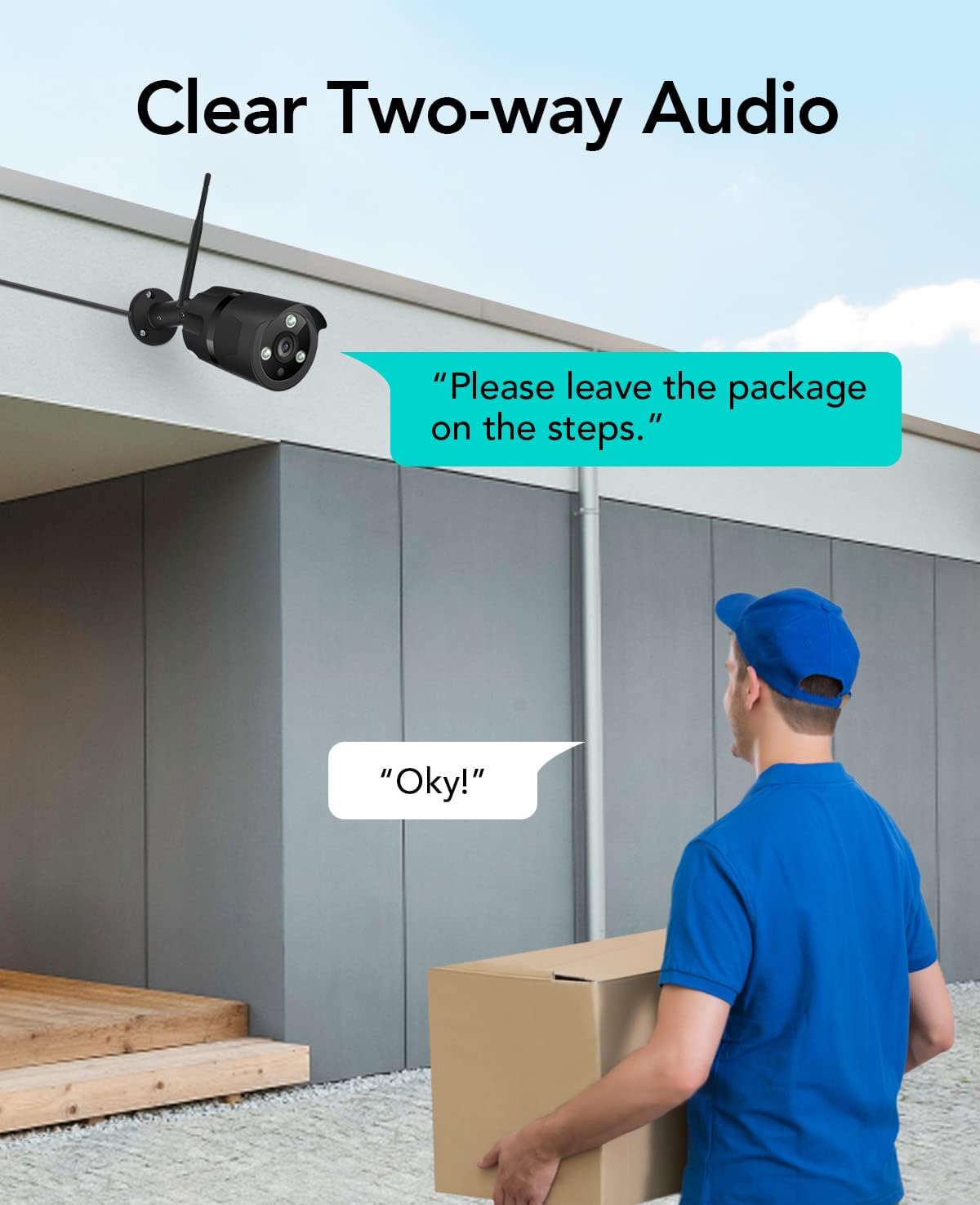
Image: The NETVUE Vigil camera is compatible with Amazon Alexa, allowing you to view the live feed on devices like the Echo Show.
4.2 Dvipusis garsas
The built-in microphone and speaker allow for two-way communication. Use this feature to speak with visitors or deter unwanted guests directly through the Netvue app.

Image: Engage in clear two-way audio communication with individuals near your camera, such as a delivery person.
4.3 Judesio aptikimas ir įspėjimai
The camera features smart motion detection. When motion is detected, you will receive instant notifications on your mobile phone. You can customize motion detection zones, sensitivity levels, and alert schedules within the Netvue app to focus on areas of importance.

Image: The camera sends smart motion alerts to your phone when activity is detected, as shown with a person at a door.
4.4 Naktinis matymas
Equipped with infrared LEDs and IR-Cut technology, the camera automatically switches to night vision mode in low-light conditions, providing clear video up to 19.8 meters (65 feet) in complete darkness.
4.5 Vaizdo įrašų saugykla
The NETVUE Vigil camera supports two storage options:
- Vietinė saugykla: Insert a microSD card (up to 128GB, not included) into the camera for continuous recording or event-triggered recordings. You can view playback directly from the Netvue app.
- Saugykla debesyje: Optional cloud storage plans are available through the Netvue app for secure, off-site video backup and advanced AI features like person/vehicle detection. Subscription fees apply for cloud services.

Image: The camera supports both local storage via an SD card and optional cloud storage for video recordings.
5. Priežiūra
- Valymas: Kad užtikrintumėte aiškią vaizdo kokybę, periodiškai valykite kameros objektyvą minkštu, sausu skudurėliu. Nenaudokite stiprių cheminių medžiagų.
- Firmware atnaujinimai: Keep your camera's firmware updated through the Netvue app to ensure optimal performance and access to new features.
- Ryšio patikrinimas: Regularly verify the camera's Wi-Fi connection status in the app to ensure continuous operation.
6. Problemų sprendimas
6.1 Kamera neprisijungia prie „Wi-Fi“
- Įsitikinkite, kad jūsų „Wi-Fi“ tinklas yra 2.4 GHz dažnio.
- Check if the camera is within range of your router.
- Patikrinkite, ar programėlėje įvestas teisingas „Wi-Fi“ slaptažodis.
- Iš naujo paleiskite maršrutizatorių ir kamerą.
6.2 Prasta vaizdo kokybė
- Nuvalykite fotoaparato objektyvą.
- Ensure sufficient lighting for optimal day vision.
- Patikrinkite savo interneto ryšio greitį.
6.3 No Motion Alerts
- Verify motion detection is enabled in the Netvue app.
- Check motion detection zone settings and sensitivity.
- Ensure app notifications are enabled on your phone.
For further assistance, please refer to the support section or contact NETVUE customer service.
7. Specifikacijos
| Funkcija | Specifikacija |
|---|---|
| Modelio numeris | Budėjimas |
| Vaizdo raiška | 1080p (1920 x 1080 pikselių) |
| Nuotraukų jutiklio skiriamoji geba | 2 MP |
| Naktinio matymo diapazonas | Iki 19.8 metrų (65 pėdų) |
| Ryšys | Wireless (2.4GHz Wi-Fi), Ethernet |
| Atsparumas oro sąlygoms | IP66 (atsparus vandeniui) |
| Darbinė temperatūra | -15.6 °C to 50.0 °C (-20 °C to 50 °C) |
| Maitinimo šaltinis | AC |
| Suderinami įrenginiai | Išmanusis telefonas („iOS“ / „Android“), „Amazon Alexa“ |
| Saugojimo parinktys | MicroSD Card (up to 128GB), Cloud Storage (subscription required) |
| Matmenys | 20.1 x 12.4 x 8.1 cm |
8. Garantija ir palaikymas
NETVUE products come with a limited warranty. Please refer to the warranty card included in your package or visit the official NETVUE websvetainėje, kurioje pateikiamos išsamios garantijos sąlygos.
For technical support, product inquiries, or warranty claims, please contact NETVUE customer service through their official website or the contact information provided in the Netvue app. Our support team is available to assist you with any questions or issues you may encounter.
Internetiniai ištekliai:
- Official NETVUE Websvetainė: www.netvue.com
- Netvue App: Available on Apple App Store and Google Play Store
Ask a question about this manual
Ask about setup, troubleshooting, compatibility, parts, safety, or missing instructions. Manuals+ will review the question and use this page’s manual context to help answer it.