
Įvadas
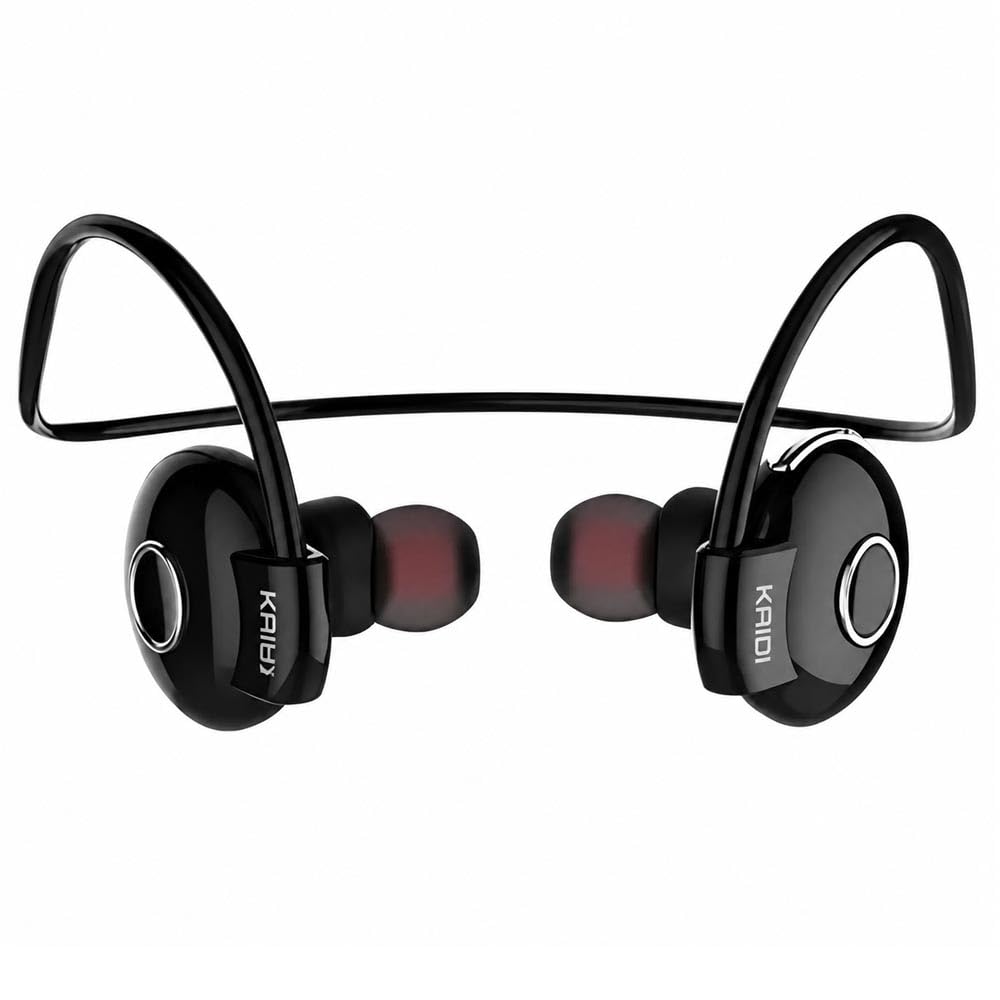
Thank you for choosing the Kaidi KD903 Wireless Bluetooth Earphones. This manual provides essential information for the safe and optimal use of your device. Please read it carefully before use and retain it for future reference.
Kas yra dėžutėje:
- 1 x Kaidi KD903 Wireless Earphones
- 2 x Pairs of Comfortable Ear Tips (different sizes)
- 1x USB įkrovimo laidas
- 1 x Vartotojo vadovas

Image: Kaidi KD903 Wireless Earphones with included accessories, such as the charging cable and additional ear tips.
Produktas baigtasview
The Kaidi KD903 earphones are designed for active lifestyles, offering a secure fit and resistance to sweat. They feature Bluetooth 4.1 for stable connectivity and clear audio.
Pagrindinės funkcijos:
- "Bluetooth 4.1": Užtikrina stabilų ir efektyvų belaidį ryšį.
- Atsparumas prakaitui: Ideal for sports and workouts.
- CVC Intelligent Noise Reduction: Minimizes wind noise for clearer calls.
- Daugiataškis ryšys: Prisijungia prie dviejų įrenginių vienu metu.
- Balso priminimas: Provides audio prompts for status updates.
- IOS Power Display: Shows battery level on iOS devices.
Paveikslėlis: sprogęs view illustrating the internal components and design of the Kaidi KD903 earphone.
Sąranka
1. Ausinių įkrovimas
- Connect the USB charging cable to the charging port on the earphones.
- Kitą USB laido galą prijunkite prie suderinamo USB maitinimo šaltinio (pvz., kompiuterio, sieninio adapterio).
- The indicator light will illuminate to show charging status. A full charge typically takes approximately 2.5 hours.
- Kai akumuliatorius bus visiškai įkrautas, indikatoriaus lemputė pasikeis arba užges. Atjunkite įkrovimo laidą.
2. Suporavimas su „Bluetooth“ įrenginiu
- Įsitikinkite, kad ausinės yra išjungtos.
- Press and hold the multi-function button (usually the main button on the earphone) for approximately 5-7 seconds until the indicator light flashes red and blue alternately. This indicates the earphones are in pairing mode.
- Išmaniajame telefone ar kitame „Bluetooth“ įrenginyje įjunkite „Bluetooth“ ir ieškokite galimų įrenginių.
- Select 'KD903' from the list of found devices.
- Once connected, a voice prompt will confirm successful pairing, and the indicator light will typically flash blue slowly.

Image: A person wearing the Kaidi KD903 wireless earphones, highlighting their suitability for sports and active use.
Naudojimo instrukcijos
Maitinimo įjungimas/išjungimas
- Maitinimas: Press and hold the multi-function button for approximately 3 seconds until the blue indicator light flashes and a voice prompt says "Power On".
- Išjungti: Press and hold the multi-function button for approximately 3 seconds until the red indicator light flashes and a voice prompt says "Power Off".
Muzikos atkūrimas
- Leisti / pristabdyti: Vieną kartą paspauskite daugiafunkcį mygtuką.
- Kitas takelis: Paspauskite ir palaikykite nuspaudę garsumo didinimo mygtuką.
- Ankstesnis takelis: Paspauskite ir palaikykite nuspaudę garsumo mygtuką.
- Pagarsink: Trumpai paspauskite garsumo didinimo mygtuką.
- Patildyti: Trumpai paspauskite garsumo mygtuką.
Skambučių valdymas
- Atsiliepti / Baigti skambutį: Vieną kartą paspauskite daugiafunkcį mygtuką.
- Atmesti skambutį: Paspauskite ir palaikykite daugiafunkcį mygtuką maždaug 2 sekundes.
- Perrink paskutinį numerį: Dukart paspauskite daugiafunkcį mygtuką.
Multipoint Connection (Connecting to Two Devices)
- Pair the earphones with the first device as described in the "Pairing" section.
- After successful pairing, disable Bluetooth on the first device.
- Put the earphones back into pairing mode (red and blue flashing light).
- Sujunkite ausines su antruoju įrenginiu.
- Once the second device is paired, re-enable Bluetooth on the first device. The earphones should now be connected to both devices simultaneously.
Priežiūra
Proper maintenance ensures the longevity and performance of your Kaidi KD903 earphones.
- Valymas: Regularly clean the earphones with a soft, dry, lint-free cloth. Do not use abrasive cleaners, solvents, or harsh chemicals.
- Atsparumas prakaitui: While the earphones are sweat-resistant, avoid submerging them in water or exposing them to heavy rain. After intense workouts, wipe them dry.
- Saugykla: Kai nenaudojate, laikykite ausines vėsioje, sausoje vietoje, toliau nuo tiesioginių saulės spindulių ir ekstremalių temperatūrų.
- Įkrovimas: Charge the earphones using only the provided USB cable or a certified equivalent. Avoid overcharging.
Trikčių šalinimas
Jei kyla problemų dėl ausinių, žr. toliau pateiktas dažniausiai pasitaikančias problemas ir sprendimus:
- Earphones do not power on:
Ensure the earphones are fully charged. Connect them to a power source and allow them to charge for at least 30 minutes before attempting to power on again. - Nėra garso arba garsas per mažas:
Check the volume levels on both the earphones and your connected device. Ensure the earphones are properly paired and connected to your device. Try re-pairing the earphones. - Nepavyksta susieti su įrenginiu:
Ensure the earphones are in pairing mode (red and blue indicator light flashing). Make sure Bluetooth is enabled on your device and it is within the 8-meter transmission range. Try restarting both the earphones and your device. - Connection is unstable or drops frequently:
Ensure there are no obstacles between the earphones and your device. Move closer to your device. Avoid environments with strong Wi-Fi or other wireless interference. - Įkrovimo problema:
Verify that the charging cable is securely connected to both the earphones and the power source. Try using a different USB port or charging adapter.
Specifikacijos
| Funkcija | Specifikacija |
|---|---|
| Bluetooth versija | 4.1 |
| Profile Palaikymas | HSP/HFP/A2DP/AVRCP |
| Budėjimo laikas | 200 valandos |
| Pokalbių laikas | 10 valandos |
| Muzikos atkūrimo laikas | 6 valandos |
| Įkrovimo laikas | 2.5 valandos |
| Dažnių diapazonas | RF 2.40 GHz (2.402 G – 2.480 G) |
| Aplinkos temperatūra | -20°C iki +60°C |
| Perdavimo atstumas | Iki 8 metrų |
| Baterijos talpa | 100mAh įkraunamas |
| Matmenys (I x P x A) | 12.2 x 10.3 x 4.4 cm |
| Jungties tipas | C tipo USB |
| Spalva | Juoda |
Garantija ir palaikymas
Informacija apie garantiją
This Kaidi KD903 product comes with a 30 dienų garantija from the date of purchase. This warranty covers manufacturing defects. Please retain your proof of purchase (receipt or invoice) as it is required for any warranty claims.
Garantija netaikoma žalai, atsiradusiai dėl netinkamo naudojimo, nelaimingų atsitikimų, neleistinų modifikacijų ar įprasto nusidėvėjimo.
Pagalba klientams
For technical assistance, troubleshooting not covered in this manual, or warranty inquiries, please contact the retailer from whom you purchased the product. You may also visit the official Kaidi websvetainę, kurioje rasite papildomų paramos išteklių.