
1. Įvadas
This manual provides detailed instructions for the installation, operation, and maintenance of your JOOAN 3MP Wireless Security Camera System, Model 703. This system is designed to provide reliable surveillance with features such as 3MP resolution, AI human detection, audio recording, and remote access.

1.1 vaizdas: Baigtaview of the JOOAN Wireless Security Camera System components.
2. Sistemos komponentai
The JOOAN 3MP Wireless Security Camera System typically includes the following components:
- NVR (Network Video Recorder) with pre-installed 1TB HDD
- Wireless IP Cameras (4 units)
- Maitinimo adapteriai NVR ir kameroms
- USB pelė
- Ethernet kabelis
- Montavimo varžtai ir inkarai
- Vartotojo vadovas (šis dokumentas)

Image 2.1: The 1TB Hard Disk Drive included with the NVR for video storage.
3. Sąrankos vadovas
3.1 Pradinis įjungimas ir prijungimas
- Prijunkite NVR prie monitoriaus naudodami HDMI arba VGA kabelį.
- Connect the USB mouse to the NVR.
- Connect the NVR to power using its adapter.
- Prijunkite kiekvieną kamerą prie atitinkamo maitinimo adapterio.
- The cameras will automatically pair with the NVR upon power-up.

Image 3.1: Illustration of the 'Auto Pair, Plug N Play' setup process for the camera system.
The system is designed for 'Plug N Play' functionality, meaning cameras should automatically connect to the NVR once powered. For optimal wireless signal, consider the NVR's built-in router capabilities.

Image 3.2: The NVR features a built-in router, providing up to 200ft range with one wall obstruction and up to 1640ft in open spaces.
3.2 Remote Access Setup (Eseecloud App)
Į view your cameras remotely on mobile devices or PC, download the Eseecloud application.
- Download the Eseecloud app from your mobile app store (iOS/Android) or the Eseecloud software for PC.
- Užregistruokite paskyrą ir prisijunkite.
- On the NVR interface, navigate to Network Setup to find the Cloud ID (QR code).
- In the Eseecloud app, scan the Cloud ID QR code or manually enter the ID to add your device.
- Ensure your NVR is connected to the internet for remote viewing.

3.3 pav.: Nuotolinis valdymas viewing setup showing the Eseecloud app on mobile and PC for multi-device access.
Video 3.1: Demonstrates how to get a local image within one minute, showcasing the quick setup process.
3.2 vaizdo įrašas: metimas per sekundęview of the Jooan 3MP Super HD Wireless System, highlighting its features and ease of use.
4. Naudojimo instrukcijos
4.1 Tiesiogiai View ir Atkūrimas
Kai sistema bus nustatyta, galėsite view gyvas kvailystage on your connected monitor or through the Eseecloud app. Recorded footage can be accessed via the NVR interface or the app for playback.
4.2 Judesio aptikimas ir įspėjimai
The system features advanced AI Human Detection to minimize false alarms. When motion or a human shape is detected, the system can trigger various alerts:
- NVR Buzzer
- Įspėjimas el. Paštu
- APP Notification (Push Alert)

Image 4.1: Demonstrates motion detection and the corresponding app push alerts and email notifications.
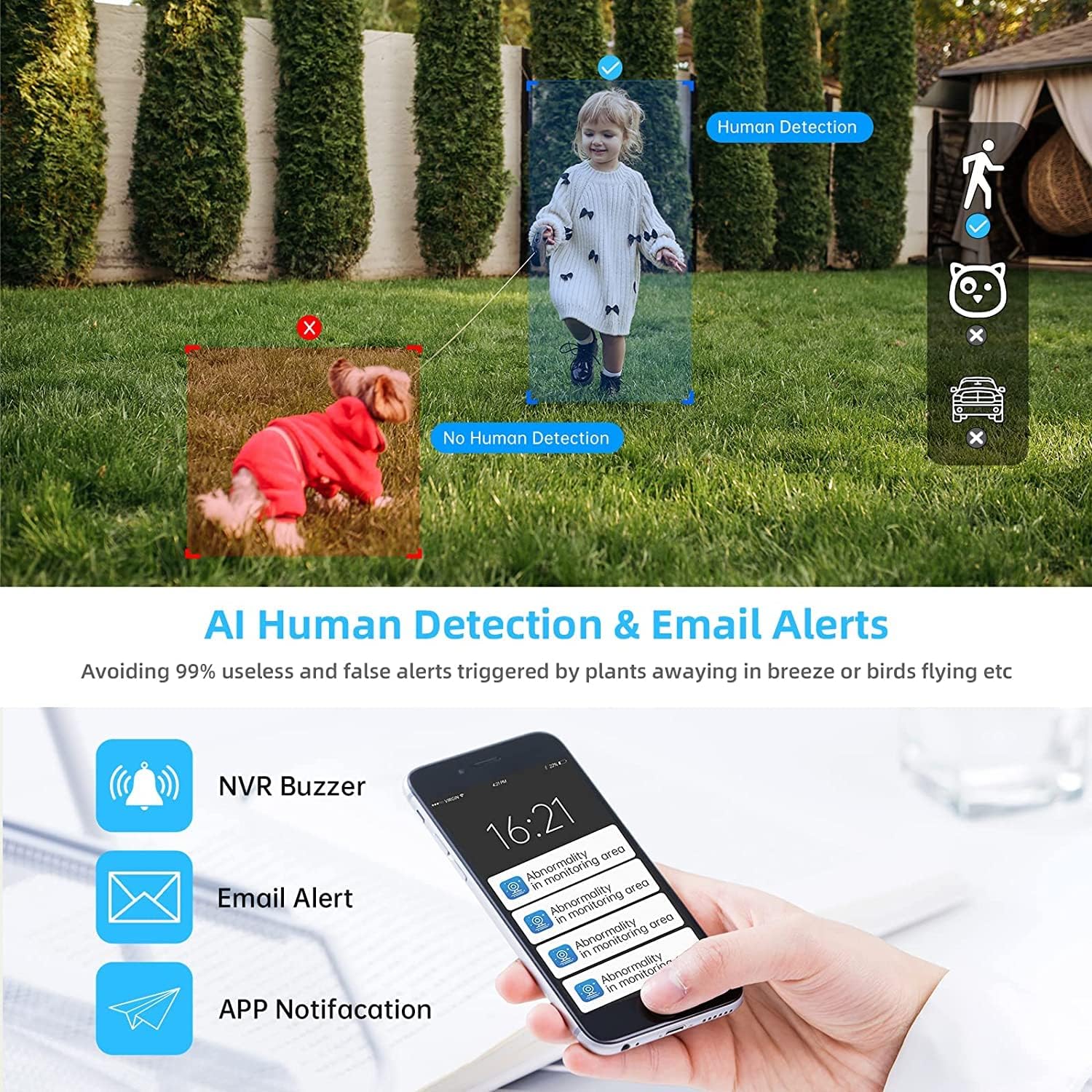
Image 4.2: AI Human Detection feature, distinguishing human shapes from other movements to reduce false alarms.
4.3 Audio Recording (One-Way Audio)
Each camera is equipped with a microphone, allowing for one-way audio recording. You can hear the sound from the monitoring scene during live viewkūrimas ir atkūrimas.
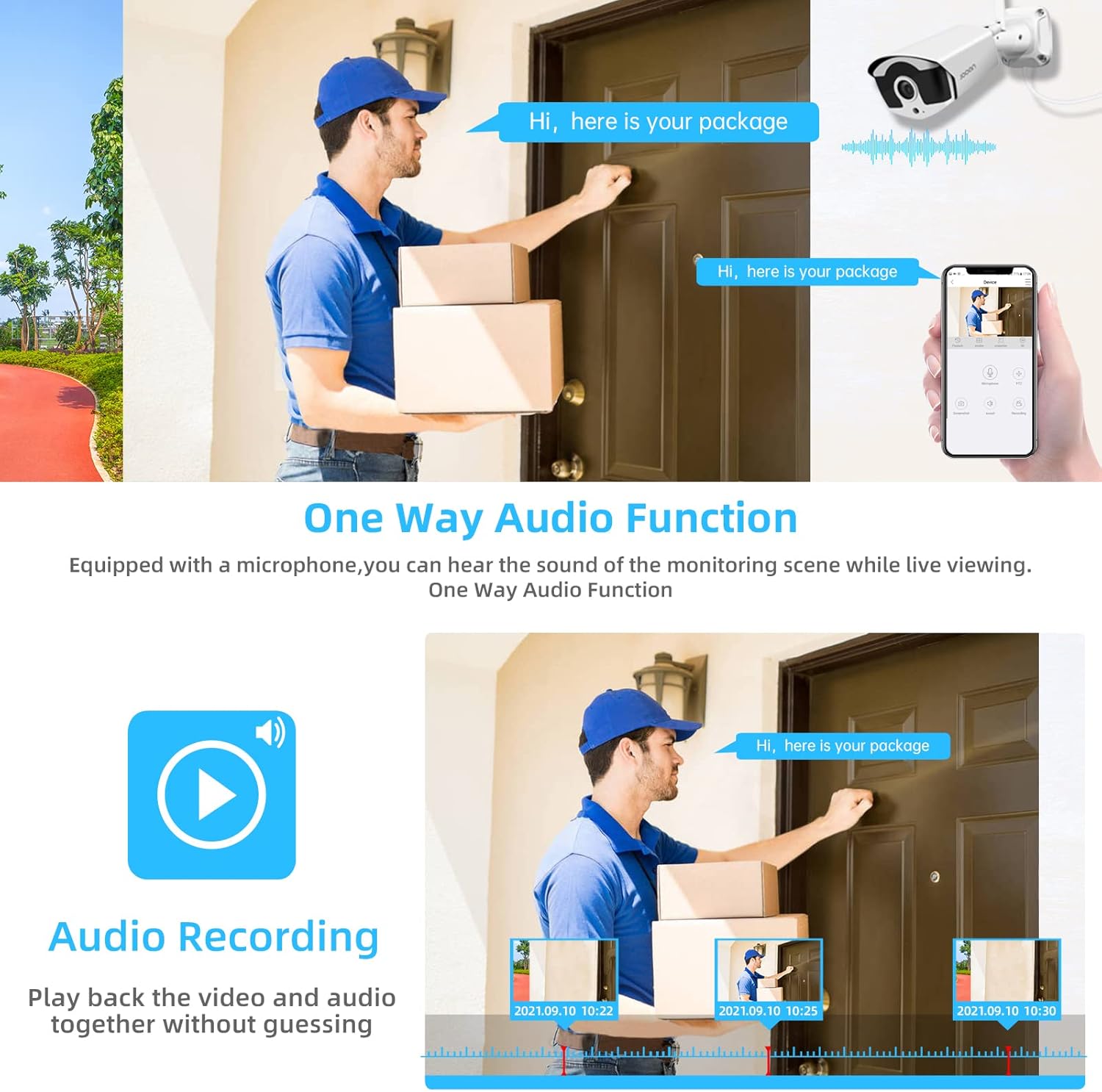
Image 4.3: Illustration of the one-way audio function, showing a delivery person speaking and the audio being recorded.
4.4 Naktinis matymas
The cameras provide clear night vision, ensuring continuous surveillance even in low-light conditions.

Image 4.4: Depiction of the camera's night vision feature, providing clear images in darkness.
Video 4.1: A short clip demonstrating the night time monitoring capabilities of the camera system.
4.5 H.265+ vaizdo glaudinimas
The system utilizes advanced H.265+ video compression technology, which significantly reduces storage space requirements while maintaining high video quality. This allows for longer recording times on the 1TB HDD.

Image 4.5: Comparison showing how H.265+ compression saves storage space compared to H.264 and H.265.
5. Priežiūra
Reguliarus aptarnavimas užtikrina jūsų apsaugos sistemos ilgaamžiškumą ir optimalų veikimą.
- Kameros objektyvo valymas: Reguliariai valykite fotoaparato objektyvus minkšta,amp cloth to remove dust and smudges. Avoid abrasive cleaners.
- Kabelių valdymas: Įsitikinkite, kad visi laidai yra tvirtai prijungti ir apsaugoti nuo aplinkos poveikio.
- Programinės įrangos atnaujinimai: Patikrinkite gamintojo website or the Eseecloud app for firmware updates for the NVR and cameras to ensure the latest features and security patches.
- Aplinkos apsauga: While cameras are IP67 waterproof, extreme weather conditions can still affect performance. Ensure cameras are mounted securely and protected where possible.

Image 5.1: The IP67 waterproof rating ensures the camera's durability against various weather conditions, including rain, snow, and dust.
6. Problemų sprendimas
If you encounter issues with your JOOAN Security Camera System, refer to the following common troubleshooting steps:
6.1 No Video Display
- Patikrinkite galią: Ensure the NVR and all cameras are properly powered on.
- Monitoriaus jungtis: Verify the HDMI/VGA cable connection between the NVR and the monitor.
- Fotoaparato poravimas: If a specific camera has no video, check its power and ensure it's within range of the NVR for wireless connection. Re-pair if necessary (refer to NVR manual for specific re-pairing steps).
6.2 Nuotolinės prieigos problemos
- Interneto ryšys: Ensure the NVR is connected to the internet via an Ethernet cable.
- Prisijungimas prie programėlės: Verify your Eseecloud app login credentials.
- Debesies ID: Double-check that the correct Cloud ID is entered in the app.
- Tinklo nustatymai: Ensure your router settings are not blocking the NVR's internet access.
6.3 Įrašymo problemos
- Kietojo disko būsena: Check the NVR's settings to ensure the 1TB HDD is detected and functioning correctly.
- Įrašymo grafikas: Verify that the recording schedule is properly configured.
- Judesio aptikimo nustatymai: If using motion-triggered recording, ensure motion detection is enabled and sensitivity is adjusted appropriately.
7. Specifikacijos
| Funkcija | Specifikacija |
|---|---|
| Prekės ženklas | JOOAN |
| Modelio numeris | 703 |
| Vaizdo įrašymo raiška | 3MP (Clearer than 1080p) |
| Kanalų skaičius | 8 |
| Naktinis matymas | Night color (up to 100ft) |
| Įrašymo režimas | Continuous, Motion Detection, Event |
| Techninės įrangos sąsaja | 802.11 ac/b/g/n (Wireless) |
| Vaizdo įvestis | VGA, HDMI |
| Optinių jutiklių technologija | CMOS |
| Atsparumo vandeniui įvertinimas | IP67 |
| HDD Included | 1TB |
8. Garantija ir palaikymas
For warranty information and technical support, please refer to the official JOOAN websvetainėje arba susisiekite tiesiogiai su jų klientų aptarnavimo tarnyba. Išsaugokite pirkimo kvitą kaip pirkimo įrodymą garantijos pretenzijoms.
Taip pat galite rasti papildomų išteklių ir DUK svetainėje JOOAN Store on Amazon.