
1. Įvadas
Ačiū, kad pirkoteasing the Vonyx CVB215 Active Speaker. This powerful 1600W speaker features dual 15-inch woofers, Bluetooth connectivity, and MP3 playback capabilities, making it ideal for various audio applications including music playback, parties, and public announcements. This manual provides essential information for safe operation, setup, and maintenance of your speaker. Please read it thoroughly before use and retain it for future reference.
2. Saugos instrukcijos
- Maitinimas: Ensure the speaker is connected to a power outlet with the correct voltage (230V AC / 50Hz).
- Drėgmė: Do not expose the speaker to rain or moisture to prevent electric shock.
- Vėdinimas: Ensure adequate ventilation around the speaker. Do not block ventilation openings.
- Šilumos šaltiniai: Laikykite garsiakalbį atokiau nuo šilumos šaltinių, tokių kaip radiatoriai, šildytuvai, viryklės ar kiti šilumą skleidžiantys prietaisai.
- Valymas: Prieš valydami atjunkite nuo elektros tinklo. Naudokite sausą šluostę.
- Aptarnavimas: Do not attempt to service the speaker yourself. Refer all servicing to qualified service personnel.
- Vieta: Padėkite garsiakalbį ant stabilaus, lygaus paviršiaus, kad jis nenukristų.
3. Produktas baigtasview
The Vonyx CVB215 is a robust active speaker designed for high-quality audio output. It features a durable enclosure with a metal grille protecting the dual 15-inch woofers and tweeters. Integrated handles allow for easier transport.
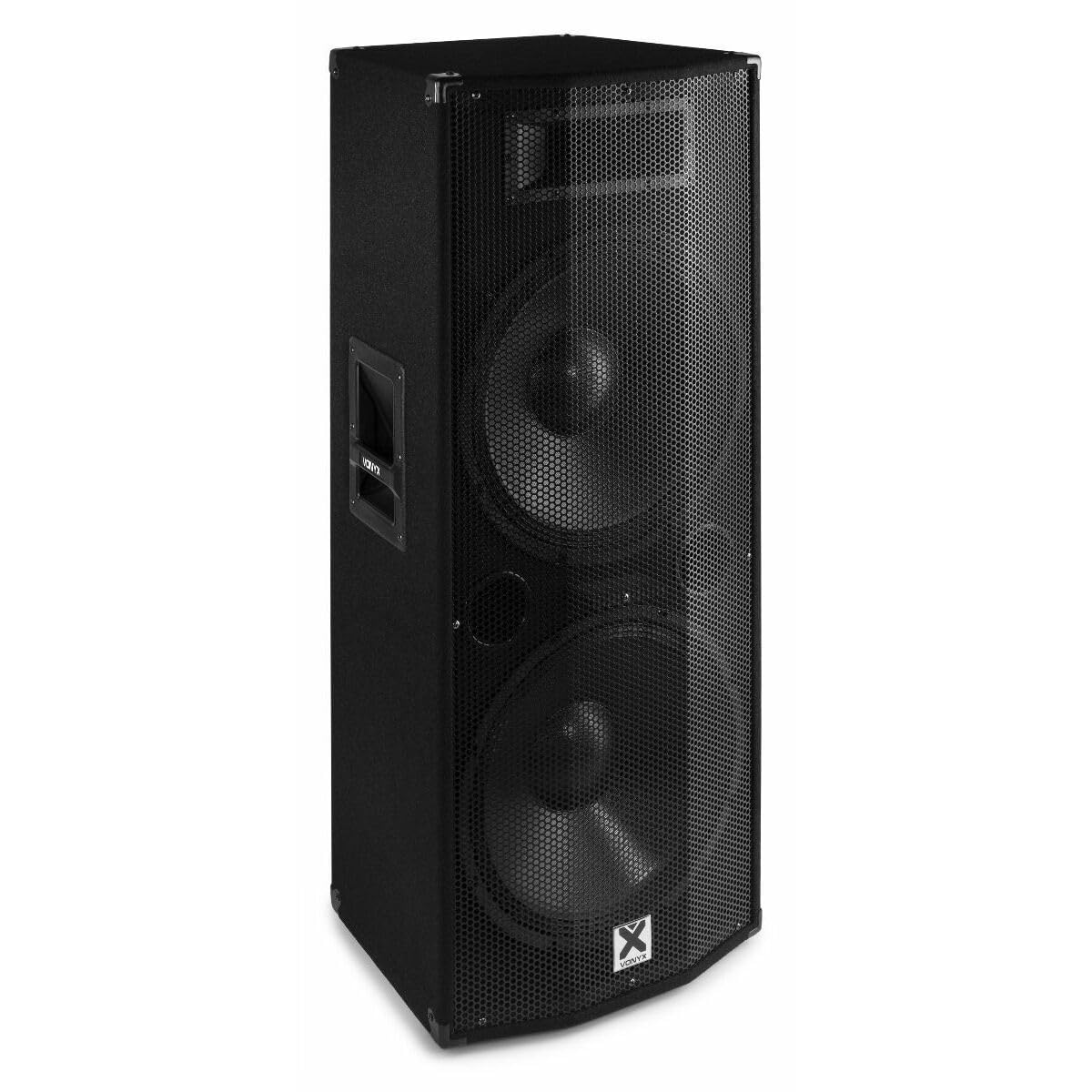
3.1 vaizdas: Priekyje view of the Vonyx CVB215 active speaker. This image displays the speaker's front, highlighting the protective metal grille and the Vonyx logo.
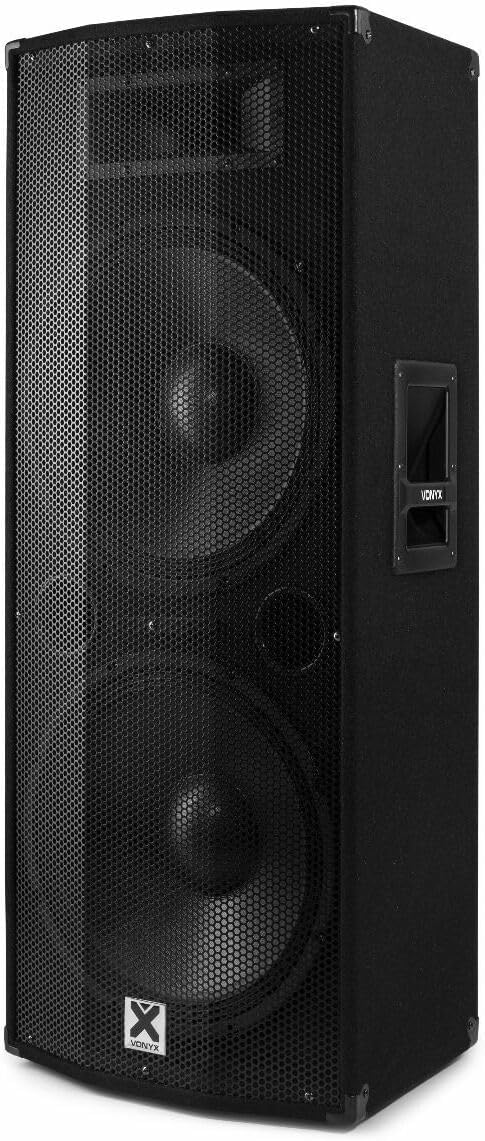
3.2 vaizdas: Kampuotas view of the Vonyx CVB215 active speaker. This perspective shows the speaker's side with an integrated handle, designed for portability.
Galinio skydelio valdikliai ir jungtys
The rear panel houses all input/output connections and control knobs for audio adjustment.

3.3 vaizdas: Rear panel of the Vonyx CVB215 active speaker. This image provides an overview of all connections and controls located on the back of the unit.
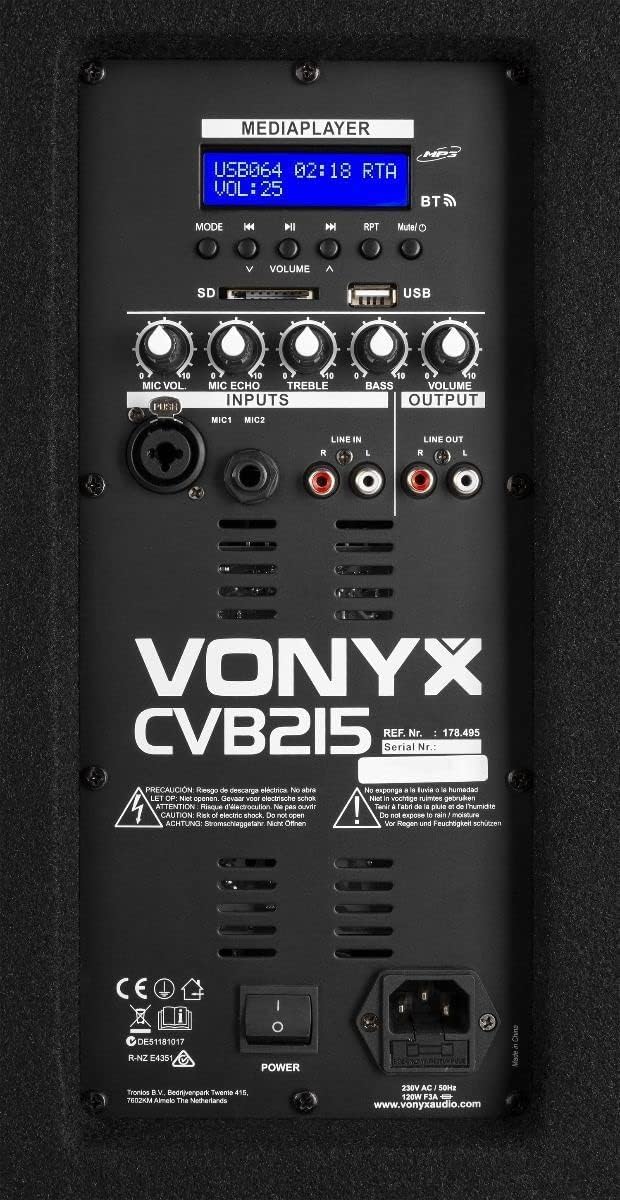
3.4 vaizdas: Išsamus view of the Vonyx CVB215 rear panel controls. This close-up highlights the media player interface, USB and SD card slots, microphone inputs (MIC1, MIC2), Line In (RCA), Line Out (RCA), and various adjustment knobs.
- MEDIAPLAYER Display: Shows current mode, track information, and volume level.
- USB / SD kortelių lizdai: For MP3 playback from USB drives or SD cards.
- MODE mygtukas: Switches between Bluetooth, USB, SD, and Line-in modes.
- VOLUME Knobs: Adjusts overall volume, microphone volume (MIC VOL), microphone echo (MIC ECHO), treble, and bass.
- MIC1/MIC2 įėjimai: 6.3 mm lizdo įėjimai mikrofonams.
- LINIJOS ĮĖJIMAS (RCA): Stereo RCA inputs for connecting external audio sources (e.g., mixer, CD player).
- LINIJOS IŠVAŽIAVIMAS (RCA): Stereo RCA outputs for connecting to another active speaker or ampgyvesnis.
- Maitinimo jungiklis: Įjungia / išjungia garsiakalbį.
- AC IN: Maitinimo kabelio jungtis.
Nuotolinio valdymo pultas
The speaker comes with a remote control for convenient operation of the media player functions.

3.5 vaizdas: Remote control for the Vonyx CVB215 speaker. This image displays the layout of the remote control, including buttons for media playback, volume adjustment, and mode selection.
4. Sąranka
- Išpakavimas: Atsargiai išimkite garsiakalbį iš pakuotės. Išsaugokite pakuotę būsimam transportavimui ar saugojimui.
- Vieta: Place the speaker on a stable, level floor. Ensure there is sufficient space around the speaker for proper ventilation. The speaker is designed for floorstanding use.
- Maitinimo jungtis: Connect the supplied power cable to the AC IN socket on the rear panel of the speaker and then to a suitable power outlet.
- Pradinis įjungimas: Ensure all volume controls are set to minimum before turning on the speaker using the POWER switch.
5. Operacinis
5.1. „Bluetooth“ ryšys
- Įjunkite garsiakalbį.
- Paspauskite REŽIMAS button on the rear panel or remote control until "BT" (Bluetooth) appears on the MEDIAPLAYER display. The speaker will enter pairing mode.
- Savo „Bluetooth“ įrenginyje (išmaniajame telefone, planšetiniame kompiuteryje, nešiojamajame kompiuteryje) ieškokite galimų „Bluetooth“ įrenginių.
- Select "Vonyx" or a similar name from the list.
- Once paired, you will hear a confirmation sound, and the display will indicate a successful connection.
- You can now play audio from your device through the speaker. The Bluetooth range is approximately 10 meters (33 feet).
5.2. MP3 Playback (USB/SD)
- Insert a USB flash drive or SD card (containing MP3 files) into the corresponding slot on the rear panel.
- Garsiakalbis automatiškai persijungs į USB arba SD režimą ir pradės groti pirmąjį takelį. Jei ne, paspauskite REŽIMAS mygtuką, kad pasirinktumėte USB arba SD režimą.
- Use the playback controls (Play/Pause, Previous, Next) on the rear panel or remote control to manage your music.
- Sureguliuokite TOMAS knob to control the playback level.
5.3. Line-in Connection (RCA)
- Connect your external audio source (e.g., mixer, CD player, TV) to the LINE IN (RCA) inputs on the rear panel using appropriate RCA cables.
- Paspauskite REŽIMAS button until "LINE" or "AUX" appears on the display.
- Play audio from your connected device and adjust the main TOMAS knob on the speaker.
5.4. Mikrofono naudojimas
- Connect your microphone(s) to the MIC1 or MIC2 6.3mm jack inputs.
- Sureguliuokite MIC VOL knob to control the microphone volume.
- Naudokite MIC ECHO knob to add an echo effect to the microphone signal, if desired.
5.5. Tonų valdymas
- Naudokite TREBLE knob to adjust the high frequencies of the audio.
- Naudokite BASS knob to adjust the low frequencies of the audio.
6. Priežiūra
- Valymas: Disconnect the speaker from the power supply before cleaning. Use a soft, dry cloth to wipe the exterior surfaces. Do not use abrasive cleaners or solvents.
- Saugykla: If not in use for an extended period, store the speaker in a dry, dust-free environment. It is recommended to use the original packaging for protection.
- Patikra: Periodically check the power cable for any signs of damage. If damaged, replace it immediately with an approved cable.
7. Problemų sprendimas
| Problema | Galima priežastis | Sprendimas |
|---|---|---|
| Nėra galios | Power cable not connected; Power switch off; Outlet fault | Check power cable connection; Turn power switch on; Test outlet with another device |
| Nėra garso išvesties | Volume too low; Incorrect input mode selected; Audio source issue; Cables not connected properly | Increase master volume; Select correct input mode (Bluetooth, USB, Line); Check audio source; Ensure all cables are securely connected |
| Bluetooth neprisijungia | Speaker not in pairing mode; Device too far; Bluetooth off on source device | Ensure speaker is in BT mode; Move device closer (within 10m); Enable Bluetooth on your device and re-scan |
| Iškreiptas garsas | Volume too high (clipping); Poor audio source quality; Damaged cables | Reduce volume on speaker and source; Use high-quality audio files; Replace damaged cables |
| MP3 atkūrimo problemos | Nepalaikoma file format; Corrupt USB/SD card; Incorrect mode | Užtikrinti files are MP3 format; Try a different USB/SD card; Select USB/SD mode |
8. Specifikacijos

8.1 vaizdas: Dimensions of the Vonyx CVB215 active speaker. This diagram illustrates the height, width, and depth of the speaker for placement planning.
- Prekinis ženklas: voniksas
- Modelio numeris: 178.495
- Didžiausia išėjimo galia: 1600 vatų
- Garsiakalbio tipas: Multimedia, Active, Floorstanding
- Žemų dažnių garsiakalbio skersmuo: 2x15 colių
- Garso išvesties režimas: Stereo
- Ryšio technologija: „Bluetooth“, RCA, USB
- „Bluetooth“ diapazonas: 10 metrai
- Total USB 2.0 Ports: 1
- Suderinami įrenginiai: Laptop, MP3-player, Smartphone, Tablet, Television
- Kontrolės metodas: Nuotolinio valdymo pultas
- Maitinimo šaltinis: Corded Electric (230V AC / 50Hz)
- Gaminio matmenys (I x P x A): 46.5 x 40 x 112.5 cm
- Įtraukti komponentai: Handles, metal grille, remote control
9. Garantija ir palaikymas
Dėl garantijos informacijos ir techninės pagalbos žr. kartu su pirkiniu pateiktus dokumentus arba susisiekite su pardavėju. Išsaugokite pirkimo įrodymą, jei prireiktų pateikti garantijos pretenziją.