
1. Įvadas
This manual provides detailed instructions for the safe and efficient operation of your Fenton AV360BT Stereo Amplifier. Please read this manual thoroughly before using the device and retain it for future reference. The AV360BT is a compact Hi-Fi mini amplifier featuring Bluetooth connectivity, an integrated MP3 player with USB/SD inputs, and an FM radio tuner, designed for versatile audio playback.
2. Saugos instrukcijos
- Užtikrinti, amplifier is connected to a power supply that matches the voltage nurodyta prietaise.
- Saugokite įrenginį nuo lietaus ar drėgmės, kad išvengtumėte elektros smūgio ar gaisro.
- Venkite įrenginio statyti šalia šilumos šaltinių arba tiesioginiuose saulės spinduliuose.
- Neatidarykite casing. Visus techninės priežiūros darbus patikėkite kvalifikuotiems darbuotojams.
- Saugokite įrenginį nuo vaikų.
- Disconnect the power plug during thunderstorms or when unused for long periods.
3. Pakuotės turinys
Išpakuodami patikrinkite, ar yra visi daiktai:
- Fenton AV360BT stereofoninis grotuvas Ampgyvybingesnis
- Nuotolinio valdymo pultas
- Vartotojo vadovas (šis dokumentas)
4. Produkto ypatybės
- 2 x 40W Stereo Ampgyvybingesnis
- Integrated Bluetooth for wireless audio streaming
- MP3 player with USB port and SD/MMC card slot
- Built-in FM radio tuner (87.5 - 108.5 MHz)
- Line input (AUX) for connecting external audio sources
- Bass, Treble, and Master Volume controls
- Output protection circuitry
- Includes remote control for MP3 player functions
5. Valdikliai ir jungtys
5.1 Priekinis skydelis
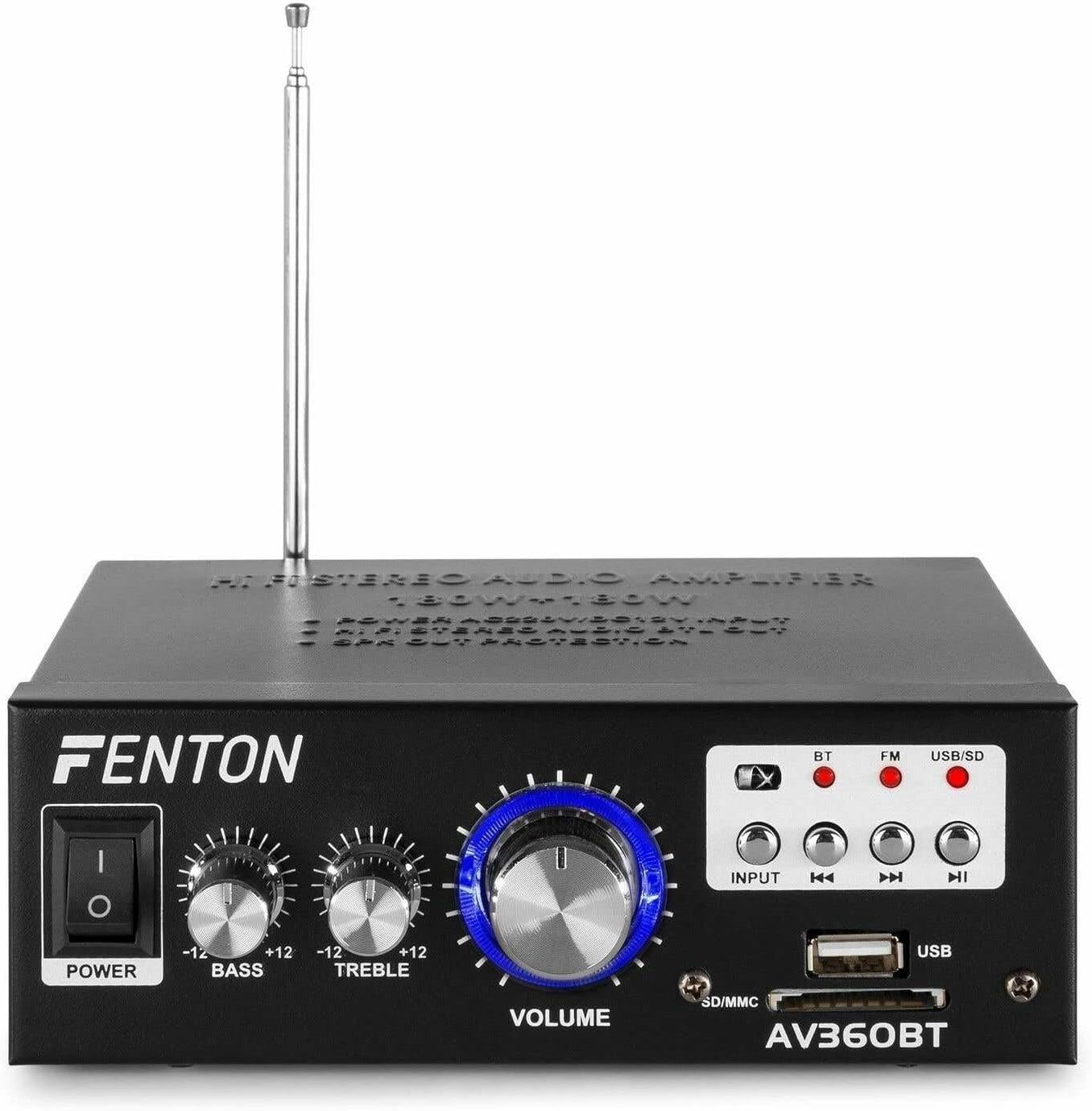
Vaizdas: priekis view of the Fenton AV360BT amplifier, showing the power switch, bass, treble, and volume knobs, input selection buttons, playback controls, USB port, and SD/MMC card slot.
- Maitinimo jungiklis: Paverčia ampilgesnis įjungimas arba išjungimas.
- BASS valdymas: Reguliuoja žemo dažnio garso išvestį.
- TREBLE valdymas: Reguliuoja aukšto dažnio garso išvestį.
- Garso valdymas: Reguliuoja bendrą išvesties garsumą.
- Įvesties mygtukas: Selects the audio source (Bluetooth, FM, USB/SD).
- Atkūrimo valdikliai (Ankstesnis, Leisti / Pauzė, Kitas): Used for MP3 playback and FM radio tuning.
- USB prievadas: Prijunkite USB atmintines, kad galėtumėte atkurti MP3 failus.
- SD/MMC kortelės lizdas: Insert SD or MMC cards for MP3 playback.
5.2 Galinis skydelis

Vaizdas: Galinis view of the Fenton AV360BT amplifier, displaying the audio input (RCA), speaker connectors, FM antenna, and power input.
- GARSO ĮVESTIS (RCA): Connect external audio devices (e.g., CD player, TV) using RCA cables.
- GARSIAKARBIŲ JUNGTYS: Connect passive speakers (8-16 ohms impedance). Ensure correct polarity (+ to + and - to -).
- ANTENOS: Ištieskite, kad būtų užtikrintas optimalus FM radijo priėmimas.
- Nuolatinė 12 V / 5 A įvestis: For external 12V DC power supply (if applicable).
- Kintamosios srovės įvestis: Connect the supplied AC power cord.
5.3 Nuotolinis valdymas

Image: The remote control for the Fenton AV360BT, showing buttons for power, mode, mute, playback, EQ, volume, repeat, and numeric selection.
The remote control allows for convenient operation of the MP3 player and other functions from a distance. Refer to the button labels for specific functions such as power, mode selection, mute, playback controls, equalizer, volume adjustment, repeat, and direct track selection.
6. Sąranka
- Vieta: Padėkite ampPastatykite šaldytuvą ant stabilaus, lygaus paviršiaus, užtikrindami tinkamą vėdinimą aplink įrenginį.
- Garsiakalbio jungtis: Connect your passive speakers to the SPEAKER CONNECTORS on the rear panel. Ensure the positive (+) terminal of the amplifier connects to the positive (+) terminal of the speaker, and the negative (-) to the negative (-). Incorrect polarity can affect sound quality.
- Išorinis garso šaltinis (neprivaloma): If connecting an external device via RCA, use appropriate cables to connect its audio output to the AUDIO INPUT (RCA) on the amp„Lifier“ galinis skydelis.
- Maitinimo jungtis: Connect the AC power cord to the AC Power Input on the rear panel, then plug it into a suitable wall outlet.
- Antena: Ištieskite FM anteną, kad radijo ryšys būtų geresnis.
7. Naudojimo instrukcijos
7.1 Maitinimo įjungimas/išjungimas
Paspauskite GALIA priekiniame skydelyje esantį jungiklį, kad įjungtumėte ampilgesnis įjungimas arba išjungimas.
7.2 Garsumo, žemųjų ir aukštųjų dažnių reguliavimas
Naudokite TOMAS, BASS, ir TREBLE knobs on the front panel to adjust the sound output to your preference.
7.3 Bluetooth veikimas
- Įjunkite ampgyvesnis.
- Paspauskite ĮVESTIS button until the Bluetooth (BT) indicator light is illuminated.
- Įjunkite „Bluetooth“ savo išmaniajame telefone, planšetiniame kompiuteryje arba kompiuteryje.
- Ieškokite available devices and select "AV360BT" from the list.
- Susiejus, galite belaidžiu būdu transliuoti garsą į ampgyvesnis.
7.4 USB/SD MP3 Playback
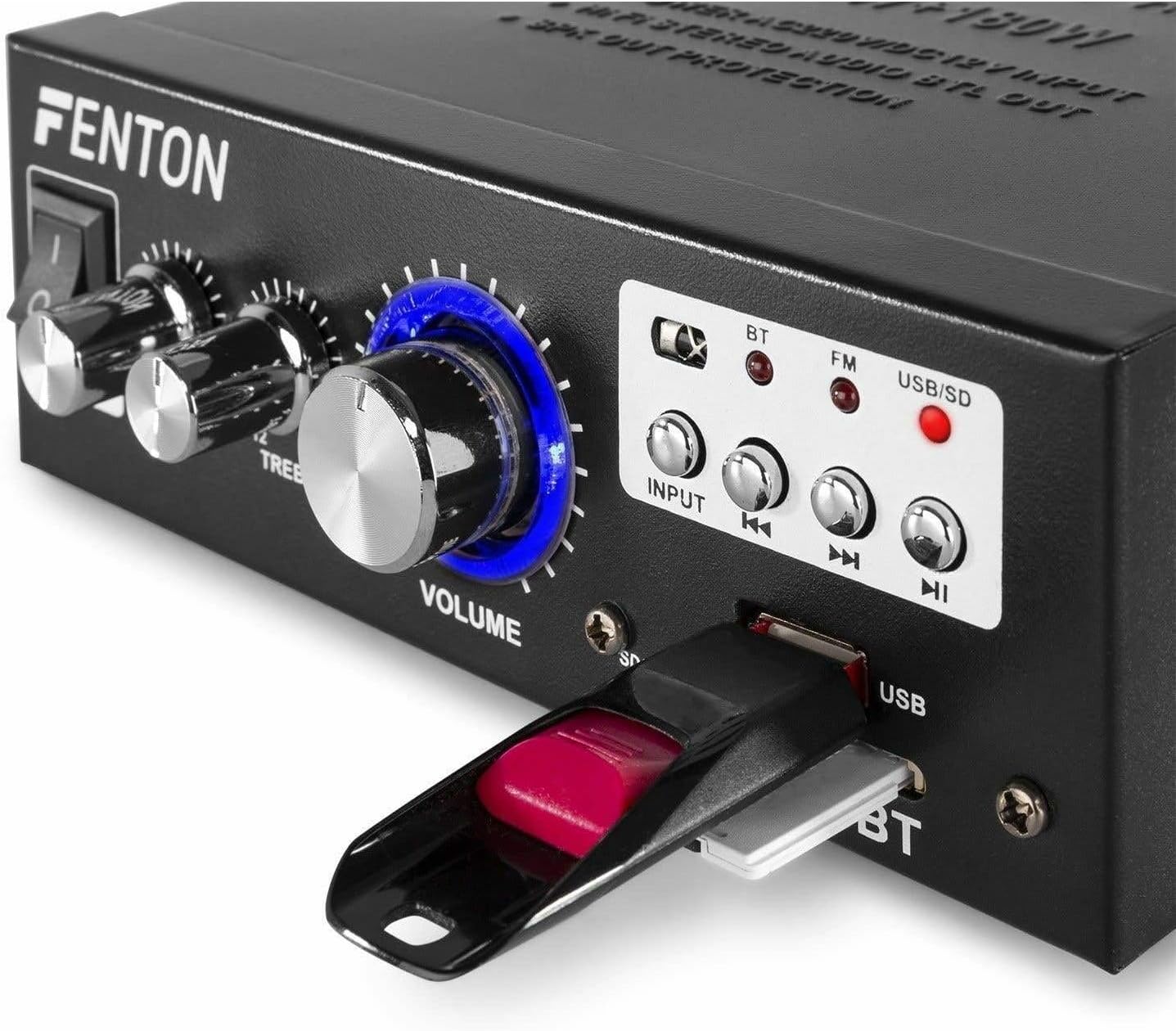
Vaizdas: Stambus planas view of the Fenton AV360BT's front panel, showing a USB flash drive inserted into the USB port and an SD card in the SD/MMC slot.
- Įdėkite USB atmintinę į USB prievadas arba SD/MMC kortelę į SD/MMC kortelės lizdas.
- Paspauskite ĮVESTIS button until the USB/SD indicator light is illuminated. The amplifier will automatically detect and begin playing MP3 files.
- Naudokite Atkūrimo valdikliai (Previous, Play/Pause, Next) on the front panel or remote control to manage playback.
7.5 FM radijo veikimas
- Paspauskite ĮVESTIS button until the FM indicator light is illuminated.
- Naudokite Ankstesnis ir Kitas mygtukai radijo stotims ieškoti.
- Ensure the antenna is fully extended for optimal reception.
7.6 AUX įvestis
When an external device is connected to the RCA AUDIO INPUT, select the AUX input mode using the ĮVESTIS mygtuką. The amp„Lifier“ atkurs garsą iš prijungto įrenginio.
8. Priežiūra
- Valymas: Naudokite minkštą, sausą šluostę, kad nuvalytumėte prietaiso išorę ampNenaudokite abrazyvinių valiklių ar tirpiklių.
- Saugykla: Kai prietaisas ilgą laiką nenaudojamas, laikykite jį vėsioje, sausoje vietoje.
- Vėdinimas: Įsitikinkite, kad ventiliacijos angos nėra užblokuotos, kad išvengtumėte perkaitimo.
9. Problemų sprendimas
| Problema | Galima priežastis | Sprendimas |
|---|---|---|
| Nėra garso išvesties | Power off; incorrect input selected; speaker connections loose; volume too low. | Ensure power is on; select correct input; check speaker wiring; increase volume. |
| Bluetooth neprisijungia | Amplifier not in Bluetooth mode; device too far; device already paired with another unit. | Select Bluetooth input; move device closer; disconnect from other devices and try again. |
| Prastas FM radijo priėmimas | Antena neišskleista; silpnas signalas. | Fully extend the FM antenna; try repositioning the unit for better signal. |
| USB / SD atkūrimo problemos | Nepalaikoma file formatas; sugadintas files; incorrect input selected. | Užtikrinti files are MP3 format; try different USB/SD media; select USB/SD input. |
10. Specifikacijos
| Funkcija | Specifikacija |
|---|---|
| Išėjimo galia | 2 x 40 W (80 W total) |
| Varža | 8-16 omai |
| Įvesties jautrumas (linija) | 0 ~ 2 V / 47 kohm |
| Ryšio ttage | 220-240Vac/50Hz // 12Vdc-5A |
| FM radijo dažnis | 87.5–108.5 MHz |
| Matmenys (I x P x A) | 145 x 160 x 55 mm |
| Svoris | apytiksliai 950 g |
| Jungtys | RCA, Bluetooth, USB, SD |
| Suderinami įrenginiai | Garsiakalbiai |
| Maitinimo šaltinis (nuotolinis) | 1 non-standard battery (included) |
| Gamintojas | Tronios BV |
| Kilmės šalis | Kinija |
11. Garantija ir palaikymas
Dėl garantijos informacijos ar techninės pagalbos žr. kartu su pirkiniu pateiktus dokumentus arba susisiekite su pardavėju. Išsaugokite pirkimo įrodymą, jei prireiktų pateikti garantijos pretenziją.