
Įvadas
The Jabra Evolve2 65 is a wireless Bluetooth headset designed for professional use, offering superior audio quality for calls and music. It features advanced passive noise cancellation, long battery life, and compatibility with leading Unified Communications platforms. This manual provides detailed instructions for setting up, operating, maintaining, and troubleshooting your headset.
Kas yra dėžutėje
Patikrinkite, ar pakuotėje yra visi reikalingi daiktai:
- Jabra Evolve2 65 Headset (Black, Dual-Ear)
- Jabra Link 380a Bluetooth Adapter (USB-A)
- 1.2m USB-C to USB-A Charging Cable
- Carry Case
- Warranty and Safety Leaflets
- Vartotojo dokumentai
- Charging Stand (SKU specific, if included with your model)

Image: The contents of the Jabra Evolve2 65 package, showing the headset, USB-A adapter, USB-C to USB-A charging cable, and a protective carry case.
Sąranka
1. Ausinių įkrovimas
Before first use, fully charge your Jabra Evolve2 65 headset. A full charge takes approximately 1.5 hours and provides up to 37 hours of battery life. A 15-minute charge can provide up to 8 hours of use.
- Connect the supplied USB-C to USB-A cable to the charging port on the headset and to a USB power source.
- Ausinių LED indikatorius rodys įkrovimo būseną.
2. Connecting to your Device
The Jabra Evolve2 65 can connect wirelessly via Bluetooth 5.0 using the included Jabra Link 380a USB-A adapter or directly to a Bluetooth-enabled device.
Using the Jabra Link 380a USB-A Adapter:
- Plug the Jabra Link 380a USB-A adapter into an available USB-A port on your computer.
- The headset and adapter are pre-paired and should connect automatically. The LED on the adapter will turn solid blue when connected.
Tiesioginis „Bluetooth“ susiejimas:
- Įjunkite ausines.
- Put the headset into pairing mode (refer to the headset's controls for specific instructions, usually by holding a button until the LED flashes blue).
- On your device (smartphone, tablet), go to Bluetooth settings and select the Jabra Evolve2 65 from the list of available devices.
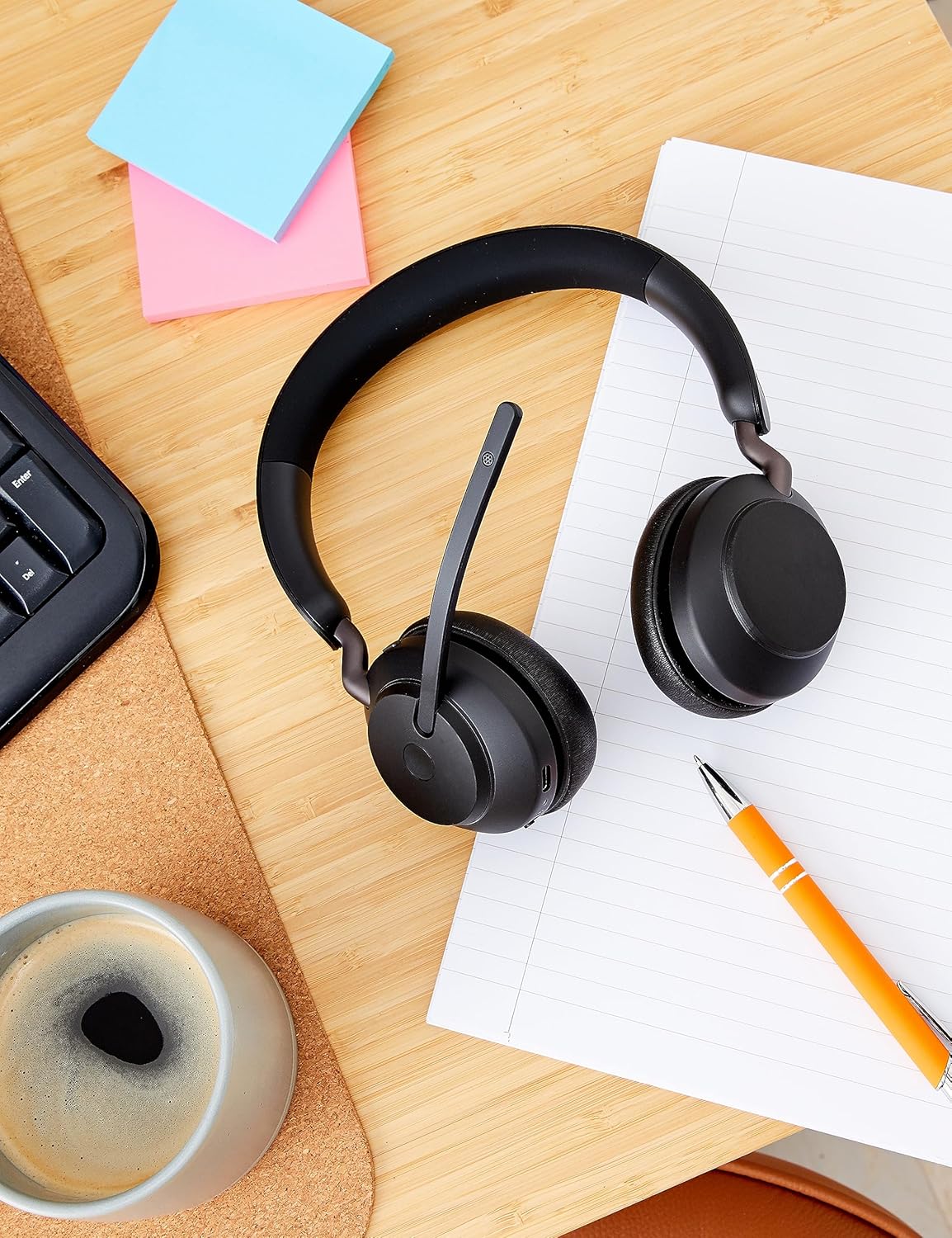
Image: The Jabra Evolve2 65 headset positioned on a wooden desk alongside a USB-A dongle, indicating readiness for connection to a computer or other device.
Naudojimo instrukcijos
Pagrindiniai valdikliai
The headset features intuitive touch controls for media and call management.
- Garsumo valdymas: Use the dedicated buttons on the ear cup to adjust volume up or down.
- Leisti / pristabdyti: Tap the multi-function button for media playback control.
- Atsiliepti / Baigti skambutį: Press the call button to manage phone calls.
- Nutildyti mikrofoną: Lift the microphone boom arm to mute your microphone during a call. Lower it to unmute.
Pasyvus triukšmo slopinimas
The Evolve2 65 features enhanced memory foam padding and an angled ear cup design to provide superior passive noise cancellation, reducing ambient noise by up to 48%.

Image: A woman wearing the Jabra Evolve2 65 headset, illustrating the effectiveness of its passive noise cancellation feature in a busy environment.
Mikrofono technologija
Equipped with 3-microphone call technology, the headset reduces background conversation noise by 23%, ensuring clear communication during calls.

Image: A man wearing the Jabra Evolve2 65 headset, illustrating the use of its 40mm speakers for rich audio and the 3-microphone call technology for clear communication.
Busylight Feature
The integrated busylight is four times more visible than previous models, indicating your availability to others. It automatically activates during calls or meetings, or can be manually activated with a button press.

Image: A man wearing the Jabra Evolve2 65 headset, demonstrating its compatibility with leading UC platforms and the visibility of its busylight feature.
Priežiūra
To ensure the longevity and optimal performance of your Jabra Evolve2 65 headset, follow these maintenance guidelines:
- Valymas: Regularly wipe the ear cushions and headband with a soft, dry cloth. For deeper cleaning, use a slightly damp cloth with mild soap, ensuring no moisture enters the speaker or microphone openings.
- Saugykla: When not in use, store the headset in its provided carry case to protect it from dust, scratches, and impacts. Avoid storing in extreme temperatures.
- Kabelio priežiūra: Handle the charging cable gently. Avoid sharp bends or excessive pulling that could damage the cable or connectors.
- Baterija: For optimal battery health, avoid fully discharging the battery frequently. Charge the headset regularly, even if not used daily.

Image: The Jabra Evolve2 65 headset resting on a table, showcasing its soft memory foam cushions designed for all-day comfort and durability.
Trikčių šalinimas
If you encounter issues with your Jabra Evolve2 65 headset, try the following solutions:
- Nėra garso / prasta garso kokybė:
- Įsitikinkite, kad ausinės yra įkrautos ir įjungtos.
- Verify the headset is connected to your device (check Bluetooth connection or USB adapter status).
- Sureguliuokite garsumą ir ausinėse, ir prijungtame įrenginyje.
- If using the USB adapter, try plugging it into a different USB port.
- Mikrofonas neveikia:
- Ensure the microphone boom arm is lowered and not muted.
- Check microphone settings on your computer or communication software.
- Ryšio problemos:
- Išjunkite ir vėl įjunkite ausines.
- Restart your computer or Bluetooth device.
- If issues persist, try re-pairing the headset with your device or USB adapter.
- Busylight Not Functioning:
- Ensure the headset is connected to a device running a compatible UC platform.
- Check for any software updates for your Jabra headset via the Jabra Direct application.
Specifikacijos
| Funkcija | Detalė |
|---|---|
| Prekės ženklas | Jabra |
| Modelio pavadinimas | Evolve2 |
| Modelio numeris | 26599-989-999 |
| Ryšio technologija | „Bluetooth 5.0“, belaidis ryšys |
| Bluetooth diapazonas | 30 metrų |
| Ausų išdėstymas | Ant ausies |
| Triukšmo valdymas | Pasyvus triukšmo slopinimas |
| Garso tvarkyklės dydis | 40 milimetrai |
| Vidutinis akumuliatoriaus veikimo laikas | 37 valandos |
| Akumuliatoriaus įkrovimo laikas | 1.5 valandos |
| Valdymo tipas | Medijos valdymas, lietimas |
| Komplekte mikrofonas | Yes (3-microphone technology) |
| Suderinami įrenginiai | Universal (UC-Certified for Microsoft Teams, Cisco, Mitel, Avaya & more) |
| Prekės svoris | 1.6 uncijos |
| Medžiaga | Faux Leather, Foam, Metal, Silicone, Memory Foam |
Garantija ir palaikymas
The Jabra Evolve2 65 headset comes with a 2 metų gamintojo garantija. Ši garantija apima medžiagų ir gamybos defektus normaliai naudojant.
For detailed warranty terms, technical support, or to register your product, please visit the official Jabra support websvetainėje arba susisiekite su jų klientų aptarnavimo tarnyba. Išsaugokite pirkimo įrodymą garantiniams reikalavimams.
Palaikymas internetu: www.jabra.com/support


