
1. Įvadas
Thank you for choosing the Vacmaster Orson Lite 24V Max Cordless Vacuum Cleaner. This manual provides essential information for the safe and efficient use, maintenance, and troubleshooting of your new appliance. Please read these instructions carefully before use and retain them for future reference.
Svarbios saugos instrukcijos
- Always ensure the vacuum is switched off and unplugged before cleaning or performing maintenance.
- Do not use the vacuum cleaner to pick up water or wet materials.
- Plaukus, laisvus drabužius, pirštus ir visas kūno dalis laikykite toliau nuo angų ir judančių dalių.
- Nenaudokite be dulkių konteinerio ir filtrų.
- Dulkių siurblį laikykite sausoje, uždaroje vietoje.
2. Pakuotės turinys
Carefully unpack your Vacmaster Orson Lite and check that all items are present and in good condition. If any items are missing or damaged, please contact customer support.
- Main Vacuum Unit (with integrated battery)
- Prailginimo lazdelė
- Powered Floor Head
- 2 viename plyšių valymo antgalis ir dulkių valymo šepetys
- Sieninis laikiklis / įkrovimo stotelė
- Charging Adapter (UK)
- 2 Washable HEPA 13 Filters
- Vartotojo vadovas

Vaizdas: Viršview of the Vacmaster Orson Lite cordless vacuum cleaner and its included accessories, such as the main unit, extension wand, floor head, and various attachments.
3. Surinkimas
Follow these steps to assemble your Vacmaster Orson Lite vacuum cleaner.
- Pritvirtinkite prailginimo lazdelę: Įkiškite ilgintuvą į pagrindinį dulkių siurblio bloką, kol jis tvirtai užsifiksuos.
- Connect the Floor Head: Attach the powered floor head to the other end of the extension wand, ensuring it clicks firmly.
- Įdiekite sieninį laikiklį: Choose a suitable location near a power outlet. Secure the wall mount/charging dock to the wall using appropriate screws and anchors (not included). Ensure it is mounted at a height that allows the vacuum to hang freely.

Image: The Vacmaster Orson Lite cordless vacuum cleaner securely stored on its wall-mounted charging dock, ready for use.
4. Akumuliatoriaus įkrovimas
The Vacmaster Orson Lite is powered by a 24V Max lithium-ion battery. For optimal performance, fully charge the battery before first use.
- Prijunkite įkroviklį: Plug the charging adapter into a wall outlet and connect the other end to the charging port on the wall mount or directly to the vacuum unit.
- Įkrovos indikatorius: The LED battery display on the vacuum will show the charging status. It will illuminate progressively as the battery charges and indicate a full charge when all segments are lit.
- Įkrovimo laikas: Pilnas įkrovimas paprastai trunka maždaug 4–5 valandas.

Image: Close-up of the Vacmaster Orson Lite's control panel, showing the LED battery display indicating the current charge level.
5. Operacija
The Vacmaster Orson Lite offers versatile 3-in-1 cleaning for various surfaces.
Power On/Off and Speed Selection
- Norėdami įjungti arba išjungti dulkių siurblį, paspauskite ant rankenos esantį maitinimo mygtuką.
- Press the speed selection button to switch between standard and Turbo modes. Turbo mode provides increased suction for stubborn dirt and pet hair, but reduces runtime.
- The LED battery display indicates remaining power during use.
Valymo režimai
- Upright Stick Vacuum: For cleaning hard floors and carpets. The powered floor head features LED task lights to illuminate dust and debris.
- Rankinis dulkių siurblys: Detach the extension wand and floor head to use the main unit as a handheld vacuum for furniture, car interiors, or small spills.
- With 2-in-1 Tool: Attach the crevice tool and dusting brush directly to the main unit or the extension wand for cleaning tight spaces, upholstery, or delicate surfaces.

Image: A user operating the Vacmaster Orson Lite in handheld mode, effectively cleaning stairs with its compact design.
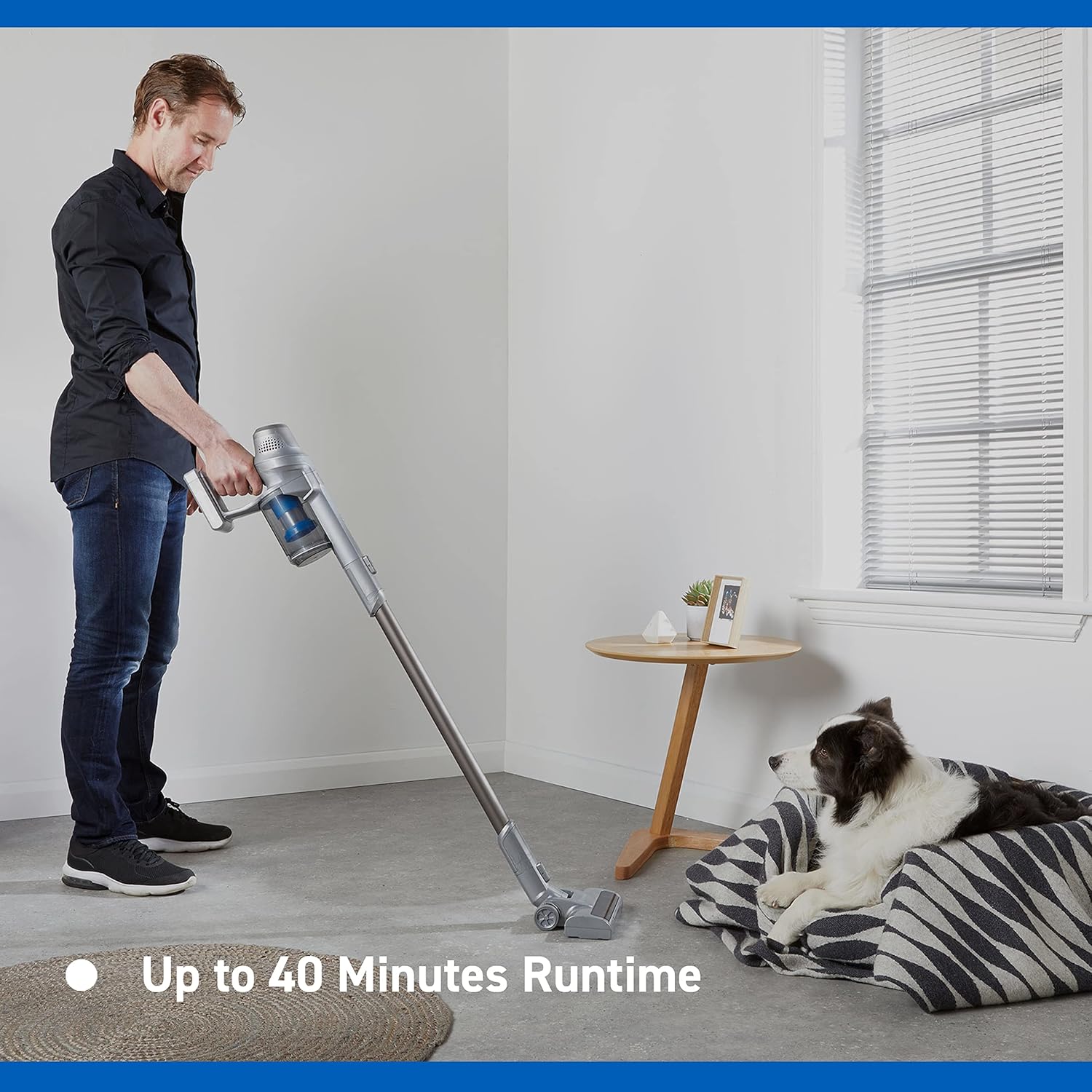
Image: Close-up of the Vacmaster Orson Lite's powered floor head, showcasing its integrated LED task lights illuminating debris on a hard floor.

Image: A man using the lightweight Vacmaster Orson Lite with its extension wand to easily clean dust from a high corner of a room.
6. Priežiūra
Regular maintenance ensures your Vacmaster Orson Lite operates efficiently and prolongs its lifespan.
Dulkių dėžės ištuštinimas
- Įsitikinkite, kad dulkių siurblys yra išjungtas.
- Press the dust bin release button to detach the dust bin from the main unit.
- Position the dust bin over a trash receptacle and press the bottom release button to open the flap and empty the contents.
- Close the flap and reattach the dust bin to the main unit until it clicks securely.

Image: A hand demonstrating the easy-to-empty dust bin feature of the Vacmaster Orson Lite, showing debris being released into a trash can.
Filtrų valymas
The Vacmaster Orson Lite includes 2 washable HEPA 13 filters. Clean them regularly to maintain suction power.
- Nuimkite dulkių siurblį, kaip aprašyta aukščiau.
- Pasukite ir ištraukite filtro mazgą iš dulkių surinktuvo.
- Tap the filters gently to remove loose dust. For a deeper clean, rinse the filters under cold running water until the water runs clear.
- Prieš surinkdami filtrus, leiskite jiems visiškai išdžiūti ore bent 24 valandas. Nenaudokite džiovyklės ar šilumos šaltinio.
- Reinsert the dry filters into the dust bin and reattach the dust bin to the vacuum.
Šepečio ritinio valymas
Periodically check the brush roll in the powered floor head for tangled hair or debris. Use scissors to cut away any tangled material and remove it by hand.
7. Problemų sprendimas
If you encounter issues with your Vacmaster Orson Lite, refer to the following common problems and solutions.
| Problema | Galima priežastis | Sprendimas |
|---|---|---|
| Vakuumas neįsijungia | Baterija išsekusi Netinkamai prijungtas akumuliatorius | Visiškai įkraukite akumuliatorių Įsitikinkite, kad baterija yra saugiai įdėta |
| Siurbimo praradimas | Dulkių konteineris pilnas Filtrai užsikimšę Blockage in nozzle, wand, or hose | Ištuštinkite dulkių konteinerį Išvalykite arba pakeiskite filtrus Patikrinkite ir pašalinkite visus užsikimšimus |
| Šepečio ritinys nesisuka | Susivėlęs nuolaužų Floor head not properly connected | Clean brush roll of hair and debris Ensure floor head is securely attached |
| Trumpas veikimo laikas | Akumuliatorius nėra visiškai įkrautas Pernelyg didelis Turbo režimo naudojimas Akumuliatoriaus degradacija | Visiškai įkraukite akumuliatorių Use standard mode for general cleaning Contact customer support if battery life significantly decreases |
8. Specifikacijos
| Funkcija | Specifikacija |
|---|---|
| Prekės ženklas | Vacmaster |
| Modelio numeris | VSE2101EU |
| Gaminio matmenys (I x P x A) | 23.5 x 22.5 x 116 cm |
| Prekės svoris | 2.55 kilogramo |
| Galia | 450 vatų |
| ttage | 24 voltų |
| Greičių skaičius | 2 |
| Garso lygis | 70 decibelų |
| Vykdymo laikas | Iki 40 minučių |
| Baterijos tipas | 1 ličio jonų (į komplektą įeina) |
| Ypatingos savybės | Lightweight, Cordless, Bagless |
| Filtro tipas | Washable HEPA 13 |
| Gamintojas | Cleva |
| Kilmės šalis | Kinija |
9. Garantija ir palaikymas
Informacija apie garantiją
The Vacmaster Orson Lite VSE2101EU comes with a 2 metų garantija on spare parts, covering defects in materials and workmanship from the date of purchase. This warranty does not cover damage caused by misuse, neglect, accident, or unauthorized modification. Please retain your proof of purchase for warranty claims.
Pagalba klientams
For technical assistance, warranty claims, or to order replacement parts, please visit the official Vacmaster websvetainėje arba susisiekite su jų klientų aptarnavimo skyriumi. Kontaktinę informaciją paprastai galite rasti ant produkto pakuotės arba oficialiame prekės ženklo dokumente. websvetainę.