
1. Įvadas
The Vaddio EasyIP 10 Camera is a key component of the EasyIP Ecosystem, designed for high-quality videoconferencing in various room sizes. This camera delivers 1080p/60 resolution video feeds and integrates seamlessly into an AV-over-IP solution. It connects to a 1 GB PoE+ switch, simplifying installation by eliminating the need for separate power supplies and costly USB extensions. This manual provides essential information for the proper setup, operation, and maintenance of your EasyIP 10 Camera.
2. Produktas baigtasview
The EasyIP 10 Camera is a Power over Ethernet (PoE+) enabled Pan-Tilt-Zoom (PTZ) camera. It is optimized for use within the Vaddio EasyIP Ecosystem, providing high-definition video capture for unified communications (UC) soft clients.
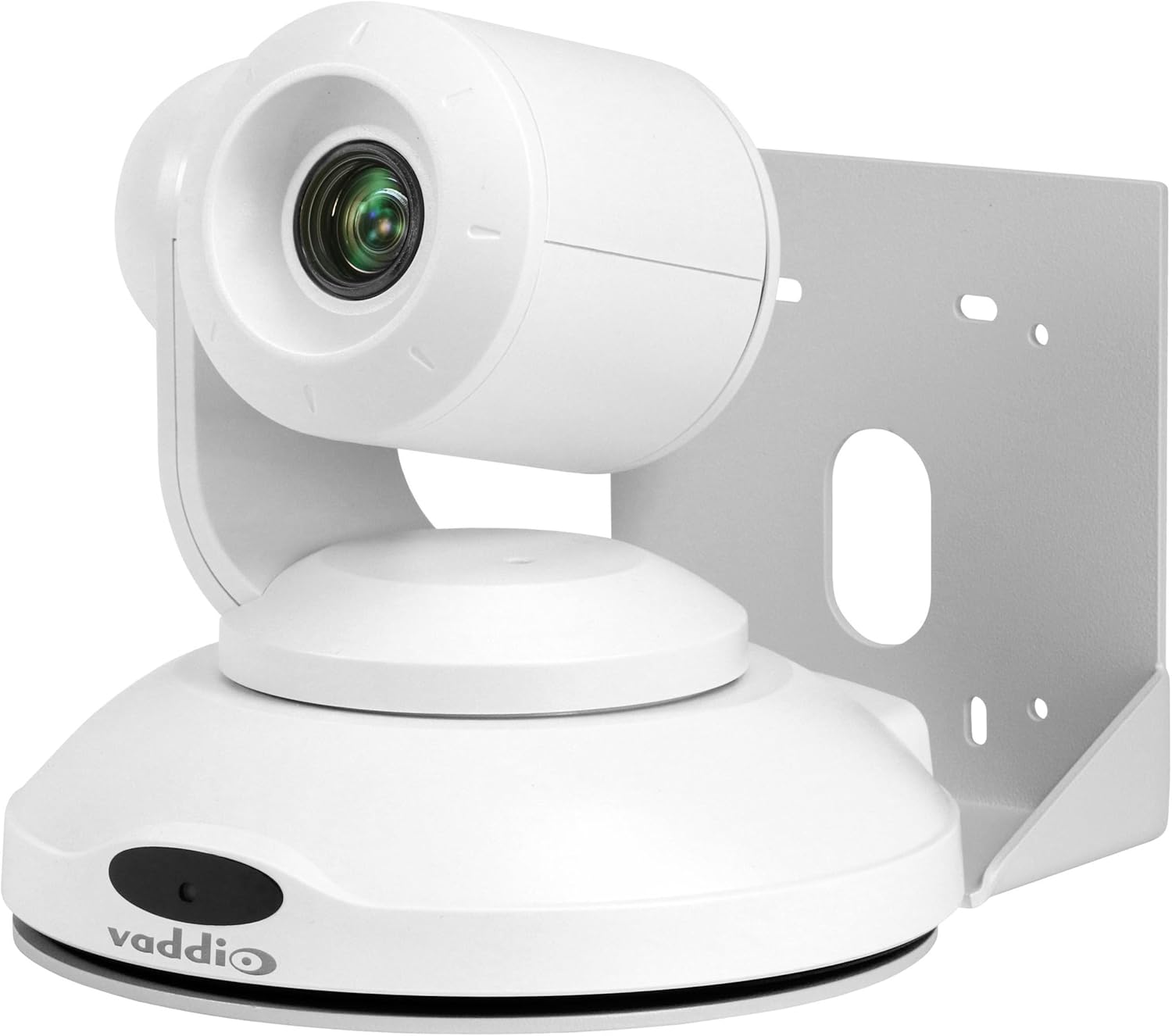
1 paveikslas: Vaddio EasyIP 10 PoE PTZ Camera. This image shows the white dome-shaped camera with its lens visible, mounted on a bracket, and the Vaddio logo on its base.
Pagrindinės funkcijos:
- HD PTZ camera with 10x optical zoom.
- 67 laipsnių horizontalus laukas view.
- Controlled via an intuitive browser-based user interface from the EasyIP Decoder.
- One EasyIP (Network PoE+) video output.
- Supports up to two EasyIP Decoders simultaneously.
- PoE+ powered, requiring a single Ethernet cable for power and data.
3. Sąranka ir diegimas
3.1 Package Contents (Typical):
- Vaddio EasyIP 10 Camera
- Mounting bracket (for wall or ceiling installation)
- Diegimo techninė įranga
- Quick Start Guide (refer to Vaddio's official website for full documentation)
3.2 Kameros montavimas:
- Pasirinkite vietą: Choose a suitable indoor location for the camera, considering the desired field of view and proximity to a network switch. The camera supports wall mount installation.
- Saugus laikiklis: Attach the provided mounting bracket securely to the chosen surface using appropriate hardware. Ensure the bracket is level and can support the camera's weight.
- Prijunkite kamerą: Carefully attach the EasyIP 10 Camera to the mounted bracket. Follow the specific instructions provided with the mounting hardware to ensure a stable connection.
3.3 Connecting the Camera:
- Tinklo prisijungimas: Connect a standard Ethernet cable from the camera's network port to a 1 GB PoE+ (Power over Ethernet Plus) switch. The PoE+ connection provides both power and data to the camera.
- Jungiklių suderinamumas: The camera is optimized to work with the Luxul AMS-1208P Managed PoE Switch but is compatible with other properly configured 1 GB PoE switches. Ensure your switch meets the PoE+ (802.3at) standard for adequate power delivery.
- Sistemos integravimas: Integrate the camera into your EasyIP Ecosystem by connecting the PoE+ switch to the EasyIP Decoder.
4. Fotoaparato valdymas
4.1 Įjungimas:
Once connected to a PoE+ switch, the camera will power on automatically. Allow a few moments for the camera to initialize and connect to the network.
4.2 Accessing Controls:
The EasyIP 10 Camera is controlled via an intuitive browser-based user interface accessible through the EasyIP Decoder. Refer to your EasyIP Decoder manual for detailed instructions on accessing and navigating this interface.
4.3 Pan-Tilt-Zoom (PTZ) Functions:
From the browser interface, you can control the camera's pan, tilt, and zoom functions to adjust the field of view. The camera features 10x optical zoom for detailed imaging.
4.4 Video Output:
The camera sends 1080p/60 resolution video feeds to the EasyIP Ecosystem. These feeds are then delivered to UC soft clients through the EasyIP Decoder. The camera supports simultaneous output to up to two EasyIP Decoders.
5. Priežiūra
Regular maintenance ensures optimal performance and longevity of your EasyIP 10 Camera.
- Valymas: Gently wipe the camera's exterior and lens with a soft, dry, lint-free cloth. Avoid abrasive cleaners or solvents.
- Firmware atnaujinimai: Periodically check the Vaddio website for firmware updates. Keeping the firmware current ensures access to the latest features and performance improvements. Follow the instructions provided by Vaddio for any update procedures.
- Aplinkos sąlygos: Ensure the camera operates within its specified environmental conditions (temperature, humidity) to prevent damage. The camera is designed for indoor use.
6. Problemų sprendimas
This section addresses common issues you might encounter with your EasyIP 10 Camera.
6.1 No Power/No Video:
- Check PoE+ Connection: Ensure the Ethernet cable is securely connected to both the camera and a PoE+ enabled switch.
- Verify Switch: Confirm that the network switch is powered on and that the port connected to the camera is providing PoE+ power (802.3at).
- Tinklo konfigūracija: Verify that the network is properly configured and that the camera can obtain an IP address.
6.2 Camera Not Responding to Controls:
- Tinklo ryšys: Ensure the camera has a stable network connection to the EasyIP Decoder.
- Decoder Status: Check the status of your EasyIP Decoder to ensure it is functioning correctly.
- Naršyklės sąsaja: Refresh the browser interface or try accessing it from a different device to rule out browser-specific issues.
6.3 Poor Video Quality:
- Objektyvo švara: Nuvalykite fotoaparato objektyvą, kaip aprašyta skyriuje „Priežiūra“.
- Apšvietimo sąlygos: Ensure adequate lighting in the camera's field of view.
- Tinklo pralaidumas: Verify that your network has sufficient bandwidth to support 1080p/60 video streaming.
For persistent issues, consult the full Vaddio EasyIP Ecosystem documentation or contact Vaddio technical support.
7. Specifikacijos
| Funkcija | Detalė |
|---|---|
| Modelio numeris | EasyIP 10 kamera |
| Prekės ženklas | Vaddio |
| Vaizdo įrašymo raiška | 1080p (efektyvūs 1080 pikselių) |
| Optinis priartinimas | 10x |
| Laukas View (Horizontalus) | 67 laipsnių |
| Ryšio technologija | Laidinis (Eternetas) |
| Ryšio protokolas | Ethernet (PoE+) |
| Maitinimo šaltinis | Maitinimas per Ethernet Plus (PoE+) |
| Formos faktorius | Kupolas |
| Montavimo tipas | Sieninis laikiklis |
| Spalva | Baltas |
| Matmenys (I x P x A) | 19.69 x 19.69 x 11.02 colio |
| Prekės svoris | 8.01 svaro (128.15 uncijos) |
| Naudojimas viduje / lauke | Vidinis |
| UPC | 840077505950 |
8. Garantija ir palaikymas
For detailed warranty information and technical support, please refer to the official Vaddio website or contact your authorized Vaddio dealer. Keep your purchase receipt for warranty claims.
Vaddio Official Websvetainė: www.vaddio.com