
1. Įvadas
The i-Star Portable DAB/DAB+/FM Radio offers a versatile listening experience with clear digital and analog radio reception. Designed for portability, it features a built-in rechargeable battery and a compact design, making it suitable for use at home or on the go. This manual provides essential information for setting up, operating, and maintaining your radio.

1 paveikslas: Priekyje view of the i-Star Portable DAB/DAB+/FM Radio, highlighting its compact design and user interface.
2. Sąranka
2.1 Išpakavimas ir pradinis įkrovimas
- Atsargiai išimkite radijo imtuvą ir visus priedus iš pakuotės.
- Connect the supplied USB charging cable to the radio's Micro USB port and to a compatible USB power adapter (not included) or a computer's USB port.
- Allow the radio to charge fully before first use. The charging indicator will typically change or turn off when charging is complete. A full charge provides up to 4 hours of playback.
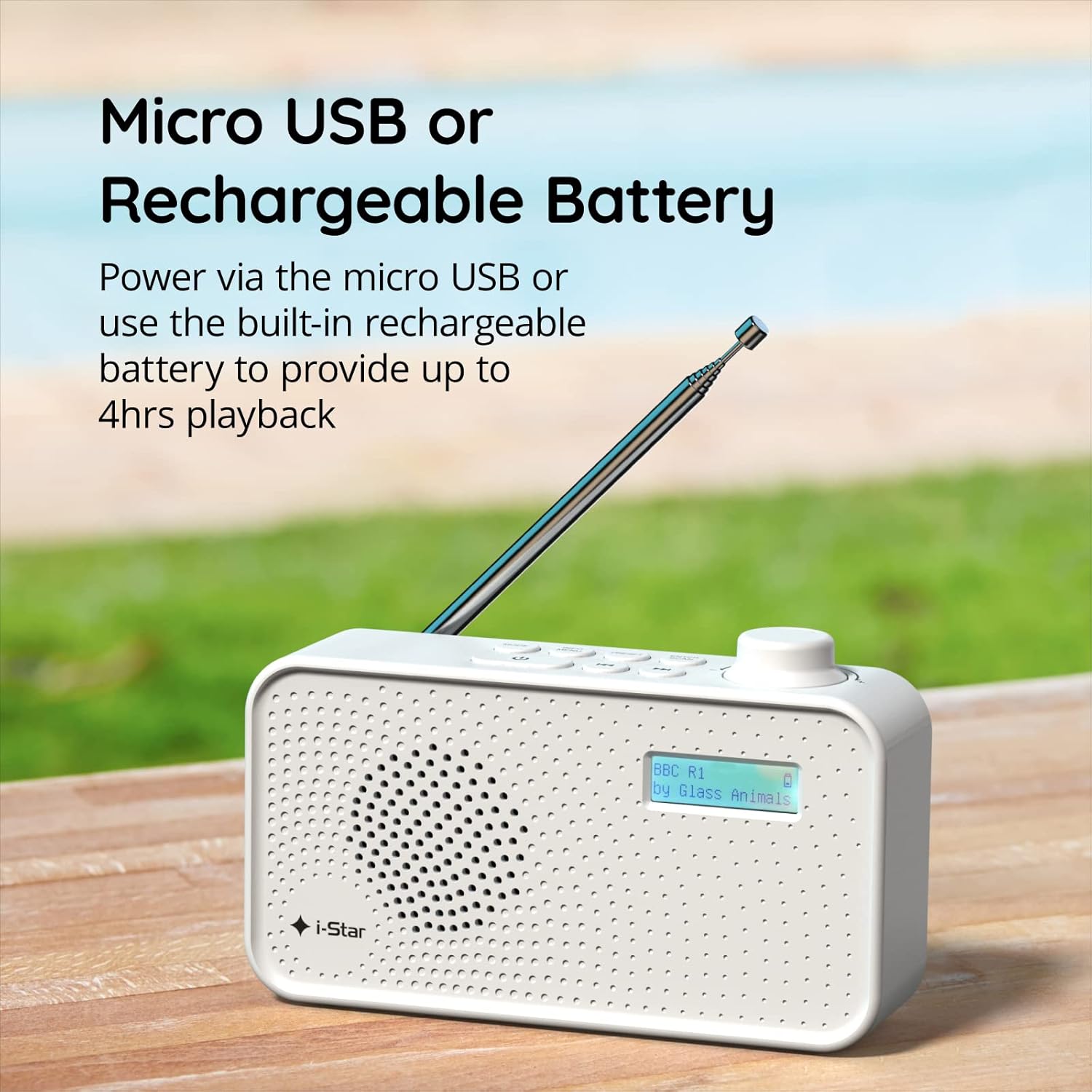
2 paveikslas: The radio powered via Micro USB or its built-in rechargeable battery.
2.2 First Power On and Automatic Scan
- Optimaliam priėmimui visiškai ištieskite teleskopinę anteną.
- Paspauskite ir palaikykite LAIKYMAS mygtuką, kad įjungtumėte radiją.
- Upon first power-on, the radio will automatically perform a scan for available DAB/DAB+ stations. This process may take a few minutes.
- Kai paieška bus baigta, radijas įsijungs pirmąją galimą stotį.
3. Naudojimo instrukcijos
3.1 Switching Between DAB/DAB+ and FM Modes
- Paspauskite REŽIMAS button repeatedly to switch between DAB/DAB+ and FM radio modes. The current mode will be displayed on the LCD screen.

3 paveikslas: The radio supports DAB, DAB+, and FM for a wide range of listening options.
3.2 Stočių derinimas
- DAB/DAB+ režimas: Naudokite NUSTATYMAS or TUNE buttons (left/right arrows) to navigate through the list of available stations. Press ENTER/SCAN norėdami pasirinkti stotį.
- FM režimas: Paspauskite ENTER/SCAN button to automatically scan for the next available FM station. Alternatively, use the TUNE buttons for manual fine-tuning.
3.3 Saving and Recalling Presets
- Nustatykite norimą stotį.
- Paspauskite ir palaikykite NUSTATYMAS mygtuką, kol ekrane pasirodys „Preset Store“ (išankstinių nustatymų saugojimas).
- Naudokite TUNE mygtukais pasirinkite iš anksto nustatytos stoties numerį (1–60).
- Paspauskite ENTER/SCAN , kad patvirtintumėte ir išsaugotumėte stotį.
- Norėdami iškviesti išsaugotą stotį, trumpai paspauskite NUSTATYMAS mygtuką, tada naudokite TUNE buttons to select the desired preset number, and press ENTER/SCAN.
3.4 Garsumo valdymas
- Pasukite TOMAS knob (located on the right side) clockwise to increase volume and counter-clockwise to decrease volume.
3.5 Miego laikmačio funkcija
- Norėdami įjungti miego laikmatį, paspauskite INFO / MENIU button repeatedly until 'Sleep' appears.
- Naudokite TUNE buttons to select the desired sleep duration (e.g., 15, 30, 45, 60, 90 minutes).
- Paspauskite ENTER/SCAN to confirm. The radio will automatically turn off after the set time.

4 paveikslas: The sleep timer feature allows the radio to automatically switch off after a set period.
3.6 Klausymasis per ausines
- Connect standard 3.5mm headphones (not included) to the headphone jack located on the side of the radio for private listening. The internal speaker will be muted automatically.

5 paveikslas: Connect headphones for personal listening without disturbing others.
4. Priežiūra
4.1 Bendroji priežiūra
- Laikykite radijo imtuvą atokiau nuo tiesioginių saulės spindulių, šilumos šaltinių ir drėgmės.
- Venkite radijo imtuvo numetimo ir stiprių smūgių.
- Do not attempt to disassemble the radio; this will void the warranty.
4.2 Valymas
- Radijo imtuvo išorę nuvalykite minkštu, sausu skudurėliu.
- Nenaudokite abrazyvinių valiklių, vaško ar tirpiklių, nes jie gali pažeisti apdailą.
5. Problemų sprendimas
- Nėra galios: Ensure the radio is charged or connected to a power source via the USB cable. Check if the STANDBY button has been pressed.
- Nėra garso: Patikrinkite garsumo lygį. Jei ketinate naudoti garsiakalbį, įsitikinkite, kad ausinės neprijungtos.
- Poor Reception (DAB/DAB+ or FM): Fully extend the telescopic antenna. Try repositioning the radio. Perform a full scan for DAB/DAB+ stations. In FM mode, try manual tuning.
- Radio Freezes/Unresponsive: Turn the radio off and on again. If the issue persists, allow the battery to fully discharge and then recharge it.
6. Specifikacijos
| Funkcija | Specifikacija |
|---|---|
| Prekės ženklas | „i-Star“ |
| Modelio numeris | 90059PI |
| Spalva | Baltas |
| Palaikomos radijo juostos | DAB, DAB+, FM |
| Tiuningo technologija | Digital (DAB/DAB+), Analog (FM) |
| Ryšys | USB (for charging), 3.5mm Headphone Jack |
| Maitinimo šaltinis | Rechargeable Lithium-ion Battery (1200 mAh), USB Power |
| Baterijos veikimo laikas | Iki 4 valandų (vienu įkrovimu) |
| Ypatingos savybės | Portable, Sleep Timer, 60 Station Presets |
| Įtraukti komponentai | USB įkrovimo laidas, naudotojo vadovas |
| Prekės svoris | 440 gramų |
7. Garantija ir palaikymas
This product is covered by a standard manufacturer's warranty. Please refer to the warranty card included in your packaging for specific terms and conditions. For technical support, troubleshooting assistance, or warranty claims, please contact your retailer or the i-Star customer service department. Contact details can typically be found on the product packaging or the official i-Star websvetainę.