
1. Įvadas
This user manual provides detailed instructions for the installation, setup, operation, and maintenance of your Ctronics Outdoor Security Camera Model 285C. Please read this manual thoroughly before using the product to ensure proper functionality and safety. Keep this manual for future reference.
2. Pakuotės turinys
Verify that all items listed below are included in your package. If any items are missing or damaged, please contact Ctronics customer support.
- Ctronics Outdoor Security Camera (Model 285C)
- Maitinimo adapteris (DC 12V)
- Montavimo varžtų komplektas
- Waterproof Kit for Network Cable (if applicable)
- Greitos pradžios vadovas
3. Produktas baigtasview
Familiarize yourself with the components of your Ctronics security camera.
3.1 paveikslas: Priekyje view of the Ctronics Outdoor Security Camera Model 285C, showing the lens, IR LEDs, and housing.
- Objektyvas: Užfiksuoja vaizdo įrašą footage.
- Infraraudonųjų spindulių (IR) šviesos diodai: Pasirūpinkite apšvietimu naktiniam matymui.
- Mikrofonas: Įrašo garsą dvipusiam ryšiui ir įrašymui.
- Pranešėjas: Išveda garsą dvipusiam ryšiui.
- Antenos: Dėl „Wi-Fi“ ryšio.
- SD kortelės lizdas: For local storage of recorded video (Micro SD card not included).
- Atkūrimo mygtukas: Naudojamas gamykliniams nustatymams atkurti.
- Maitinimo prievadas: Connects to the DC 12V power adapter.
4. Montavimas
Proper installation ensures optimal performance and durability of your camera.
4.1 Montavimo vieta
- Choose a location with a strong Wi-Fi signal.
- Ensure the camera has a clear, unobstructed view ploto, kurį norite stebėti.
- Position the camera within reach of a power outlet.
- The camera is IP66 waterproof, suitable for outdoor use in various weather conditions.
4.2 Montavimo žingsniai
- Use the provided mounting template (if available) to mark drill holes on the wall or ceiling.
- Išgręžkite skyles ir įstatykite sieninius inkarus.
- Pritvirtinkite kameros pagrindą naudodami pateiktus varžtus.
- Adjust the camera angle as needed after power-up and setup.
4.1 paveikslas: The Ctronics camera mounted outdoors, illustrating its 355° pan and 90° tilt capabilities.
5. Sąranka
Follow these steps to connect your camera to your network and mobile device.
5.1 Programėlės atsisiuntimas ir paskyros registravimas
- Download the official Ctronics app from the App Store (iOS) or Google Play Store (Android).
- Install the app and create a new user account, following the on-screen instructions.
5.2 Adding the Camera
- Power on the camera by connecting the power adapter. Wait for the camera to complete its self-test (usually indicated by a rotating motion and an audible prompt).
- Open the Ctronics app, tap the "+" icon to add a new device.
- Select your camera model or scan the QR code located on the camera or its packaging.
- Follow the app's instructions to connect the camera to your Wi-Fi network. Ensure your mobile device is connected to the same 2.4GHz Wi-Fi network during setup.
- Once connected, set a secure password for your camera.

5.1 paveikslas: The Ctronics camera can be accessed via mobile app (iOS/Android) and PC client for remote monitoring.
6. Naudojimo instrukcijos
Learn how to use the various features of your Ctronics security camera.
6.1 Tiesiogiai View ir valdikliai
- Open the Ctronics app and select your camera to view gyvas pašaras.
- Use the on-screen joystick or swipe gestures to control the camera's pan (355°) and tilt (90°) movements.
- Utilize the pinch-to-zoom gesture for 5X optical zoom to view detales.
„6.1“ vaizdo įrašas: Demonstration of the Ctronics PTZ Camera's 5X Optical Zoom and movement capabilities. This video illustrates the camera's ability to pan, tilt, and zoom to cover a wide area.
6.2 Naktinis matymas
The camera features both infrared (IR) night vision and color night vision. It automatically switches between modes based on ambient light conditions.
- „IR Night Vision“: Provides clear black-and-white images in complete darkness.
- Spalvotas naktinis matymas: Activates when sufficient ambient light is available or when the camera's spotlights are triggered, providing full-color images at night.

6.2 paveikslas: The Ctronics camera providing 30M color night vision, enhancing visibility in low-light conditions.
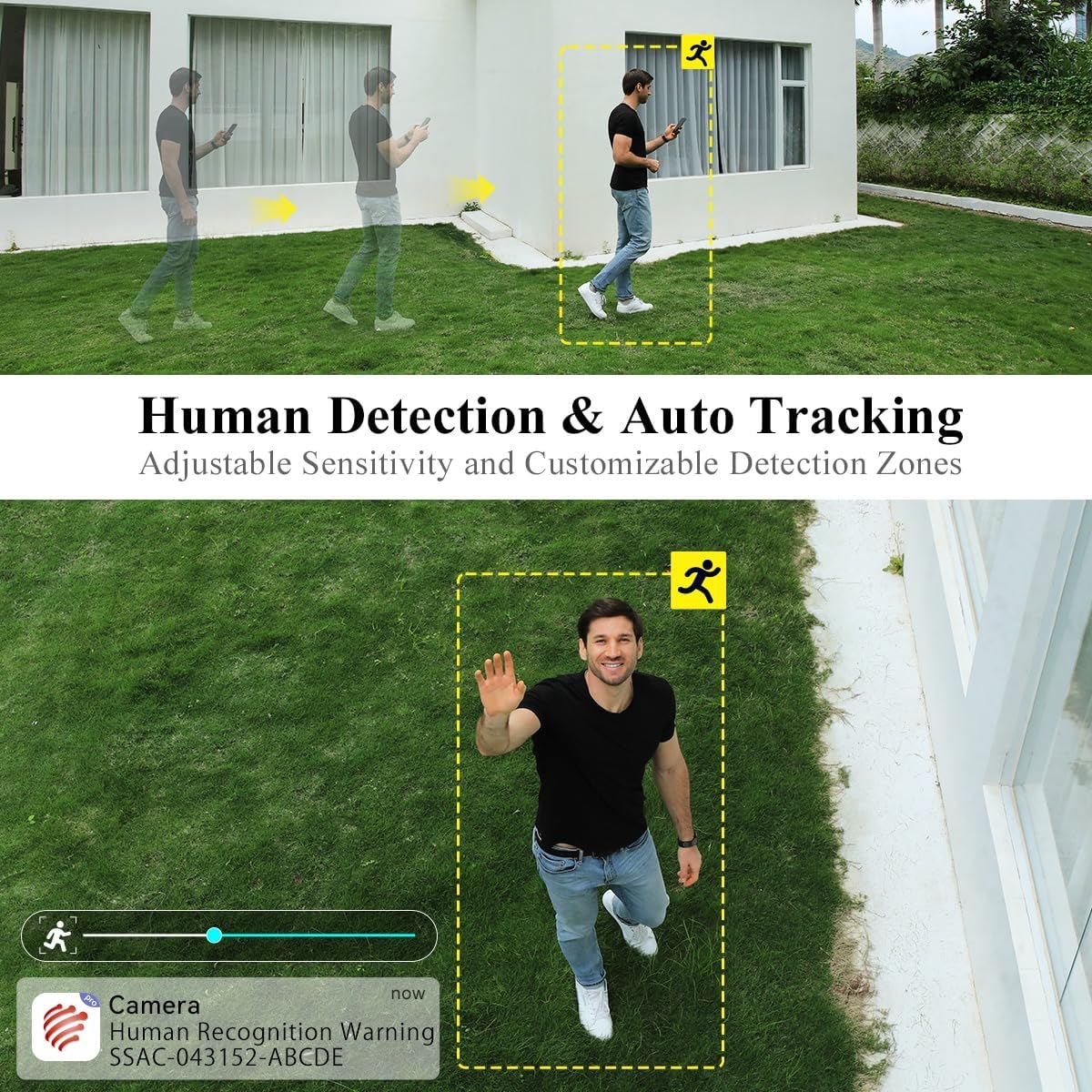
6.3 Žmonių aptikimas ir automatinis sekimas
The camera can intelligently detect human shapes and track their movement within its field of view.
- Enable Human Detection in the app settings to receive alerts specifically for human presence.
- Activate Auto Tracking to have the camera automatically follow detected human movement.
- Adjust sensitivity and define custom detection zones to minimize false alarms.

6.3 paveikslas: Illustration of the camera's human detection and auto-tracking features, highlighting adjustable sensitivity and customizable detection zones.
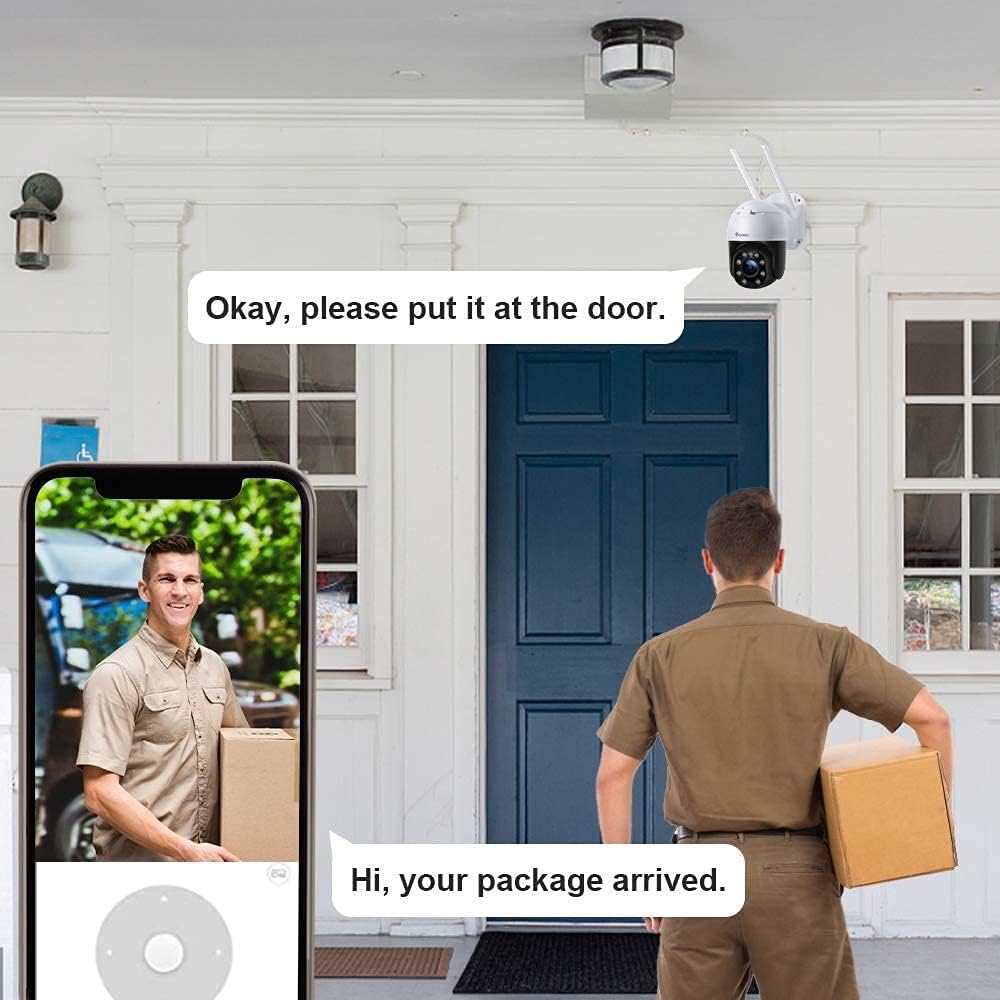
6.4 Dvipusis garsas
Use the two-way audio feature to communicate with individuals near the camera.
- Tiesioginio transliavimo metu palieskite mikrofono piktogramą view sąsaja, skirta kalbėti per kameros garsiakalbį.
- The camera's built-in microphone captures audio from the monitored area.
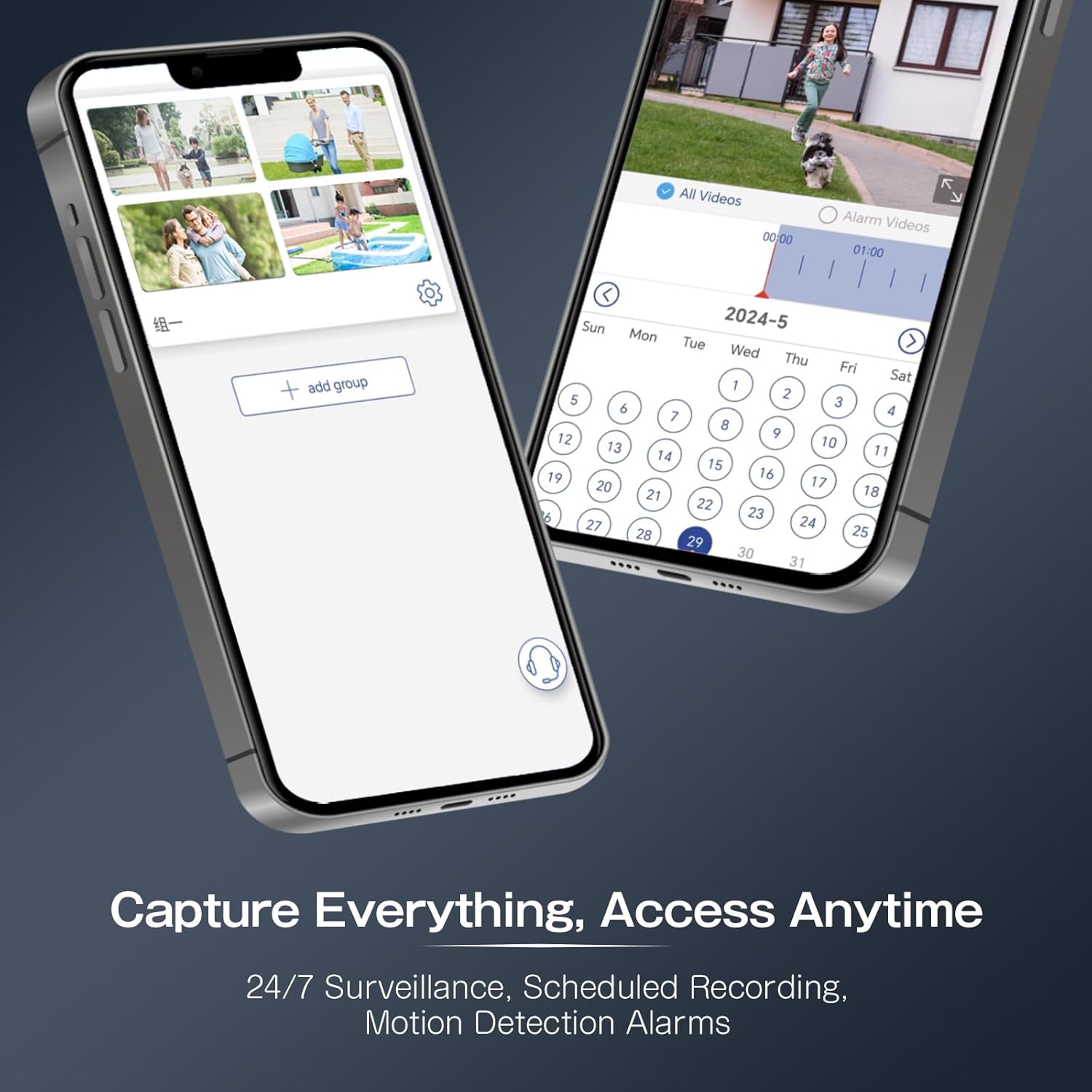
6.5 Įrašymas ir atkūrimas
The camera supports continuous recording, scheduled recording, and motion-triggered recording to a Micro SD card (not included).
- Insert a Micro SD card (up to 64GB recommended) into the designated slot.
- Configure recording settings (continuous, scheduled, event-triggered) within the app.
- Prieiga įrašyta footage via the app's playback function, using the timeline to navigate.
6.4 paveikslas: The Ctronics app interface for managing recordings and accessing playback, including scheduled recording and motion detection alarms.
7. Priežiūra
Reguliarus techninis aptarnavimas padeda užtikrinti fotoaparato ilgaamžiškumą ir optimalų veikimą.
- Valymas: Švelniai nuvalykite kameros objektyvą ir korpusą minkšta,amp audinys. Venkite abrazyvinių valiklių.
- Firmware atnaujinimai: Periodically check the Ctronics app for available firmware updates to ensure your camera has the latest features and security enhancements.
- Ryšio patikrinimas: Regularly verify the camera's Wi-Fi connection and power supply.
8. Problemų sprendimas
Jei kyla problemų, žr. toliau pateiktas dažniausiai pasitaikančias problemas ir sprendimus.
| Problema | Galima priežastis | Sprendimas |
|---|---|---|
| Kamera neįsijungia | Nėra maitinimo šaltinio; sugedęs adapteris. | Check power connection; try a different outlet or adapter. |
| Nepavyko prisijungti prie „Wi-Fi“. | Neteisingas „Wi-Fi“ slaptažodis; kamera per toli nuo maršrutizatoriaus; 5 GHz „Wi-Fi“ tinklas. | Verify password; move camera closer to router; ensure 2.4GHz Wi-Fi is used. |
| Prasta vaizdo kokybė | Dirty lens; low network bandwidth. | Clean the lens; ensure stable internet connection. |
| Judesio aptikimas nesuveikia | Neteisingi jautrumo nustatymai; aptikimo zona nekonfigūruota. | Adjust sensitivity in app; set up detection zones. |
| Kamera nereaguoja | Laikinas programinės įrangos triktis. | Perform a factory reset by pressing and holding the reset button for 5-10 seconds. |
9. Specifikacijos
Key technical specifications for the Ctronics Outdoor Security Camera Model 285C.
| Modelis | 285C |
| Vaizdo raiška | 1080P „Full HD“ |
| Panardinimo / pakreipimo diapazonas | 355°, pakreipimas 90° |
| Padidinti | 5x optinis priartinimas |
| Naktinis matymas | Spalvotas naktinis matymas, infraraudonųjų spindulių naktinis matymas |
| Garsas | Dvipusis garsas |
| Žmogaus aptikimas | Supported, with Auto Tracking |
| Sandėliavimas | „Micro SD“ kortelė (iki 64 GB, nepridedama) |
| Ryšys | „Wi-Fi“ (2.4 GHz) |
| Maitinimo šaltinis | DC 12V / 12W |
| Atsparumo vandeniui įvertinimas | IP66 |
| Medžiaga | Metalas |
| Suderinama OS | iOS, Android |
10. Garantija ir palaikymas
Ctronics products come with a standard warranty. For detailed warranty information, product support, or technical assistance, please visit the official Ctronics website or contact their customer service directly. Contact information can typically be found on the product packaging or the Ctronics websvetainę.