
360 S9
360 S9 roboto dulkių siurblio ir šluotos naudotojo vadovas
Modelis: S9
Įvadas
Thank you for choosing the 360 S9 Robot Vacuum and Mop. This intelligent cleaning device is designed to provide efficient and thorough cleaning of your home with advanced navigation and dual cleaning capabilities. Please read this manual carefully before using the product to ensure proper operation and maintenance.

The 360 S9 Robot Vacuum and Mop, showcasing its sleek design and the accompanying mobile application for control.
Saugos informacija
Kad sumažintumėte sužalojimo ar žalos riziką, atidžiai perskaitykite šias saugos instrukcijas ir laikykite jas po ranka, kad galėtumėte jomis pasinaudoti ateityje.
- Šį prietaisą gali naudoti vaikai nuo 8 metų ir asmenys, turintys ribotų fizinių, jutiminių ar protinių gebėjimų arba neturintys patirties ir žinių, jei jie yra prižiūrimi arba yra instruktuojami, kaip saugiai naudoti prietaisą ir supranta su tuo susijusius pavojus. .
- Vaikai neturi žaisti su prietaisu. Vaikai negali valyti ir atlikti naudotojo priežiūros darbų be priežiūros.
- Naudokite tik originalų gamintojo pateiktą maitinimo adapterį.
- Nenaudokite roboto aplinkoje, kurioje yra atviros liepsnos ar trapūs objektai.
- Prieš naudodami pirmą kartą įsitikinkite, kad robotas yra visiškai įkrautas.
- Do not expose the robot to direct sunlight or extreme temperatures.
- Plaukus, laisvus drabužius, pirštus ir visas kūno dalis laikykite toliau nuo angų ir judančių dalių.
Pakuotės turinys
Please check if all components are included in the package:
- 360 S9 Robot Vacuum and Mop
- Įkrovimo dokas
- Maitinimo adapteris
- Vandens bakas
- Mopo audinys
- Šoniniai šepečiai (2 vnt.)
- Valymo įrankis
- Vartotojo vadovas
Produktas baigtasview
Familiarize yourself with the different parts of your 360 S9 Robot Vacuum and Mop.
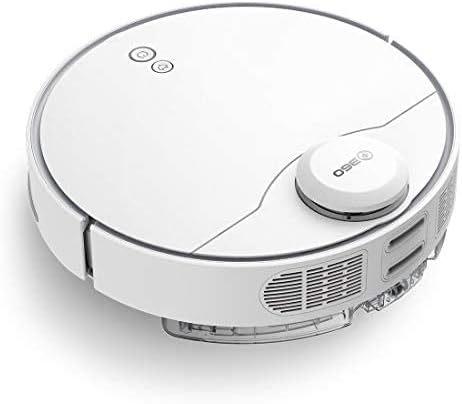
Šoninė view of the 360 S9, highlighting the dustbin and side brush assembly.

Detali pusė view of the 360 S9, illustrating its wheels and various sensors.
Į viršų View
- LDS Laser Navigation Sensor: For precise mapping and navigation.
- Power/Clean Button: Start/pause cleaning.
- Recharge Button: Send robot back to charging dock.
- Dustbin Compartment: Houses the dustbin and water tank.
Apačia View
- Side Brush: Sweeps debris into the main brush path.
- Main Brush: Collects dust and debris.
- Driving Wheels: For movement across various surfaces.
- Cliff Sensors: Prevents the robot from falling down stairs.
- Charging Contacts: For connecting with the charging dock.
Sąranka
1. Įkrovimo stotelės išdėstymas
Place the charging dock against a wall on a hard, level surface. Ensure there is at least 0.5 meters (1.6 feet) of clear space on both sides and 1.5 meters (4.9 feet) in front of the dock. Connect the power adapter to the dock and plug it into a wall outlet. Ensure the indicator light on the dock is on.
2. Pradinis įkrovimas
Place the robot onto the charging dock, ensuring the charging contacts align. The robot will automatically begin charging. For first-time use, fully charge the robot before operation. A full charge takes approximately 4-5 hours.
3. Programėlės diegimas ir prijungimas
Download the "360 Robot" app from the App Store (iOS) or Google Play Store (Android). Follow the in-app instructions to connect your robot to your home Wi-Fi network. This will enable advanced features like map management, scheduled cleaning, and remote control.

The 360 Robot app interface, demonstrating various cleaning modes and compatibility with Amazon Alexa and Google Assistant.
Naudojimo instrukcijos
Valymo režimai
The 360 S9 offers multiple cleaning modes to suit your needs:
- Automatinis valymas: The robot intelligently plans its cleaning route using LDS Lidar and SLAM algorithm to cover the entire area. Press the Power/Clean button on the robot or select "Auto Cleaning" in the app.
- Kraštų valymas: The robot cleans along the edges of your rooms. Select "Edge Cleaning" in the app.
- Vietų valymas: The robot performs an intensive clean in a specific area. Place the robot in the desired area and select "Spot Cleaning" in the app.
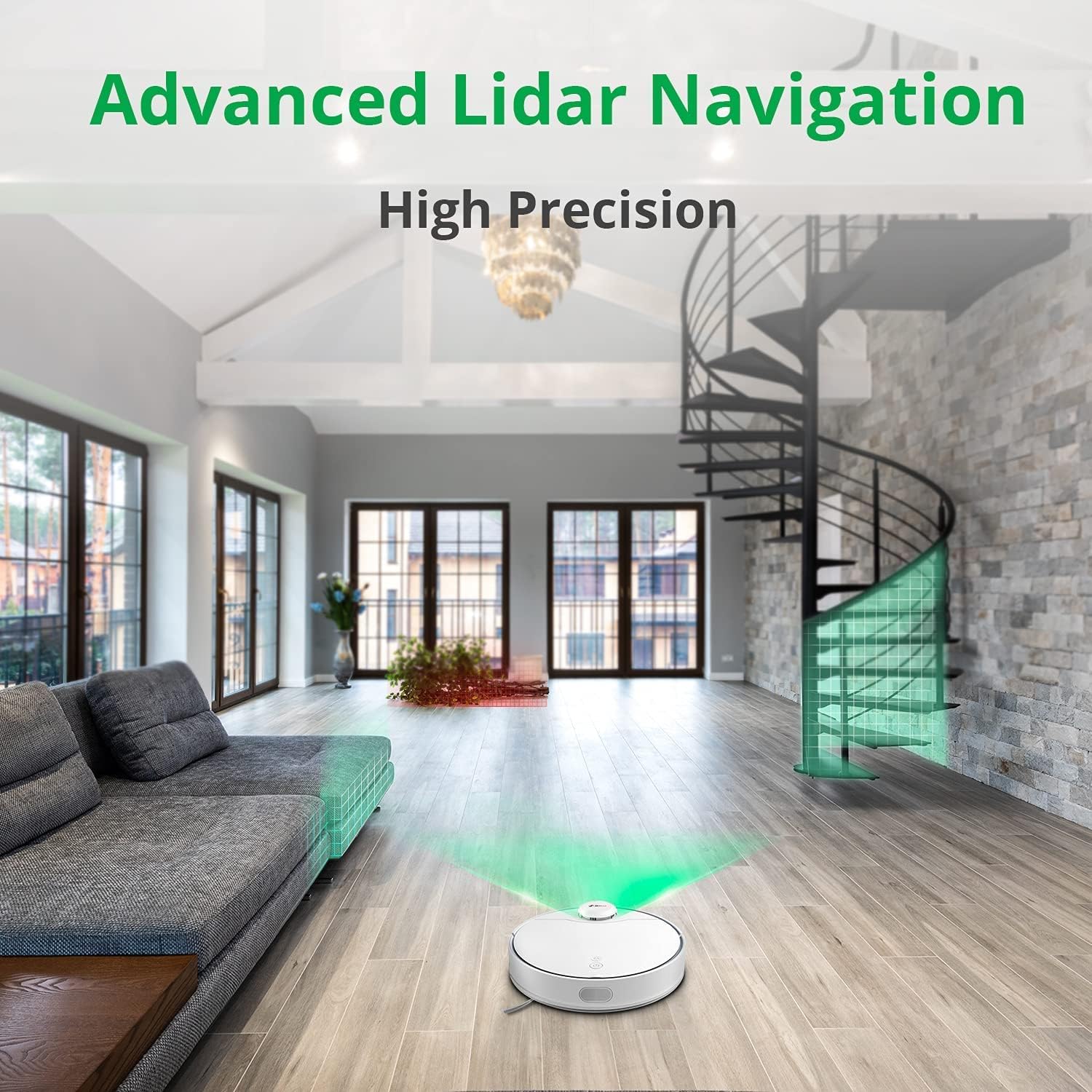
The 360 S9 utilizing its advanced Lidar navigation system for high-precision mapping and cleaning.
Siurbimas ir valymas
The S9 can vacuum and mop simultaneously. To use the mopping function:
- Fill the water tank with clean water. Do not use detergents or corrosive liquids.
- Tvirtai pritvirtinkite šluostę prie vandens bako.
- Insert the filled water tank into the robot's designated slot. The robot will automatically detect the water tank and switch to sweep+mop mode.

Visual representation of the 360 S9's 2-in-1 vacuuming and mopping function, showing the dustbin (0.42L) and water tank (0.2L) capacities.
The robot features a powerful 2650Pa suction with carpet boost, automatically increasing siurbimo galia kilimams gilesniam valymui.

The 360 S9 showcasing its 2650Pa powerful suction with automatic carpet boost, effectively cleaning a rug.
No-Go Zones and Virtual Walls
Using the 360 Robot app, you can set up virtual walls or no-go zones to restrict the robot from entering certain areas. This is useful for protecting fragile items or preventing the robot from entering bathrooms while mopping.
Valdymas balsu
The 360 S9 is compatible with Amazon Alexa and Google Assistant. Link your robot vacuum to your smart home system through the 360 Robot app to control it with voice commands, such as "Alexa, tell 360 Robot to start cleaning" or "Hey Google, ask 360 Robot to go home."
Priežiūra
Reguliarus valymas užtikrina optimalų roboto dulkių siurblio veikimą ir pailgina jo tarnavimo laiką.
1. Šiukšlių dėžės ištuštinimas
It is recommended to empty the dustbin after each cleaning cycle. Open the top cover of the robot, remove the dustbin, open its lid, and discard the collected debris. The dustbin capacity is 0.42 Liters.
2. Vandens bako pildymas
For mopping, ensure the water tank is filled with clean water. The water tank capacity is 0.2 Liters. Refill as needed before each mopping session.
3. Valymo šepečiai
- Pagrindinis šepetys: Remove the main brush cover and lift out the main brush. Use the provided cleaning tool to remove hair and debris tangled around the brush. Clean regularly, especially if pet hair is present.
- Šoniniai šepečiai: Check side brushes for tangled hair or debris. If damaged or worn, replace them.
4. Filtrų valymas
The filter inside the dustbin should be cleaned regularly. Tap the filter against a trash can to remove dust. For a more thorough clean, the filter can be rinsed with water, but ensure it is completely dry before reinserting it into the dustbin and robot.
5. Jutiklių valymas
Wipe the cliff sensors (on the bottom of the robot), charging contacts (on the robot and dock), and the LDS laser sensor window (on top of the robot) with a clean, dry cloth. This prevents navigation errors and ensures proper charging.
Trikčių šalinimas
| Problema | Galima priežastis | Sprendimas |
|---|---|---|
| Robotas neįsijungia. | Išsikrovusi baterija; išjungtas maitinimo jungiklis. | Įkraukite robotą; įsitikinkite, kad maitinimo jungiklis įjungtas. |
| Robotas neranda įkrovimo stotelės. | Dock is blocked or out of range. | Ensure clear space around dock; Manually place robot on dock. |
| Siurbimo galia silpna. | Pilna šiukšliadėžė; užsikimšęs filtras; susivėlęs pagrindinis šepetys. | Ištuštinkite dulkių konteinerį; išvalykite / pakeiskite filtrą; išvalykite pagrindinį šepetį. |
| Robotas dažnai užstringa. | Kliūtys; Nešvarūs skardžio jutikliai. | Pašalinkite kliūtis; nuvalykite skardžio jutiklius. |
| Šluostymo funkcija neveikia. | Water tank empty; Mop cloth not attached. | Fill water tank; Attach mop cloth correctly. |
Specifikacijos
| Prekės ženklas | 360 |
| Modelio pavadinimas | S9 |
| Modelio numeris | 360-S9-WHITE |
| Navigacija | LDS Laser, SLAM Algorithm |
| Baterijos talpa | 5200 mAh |
| Maksimali siurbimo galia | 2650Pa |
| Veikimo laikas | Iki 180 minučių |
| Šiukšlių dėžės talpa | 0.42 litrai |
| Vandens rezervuaro talpa | 0.2 litrai |
| Triukšmo lygis | 53 dB |
| „Wi-Fi“ prijungtas | Taip |
| Kontrolės metodas | Programėlė, nuotolinio valdymo pultas |
| Suderinami įrenginiai | „Amazon Echo“ (Alexa), „Google“ asistentas |
| Gaminio matmenys | 13.78 colio ilgio x 13.78 colių pločio x 3.94 colio aukščio |
| Prekės svoris | 8.47 svaro |
Garantija ir palaikymas
For warranty information and technical support, please refer to the official 360 websvetainėje arba susisiekite su jų klientų aptarnavimo tarnyba. Išsaugokite pirkimo kvitą kaip pirkimo įrodymą garantijos pretenzijoms.
Dėl papildomos pagalbos galite apsilankyti produkto puslapis „Amazon“ svetainėje or contact 360 Smart Network customer support.
Ask a question about this manual
Ask about setup, troubleshooting, compatibility, parts, safety, or missing instructions. Manuals+ will review the question and use this page’s manual context to help answer it.