
Įvadas
This manual provides detailed instructions for the installation, operation, and maintenance of your BINIZE Double Din Car Stereo. Please read this manual thoroughly before using the product to ensure proper functionality and to prevent damage. Keep this manual for future reference.
Produktas baigtasview
The BINIZE Double Din Car Stereo is a 10.1-inch multimedia player running on an Android 13 system. It offers a range of features designed to enhance your in-car entertainment and navigation experience.
Pagrindinės funkcijos:
- 10.1-inch capacitive touch screen with 1024x600 resolution.
- Android 13 Operating System with Quad-core Coretex-A7 processor (up to 1.3GHz).
- 2GB RAM + 32GB internal storage.
- Belaidis „CarPlay“ ir „Android Auto“ palaikymas.
- Wired MirrorLink for Android and iOS devices.
- Integruotas „Bluetooth“ ryšys, skirtas skambinti laisvų rankų įranga ir transliuoti garsą.
- Integrated GPS receiver for online and offline navigation.
- FM Radio tuner.
- Support for AUX, front, and rear camera inputs.
- Steering Wheel Control compatibility (manual learning required).
- Built-in Wi-Fi receiver and support for 4G communication (via external dongle, not included).
- Expandable options for OBD and tire pressure monitoring (accessories sold separately).

Figure 1: BINIZE Double Din Car Stereo Front View su paryškintomis pagrindinėmis savybėmis.
Sąranka ir diegimas
Proper installation is crucial for the optimal performance of your car stereo. If you are unfamiliar with car audio wiring and installation, professional assistance is recommended.
Fiziniai matmenys:
The unit measures approximately 251mm (width) x 146mm (height) x 56mm (depth). Ensure your vehicle's dashboard opening is compatible with these dimensions.
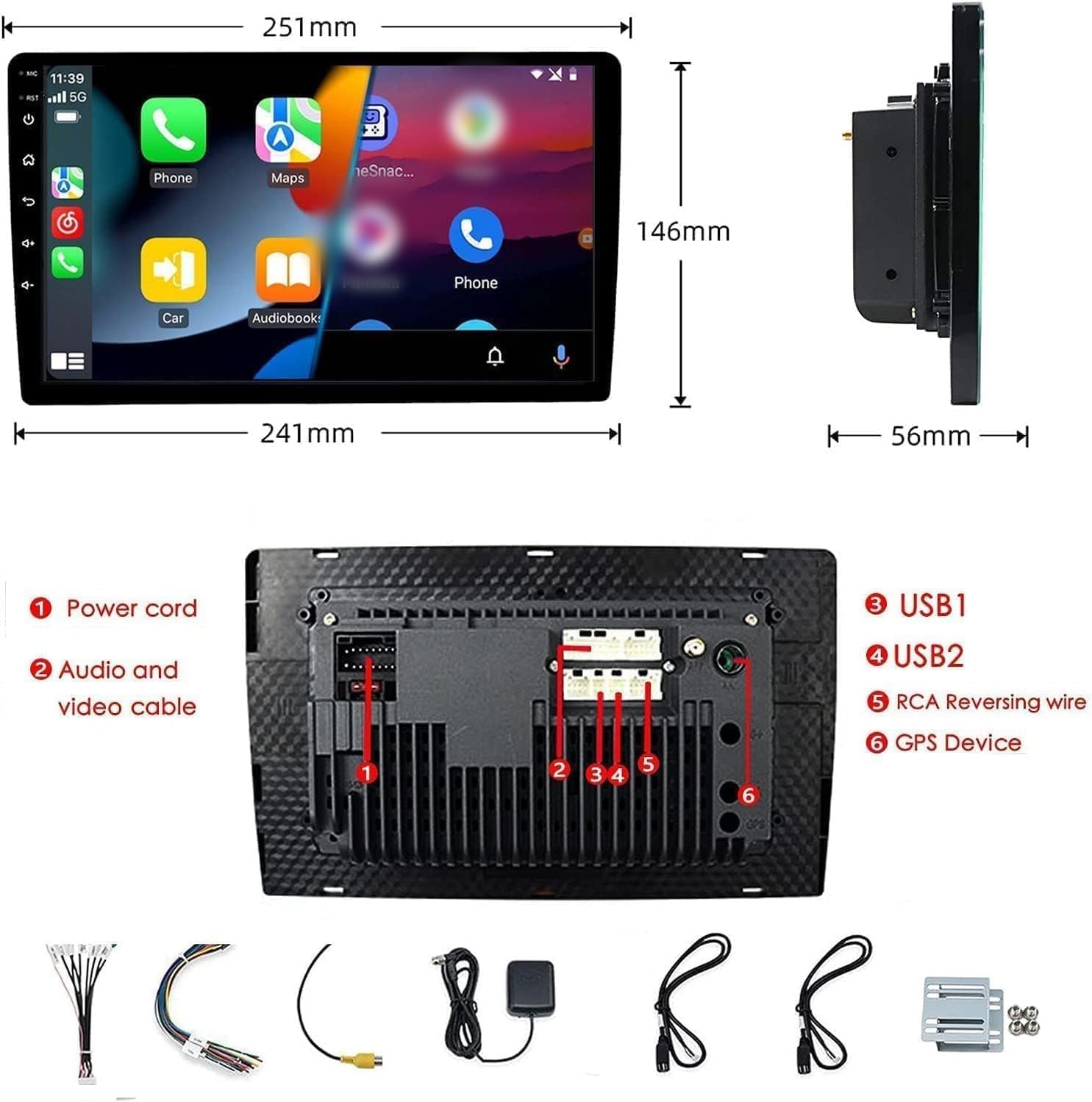
Figure 2: Unit dimensions and rear panel connection points.
Laidų jungtys:
Refer to the included wiring diagram for specific connections. Key connections include:
- Maitinimo laidas: Prijunkite prie transporto priemonės maitinimo šaltinio (nuolatinė 12 V įtampa, priedas 12 V, įžeminimas).
- Audio and Video Cable: Išoriniams garso / vaizdo įrenginiams.
- USB prievadai (USB1, USB2): For media playback, phone charging, and wired CarPlay/Android Auto.
- RCA Reversing Wire: Connect to the backup camera trigger wire.
- GPS Device: Prijunkite išorinę GPS anteną navigacijos funkcijai.
- Steering Wheel Control Wires (Key/SW): For integrating with vehicle's steering wheel controls.
Įsitikinkite, kad visos jungtys yra tvirtos ir tinkamai izoliuotos, kad išvengtumėte trumpojo jungimo.
Naudojimo instrukcijos
Maitinimo įjungimas/išjungimas:
The unit will power on automatically when the vehicle's ignition is turned on. To manually power off or restart, use the power button on the front panel.
Jutiklinio ekrano veikimas:
Navigate the interface by tapping, swiping, and pinching on the 10.1-inch capacitive touch screen, similar to a smartphone or tablet.
FM radijas:
Access the FM Radio application from the main menu. You can scan for stations, save presets, and adjust volume. The unit supports standard FM frequencies.

3 pav.: FM radijo sąsaja.
„Bluetooth“ susiejimas:
- Įsitikinkite, kad jūsų mobiliajame telefone įjungtas Bluetooth.
- Automobilio stereo sistemoje atidarykite „Bluetooth“ programėlę.
- Ieškokite available devices on your phone and select "BINIZE" or a similar device name.
- Jei būsite paraginti, patvirtinkite susiejimo kodą abiejuose įrenginiuose.
- Susiejus, galite skambinti laisvų rankų įranga ir transliuoti garsą.
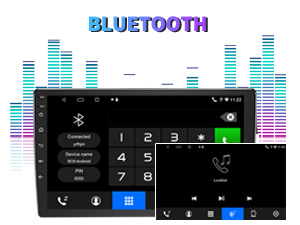
Figure 4: Bluetooth pairing screen.
Vairo valdymas:
To use your vehicle's steering wheel controls, manual learning is required. Access the Steering Wheel Control settings in the system menu and follow the on-screen instructions to map your vehicle's buttons to the stereo functions.
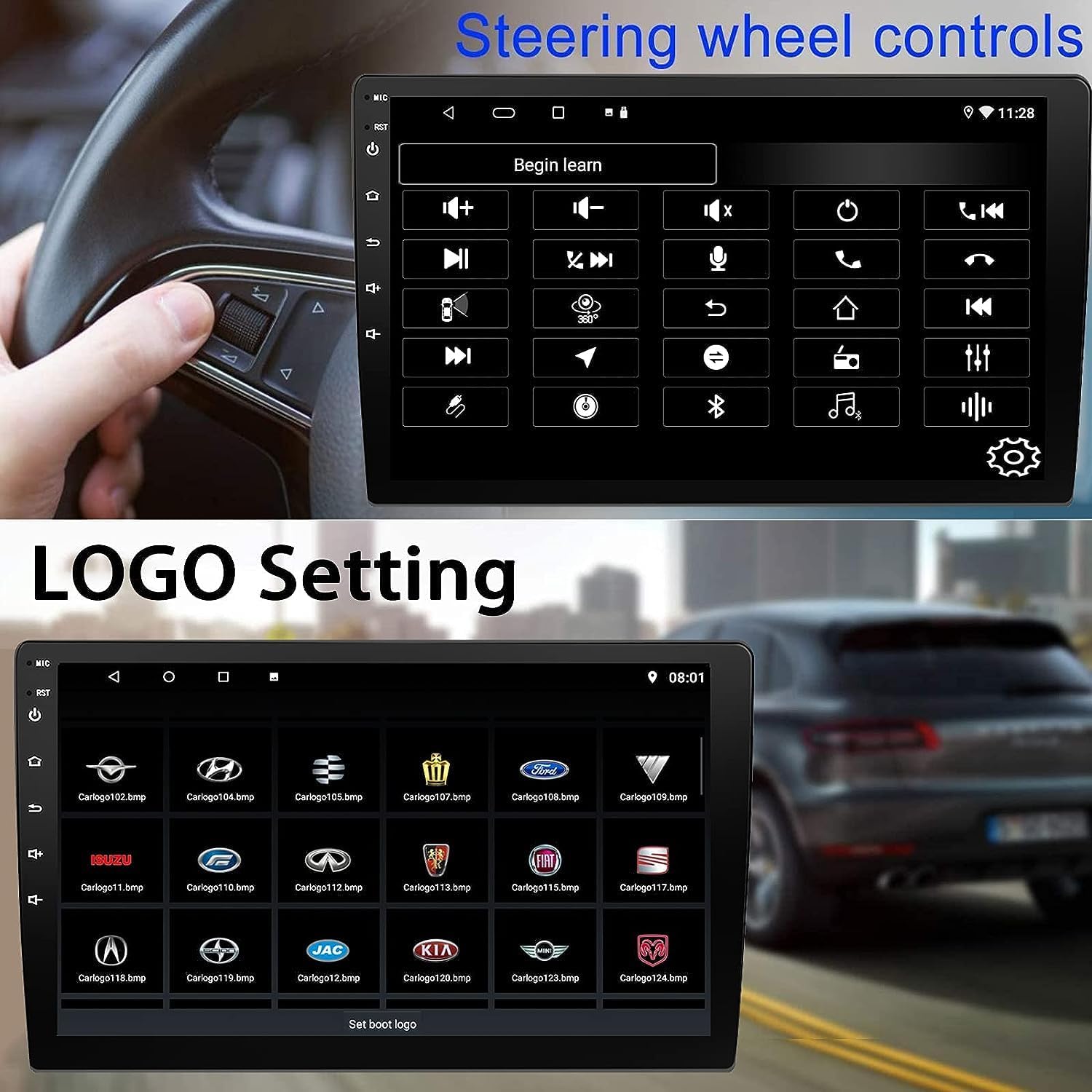
5 pav.: Vairo valdymo sąrankos ekranas.
Connectivity: CarPlay, Android Auto, and MirrorLink
Belaidis „CarPlay“:
Connect your iPhone wirelessly to access CarPlay features such as navigation, music, messages, and calls directly on the stereo display. Ensure Wi-Fi and Bluetooth are enabled on your iPhone.
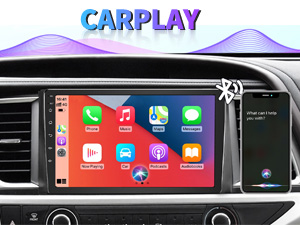
Figure 6: Wireless CarPlay interface.
Belaidis „Android Auto“:
Connect your Android phone wirelessly to use Android Auto for navigation, communication, and entertainment apps. Ensure Wi-Fi and Bluetooth are enabled on your Android device.

Figure 7: Wireless Android Auto interface.
Veidrodinė nuoroda:
MirrorLink allows you to display your smartphone's screen directly onto the car stereo. This feature works with both Android and iOS devices via a wired connection. Note that CarPlay/Android Auto and MirrorLink cannot be used simultaneously.

Figure 8: MirrorLink feature displaying a phone screen on the stereo.
Navigacija
The car stereo features an integrated GPS receiver, supporting both online and offline navigation. Connect to Wi-Fi or a mobile hotspot to use online navigation apps. For offline navigation, you may need to download map data.

Figure 9: GPS navigation map display.
Kameros įvestis
Atsarginė kamera:
The unit supports backup camera input. When properly connected, the display will automatically switch to the rear view when the vehicle is put into reverse, providing parking assistance with guidelines.
Priekyje View Kamera:
The stereo also supports front view camera input, allowing for enhanced visibility when maneuvering in tight spaces.

Figure 10: Backup camera and front view camera displays.
Priežiūra
To ensure the longevity and optimal performance of your BINIZE car stereo, follow these maintenance guidelines:
- Ekrano valymas: Jutiklinį ekraną švelniai nuvalykite minkšta, nepūkuota šluoste. Įsisenėjusias dėmes šiek tiek nuvalykiteampNuvalykite šluostę vandeniu arba ekranui saugiu valikliu. Venkite stiprių cheminių medžiagų ar abrazyvinių medžiagų.
- Bendras valymas: Keep the unit and surrounding areas free from dust and debris. Use a soft brush or compressed air to clean vents and button areas.
- Programinės įrangos atnaujinimai: Periodically check for available software updates through the system settings to ensure you have the latest features and performance improvements.
- Venkite ekstremalių temperatūrų: Nelaikykite įrenginio ilgą laiką itin karštoje ar šaltoje aplinkoje, nes tai gali paveikti jo elektroninius komponentus.
Trikčių šalinimas
Jei kyla problemų dėl automobilio garso sistemos, žr. šias dažniausiai pasitaikančias problemas ir sprendimus:
| Problema | Galima priežastis | Sprendimas |
|---|---|---|
| Įrenginys neįsijungia. | Neteisingas laidų prijungimas; perdegęs saugiklis; transporto priemonės maitinimo problema. | Check power connections and vehicle fuses. Ensure constant 12V and accessory 12V are correctly wired. |
| Nėra garso. | Per mažas garsumas; įjungtas nutildymas; garsiakalbio laidų problema. | Padidinkite garsumą. Patikrinkite, ar įjungtas nutildymo režimas. Patikrinkite garsiakalbių jungtis. |
| „CarPlay“ / „Android Auto“ neprisijungia belaidžiu būdu. | Bluetooth/Wi-Fi off on phone; Pairing issue; Software glitch. | Ensure phone's Bluetooth and Wi-Fi are on. Try re-pairing the device. Restart both phone and stereo. Some users reported needing to open phone's Bluetooth settings each time. |
| Screen too bright/dim at night. | Display settings not optimized. | Adjust brightness settings in the display menu. Consider using a screen dimming app if available. |
| Galinio vaizdo kamera nerodoma. | Camera not connected; RCA reversing wire not connected or faulty. | Check camera and RCA reversing wire connections. Ensure the camera is powered. |
Specifikacijos
| Funkcija | Detalė |
|---|---|
| Prekės ženklas | BINIZE |
| Modelio numeris | Binize |
| Operacinė sistema | Android 13 |
| Ekrano dydis | 10.1 coliai (26 cm matoma įstrižainė) |
| Rezoliucija | 1024x600 |
| Procesorius | Quad-core Coretex-A7, 1.3GHz |
| Atmintis (RAM) | 2 GB |
| Saugykla (ROM) | 32 GB |
| Ryšys | Bluetooth, Wi-Fi, USB, Auxiliary |
| Ypatingos savybės | Wireless CarPlay, Wireless Android Auto, MirrorLink, GPS Navigation, Touchscreen, Built-In Bluetooth |
| Garso išvesties režimas | Stereo (2.0 erdvinio garso kanalų konfigūracija) |
| Prekės svoris | 2.94 svaro |
| Spalva | Juoda |
Garantija ir palaikymas
Informacija apie garantiją:
The BINIZE Double Din Car Stereo comes with a 1 metų nemokama garantija nuo įsigijimo datos. Ši garantija taikoma gamybos defektams ir gedimams įprasto naudojimo metu. Išsaugokite pirkimo įrodymą, jei galėtumėte pateikti pretenzijas dėl garantijos.
Techninė pagalba:
For any technical assistance, questions, or issues not covered in this manual, please contact our professional technical support team. You can reach us via Amazon email for 24/7 online technical support. Our team is available to assist with system upgrades and parts replacement.
We are committed to providing enthusiastic customer service and ensuring your satisfaction with the BINIZE product.