
1. Įvadas
This manual provides detailed instructions for the safe and effective use of the Walfront PM6508 Digital Temperature Humidity Meter. This device is designed for high-precision measurement of ambient temperature and relative humidity, offering features such as data hold, backlight display, and wet bulb/dew point temperature calculations. It is suitable for various applications including home, office, industrial settings, and environmental monitoring.
2. Saugos informacija
Please read and understand all safety warnings and operating instructions before using this instrument. Failure to follow these instructions may result in electric shock, fire, or injury.
- Nenaudokite matuoklio, jei jis atrodo pažeistas arba jei akumuliatoriaus dangtelis nėra tinkamai uždarytas.
- Avoid exposing the meter to extreme temperatures, direct sunlight, or high humidity for prolonged periods.
- Do not attempt to repair or modify the meter. Refer all servicing to qualified personnel.
- Jei matuoklis ilgą laiką nenaudojamas, išimkite baterijas, kad išvengtumėte pratekėjimo.
- Keep the sensor area clean and free from obstructions to ensure accurate readings.
3. Produktas baigtasview
The Walfront PM6508 is a compact and portable digital meter designed for accurate environmental measurements. It features an easy-to-read LCD display with backlight and intuitive button controls.

3.1 paveikslas: Priekyje view of the Walfront PM6508 meter with key components labeled. This includes the temperature and humidity sensor at the top, the HD display, various control buttons (Power, Max/Min, Data Hold, Data Storage, Unit Switch, Backlight), and an anti-fall protective sleeve.
3.1 Pagrindinės savybės
- Didelio tikslumo jutiklis: Provides accurate temperature and humidity readings.
- LCD ekranas su foniniu apšvietimu: Užtikrina aiškų įskaitomumą įvairiomis apšvietimo sąlygomis.
- Duomenų sulaikymo funkcija: Įšaldo dabartinį rodmenį ekrane.
- Duomenų saugykla: Stores up to 100 groups of measurement data.
- Wet Bulb & Dew Point Temperature: Calculates and displays these critical environmental parameters.
- Įrenginio perjungimas: Lengvai perjunkite tarp Celsijaus (°C) ir Farenheito (°F).
- Automatinis išsijungimas: Taupo baterijos veikimo laiką.
- Mažos galios indikatorius: Įspėja, kai reikia pakeisti baterijas.
3.2 Pakuotės turinys

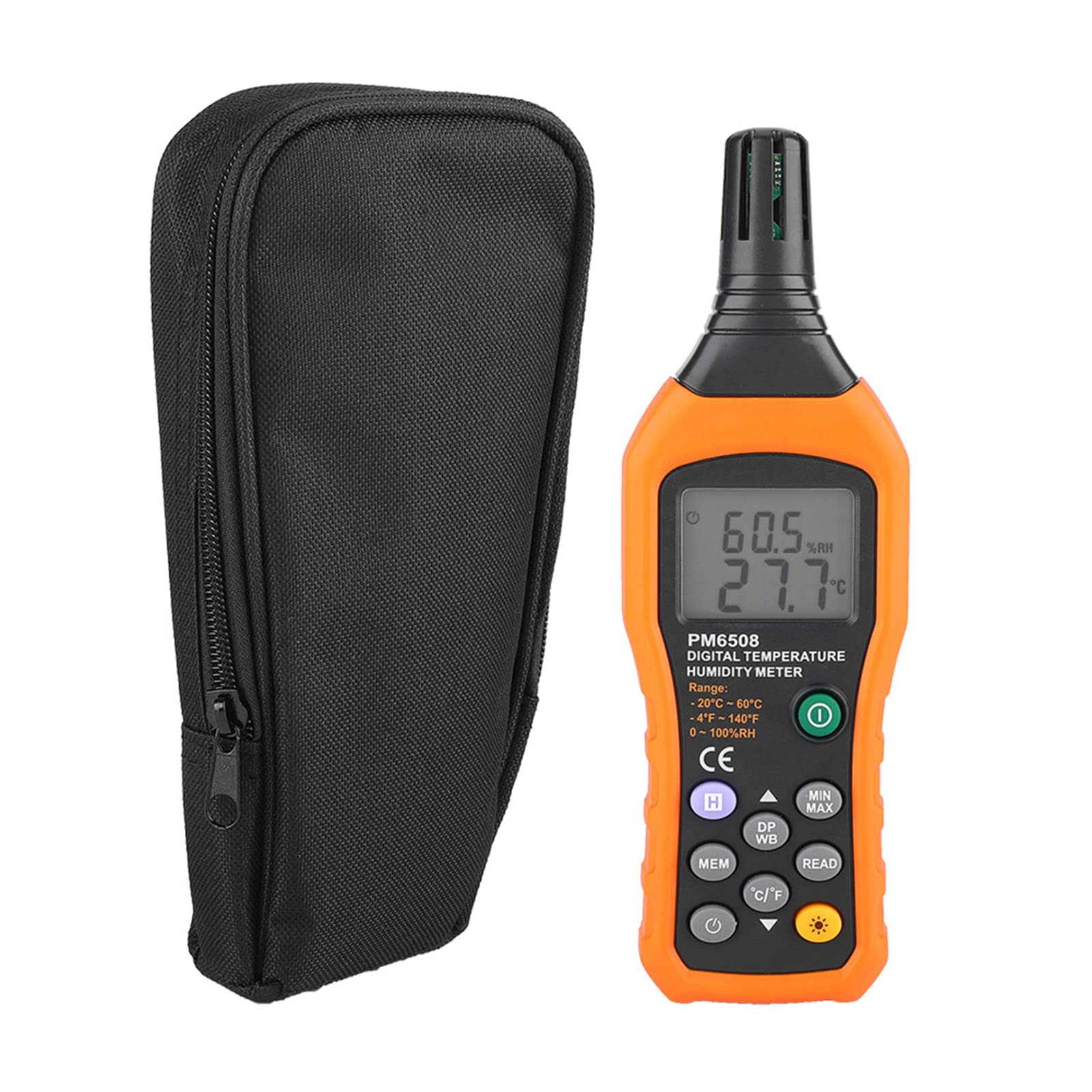
3.2 paveikslas: The Walfront PM6508 meter shown alongside its portable storage bag, indicating typical package contents.
- Walfront PM6508 Digital Temperature Humidity Meter
- Nešiojamasis saugojimo krepšys
- Vartotojo vadovas
4. Sąranka
4.1 Akumuliatoriaus įdėjimas
The PM6508 meter requires 4 x 1.5V AAA batteries (not included) for operation.
- Suraskite baterijų skyriaus dangtelį matuoklio gale.
- Baterijos dangtelį stumkite žemyn, kad jį atidarytumėte.
- Insert four AAA batteries, ensuring correct polarity (+ and -) as indicated inside the compartment.
- Uždėkite akumuliatoriaus dangtelį, stumdami jį atgal į vietą, kol jis tvirtai spragtelės.
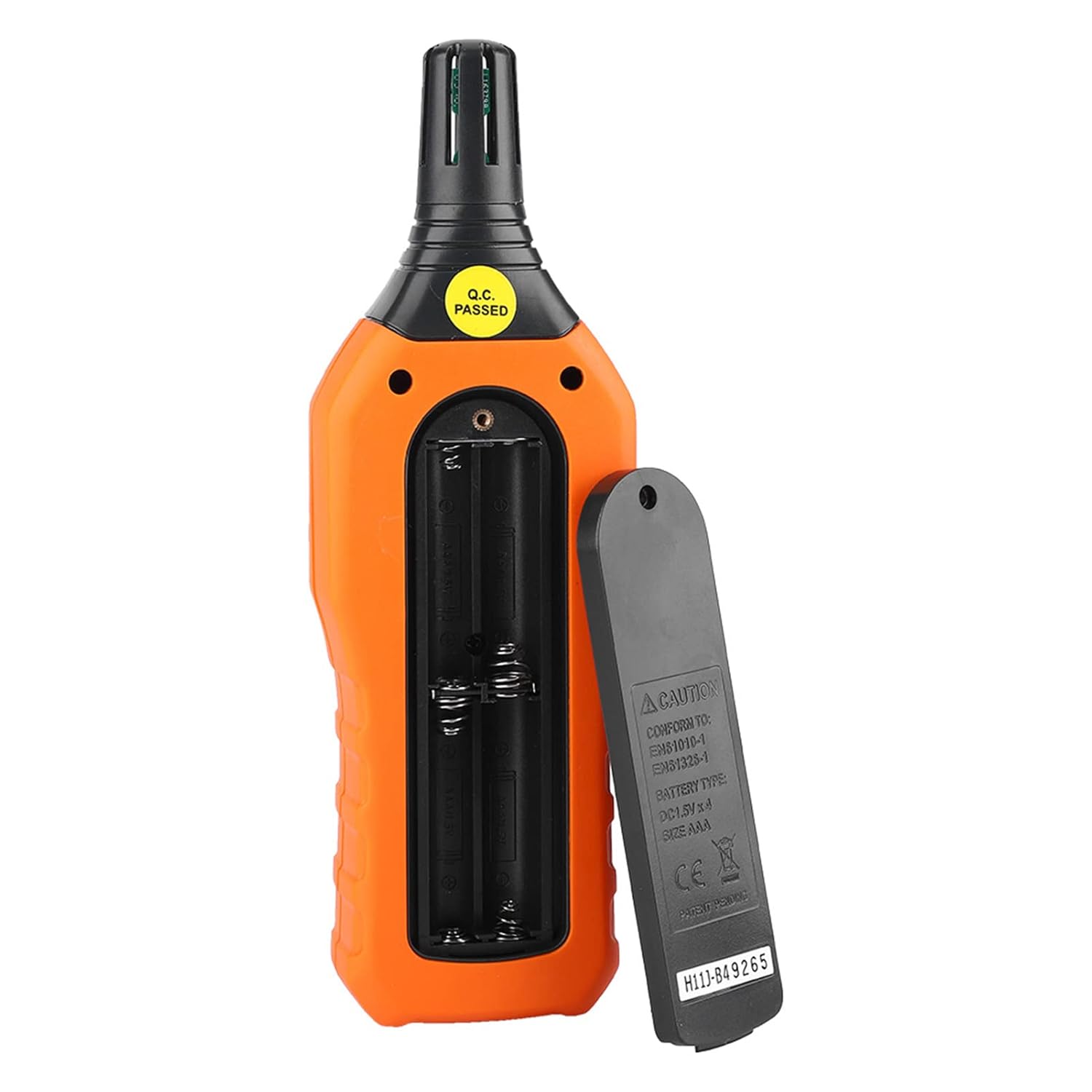
4.1 paveikslas: Galinis view of the meter showing the open battery compartment for AAA battery installation.
5. Naudojimo instrukcijos
5.1 Maitinimo įjungimas/išjungimas
- Paspauskite green power button (
 ) to turn the meter on.
 - Paspauskite ir palaikykite gray power button () for approximately 2 seconds to turn the meter off. The meter also features an automatic shut-down function to conserve battery life.
5.2 Matavimai
Once powered on, the meter will immediately begin displaying real-time temperature and humidity readings on the LCD screen. Ensure the sensor at the top of the device is exposed to the environment you wish to measure.

5.1 paveikslas: The meter in use, displaying temperature and humidity readings on its LCD screen.
5.3 Matavimo vienetų perjungimas (°C/°F)
Norėdami perjungti temperatūros vienetus tarp Celsijaus (°C) ir Farenheito (°F):
- Paspauskite °C/°F mygtukas () located on the keypad. The display will update to show readings in the selected unit.
5.4 Foninio apšvietimo funkcija
To activate or deactivate the display backlight:
- Paspauskite foninio apšvietimo mygtukas () to toggle the backlight on or off. This is useful for reading in low-light conditions.
5.5 Data Hold (H)
To freeze the current readings on the display:
- Paspauskite H mygtukas (). The "H" icon will appear on the display, indicating that the data is held.
- Paspauskite H mygtukas again to release the data hold and resume real-time measurements.
5.6 Maximum/Minimum (MIN/MAX) Measurement
Į view the maximum or minimum recorded values:
- Paspauskite MIN/MAX mygtukas () once to display the maximum temperature and humidity recorded since the meter was powered on or the function was reset.
- Paspauskite MIN/MAX mygtukas again to display the minimum temperature and humidity.
- Paspauskite MIN/MAX mygtukas a third time to exit the MIN/MAX mode and return to real-time readings.
5.7 Data Storage (MEM) and Retrieval (READ)
Matuoklis gali saugoti iki 100 matavimo duomenų grupių.
- To Store Data: Paspauskite MEM mygtukas () to save the current temperature and humidity readings. The display will briefly show a memory location number.
- To Retrieve Data: Paspauskite mygtukas SKAITYTI () to enter data retrieval mode. Use the MEM mygtukas to scroll through stored data records.
- To Exit Retrieval: Paspauskite mygtukas SKAITYTI again to exit data retrieval mode.
5.8 Wet Bulb (WB) and Dew Point (DP) Temperature
To display Wet Bulb or Dew Point temperatures:
- Paspauskite DP/WB button () once to display the Dew Point temperature.
- Paspauskite DP/WB button again to display the Wet Bulb temperature.
- Paspauskite DP/WB button a third time to return to standard temperature and humidity display.
6. Priežiūra
6.1 Valymas
- Nuvalykite skaitiklio casing su minkštu, damp audinys. Nenaudokite abrazyvinių valiklių ar tirpiklių.
- Keep the sensor area clean and free from dust or debris to ensure accurate readings. Do not insert any objects into the sensor opening.
6.2 Saugykla
- Kai ilgesnį laiką nenaudojate, išimkite baterijas, kad išvengtumėte ištekėjimo ir prietaiso pažeidimo.
- Matuoklį laikykite vėsioje, sausoje vietoje, toliau nuo tiesioginių saulės spindulių ir ekstremalių temperatūrų.
- Utilize the provided portable storage bag for protection during storage and transport.
7. Problemų sprendimas
| Problema | Galima priežastis | Sprendimas |
|---|---|---|
| Matuoklis neįsijungia. |
|
|
| Netikslūs rodmenys. |
|
|
| Ekranas blankus arba mirga. |
|
|
| Cannot store or retrieve data. |
|
|
8. Specifikacijos
The following table outlines the technical specifications for the Walfront PM6508 Digital Temperature Humidity Meter.


8.1 paveikslas: Detailed technical specifications including ranges, resolution, and precision for temperature, humidity, wet bulb, and dew point measurements, along with general parameters.
| Parametras | Vertė |
|---|---|
| Modelis | PM6508 |
| Aplinkos temperatūros diapazonas | -20 iki 60 °C (nuo -4 iki 140 °F) |
| Ambient Temperature Precision | ±1.5 °C (-20 to 0 °C, 45 to 60 °C), ±0.5 °C (0 to 45 °C) |
| Santykinės drėgmės diapazonas | 0–100 % santykinis oro drėgnumas |
| Relative Humidity Precision | ±4.0% (0-20%, 80-100%), ±3.0% (20-80%) |
| Drėgnos lemputės temperatūros diapazonas | -20–60 °C (4–140 °F) |
| Wet Bulb Temperature Precision | ±1.5 °C (-20 to 0 °C, 45 to 60 °C), ±0.5 °C (0 to 45 °C) |
| Rasos taško temperatūros diapazonas | -50 iki 60 °C (nuo -58 iki 140 °F) |
| Dew Point Temperature Precision | ±1.5 °C (-50 to 0 °C, 45 to 60 °C), ±0.5 °C (0 to 45 °C) |
| Rezoliucija | 0.1 °C / °F / %RH |
| Duomenų saugykla | 100 grupės |
| Maitinimo šaltinis | 4 x 1.5 V AAA baterija (nepridedama) |
| Matmenys (I x P x A) | 180 x 60 x 29 mm (7.1 x 2.4 x 1.1 colio) |
| Svoris | 254 g (9 uncijos) |
| Darbinė drėgmė | 0–100 % (nesikondensuojant) |
9. Paraiškos
The Walfront PM6508 is suitable for a wide range of applications requiring accurate temperature and humidity monitoring.

9.1 paveikslas: Examples of environments where the PM6508 meter can be effectively used for temperature and humidity monitoring.
- Residential and Office Environments: Monitoring indoor climate for comfort and health.
- Industrial Production: Ensuring optimal conditions for manufacturing processes.
- Warehousing and Storage: Protecting goods sensitive to temperature and humidity, such as in wine cellars or general storage.
- Žemės ūkis: Monitoring conditions in planting sheds, greenhouses, and aquaculture.
- Research and Development Laboratories: Maintaining precise environmental controls for experiments.
- ŠVOK sistemos: Assisting in the evaluation and maintenance of heating, ventilation, and air conditioning systems.
10. Garantija ir palaikymas
Walfront products are designed for reliability and performance. For warranty information, technical support, or service inquiries, please refer to the contact information provided with your purchase or visit the official Walfront websvetainėje. Prašome išsaugoti pirkimo įrodymą garantiniams reikalavimams.