
1. Įvadas
The PNI House IP516 is a 16-channel Network Video Recorder (NVR) designed for advanced surveillance systems, supporting up to 5MP IP cameras and H.265 video compression. This NVR allows for local and remote monitoring, recording, and management of your security cameras. It is compatible with ONVIF protocol cameras, offering flexibility in camera selection. This manual provides essential information for the proper installation, operation, and maintenance of your PNI House IP516 NVR.
2. Pakuotės turinys
Please verify that all items listed below are included in your package. If any items are missing or damaged, contact your retailer.
- PNI House IP516 NVR Unit
- USB pelė
- Maitinimo adapteris
- Vartotojo vadovas (šis dokumentas)
- CD with Software
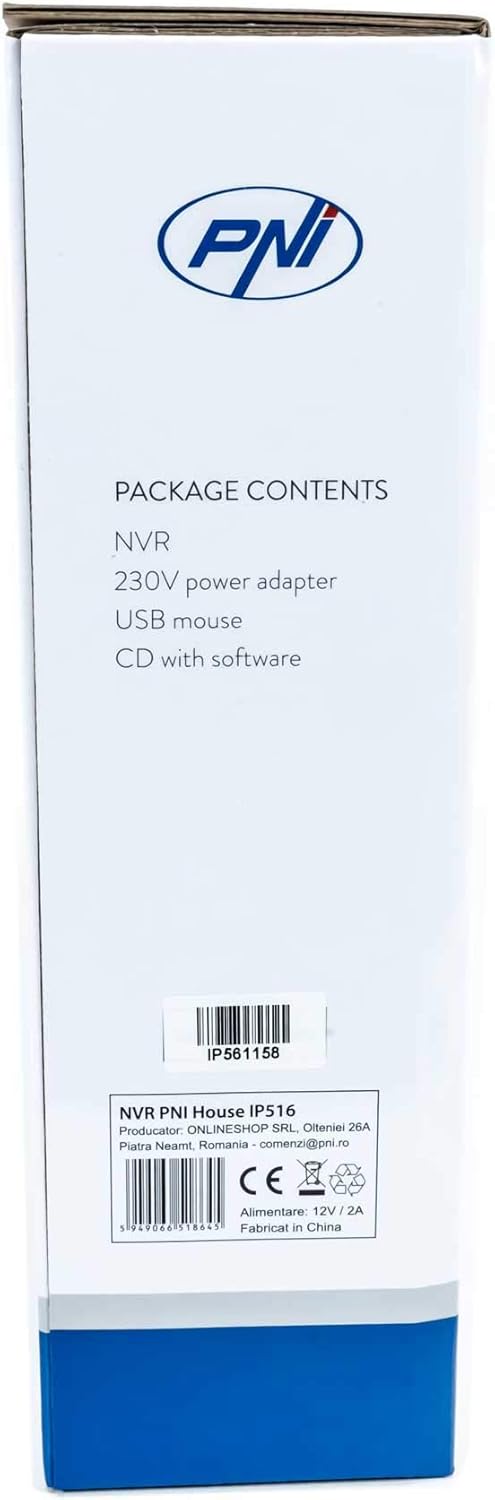
Image: Side of the NVR box detailing the package contents.

Image: The PNI House IP516 NVR unit, power adapter, and USB mouse included in the package.
3. Produktas baigtasview
3.1 Priekinis skydelis
The front panel of the NVR features indicator lights for system status.
- PWR (galia): Indicates the NVR is powered on.
- REC (įrašymas): Flashes when recording is active.
- NETAS (tinklas): Nurodo tinklo veiklą.

Vaizdas: priekis view of the PNI House IP516 NVR, showing the power, record, and network indicator lights.
3.2 Galinis skydelis
The rear panel provides all necessary connection ports for the NVR.
- VGA prievadas: Jungiamas prie VGA monitoriaus.
- HDMI prievadas: Connects to an HDMI monitor or TV for high-definition video output.
- LAN Port (RJ45 10/100 Mbps): Prisijungia prie jūsų tinklo maršrutizatoriaus arba komutatoriaus.
- USB prievadai (x2): For connecting the USB mouse, external storage, or for system upgrades.
- DC 12V maitinimo įvestis: Jungiamas prie pridedamo maitinimo adapterio.

Vaizdas: Galinis view of the PNI House IP516 NVR, displaying VGA, HDMI, LAN, USB, and DC 12V power input ports.
4. Sąranka
4.1 Kietojo disko diegimas (neprivaloma)
The NVR supports a hard drive up to 8 TB for video storage. It is recommended to use dedicated CCTV hard drives for optimal reliability and endurance.
- Atsukite ir nuimkite viršutinį NVR dangtelį.
- Prijunkite SATA duomenų ir maitinimo kabelius iš NVR prie kietojo disko.
- Secure the hard drive to the NVR chassis using the provided screws.
- Uždėkite viršutinį dangtelį ir pritvirtinkite jį varžtais.
4.2 Pradiniai ryšiai
- Connect a monitor to the NVR's VGA or HDMI port.
- Prijunkite USB pelę prie vieno iš NVR USB prievadų.
- Prijunkite Ethernet kabelį nuo NVR LAN prievado prie tinklo maršrutizatoriaus arba komutatoriaus.
- Connect the power adapter to the NVR's DC 12V input and then plug it into a power outlet. The NVR will power on automatically.
4.3 First Boot and Basic Configuration
Pirmą kartą paleidus, NVR jus nuves per pradinio nustatymo vedlį. Vykdykite ekrane pateikiamus nurodymus, kad:
- Set up a strong password for the administrator account.
- Konfigūruokite datos ir laiko nustatymus.
- Format the installed hard drive (if applicable).
- Perform network settings (DHCP is usually enabled by default).
- Ieškokite and add IP cameras to the NVR. The NVR supports up to 16 cameras at 2560x1920px (5MP) and is compatible with ONVIF protocol cameras.
5. NVR valdymas
5.1 Vietinis valdymas
Use the connected mouse to navigate the NVR's graphical user interface (GUI) on the monitor. Right-click to access the main menu, which includes options for live view, playback, recording settings, system configuration, and more.
5.2 Nuotolinė prieiga
The PNI House IP516 NVR can be accessed remotely for live viewatkūrimas ir konfigūravimas.
- Mobile Application (XMEye): Download the XMEye app from the Android Play Store or Apple App Store. Register an account, add your NVR by scanning its QR code or entering its serial number, and then you can view your cameras from anywhere with an internet connection.
- PC Software (General CMS): Install the General CMS software from the included CD or download it from the PNI support website. This software allows for comprehensive management of your NVR and cameras from a Windows PC.
5.3 Įrašų valdymas
NVR palaiko įvairius įrašymo režimus:
- Nepertraukiamas įrašymas: Įrašai visą parą.
- Suplanuotas įrašymas: Įrašai konkrečiais laikotarpiais.
- Judesio aptikimo įrašymas: Records only when motion is detected by the cameras.
Configure these settings in the NVR's menu under 'Record' or 'Storage' settings.
5.4 Judesio aptikimas ir įspėjimai
When motion is detected, the system can trigger various alerts:
- Mobilieji pranešimai: Text notifications sent via the XMEye mobile application.
- El. pašto įspėjimai: An email sent to a predefined address.
- FTP įkėlimas: The recording saved to an FTP server.
These alert settings can be configured in the NVR's 'Alarm' or 'Event' menu.
6. Priežiūra
6.1 Kietojo disko valdymas
Regularly check the status of your hard drive in the NVR's storage settings. If the hard drive becomes full, the NVR will typically overwrite the oldest recordings (loop recording). You may need to format the hard drive periodically if you encounter issues or wish to clear all data.
6.2 Sistemos atnaujinimai
Periodically check the PNI support website for firmware updates. Firmware updates can improve performance, add new features, or fix bugs. Follow the instructions provided with the firmware update carefully to avoid damaging the device.
6.3 Valymas
Ensure the NVR unit is kept clean and free from dust. Use a soft, dry cloth to wipe the exterior. Do not use liquid cleaners or aerosols directly on the unit.
7. Problemų sprendimas
| Problema | Galima priežastis | Sprendimas |
|---|---|---|
| NVR does not power on | No power supply; faulty power adapter | Check power connection; test power adapter; try a different outlet. |
| Nėra vaizdo išvesties monitoriuje | Loose cable; incorrect input selected on monitor | Ensure VGA/HDMI cable is securely connected; select correct input on monitor. |
| Nepavyksta nuotoliniu būdu pasiekti NVR | Network issue; incorrect app settings; NVR not connected to internet | Verify NVR network connection; check router settings; ensure correct NVR ID/serial in app. |
| Kameros nerodomos | Camera not powered; network issue; incorrect camera IP/protocol | Check camera power and network cables; ensure cameras are ONVIF compatible; verify camera IP addresses. |
| Nėra įrašymo | Hard drive not installed/formatted; recording schedule not set; motion detection not configured | Install and format HDD; configure recording schedule; set up motion detection zones and sensitivity. |
8. Specifikacijos
| Funkcija | Detalė |
|---|---|
| Modelio numeris | IP516 |
| Kanalai | 16 |
| Maksimali skiriamoji geba | 5MP (2560 x 1920px) |
| Vaizdo įrašų suspaudimas | H.265 |
| Suderinami įrenginiai | IP Cameras, Smartphone |
| Ryšio technologija | HDMI, USB, VGA, RJ45 Ethernet |
| Ryšio sąsaja | RJ45 10/100 Mbps |
| Maksimali saugojimo talpa | 8 TB (HDD) |
| USB prievadai | 2 |
| Energijos suvartojimas | 10 vatų |
| Gamintojo dalies numeris | PNI-1920P |
9. Garantija
The PNI House IP516 NVR comes with a standard manufacturer's warranty. Please refer to the warranty card included in your package or visit the official PNI webIšsamias garantijos sąlygas, galiojimo laiką ir aptarnavimo procedūras rasite svetainėje. Išsaugokite pirkimo įrodymą, jei prireiktų pateikti garantijos pretenzijas.
10. Parama
For technical support, troubleshooting assistance, or further inquiries regarding your PNI House IP516 NVR, please visit the official PNI website or contact their customer service department. You can find contact information and additional resources on the PNI brand store page: PNI Brand Store.


