
Įvadas
Thank you for choosing the SENTRY HPXKX50 RGB Gaming Mouse. This high-performance wired gaming mouse is designed to enhance your gaming and computing experience with its precise optical sensor, customizable RGB lighting, and ergonomic design. This manual provides detailed instructions on setting up, operating, maintaining, and troubleshooting your new mouse.
Pakuotės turinys
- SENTRY HPXKX50 RGB Gaming Mouse
- Vartotojo vadovas (šis dokumentas)

Image: The retail packaging for the SENTRY HPXKX50 RGB Gaming Mouse, showing the mouse inside the box with its features highlighted.
Sąranka
Follow these simple steps to set up your SENTRY HPXKX50 RGB Gaming Mouse:
- Išpakuokite pelę: Carefully remove the mouse and its USB cable from the packaging.
- Prisijunkite prie savo įrenginio: Locate an available USB port on your computer (PC, Laptop, Mac) or compatible gaming console (PS4/PS5). Insert the USB connector of the mouse into the USB port.
- Tvarkyklės diegimas: The SENTRY HPXKX50 is a plug-and-play device. Your operating system (Windows, macOS) will automatically detect and install the necessary drivers. No additional software installation is required for basic functionality.
- Patikrinkite ryšį: Once connected, the mouse's RGB lighting will illuminate, indicating a successful connection. You can now move the mouse to test cursor movement.

Vaizdas: Stambus planas view of the USB connector of the SENTRY HPXKX50 RGB Gaming Mouse, which is used for connecting to a computer.

Image: Icons illustrating the compatibility of the SENTRY HPXKX50 RGB Gaming Mouse with various devices, including laptops, desktop computers, HDTVs, PS4/PS5 consoles, and Mac computers.
Veikiantis
The SENTRY HPXKX50 RGB Gaming Mouse offers intuitive operation with its standard buttons and advanced features.
Pagrindinės funkcijos
- Kairysis spustelėjimas: Pagrindinis veiksmo mygtukas.
- Dešiniuoju pelės mygtuku spustelėkite: Antrinis veiksmo mygtukas, paprastai naudojamas kontekstiniuose meniu.
- Slinkties ratukas: Slenka turinį aukštyn arba žemyn. Taip pat galima paspausti, kad būtų įjungta vidurinio pelės mygtuko paspaudimo funkcija.
- DPI mygtukas: Located behind the scroll wheel, this button allows you to cycle through different DPI (Dots Per Inch) sensitivity settings.
RGB apšvietimas
The mouse features dynamic RGB lighting that illuminates the edges and scroll wheel. The lighting effects are pre-programmed and will cycle automatically, adding an aesthetic appeal to your setup.
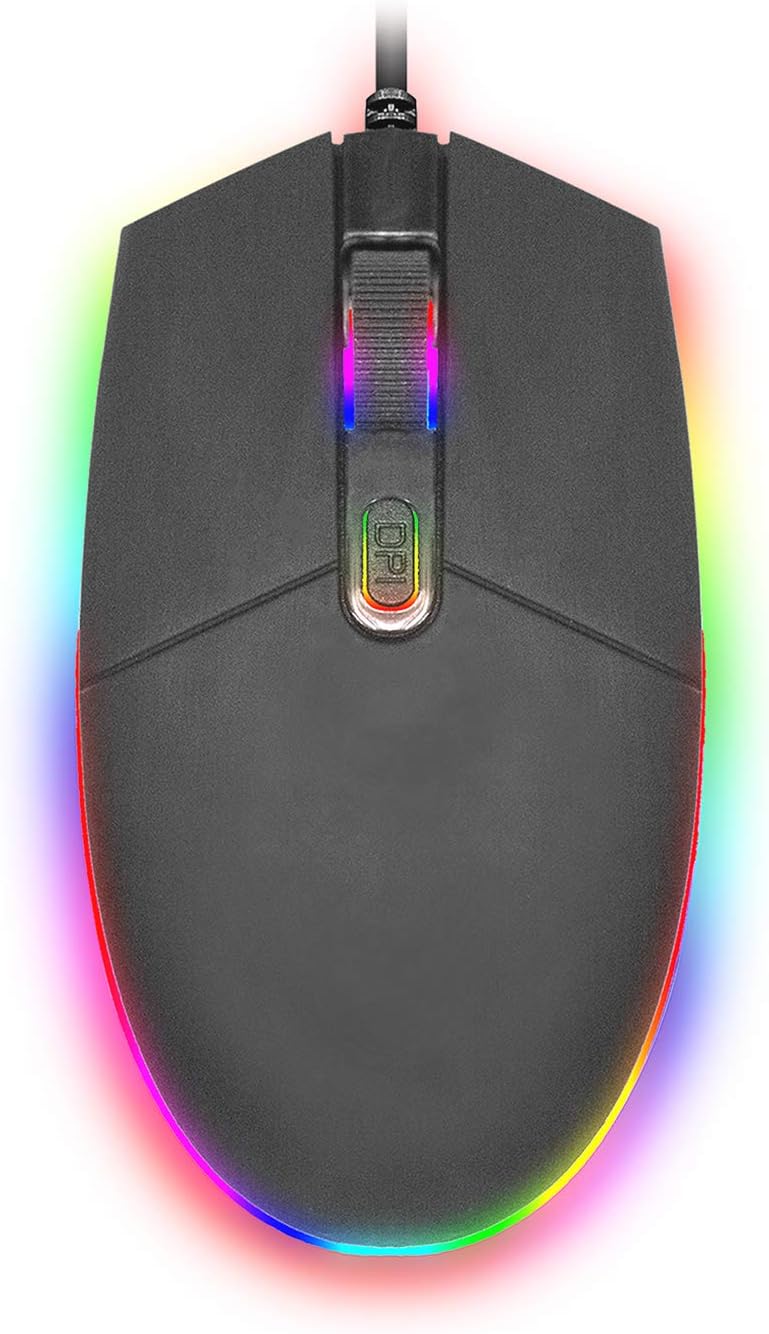
Paveikslėlis: Iš viršaus į apačią view of the SENTRY HPXKX50 RGB Gaming Mouse, showcasing its vibrant, multi-color RGB lighting along the base and around the scroll wheel.

Paveikslėlis: Šalutinis profesionalasfile view of the SENTRY HPXKX50 RGB Gaming Mouse, highlighting the illuminated RGB strip along its bottom edge in a dark environment.
DPI jautrumas
The HPXKX50 mouse is equipped with a high-precision optical sensor, offering up to 7200 DPI. This allows for highly sensitive and accurate cursor movements, ideal for fast-paced gaming or precise graphic design work. Press the DPI button to switch between sensitivity levels. The mouse is designed for smooth tracking and ultra-high sensitivity.

Image: The SENTRY HPXKX50 RGB Gaming Mouse with an overlay indicating its 7200 DPI high-precision optical sensor, emphasizing its accuracy for gaming.
Priežiūra
To ensure the longevity and optimal performance of your SENTRY HPXKX50 RGB Gaming Mouse, follow these maintenance guidelines:
- Valymas: Pelės paviršiui nuvalyti naudokite minkštą, sausą, nepūkuotą šluostę. Jei nešvarumai sunkiai įveikiami, šiek tiek pamirkykite.ampNuvalykite šluostę vandeniu. Venkite naudoti stiprias chemines medžiagas, tirpiklius ar abrazyvinius valiklius.
- Jutiklio priežiūra: Pelės apačioje esantį optinį jutiklį laikykite švarų, be dulkių ar šiukšlių. Jutiklio sritį švelniai nuvalykite vatos tamponu arba suslėgtu oru.
- Kabelių valdymas: Avoid sharp bends or kinks in the USB cable. Store the mouse in a way that prevents the cable from being tangled or stressed. The braided cable is designed for durability.
- Saugykla: Kai ilgesnį laiką nenaudojate pelės, laikykite ją vėsioje, sausoje vietoje, toliau nuo tiesioginių saulės spindulių ir ekstremalių temperatūrų.
Trikčių šalinimas
If you encounter issues with your SENTRY HPXKX50 RGB Gaming Mouse, refer to the table below for common problems and solutions:
| Problema | Galima priežastis | Sprendimas |
|---|---|---|
| Pelė nereaguoja | Atsilaisvinęs USB ryšys, sugedęs USB prievadas, tvarkyklės problema. | Ensure USB cable is firmly plugged in. Try a different USB port. Restart your computer. |
| Žymeklio judėjimas yra netolygus arba trūkčiojantis | Nešvarus optinis jutiklis, netinkamas pelės kilimėlio paviršius. | Clean the optical sensor. Use a clean, uniform mouse pad surface. |
| RGB lighting is off or flickering | Insufficient power from USB port, internal fault. | Try a different USB port, preferably a direct port on the motherboard (for desktops). If the issue persists, contact support. |
| DPI mygtukas nekeičia jautrumo | Programinės įrangos konfliktas, mygtuko gedimas. | Ensure no conflicting mouse software is running. Restart your computer. |
Specifikacijos
| Funkcija | Detalė |
|---|---|
| Prekės ženklas | SENTRY |
| Modelio numeris | 50M1-05000 |
| Ryšio technologija | USB laidinis |
| Judesio aptikimo technologija | Optinis |
| DPI (taškai colyje) | Iki 7200 DPI |
| Apšvietimas | RGB |
| Spalva | Juoda |
| Aparatinės įrangos platforma | PC |
| Operacinės sistemos suderinamumas | „Windows“, „macOS“ (prijunk ir žaisk) |
| Prekės svoris | 6.4 uncijos (apie 181 g) |
| Gaminio matmenys (IxPxH) | 4.75 x 2 x 7.25 colio (apytiksliai 12.07 x 5.08 x 18.42 cm) |
| Ypatinga funkcija | Ergonomiškas dizainas |
| Gamintojas | Didmeninė prekyba kabeliais |
Garantija ir palaikymas
For warranty information and customer support, please refer to the documentation provided with your purchase or visit the official SENTRY or CableWholesale websvetainėje. Išsaugokite pirkimo įrodymą garantiniams reikalavimams.
For additional assistance, you may contact the manufacturer directly through their official support channels.